1. Киришүү
The ViewSonic X2 is a high-brightness, lamp-free smart short throw projector designed for home entertainment. It utilizes 3rd generation LED technology, offering an impressive lifespan of up to 30,000 hours, eliminating the need for frequent lamp replacements. This projector delivers Full HD (1920x1080) resolution with 2300 ANSI lumens of brightness and 125% Rec. 709 color accuracy, ensuring vibrant and cinematic visuals.
Key features include dual Harman Kardon speakers for immersive audio, Bluetooth compatibility for streaming, and embedded Wi-Fi for screen mirroring from smart devices. Its short throw ratio allows for a large 100-inch projection from only a few feet away. Flexible setup is supported by vertical lens shift, 1.2x optical zoom, H/V keystone correction, and 4-corner adjustment.

1.1-сүрөт: Деталдуу алдыңкы бети view -ныкы ViewSonic X2 projector, highlighting its compact design and lens.
2. Кутуда эмне бар
Upon unboxing your ViewSonic X2 projector, you will find the following components:
- ViewSonic X2 Projector
- Электр кабели
- Алыстан башкаруу
- Quick Start Guide
- USB-C Cable
Video 2.1: Official ViewSonic X2 Unboxing Video. This video demonstrates the unboxing process and highlights the included accessories.
3. Орнотуу
Сиздин орнотуу ViewSonic X2 projector is designed to be straightforward. The compact size of the projector makes it convenient to move between rooms if needed.
3.1 Байланыш
The X2 projector offers a variety of ports for connecting your devices:
- Two HDMI ports: Both support HDCP 2.2, allowing connection of Blu-ray players and other modern media devices. These ports also support 3D content.
- USB-C порту: This port allows direct connection to devices like the Nintendo Switch without needing a separate dock.
- Five-volt, one-amp USB порт: Useful for powering streaming sticks directly from the projector.
- RS-232 порту: Primarily for advanced control in educational or work environments, allowing remote management of the device.
- Audio In/Out (3.5mm) and Bluetooth Audio In/Out: For flexible audio connections.

Figure 3.1: A close-up of the projector's rear panel, detailing the available input and output ports including HDMI, USB-C, and audio jacks.
3.2 Placement and Image Adjustment
Due to its short throw model, the ViewSonic X2 requires only about three feet of distance from a wall to project a 100-inch image. This allows for really large images even in smaller spaces.
Image adjustments can be made directly from the top panel of the projector or via the included remote control. The projector supports 1.2x optical zoom, allowing you to zoom or retract the lens as needed. Digital 4-corner adjustment is also available for precise image alignment.

Figure 3.2: An image demonstrating the large, immersive projection from the ViewSonic X2, with two individuals comfortably watching a movie.

Figure 3.3: This image provides the physical dimensions of the ViewSonic X2 projector, showing its length, width, and height.
4. Проекторду иштетүү
The ViewSonic X2 is a smart projector, featuring an integrated app store for direct content access. It supports wireless screen mirroring from both iPhone and Android smartphones, making it easy to display content from your mobile devices.
The projector includes built-in stereo Harman Kardon speakers on both sides, providing room-filling audio. You can also connect external Bluetooth speakers or soundbars to the projector for an enhanced cinematic experience, or stream audio from your device to the projector's speakers.
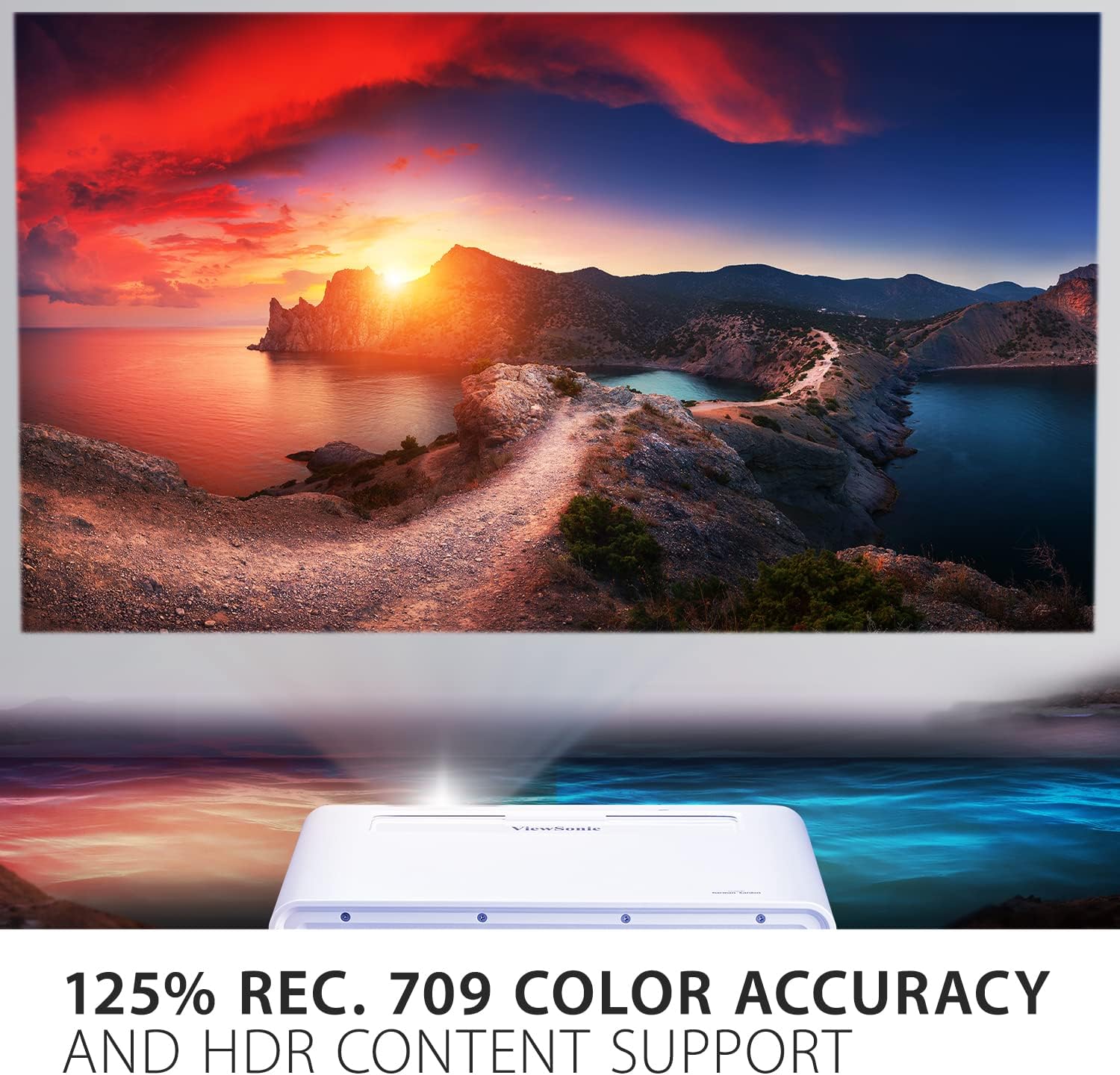
Figure 4.1: A visual representation of the projector's advanced color technology, displaying a scene with rich and accurate colors.

Figure 4.2: This image emphasizes the integrated Harman Kardon speakers, suggesting high-quality audio output from the projector.
5. Техникалык тейлөө
The ViewSonic X2 utilizes 3rd generation LED technology, which provides a long lifespan of up to 30,000 hours. This significantly reduces the need for lamp replacement compared to traditional lamp- негизделген проекторлор.
To ensure optimal performance and longevity, keep the projector's ventilation areas clear of obstructions. Regularly clean the lens with a soft, lint-free cloth designed for optical surfaces. Avoid using abrasive cleaners or solvents.
6. Кыйынчылыктарды
For common issues, please refer to the Quick Start Guide included in the box. Ensure all cables are securely connected and the projector has a stable power supply. If the image is blurry, adjust the focus using the lens controls on the top panel. For image distortion, utilize the keystone correction and 4-corner adjustment features.
If you experience no image or sound, verify the input source selection matches the connected device. For persistent issues, consult the full user manual (if available) or contact ViewSonic кардарларды колдоо.
7. Техникалык шарттар
| Өзгөчөлүк | Деталь |
|---|---|
| Продукциянын өлчөмдөрү | 14 x 9.9 x 4.7 дюйм |
| Элемент Салмагы | 7.92 фунт |
| ASIN | B09TYYBJNM |
| Элементтин моделинин номери | X2 |
| Батареялар | 1 AAA батарейкасы талап кылынат. |
| Бренд | ViewSonic |
| Продукт үчүн сунушталган колдонуу | Home entertainment, movie screenings, gaming, streaming content, presentations |
| Өзгөчө өзгөчөлүк | Bluetooth, Portable, Short Throw |
| Байланыш технологиясы | Bluetooth, HDMI |
| Дисплейдин чечилиши | 1920 x 1080 |
| Диагоналдуу экран көрүнөт | 120" / 305 см |
8. Кепилдик жана колдоо
For warranty information and technical support, please refer to the documentation included with your product or visit the official ViewSonic website. Specific warranty terms and conditions may vary by region and product.


