1. Киришүү
This manual provides essential information for the HP Pavilion 14 Laptop, model ec1003AU. It covers setup, operation, maintenance, and troubleshooting to ensure optimal performance and longevity of your device. Please read this manual thoroughly before using your laptop.

Сүрөт 1: Алдыңкы view of the HP Pavilion 14 Laptop.
2. Орнотуу
2.1 Кутудан чыгаруу жана алгачкы текшерүү
- Ноутбукту жана бардык аксессуарларды таңгактан этияттык менен алып салыңыз.
- Verify that all included components are present: Laptop, Power Adapter.
- Ноутбуктун физикалык бузулууларын текшериңиз. Эгерде бузулуу табылса, дароо кардарларды колдоо кызматына кайрылыңыз.
2.2 Кубат адаптерин туташтыруу
- Connect the power adapter to the AC Smart pin port on the laptop.
- Кубат адаптеринин экинчи учун розеткага сайыңыз.
- Allow the battery to charge for a few minutes before initial power-on.
2.3 Алгачкы күйгүзүү жана Windowsту орнотуу
- Ноутбукту иштетүү үчүн кубат баскычын басыңыз.
- Follow the on-screen instructions to complete the Windows 11 Home setup. This includes selecting your region, language, creating a user account, and connecting to a Wi-Fi network.
- Activate Microsoft Office 2021 by signing in or signing up and following the Office Activation Wizard.
3. Ноутбугуңузду иштетүү
3.1 Баскычтоп жана сенсордук такта
- The laptop features a backlit keyboard for improved visibility in low-light conditions.
- The multi-touch gesture touchpad supports various gestures for navigation and control. Refer to Windows settings for customization.
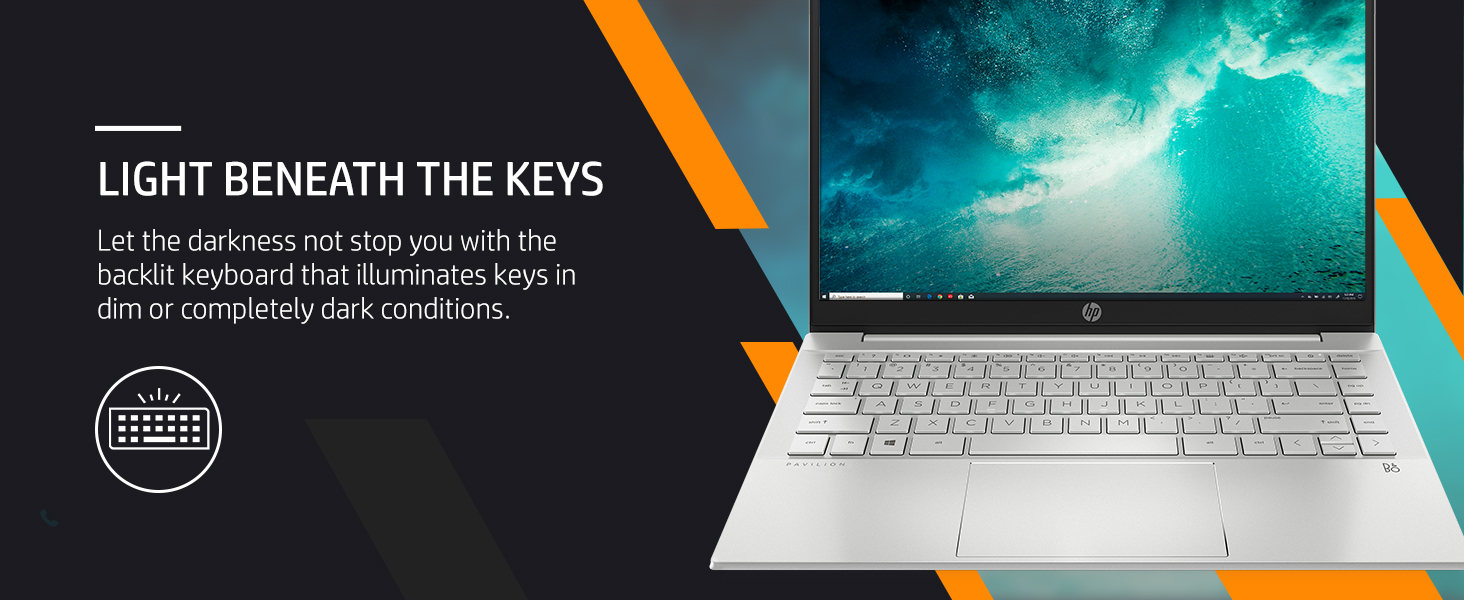
Figure 2: The backlit keyboard of the HP Pavilion 14 Laptop.
3.2 Дисплейдин өзгөчөлүктөрү
The 14-inch Full HD (1920 x 1080 pixels) micro-edge display provides clear visuals. It offers 250 nits brightness and 157 ppi for a crisp viewтажрыйбасы.

Figure 3: The 14-inch Full HD display with micro-edge design.
4. Байланыш
4.1 Зымсыз байланыш
- Wi-Fi 6 (2x2): Интернетке кирүү үчүн зымсыз тармактарга туташыңыз.
- Bluetooth 5.2: Pair with compatible wireless devices such as headphones, mice, or keyboards.
4.2 Порттор жана туташтыргычтар
The laptop is equipped with the following ports:
- 1x SuperSpeed USB Type-C port
- 2x SuperSpeed USB Type-A ports
- 1x HDMI 2.1 порту
- 1x Гарнитура/Микрофон айкалыштыруу уячасы
- 1x AC Smart пин (кубат адаптери үчүн)

Figure 4: Connectivity ports on the HP Pavilion 14 Laptop.
5. Аткаруу жана сактоо
5.1 Процессор жана эс тутум
The laptop is powered by an AMD Ryzen 5 5625U processor with 6 cores and 12 threads, offering speeds up to 4.3 GHz max boost clock and 16MB L3 cache. It includes 8GB DDR4 RAM, which can be upgraded up to 16GB for enhanced multitasking.
5.2 Сактоо
A 512GB PCIe NVMe M.2 SSD provides fast boot times and quick application loading, offering ample space for documents, media, and software.

Figure 5: Key performance components of the HP Pavilion 14 Laptop.
6. Audio and Visuals
6.1 Аудио системасы
Experience clear audio with dual speakers tuned by B&O. The audio processing enhances sound quality for multimedia consumption and communication.
6.2 Камера
The integrated HP Wide Vision 720p HD camera features temporal noise reduction, providing clear video for online meetings and calls.
Видео 1: Бүттүview of the HP Pavilion 14 Laptop's features, including display, RAM, storage, camera, ports, weight, and audio capabilities.
7. Батареяны башкаруу
The laptop is equipped with a 43 Watt-hour Lithium-Ion battery (3 cells). It supports HP Fast Charge technology, allowing the device to charge up to 50% in approximately 30 minutes.
- To maximize battery life, adjust screen brightness and close unused applications.
- For optimal battery health, avoid frequently discharging the battery completely.
8. Техникалык тейлөө
8.1 Ноутбугуңузду тазалоо
- Жумшак, түксүз кездемени колдонуңуз dampдисплейди тазалоо үчүн суу же экран тазалагыч менен иштетиңиз.
- Баскычтоп жана шасси үчүн жумшак кездеме колдонуңуз. Катуу химиялык заттардан алыс болуңуз.
- Бардык порттор чаңдан жана таштандыдан таза экенин текшериңиз.
8.2 Программалык камсыздоо жаңыртуулары
Regularly check for and install operating system and driver updates to maintain system stability and security. HP Support Assistant can help manage these updates.
9. Кыйынчылыктарды
This section addresses common issues you might encounter with your HP Pavilion 14 Laptop.
9.1 Электр энергиясы маселелери
- Ноутбук күйбөй жатат: Кубат адаптери бекем туташып турганын жана батарейканын заряды жетиштүү экенин текшериңиз. Башка электр розеткасын колдонуп көрүңүз.
- Батарея кубатталбай жатат: Verify the power adapter is functioning correctly. Check the charging port for obstructions.
9.2 Дисплей көйгөйлөрү
- Дисплей жок: Көйгөй ноутбуктун экранында экенин текшерүү үчүн тышкы мониторду туташтырыңыз. Ноутбукту кайра иштетиңиз.
- Күңүрт дисплей: Adjust screen brightness using the function keys or Windows settings.
9.3 Байланыш маселелери
- Wi-Fi туташпай жатат: Ensure Wi-Fi is enabled. Restart your router and laptop. Check network settings.
- Bluetooth түзмөгү жупташкан жок: Ensure the Bluetooth device is in pairing mode and within range. Restart Bluetooth on your laptop.
For more detailed troubleshooting, refer to the HP Support Assistant application on your laptop or visit the official HP support webсайт.
10. Техникалык шарттар
| Өзгөчөлүк | Деталь |
|---|---|
| Бренд | HP |
| Модель аты | HP Pavilion 14-ec1003AU |
| Процессор | AMD Ryzen 5 5625U (4.3 ГГц чейин, 6 өзөктүү, 12 жип) |
| RAM | 8 GB DDR4 (Max 16 GB supported) |
| Сактагыч | 512 ГБ PCIe NVMe M.2 SSD |
| Графика | AMD Radeon графикасы (интегралдык) |
| Дисплей | 14-inch FHD (1920 x 1080 pixels), 250 nits, Micro-Edge |
| Операция системасы | Windows 11 Home |
| Байланыш | Wi-Fi 6 (2x2), Bluetooth 5.2 |
| Порттар | 1x USB Type-C, 2x USB Type-A, 1x HDMI 2.1, 1x Headphone/Microphone Combo, 1x AC Smart pin |
| Аудио | Audio by B&O; Dual speakers |
| Камера | HP Wide Vision 720p HD camera |
| Батарея | 43 Wh Lithium Ion (3 cells), HP Fast Charge |
| Өлчөмдөрү (LxWxH) | 32.5 x 21.7 x 1.7 см |
| Салмагы | 1.41 кг |
| Түс | Табигый күмүш |
11. Кепилдик жана колдоо
The HP Pavilion 14 Laptop comes with a 1-year on-site standard warranty. For warranty claims, technical support, or service requests, please contact HP customer support or visit the official HP support website. Keep your purchase receipt and product serial number readily available.
Видео 2: Кыскача маалыматview of the HP Pavilion 14 Laptop's features and warranty information.
12. Туруктуулук
HP is committed to environmental responsibility. The HP Pavilion 14 Laptop is thoughtfully designed with sustainability in mind, containing recycled plastics. It is EPEAT Silver registered and ENERGY STAR certified, reflecting its energy efficiency and reduced environmental impact.
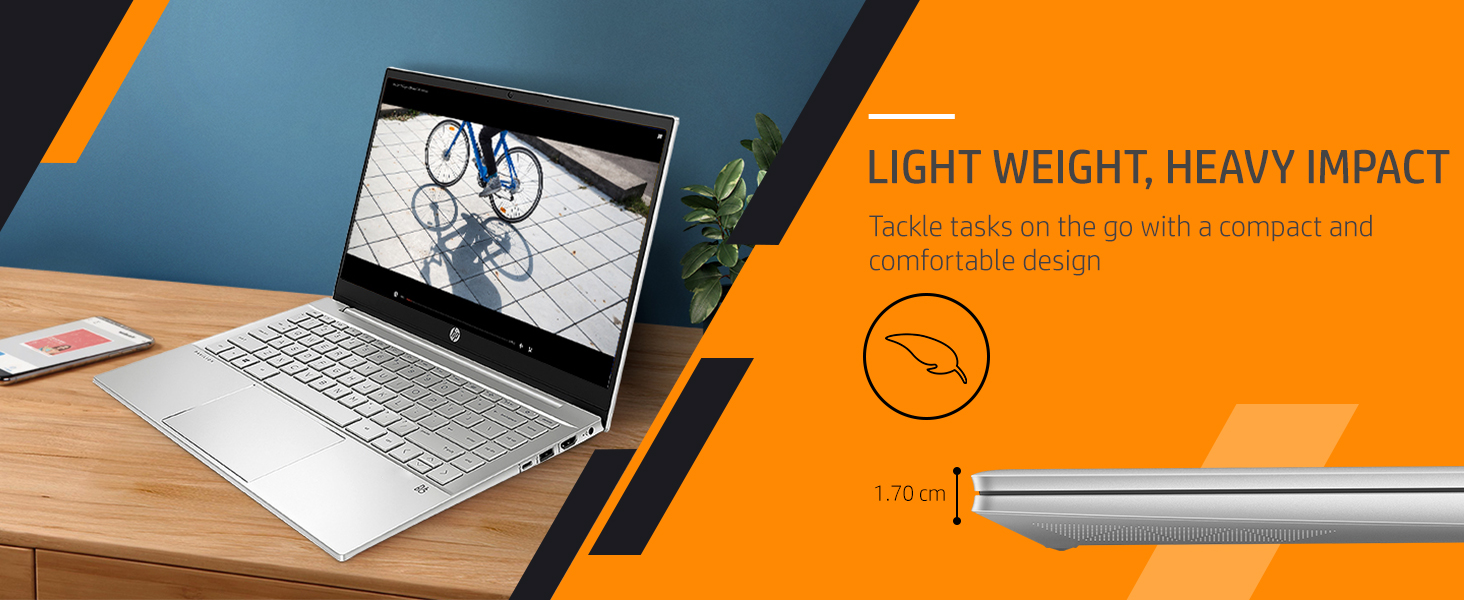
Figure 6: HP's commitment to using recycled materials, including ocean-bound plastics.