Introduction
Thank you for choosing the ESSAGER Foldable Mini Cell Phone Stand. This manual provides essential information for the proper setup, operation, and maintenance of your new device. Please read it thoroughly before use to ensure optimal performance and longevity.
This stand is designed to securely hold various smartphones, e-readers, and small tablets, offering adjustable viewing angles for enhanced comfort and convenience.
Продукт өзгөчөлүктөрү
- Foldable & Compact Size: Designed for portability, easily fits into pockets or bags.
- Териге ыңгайлуу материал: Constructed from high-quality plastic material, which feels smooth and delicate.
- Мыкты туруктуулук: Features a stable triangular structure to provide secure device support.
- Anti-Slip & Anti-Friction: Equipped with artificial leather pads to protect devices and prevent slipping.
- Multi-speed Adjustment: Offers 6-speed angle adjustments for various viewартыкчылыктарды алуу.
Пакеттин мазмуну
The ESSAGER Foldable Mini Cell Phone Stand package includes:
- 2 x ESSAGER Foldable Mini Cell Phone Stands (Model FC-4)
Орнотуу нускамалары
- Стендди жайып:
Gently pull the top and bottom sections of the folded stand apart. The stand will articulate into an open position, revealing the adjustable support arm and base.

Image: The stand shown in its compact, folded state and then fully extended, ready for use. This illustrates the transformation from portable to functional.
- Бурчту тууралоо:
The stand features a multi-speed adjustment mechanism. Carefully push or pull the back support arm to select one of the 6 available angles. Ensure the stand clicks into place at your desired angle for stability.
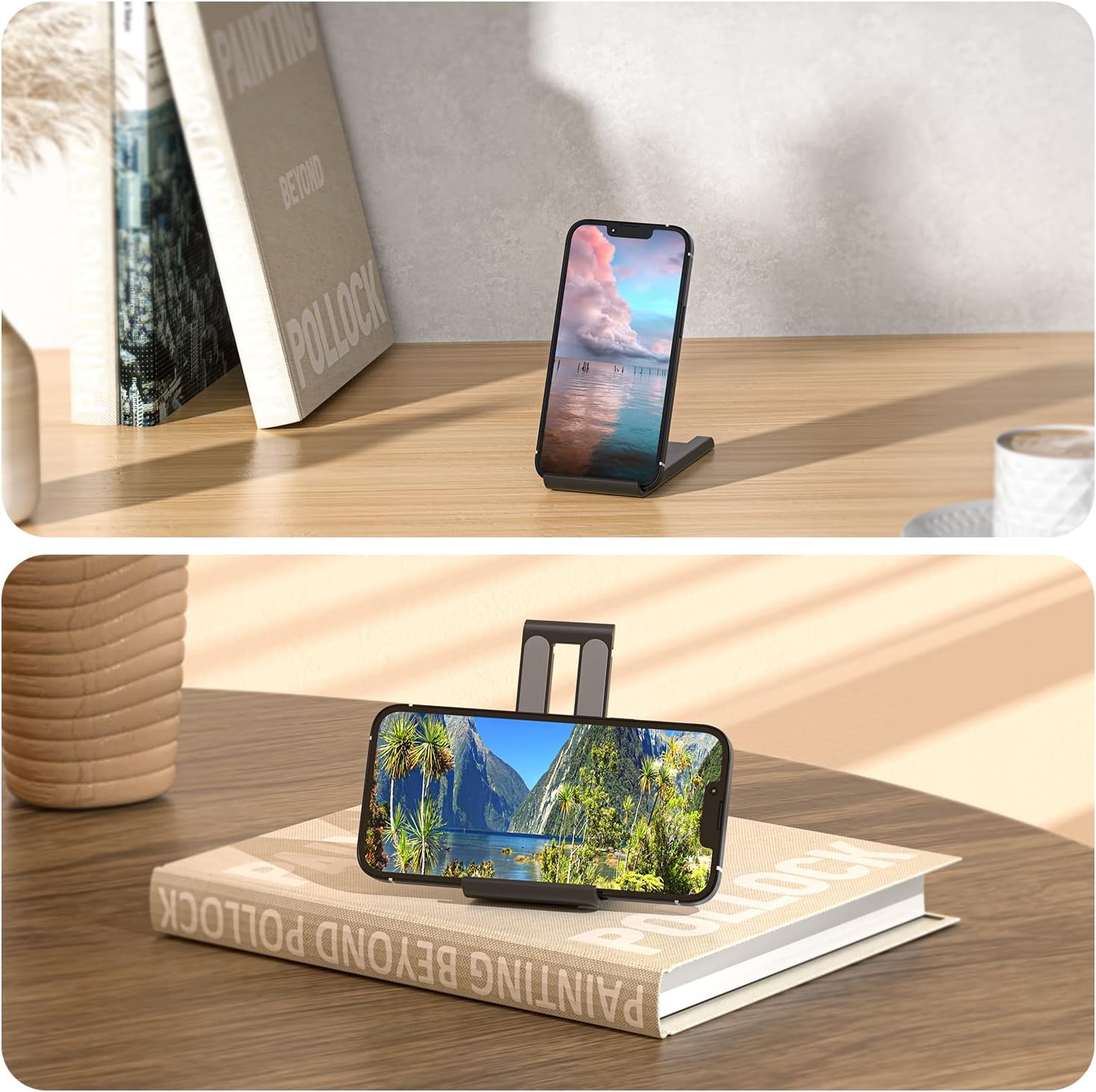
Image: A diagram illustrating the stand's ability to adjust its viewing angle from 0 to 80 degrees, highlighting the flexibility for different user preferences.
Иштөө нускамалары
- Түзмөгүңүздү жайгаштыруу:
Once the stand is unfolded and adjusted to your preferred angle, place your smartphone, e-reader, or small tablet onto the front ledge. The anti-slip pads will help secure your device.

Image: A smartphone displayed on the stand in both vertical (portrait) and horizontal (landscape) orientations, demonstrating its versatility for different viewмуктаждыктары.
- Туруктуулукту камсыз кылуу:
Verify that your device is centered on the stand's ledge and resting against the back support. The triangular structure provides inherent stability, but proper placement is key.
- Сактоо үчүн бүктөлмө:
To fold the stand, gently lift the back support arm to disengage the angle lock, then push the top and bottom sections together until it returns to its compact, flat form. A spring mechanism assists in keeping it closed.

Image: A person placing the folded stand into a back pocket, emphasizing its ultra-thin and lightweight design for easy portability.
Техникалык тейлөө жана кам көрүү
- Тазалоо: Стендди жумшак менен сүртүңүз, гamp cloth. Avoid using abrasive cleaners or solvents, as these may damage the plastic or artificial leather pads.
- Сактагыч: Store the stand in a clean, dry place when not in use. Its foldable design makes it easy to store in drawers, bags, or pockets.
- Ашыкча күч колдонуудан алыс болуңуз: Do not apply excessive force when adjusting the angle or folding the stand, as this may damage the hinge mechanism.

Сүрөт: деталдуу view of the artificial leather anti-slip pads, highlighting their texture and placement on the stand's surface for device protection.
Проблемаларды чечүү
| Көйгөй | Мүмкүн себеп | Чечим |
|---|---|---|
| Буттун туруксуздугу же солкулдашы сезилет. | Angle not fully locked, or device not centered. | Ensure the stand is fully extended and clicked into one of the 6 angle positions. Center your device on the stand's ledge. |
| Device slips off the stand. | Anti-slip pads are dirty or worn. | Тайгаланбай турган төшөмөлөрдү жарнама менен тазалаңызamp cloth. Ensure the device is placed firmly against the pads. |
| Difficulty adjusting the angle. | Mechanism might be stiff from newness or dirt. | Apply gentle, consistent pressure. Avoid forcing the mechanism. If stiff, ensure no debris is obstructing the hinge. |
Техникалык шарттар
| Өзгөчөлүк | Деталь |
|---|---|
| Модель номери | FC-4 |
| Продукциянын өлчөмдөрү (бүктөлгөн) | 4.72 x 3.94 x 0.39 дюйм (120 x 100 x 10 мм) |
| Элемент Салмагы | 0.282 унция (болжол менен 8 грамм) |
| Материал | High-quality plastic, artificial leather anti-slip pads |
| Жөнгө салынуучу бурчтар | 6 positions (0-80 degrees) |
| Шайкеш түзмөктөр | Smartphones (4-7.9 inches), Tablets (4-12.9 inches), E-readers, Nintendo Switch |
| Түс | Black (as per product description, other colors may be available) |

Сүрөт: деталдуу view of the stand with key dimensions (length, width, height) labeled in both millimeters and inches, providing precise size information.
Кепилдик жана колдоо
ESSAGER products are manufactured with quality and reliability in mind. For any questions, concerns, or support needs regarding your Foldable Mini Cell Phone Stand, please refer to the retailer where you purchased the product or visit the official ESSAGER brand store for further assistance.
Көбүрөөк маалымат алуу үчүн, киргиле ESSAGER Brand Store.


