Introduction
Thank you for choosing the Senicare Digital LED Alarm Clock. This manual provides detailed instructions for setting up, operating, and maintaining your new alarm clock. Please read this manual thoroughly before use to ensure proper functionality and to maximize your experience with its features, including dual alarms, a 7-color night light, a dimmable display, and a convenient USB charging port.
Коопсуздук маалыматы
- Ensure the power adapter is compatible with your local power supply (100-240V AC).
- Аппаратты сууга же ашыкча нымдуулукка дуушар кылбаңыз.
- Саатты күндүн нуру түз тийген жерге же жылуулук булактарынын жанына койбоңуз.
- Берилген кубат адаптерин гана колдонуңуз.
- Кичинекей балдар жетпеген жерде сактаңыз.
- Түзмөктү өз алдынча бөлүктөргө бөлүүгө же оңдоого аракет кылбаңыз. Көйгөйлөр жаралса, кардарларды колдоо кызматына кайрылыңыз.
- Insert batteries correctly, observing polarity (+/-).
Пакеттин мазмуну
- Senicare Digital LED Alarm Clock (Model KT279)
- Кубаттуу адаптер
- USB заряддоо кабели
- Колдонуучунун Колдонмосу (бул документ)

Figure 1: Senicare Digital LED Alarm Clock and included accessories.
Продукт бүттүview
Фронт View
The front of the clock features a large LED display for time, and indicators for PM, Alarm 1, and Alarm 2.
Жогорку View (Башкаруулар)
The top panel houses the main control buttons and the integrated night light bar.
- ALT SET: Alarm 1 Set button.
- AL2 SET: Alarm 2 Set button.
- TIME: Time setting button.
- ӨҢҮ: Night light color selection button.
- SNOOZE / LIGHT: Snooze function and night light on/off.
- HOUR +: Adjusts hour, increases alarm volume.
- MIN -: Adjusts minute, decreases alarm volume.
Side View (Ports & Dimmer)
The side of the clock includes the power input, USB charging port, and display dimmer slider.
- DC 5V Power Port: Кубат адаптерине туташат.
- USB Charging Port (5V-1A): Тышкы түзмөктөрдү кубаттоо үчүн.
- DISPLAY DIMMER: Slider to adjust the brightness of the time display (0-100%).
Төмөнкү View (Батарея бөлүмү)
The bottom of the clock contains the battery compartment for backup power.

2-сүрөт: Арткы view highlighting the USB charging port and power input.

Figure 3: Battery compartment for backup power.
Жайгашуу
1. Power Connection
- Connect the provided power adapter to the DC 5V Power Port on the back of the clock.
- Plug the power adapter into a standard 100-240V AC wall outlet.
- LED дисплей күйүп, сааттын күйгүзүлгөнүн көрсөтөт.
2. Батареянын камдык көчүрмөсү (милдеттүү эмес)
Бийлик үчүнtage protection, install 2 x AAA batteries (not included) into the battery compartment on the bottom of the clock. This will preserve time and alarm settings during a power interruption, though the display will go black.

Figure 4: The clock retains settings during power outages with battery backup.
Иштөө нускамалары
1. Убакытты белгилөө
- басып, кармап туруңуз TIME баскычын сааттын цифралары жаркылдай баштаганга чейин басыңыз.
- басыңыз СААТ + саатты жөндөө үчүн баскыч.
- басыңыз MIN - мүнөттү жөндөө үчүн баскыч.
- басыңыз TIME ырастоо жана убакыт орнотуу режиминен чыгуу үчүн кайра баскычын басыңыз.
2. Setting Dual Alarms (Alarm 1 & Alarm 2)
The clock features two independent alarms for different schedules.
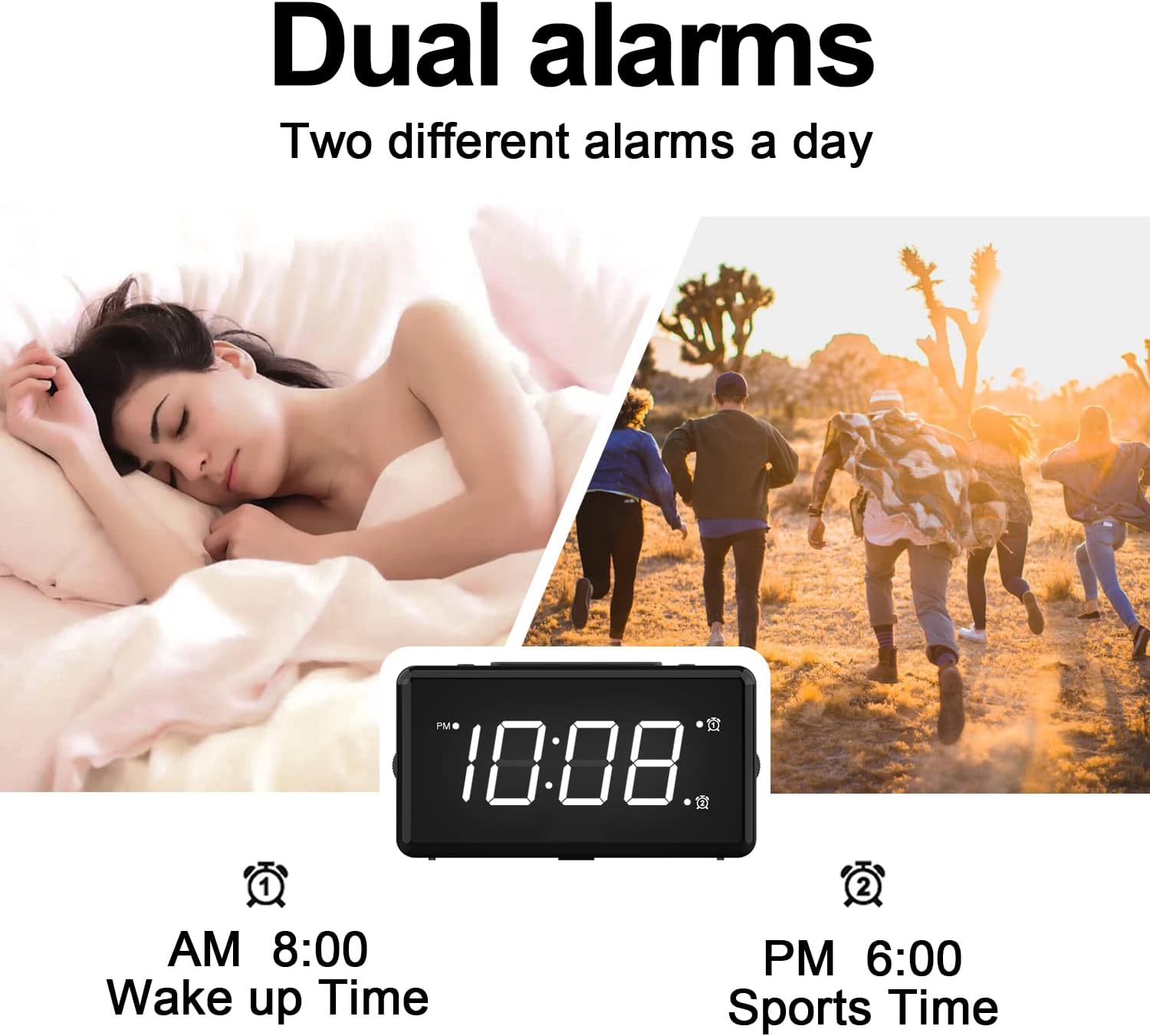
5-сүрөт: Мисample of dual alarm functionality.
- 1-ойготкучту коюу үчүн: басып, кармап туруңуз ALT SET button until the hour digits for Alarm 1 flash.
- колдонуу СААТ + жана MIN - каалаган ойготкуч убактысын коюу үчүн баскычтарды басыңыз.
- Басыңыз ALT SET again to confirm and activate Alarm 1. The Alarm 1 indicator will appear on the display.
- 2-ойготкучту коюу үчүн: колдонуу менен ошол эле кадамдарды аткарыңыз AL2 SET баскычы.
- To turn an alarm on or off, briefly press the corresponding ALT SET or AL2 SET button. The alarm indicator will appear/disappear.
3. Тындырма функциясы
Ойготкуч чыкканда чоң баскычты басыңыз СОЮЗ / ЖАРЫК button on top of the clock to activate the 9-minute snooze function. The alarm will sound again after 9 minutes.

Figure 6: The SNOOZE / LIGHT button for snooze functionality.
4. Дисплейдин жарыктыгын тууралоо
The clock features a 0-100% full-range dimmer for the LED time display. Use the ДИММЕРДИ КӨРСӨТҮҮ slider located on the side of the clock to adjust the brightness to your preference.

Figure 7: Adjusting display brightness with the dimmer slider.
5. Night Light Features
The integrated night light offers 7 different colors and adjustable brightness.

Figure 8: The 7-color night light feature.
- Түстөрдү өзгөртүү: Кыскача таптаңыз ӨҢҮ button to cycle through the 7 available colors.
- Color Loop Mode: басып, кармап туруңуз ӨҢҮ button for 2 seconds to enter a continuous color-changing loop.
- Turning Off Night Light: басыңыз СОЮЗ / ЖАРЫК button to turn the night light off.
- Түнкү жарыктын жарыктыгын тууралоо: The night light brightness can also be adjusted from 0-100% using the ДИММЕРДИ КӨРСӨТҮҮ slider, similar to the main display.
6. Сигнализациянын үнүн жөндөө
The alarm volume has 5 adjustable levels, ranging from 45dB to 85dB.
- While an alarm is sounding, or when setting an alarm, press the СААТ + үнүн жогорулатуу үчүн баскыч.
- басыңыз MIN - үнүн азайтуу үчүн баскыч.

Figure 9: Volume adjustment using HOUR + and MIN - buttons.
7. USB кубаттоочу порт
The clock includes a 5V-1A USB charging port on its side, allowing you to charge small electronic devices like smartphones or tablets while the clock is plugged into power.
Техникалык тейлөө
- Саатты жумшак, кургак чүпүрөк менен тазалаңыз. Абразивдүү тазалагычтарды же эриткичтерди колдонбоңуз.
- Keep the clock away from dust and moisture.
- If not in use for an extended period, remove the backup batteries to prevent leakage.
Проблемаларды чечүү
| Көйгөй | Мүмкүн себеп | Чечим |
|---|---|---|
| Сааттын дисплейи өчүк. | No power, or display dimmer set to 0%. | Check power connection. Adjust DISPLAY DIMMER slider. |
| Ойготкуч угулбайт. | Ойготкуч коюлган эмес, ойготкучтун үнү өтө төмөн же ойготкуч өчүрүлгөн. | Ensure alarm is set and activated (indicator visible). Increase alarm volume. |
| Убакыт/жөндөөлөр өчүрүлгөндөн кийин жоголдуtage. | No backup batteries installed, or batteries are dead. | Install fresh 2 x AAA batteries for backup. |
| USB кубаттоо иштебей жатат. | Clock not powered by AC, or device requires more than 1A. | Ensure clock is plugged into AC power. Check device's charging requirements. |
Техникалык шарттар
| Өзгөчөлүк | Деталь |
|---|---|
| Модел | KT279 |
| Дисплей түрү | LED |
| Power Source | Corded Electric (100-240V AC) |
| Батареянын камдык көчүрмөсү | 2 x AAA батарейкалар (киргизилген эмес) |
| USB заряддоо порту | 5V-1A |
| Түнкү жарык түстөр | 7 түс |
| Диммерди көрсөтүү | 0-100% жөнгө салынат |
| Ойготкучтун үнү | 5 деңгээл (45 дБден 85 дБге чейин) |
| Тындыруунун узактыгы | 9 мүнөт |
| Продукциянын өлчөмдөрү | Туурасы 5.91" x Бийиктиги 3.15" (болжол менен 150мм x 80мм) |
| Элемент Салмагы | 11.7 унция |
| Материал | Пластик |
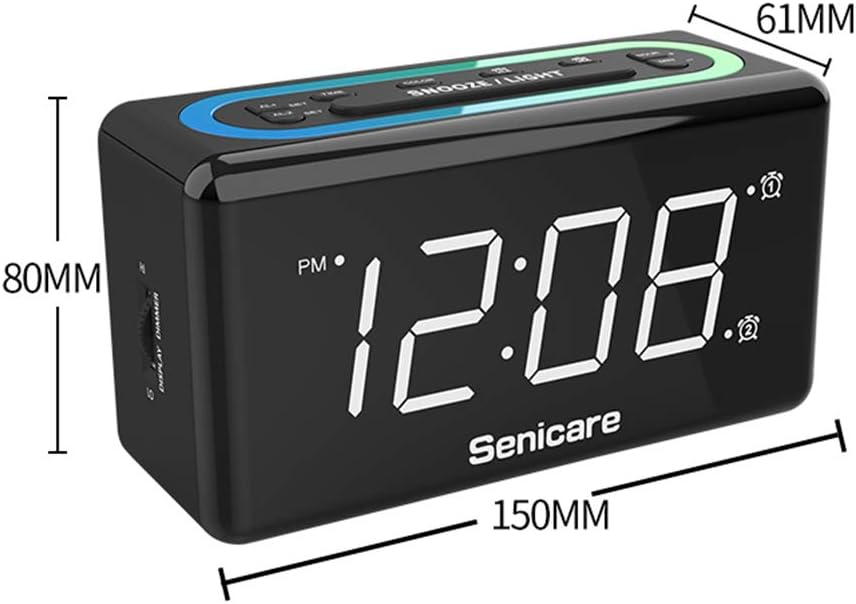
Сүрөт 10: Продукциянын өлчөмдөрү.
Кепилдик жана колдоо
The Senicare Digital LED Alarm Clock comes with a бир жылдык кепилдик. We also offer a 30 күндүк акчаны кайтаруу кепилдиги. For any questions or assistance, please contact our customer service team, available 24 саат a day. Your satisfaction is our priority.