Introduction
Elevate your audio experience with the TOPTECH Audio KL-6 Bluetooth Speaker—a compact yet powerful 4-inch wireless speaker designed for dynamic sound and ultimate portability. Whether you're hosting an event, enjoying music at the park, or leading a small gathering, the KL-6 delivers clear, booming sound backed by vibrant LED lighting for added ambiance. It includes a built-in microphone for karaoke, announcements, or hands-free communication, and a convenient carry handle to take the party anywhere. With Bluetooth connectivity and rechargeable functionality, this speaker blends convenience with performance—your go-to sound system for indoor and outdoor fun.
Маанилүү коопсуздук маалыматы
- Read all instructions carefully before using the speaker.
- Динамикти экстремалдык температурага, нымдуулукка же түз күн нуруна дуушар кылбаңыз.
- Динамикти суудан же башка суюктуктардан алыс кармаңыз.
- Динамикти ажыратууга же өзгөртүүгө аракет кылбаңыз. Бул кепилдикти жокко чыгарат.
- Use only the specified charging cable and power adapter (if applicable).
- Балдар жетпеген жерде сактаңыз.
- Продукцияны жергиликтүү эрежелерге ылайык таштаңыз.
Пакеттин мазмуну
Пакеттин мазмунун кылдат текшериңиз. Эгерде кандайдыр бир буюмдар жок же бузулуп калса, сатуучуга кайрылыңыз.
- TOPTECH Audio KL-6 Bluetooth Speaker
- Зымдуу микрофон
- USB заряддоо кабели
- Колдонуучунун Колдонмосу (бул документ)
Продукт бүттүview

Figure 1: TOPTECH Audio KL-6 Bluetooth Speaker and Wired Microphone.
The TOPTECH Audio KL-6 is a portable Bluetooth speaker featuring a 4-inch driver, integrated LED lights, and a built-in handle for easy transport. It comes with a wired microphone for vocal applications.
Башкаруу каражаттары жана порттор

Figure 2: Top panel controls and rear ports of the KL-6 speaker.
- M (режим) баскычы: Switches between Bluetooth, USB, TF Card, and AUX modes.
- Ойнотуу/тындыруу баскычы: Аудиону ойнотот же тындырат.
- Мурунку трек/үндүн үнүн төмөндөтүү баскычы: Мурунку трек үчүн кыска басыңыз, үндү азайтуу үчүн көпкө басыңыз.
- Кийинки трек/үндү жогорулатуу баскычы: Кийинки трек үчүн кыска басыңыз, үнүн катуулатуу үчүн көпкө басыңыз.
- USB порт: USB флэш-дискинен аудио ойнотуу үчүн.
- TF карта уячасы: For playing audio from a TF (microSD) card.
- OFF/ON Switch: Динамикти күйгүзөт же өчүрөт.
- DC 5V порт: Динамиктин ички батареясын заряддоо үчүн.
- MIC порт: Connects the wired microphone.
- AUX порту: 3.5 мм аудио кабели аркылуу тышкы аудио түзмөктөрдү туташтыруу үчүн.
Жайгашуу
Спикерди заряддоо
- Locate the DC 5V charging port on the top panel of the speaker.
- Connect the small end of the USB charging cable to the DC 5V port.
- Кабелдин стандарттуу USB учун USB кубат адаптерине (кошулмада жок) же компьютердин USB портуна туташтырыңыз.
- Заряддоо индикатору (эгерде бар болсо) заряддоо учурунда күйөт жана толук заряддалганда өчөт.
- Толук кубаттоо адатта болжол менен 3-4 саатты талап кылат.
Эскертүү: It is recommended to fully charge the speaker before first use to maximize battery life.
Күйгүзүү/өчүрүү
- To power on the speaker, slide the OFF/ON га өтүү ON position. You will hear an audible prompt.
- To power off the speaker, slide the OFF/ON га өтүү ӨЧҮРҮҮ позиция.
Иштөө нускамалары
Bluetooth Жупташтыруу
- Динамик күйгүзүлүп, Bluetooth режиминде экенин текшериңиз. Болбосо, басыңыз M (режим) button until you hear the "Bluetooth mode" prompt.
- Смартфонуңузда, планшетиңизде же башка Bluetooth иштетилген түзмөгүңүздө Bluetooth'ду иштетиңиз.
- Издөө available Bluetooth devices. The speaker will appear as "KL-6" or "TOPTECH KL-6".
- Select "KL-6" from the list to pair. Once successfully paired, you will hear a confirmation sound.
- You can now play audio from your device through the KL-6 speaker.
Эскертүү: For optimal performance, keep your Bluetooth device within 10 meters (33 feet) of the speaker.
Микрофонду колдонуу
- Connect the wired microphone's plug into the MIC port on the speaker's top panel.
- Микрофондун күйгүзүү/өчүрүү баскычы орнотулганын текшериңиз ON позиция.
- Adjust the speaker's master volume using the volume buttons to control the microphone's output level.
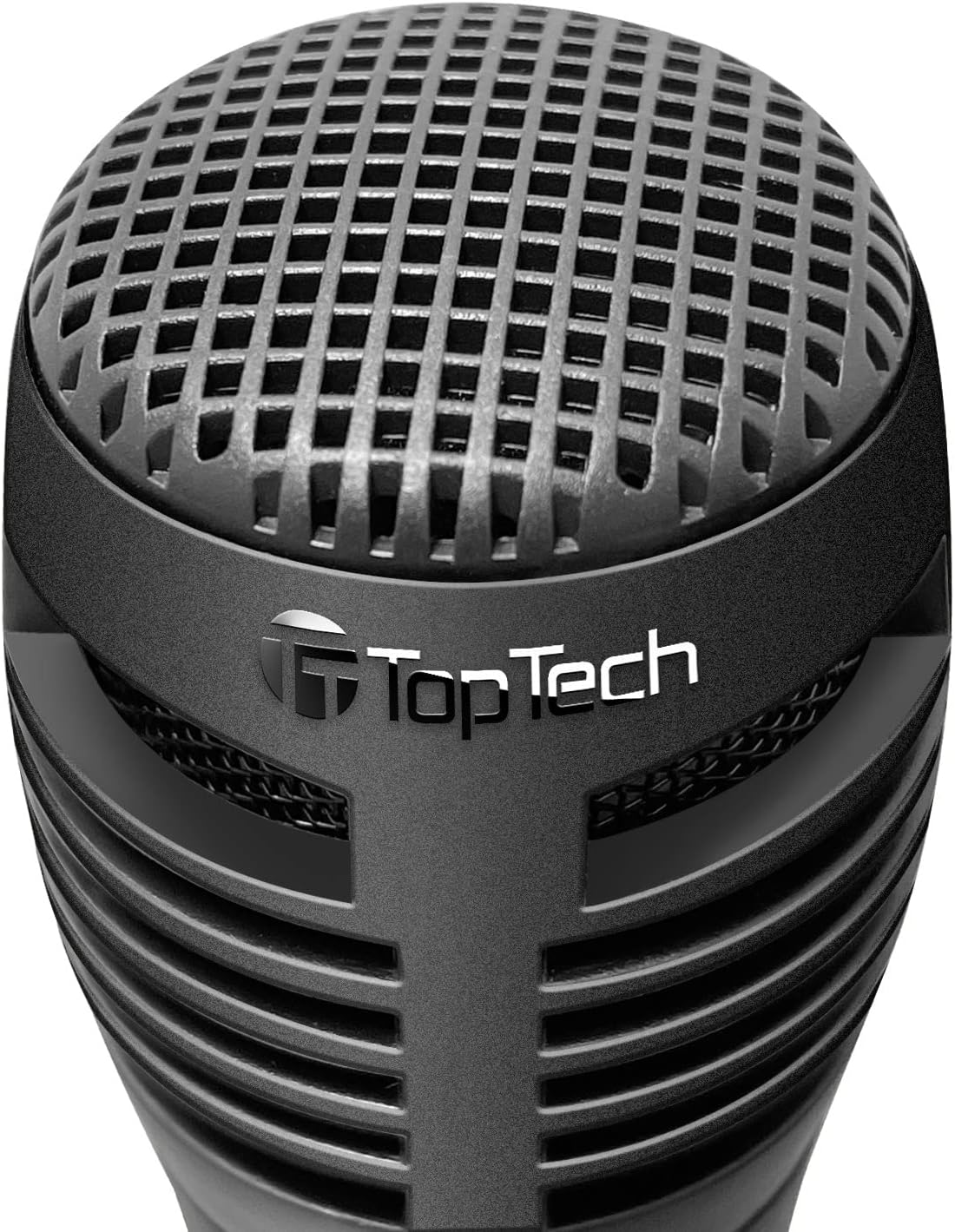
Figure 3: Wired Microphone for vocal input.
LED жарык режимдери
The KL-6 speaker features dynamic LED lighting that enhances your audio experience. The lights automatically react to the rhythm of the music.

Figure 4: KL-6 speaker with active LED light display.
- Multicolor Gradation: Жарыктар ар кандай түстөр аркылуу жылмакай өтөт.
- Reactive Color Show: Lights change and pulse in sync with the music's rhythm.
Эскертүү: There is no dedicated button to turn off the LED lights. They are designed to operate with the speaker's power.
USB / TF Card Playback
- Insert a USB flash drive or TF (microSD) card into the respective port on the speaker. Ensure the card is formatted correctly and contains compatible audio files (мисалы, MP3).
- The speaker will automatically switch to USB or TF Card mode and begin playing audio. If not, press the M (режим) туура режимди тандоо үчүн баскычты басыңыз.
- колдонуу Мурунку трек жана Кийинки трек навигация үчүн баскычтар.
- колдонуу Ойнотуу/Тыныгуу ойнотууну башкаруу үчүн баскыч.
Маанилүү эскертүү: For USB and TF card playback, the speaker's volume is controlled solely by the speaker's volume buttons. There is no independent volume control for these sources from the connected media itself. Compatibility issues may arise with storage devices smaller than 32GB.
AUX киргизүү
- 3.5 мм аудио кабелинин бир учун (киргизилген эмес) динамиктеги AUX портуна туташтырыңыз.
- Кабелдин экинчи учун тышкы түзмөгүңүздүн (мисалы, MP3 ойноткуч, компьютер) кулакчын уячасына же аудио чыгышына туташтырыңыз.
- Динамик автоматтык түрдө AUX режимине өтөт. Эгер андай болбосо, баскычын басыңыз M (режим) AUX режимин тандоо үчүн баскычты басыңыз.
- Тышкы түзмөгүңүздөн ойнотууну жана үнүн башкарыңыз.
Техникалык тейлөө жана кам көрүү
- Динамикти жумшак, кургак чүпүрөк менен тазалаңыз. Абразивдүү тазалагычтарды же эриткичтерди колдонбоңуз.
- Avoid exposing the speaker to dust, dirt, or sand.
- Динамикти узак убакытка колдонбогондо салкын, кургак жерде сактаңыз.
- Do not block the speaker grille or ventilation openings.
Проблемаларды чечүү
| Көйгөй | Мүмкүн себеп | Чечим |
|---|---|---|
| Динамик күйбөйт. | Батарея түгөнгөн. | Берилген USB кабелин колдонуп динамикти толугу менен заряддаңыз. |
| Динамиктен үн жок. | Үн өтө төмөн же үнсүз. Туура эмес режим тандалган. | Динамиктин жана туташкан түзмөгүңүздүн үнүн жогорулатыңыз. басыңыз M (режим) button to select the correct input source. |
| Bluetooth түзмөгү жупташа албайт. | Динамик жупташтыруу режиминде эмес. Түзмөк өтө алыс. Интерференция. | Ensure speaker is in Bluetooth mode. Move device closer. Turn off other Bluetooth devices. Try unpairing and re-pairing. |
| Микрофон иштебей жатат. | Microphone switch is OFF. Not properly connected. | Микрофондун күйгүзүү/өчүрүү баскычы орнотулганын текшериңиз ON position. Check that the microphone is securely plugged into the MIC порт. |
| No volume control for USB/TF card. | Бул дизайн өзгөчөлүгү болуп саналат. | Volume for USB and TF card playback is controlled solely by the speaker's volume buttons. External device volume controls do not apply in these modes. |
| LED lights are always on. | Бул дизайн өзгөчөлүгү болуп саналат. | The LED lights are integrated and designed to operate when the speaker is powered on. There is no separate control to turn them off. |
Техникалык мүнөздөмөлөр

Figure 5: KL-6 speaker dimensions.
| Модел: | КЛ-6 |
| Бренд: | Топтех |
| Байланыш: | Bluetooth, USB, TF картасы, AUX |
| Кубат булагы: | Заряддалуучу батарея |
| Аудио киргизүү: | Микрофон, AUX |
| Продукциянын өлчөмдөрү (L x W x Y): | 5 x 5 x 7 дюйм |
| Элемент Салмагы: | 1.5 фунт |
| Батарея: | 1 AA battery (included) - Note: This refers to the internal rechargeable battery. |
| UPC: | 752574406992 |
Кепилдик жана колдоо
The TOPTECH Audio KL-6 Bluetooth Speaker comes with a standard manufacturer's warranty. Please refer to the warranty card included in your package for specific terms and conditions.
For technical support, troubleshooting assistance, or warranty claims, please contact TOPTECH customer service through the retailer where you purchased the product or visit the official TOPTECH webбайланыш маалыматы үчүн сайт.
Онлайн колдоо: Visit the TOPTECH Store on Amazon


