1. Продукт бүтүп калдыview
This manual provides instructions for the CNBINGO Smart Touch Switch with an integrated Schuko USB Socket. This device combines a smart touch-controlled light switch with a non-smart Schuko power outlet, featuring both USB-A and USB-C charging ports. It is designed for seamless integration into modern smart home systems.
- Интегралдык дизайн: Combines a smart touch switch and a Schuko socket with USB-A and USB-C ports (max. 3.1 A total output).
- Сенсордук башкаруу: The light switch operates via finger touch, offering a modern and intuitive user experience.
- Акылдуу туташуу: The smart switch connects to 2.4 GHz Wi-Fi networks (5G not supported) and does not require a separate hub.
- Voice and App Control: Compatible with Alexa Echo, Google Assistant, and the Smart Life APP for remote control, scene creation, and scheduling.
- Multi-Control Functionality: The smart switch supports multi-control association, allowing it to be linked with other compatible switches via the Smart Life app to control the same light from different locations.
- USB заряддоо: The non-smart Schuko socket includes dual USB ports (Type-C and Type-A) providing 3.1 A for efficient mobile device charging. The Schuko socket supports up to 250V.
2. Техникалык шарттар
| Өзгөчөлүк | Спецификация |
|---|---|
| Өндүрүүчү | CNBINGO |
| Үлгү шилтемеси | WT-6101+MP0100U |
| Продукциянын өлчөмдөрү (L x W x Y) | 15.7 x 8.6 x 3.9 см |
| Салмагы | 270 грамм |
| Түс | Ак |
| Power Type | AC |
| Тtage | 250 вольт (AC) |
| Күч (которуу) | 600 Watts per button |
| Current Intensity (Socket) | 16 А |
| USB Output Current | 3.1 A (Total for USB-A and USB-C) |
| Которуу түрү | 1-way, Touch Switch |
| Electrical Socket Type | Schuko, suitable for horizontal and vertical mounting |
| Wi-Fi шайкештиги | 2.4 GHz only (not 5G) |
| Нейтралдуу зым | Орнотуу үчүн талап кылынат |
| Сертификаттар | CE, RoHS |
3. Орнотуу жана орнотуу
Маанилүү: Installation should only be performed by a qualified electrician or in accordance with local electrical codes. Ensure power is turned off at the circuit breaker before beginning any electrical work.
3.1 Зымдарга талаптар
- A neutral wire is required for the smart switch to function correctly.
- Ensure your electrical box has Live, Neutral, and Earth wires available.

Image 1: Wiring Diagram
A detailed wiring diagram for the CNBINGO Smart Touch Switch, illustrating the connections for the Live Wire (red), Neutral Wire (blue), and Earth Wire (green) to both the switch and the socket components. This diagram is essential for correct installation.
3.2 Физикалык орнотуу
- The device is designed for standard wall boxes. The required wall box should have a minimum depth of 45mm and a diameter of 60mm.
- The socket can be installed in both horizontal and vertical orientations to suit your preference.
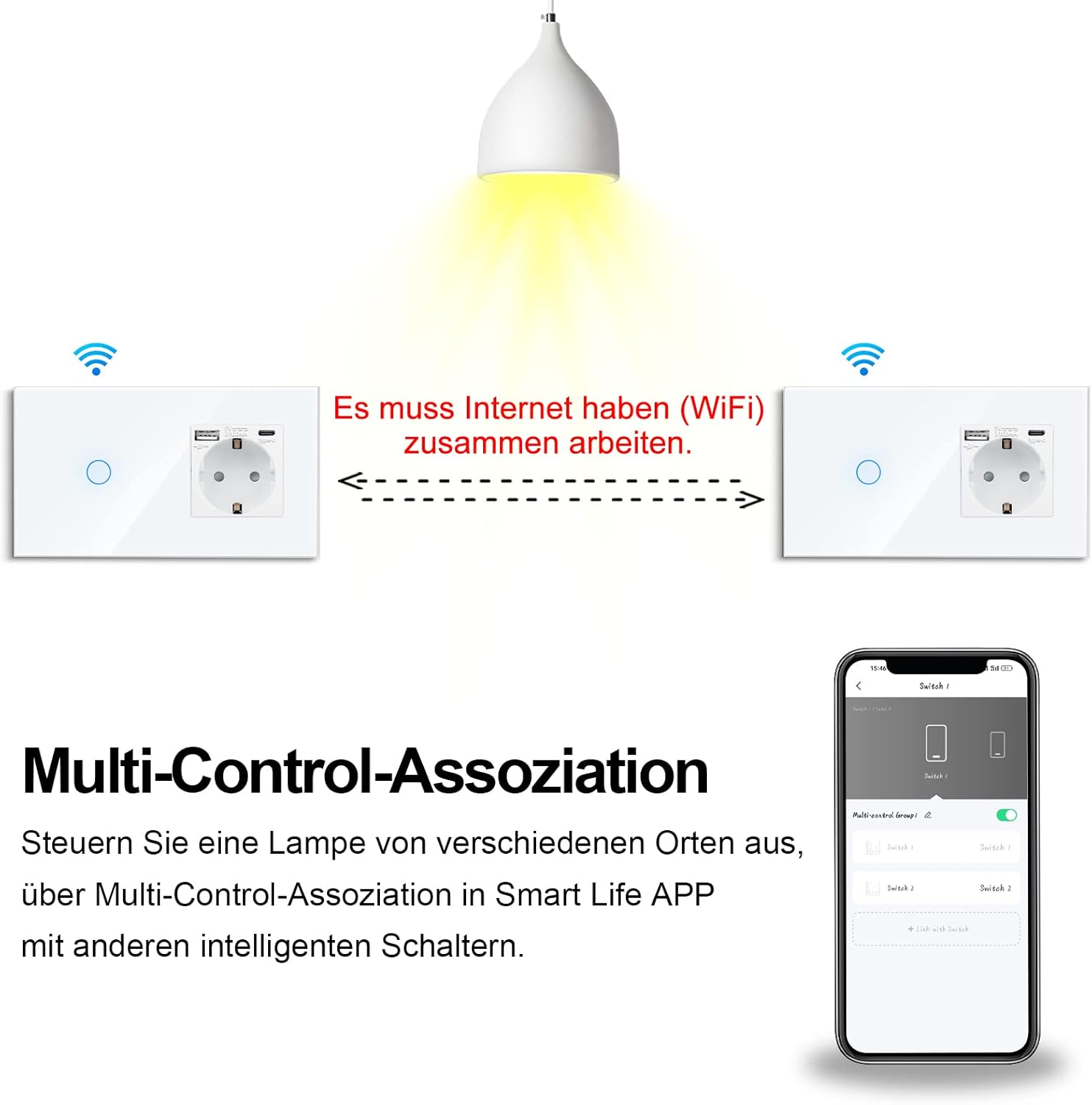
Image 2: Dimensions and Wall Box Requirements
This technical drawing provides the standard dimensions of the CNBINGO Smart Touch Switch (157mm x 86mm) and its depth (47mm). It also specifies the required wall box dimensions: a minimum depth of 45mm and a diameter of 60mm for standard round boxes, indicating that a single gang box is not suitable.

Image 3: Installation Orientations
This image illustrates the two possible installation orientations for the CNBINGO Smart Touch Switch: horizontally above a desk and vertically next to a bed. This demonstrates the product's flexibility in fitting various aesthetic and functional requirements.
3.3 Wi-Fi туташуусу
- The smart switch requires a 2.4 GHz Wi-Fi network for connectivity. It is not compatible with 5 GHz networks.
- жүктөп алыңыз Smart Life APP смартфонуңуздун колдонмолор дүкөнүнөн.
- Follow the in-app instructions to add the device and connect it to your home Wi-Fi network.
4. Иштөө нускамалары
4.1 Кол менен сенсордук башкаруу
Simply touch the designated area on the switch panel to turn the connected light ON or OFF.
4.2 Smart Life тиркемесин башкаруу
Once connected to the Smart Life app, you can:
- Remotely turn the light ON/OFF from anywhere.
- Create custom scenes to automate lighting based on your preferences.
- Set schedules or countdown timers for automatic operation.
- Share control of the switch with family members.

Сүрөт 4: Колдонмону башкаруу интерфейси
This image shows the CNBINGO Smart Touch Switch and Schuko USB Socket alongside a smartphone displaying its control application. The app interface indicates a '1G Wifi Switch' and a light icon, demonstrating the smart control capabilities.

Image 5: Scheduling Function
This image shows a smartphone displaying the 'Timing-Einstellung' (Timing Setting) feature within the Smart Life app, demonstrating how users can schedule the operation of the CNBINGO Smart Touch Switch for automated lighting control, such as turning lights off at bedtime.
4.3 Үн менен башкаруу
Integrate the Smart Life app with Amazon Alexa or Google Assistant to control your light switch using voice commands.
- Example Commands:
– Alexa, бөлмөнүн жарыгын күйгүз.
"Окей Google, уктоочу бөлмөнүн жарыгын өчүр."
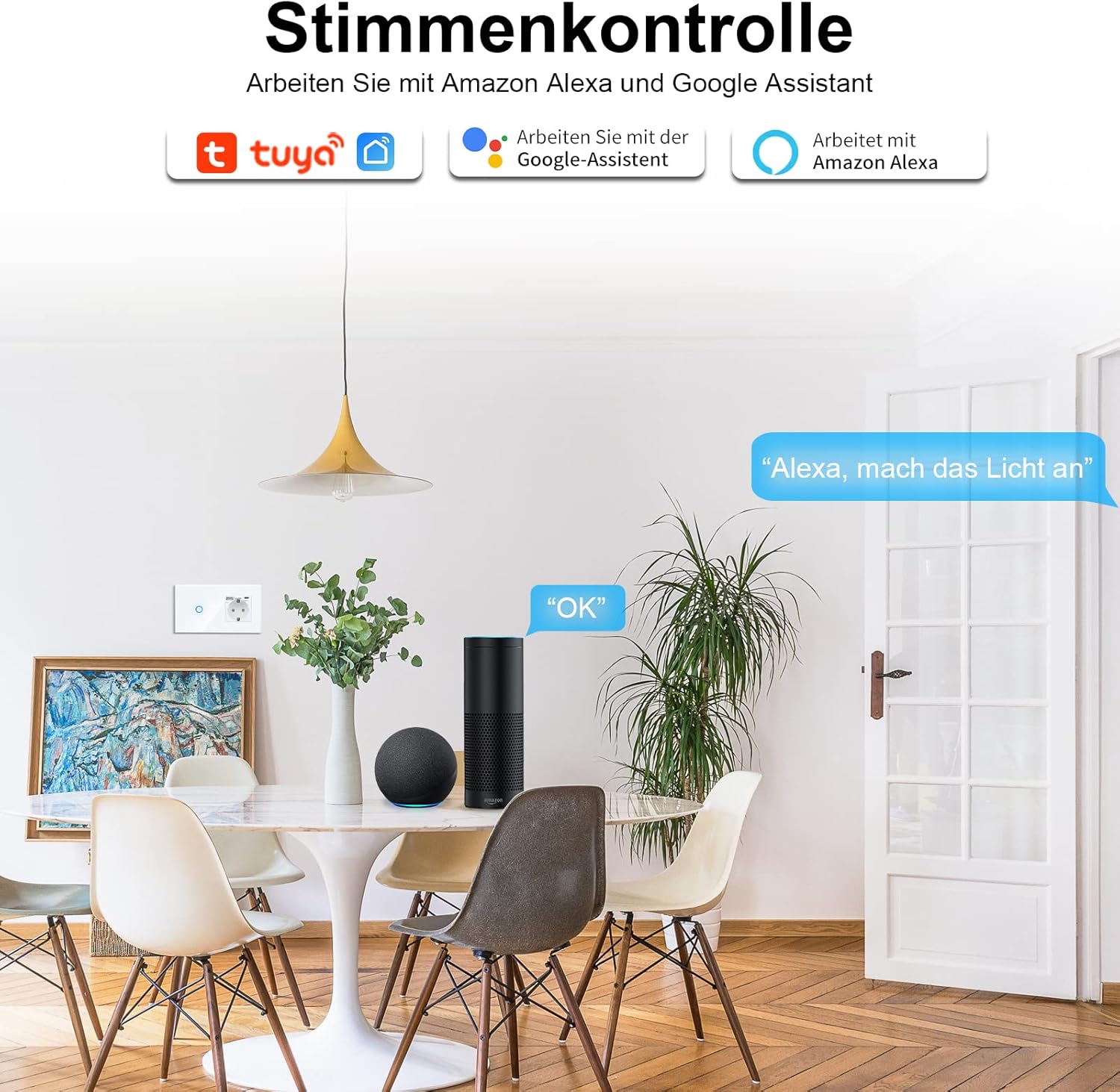
Image 6: Voice Control Setup
This image depicts a living room setting with the CNBINGO Smart Touch Switch installed. Smart speakers (Alexa and Google Assistant) are shown, illustrating the product's compatibility with voice control commands like 'Alexa, turn on the light'.
4.4 Multi-Control Association
If you have multiple CNBINGO smart switches, you can link them through the Smart Life app to control the same light from different switch locations.

Image 7: Multi-Control Association
This diagram illustrates the multi-control association feature, showing how two CNBINGO Smart Touch Switches can be linked via Wi-Fi and the Smart Life app to control a single light source from multiple locations.
4.5 USB кубаттоо
The integrated USB-A and USB-C ports provide a combined output of 3.1 A for charging mobile devices. Simply plug your device's charging cable into the appropriate USB port.

Image 8: USB Charging Functionality
The image displays the CNBINGO Smart Touch Switch with a smartphone connected to its USB-C port for charging. Icons around the image indicate various protection features such as short-circuit protection, surge protection, and overcurrent protection, along with the 3.1 Amp жалпы чыгаруу.
5. Техникалык тейлөө
To ensure the longevity and proper functioning of your CNBINGO Smart Touch Switch and Schuko USB Socket, follow these general maintenance guidelines:
- Тазалоо: Use a soft, dry cloth to clean the surface of the switch and socket. Avoid using abrasive cleaners, solvents, or excessive moisture, as these can damage the device or its touch sensitive surface.
- Текшерүү: Periodically inspect the device for any signs of damage, loose connections, or wear. If any issues are found, consult a qualified electrician.
- Программалык камсыздоонун жаңыртуулары: Keep the Smart Life app updated to ensure you receive the latest firmware for your smart switch, which may include performance improvements and security enhancements.
6. Кыйынчылыктарды
If you encounter issues with your CNBINGO Smart Touch Switch, consider the following troubleshooting steps:
- Кубат жок: Check the circuit breaker to ensure power is supplied to the switch. Verify that the neutral wire is correctly connected, as it is required for operation.
- Wi-Fi туташуу маселелери:
- Ensure your Wi-Fi network is 2.4 GHz. The device does not support 5 GHz Wi-Fi.
- Check that your Wi-Fi router is within range and functioning correctly.
- Restart your Wi-Fi router and the smart switch (by turning off and on the power at the breaker).
- Attempt to re-pair the device with the Smart Life app.
- Touch Control Unresponsive: Ensure the switch surface is clean and dry. If the issue persists, try resetting the device by cycling its power.
- Колдонмону башкаруу иштебей жатат: Verify your smartphone has an active internet connection. Ensure the Smart Life app is updated to the latest version. Check if the device is still connected and online within the app.
- Үн менен башкаруу маселелери: Confirm that your Smart Life account is correctly linked to your Alexa or Google Assistant account. Ensure your voice assistant device is online and properly configured.
- USB порттору заряддалбай жатат: Check the charging cable and the device being charged. Ensure the total current draw does not exceed 3.1 A.
Бул кадамдар маселени чечпесе, кардарларды колдоо кызматына кайрылыңыз.
7. Кепилдик жана колдоо
CNBINGO offers a free 5-year warranty on this product. For warranty claims or technical support, please refer to the contact information provided with your purchase or visit the official CNBINGO webсайт.


