DAREU EK807G

DAREU EK807G Wireless TKL Mechanical Keyboard User Manual

Model: EK807G | Brand: DAREU

1. Киришүү

This manual provides comprehensive instructions for the DAREU EK807G Wireless TKL Mechanical Keyboard. Designed for office use, this keyboard features an aluminum alloy panel, function keys, and stable 2.4G wireless connectivity, compatible with PC, Mac, and Windows systems. Please read this manual thoroughly to ensure proper use and longevity of your device.

Кутуда эмне бар

  • DAREU EK807G Wireless TKL Mechanical Keyboard
  • USB кабыл алгыч (2.4G)
  • Баскыч капкагын тарткыч
  • User Manual
DAREU EK807G Wireless TKL Mechanical Keyboard on a desk setup

Image 1.1: The DAREU EK807G Wireless TKL Mechanical Keyboard in a typical office setup.

2. Орнотуу

2.1 Inserting Batteries and USB Receiver

The DAREU EK807G keyboard requires two AAA batteries (not included) for operation. The 2.4G USB receiver is conveniently stored within the keyboard's battery compartment.

  1. Батарея бөлүмүнүн капкагын клавиатуранын астыңкы бетинен табыңыз.
  2. Remove the cover to access the battery slots and the stored USB receiver.
  3. Carefully remove the 2.4G USB receiver from its storage slot.
  4. Insert two AAA batteries into the compartment, ensuring correct polarity (+/-).
  5. Батарея бөлүгүнүн капкагын ордуна коюңуз.
Underside of DAREU EK807G keyboard showing battery compartment and USB receiver

Image 2.1: The battery compartment and USB receiver storage on the keyboard's underside.

2.2 Түзмөгүңүзгө туташуу

The keyboard uses a 2.4G wireless connection for stable and reliable performance.

  1. Plug the 2.4G USB receiver into an available USB port on your computer, laptop, or tablet.
  2. Locate the ON/OFF switch on the upper side of the keyboard.
  3. Которгучту "ON" абалына жылдырыңыз.
  4. Your device should automatically detect and connect to the keyboard. No additional drivers are typically required.
DAREU EK807G keyboard overview with 2.4G wireless icon

Image 2.2: The keyboard features 2.4G wireless connectivity.

3. Иштөө нускамалары

3.1 Терүүнүн негизги ыкмалары жана эргономика

The DAREU EK807G features a classic TKL (Tenkeyless) 87-key layout, providing a comfortable typing experience. The keyboard is designed with an ergonomic 5° optimum slope when the folding holder is used, preventing wrist strain during long typing sessions. Anti-slide pads ensure stability.

This model is equipped with DAREU Red Switches, known for their linear and quiet operation, making them suitable for office and study environments where minimal noise is preferred.
Close-up of DAREU Red Switches on the keyboard

Image 3.1: The DAREU EK807G features quiet Red Switches for comfortable typing.

3.2 Function (Fn) Key Shortcuts

The keyboard includes 12 hotkeys accessible via the Fn key, allowing for quick access to various functions.

  • Fn+F1: Менин компьютерим
  • Fn+F2: Башкы бет
  • Fn+F3: Email
  • Fn+F4: Калькулятор
  • Fn+F5: Токтотуу (Медиа)
  • Fn+F6: Last Song (Media)
  • Fn+F7: Play/Pause (Media)
  • Fn+F8: Next Song (Media)
  • Fn+F9: Үндү төмөндөтүү
  • Fn+F10: Үндү көтөрүү
  • Fn+F11: Үнсүз
  • Fn+F12: Switch Left Win & Left Alt keys
Diagram showing Fn key combinations for shortcuts

Image 3.2: Shortcut keys activated by pressing the Fn key in combination with F1-F12.

3.3 Anti-Ghosting Technology

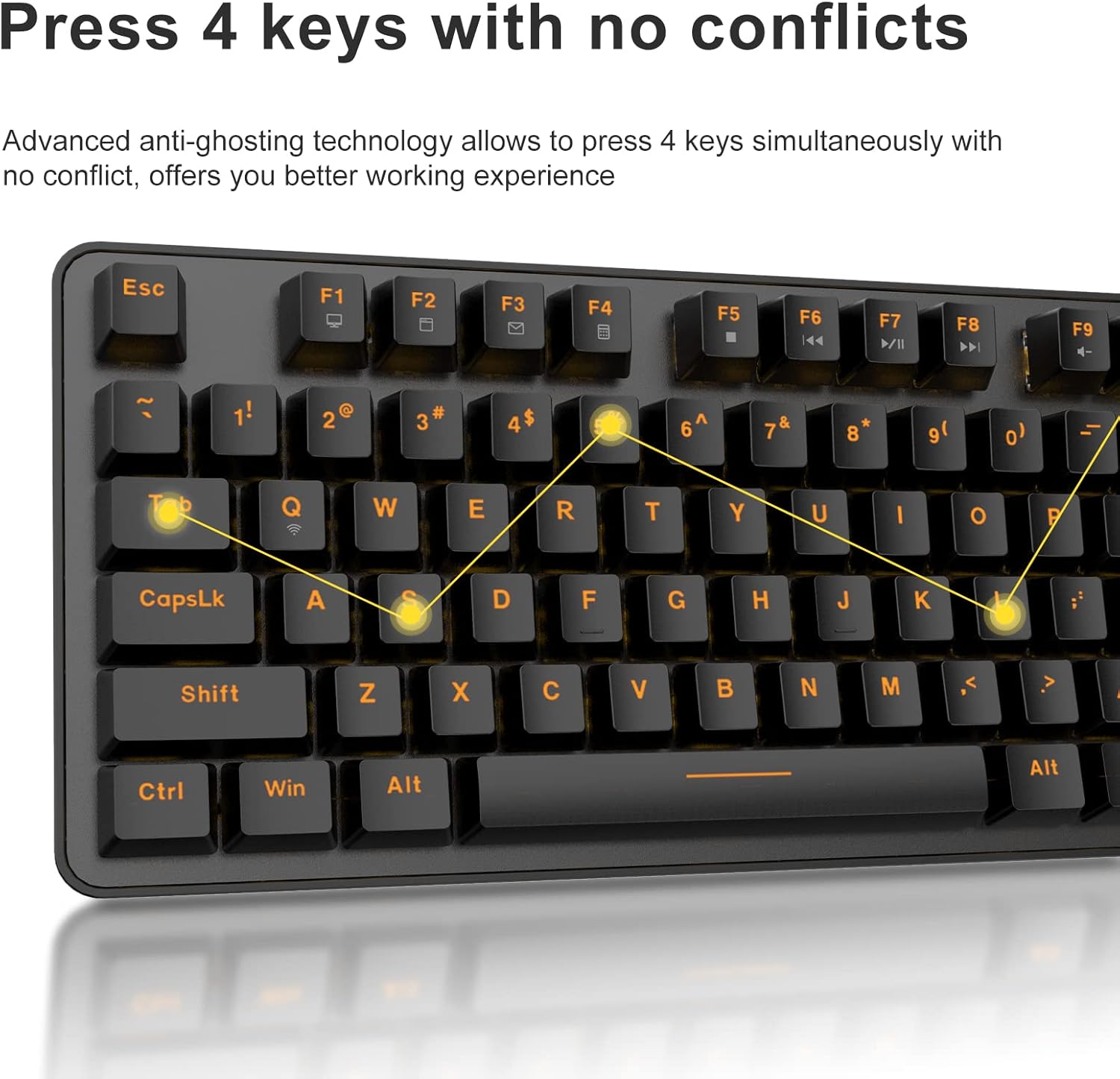
The DAREU EK807G features advanced anti-ghosting technology, allowing up to 6 keys to be pressed simultaneously without conflict. This ensures all your commands are registered accurately, improving efficiency.

Diagram illustrating anti-ghosting technology on the keyboard

Image 3.3: Anti-ghosting technology ensures multiple key presses are registered accurately.

3.4 Automatic Power Saving

To conserve battery life, the keyboard enters an automatic sleeping mode after 6 seconds of inactivity. To wake the keyboard, simply press any key. With this feature, the keyboard can last approximately 90 days of continuous use, and up to half a year between battery changes.

Image depicting long battery life and automatic sleep mode

Image 3.4: The keyboard features automatic power saving for extended battery life.

4. Техникалык тейлөө

4.1 Баскычтопту тазалоо

Үзгүлтүксүз тазалоо клавиатуранын иштешин жана көрүнүшүн сактоого жардам берет.

  • Жалпы тазалоо: Клавиатуранын бетин жумшак, кургак чүпүрөк менен сүртүңүз. Өтө кир болсо, бир аз сүртүңүз.amp клавиатурага суюктук кирбеши үчүн жумшак самын менен кездеме колдонсо болот.
  • Клавиатураны тазалоо: The DAREU EK807G features removable double-shot keycaps, which are resistant to fading and easy to clean. Use the included keycap puller to carefully remove keycaps. Clean them with a soft brush or a damp cloth. Ensure keycaps are completely dry before reattaching.
  • Aluminum Alloy Panel: The aluminum alloy panel is designed to be sweat-resistant and anti-rust. Wipe it with a soft cloth to keep it clean.

5. Кыйынчылыктарды

5.1 Байланыш маселелери

  • Баскычтоп жооп бербей жатат:
    • Ensure the keyboard's ON/OFF switch is in the "ON" position.
    • AAA батарейкалары туура салынганын жана жетиштүү заряддалганын текшериңиз. Зарыл болсо, алмаштырыңыз.
    • Verify that the 2.4G USB receiver is securely plugged into a working USB port on your device. Try a different USB port.
    • Компьютериңизди же түзмөгүңүздү өчүрүп күйгүзүңүз.
  • Үзгүлтүксүз туташуу:
    • Ensure the keyboard is within the operating distance of 33 feet (10m) from the USB receiver.
    • Avoid placing the keyboard near strong electromagnetic interference sources (e.g., Wi-Fi routers, other wireless devices).

5.2 Key Functionality Issues

  • Ачкычтар катталбайт же жасалма эмес:
    • While the keyboard has anti-ghosting for up to 6 keys, excessive simultaneous presses beyond this limit may not register.
    • Ensure keycaps are properly seated. If a key feels stuck, gently remove the keycap with the puller and reattach it.
    • Clean any debris under the keycaps (refer to Maintenance section).
  • Fn key shortcuts not working:
    • Fn баскычын каалаган F баскычы менен бир убакта басып жатканыңызды текшериңиз.
    • If Fn + F12 (Switch L-Win & L-Alt) was accidentally activated, press it again to revert the key functions.

6. Техникалык шарттар

БрендDAREU
Модель номериEK807G
Keyboard DescriptionMechanical (Red Switch)
Байланыш технологиясы2.4G зымсыз
Операциялык аралык33 фут (10 м) чейин
Шайкеш түзмөктөрLaptop, PC, Tablet (Mac, Windows, Chromebook)
Power Source2 x AAA Батареялар (киргизилген эмес)
МатериалАлюминий эритмесинин панели
Продукциянын өлчөмдөрү14.17"L x 5.31"W x 1.57"H (36.0 x 13.5 x 4.0 см)
Элемент Салмагы1.65 фунт (0.75 кг)
ӨзгөчөлүктөрErgonomic design, Hotkeys, Multimedia Keys, Anti-ghosting, Removable Double-shot Keycaps

7. Кепилдик жана колдоо

7.1 Кепилдик кызматы

DAREU provides a 180-day warranty service for the EK807G Wireless TKL Mechanical Keyboard from the date of purchase. This warranty covers manufacturing defects and issues arising from normal use.

7.2 Кардарларды колдоо

If you encounter any problems during the use of your DAREU keyboard, please contact DAREU customer support. Our team is available to assist you with troubleshooting, product inquiries, and warranty claims.

Please refer to the contact information provided on the product packaging or the official DAREU webэң заманбап колдоо каналдары үчүн сайт.

Тектеш документтер - EK807G

Preview Dareu EK807G Keyboard Колдонуучунун колдонмосу
Dareu EK807G клавиатурасы үчүн колдонуучу колдонмосу, деталдаштырылган продукт viewс, орнотуу нускамалары, негизги жарлыктар, спецификациялар жана FCC шайкештиги жөнүндө маалымат.
Preview Dareu Z82 механикалык клавиатура Колдонуучунун колдонмосу жана колдонмосу
Dareu Z82 механикалык клавиатурасы үчүн комплекстүү колдонуучу колдонмосу, деталдаштырылган орнотуу, туташуу параметрлери (2.4G, Bluetooth, зымдуу), драйверди орнотуу жана оптималдуу иштөө үчүн негизги функциялар.
Preview DAREU EK75 клавиатурасынын колдонуучу колдонмосу - функциялары жана мүнөздөмөлөрү
DAREU EK75 клавиатурасынын колдонуучу колдонмосу, анын ичинде "Кутунун ичинде эмне бар" мазмуну, физикалык жана электрдик мүнөздөмөлөрү, продукт viewжана функция баскычтарынын айкалышынын жана ыңгайлаштырылган арткы жарык жөндөөлөрүнүн кеңири түшүндүрмөсү.
Preview DAREU A87 Series Mechanical Keyboard User Manual
User manual for the DAREU A87 Series mechanical keyboard, covering basic information, product review, lighting modes, setup, installation, and driver usage.
Preview DAREU A87 үч режимдүү механикалык клавиатура колдонуучусунун колдонмосу
DAREU A87 үч режимдүү механикалык клавиатурасы боюнча толук колдонмо, анда орнотуу, туташтыруу ыкмалары, функциялары жана которгучту алмаштыруу камтылган. Кепилдик жөнүндө маалымат камтылган.
Preview Dareu H101X Bluetooth зымсыз геймпад колдонуучу колдонмосу
PC, Switch, iOS, Mac жана Android түзмөктөрүндө туташуу, функциялар жана орнотуу боюнча кеңири нускамаларды камтыган Dareu H101X Bluetooth зымсыз геймпадынын колдонуучу нускамасын табыңыз. Оптимизацияланган оюн тажрыйбасы үчүн анын 6-ок гироскоп, Turbo функциясы жана Xinput/Dinput режимдери жөнүндө билип алыңыз.