1. Киришүү
Сатып алганыңыз үчүн рахматasing the Top Tech Audio Spike-4 Bluetooth Speaker. This manual provides important information regarding the setup, operation, maintenance, and troubleshooting of your new speaker. Please read this manual thoroughly before using the product to ensure proper and safe operation.
2. Коопсуздук маалыматы
Маанилүү коопсуздук көрсөтмөлөрү:
- Динамикти экстремалдык температурага, нымдуулукка же түз күн нуруна дуушар кылбаңыз.
- Do not immerse the speaker in water or other liquids. This product is not waterproof.
- Do not attempt to disassemble, repair, or modify the speaker. Refer all servicing to qualified personnel.
- Use only the power cord supplied with the speaker.
- Динамикти радиаторлор, жылуулук регистрлери, мештер же башка аппараттар (анын ичинде) сыяктуу жылуулук булактарынан алыс кармаңыз. ampкөтөргүчтөр) жылуулукту пайда кылуучу.
- Кургак чүпүрөк менен гана тазалаңыз.
- Туура желдетүүнү камсыз кылыңыз жана желдетүү тешиктерин жаап албаңыз.
- Угуу жөндөмүнө зыян келтирбөө үчүн узак убакыт бою жогорку үн деңгээлинде угуудан качыңыз.
3. Пакеттин мазмуну
Сураныч, пакеттин мазмунун текшерип, бардык буюмдар бар экенин текшериңиз:
- 1 x AL-802 Party Speaker (Top Tech Audio Spike-4 Bluetooth Speaker)
- 1 x Микрофон
- 1 х Кубат кабели
4. Продукт бүтүп калдыview жана өзгөчөлүктөрү
The Top Tech Audio Spike-4 is a portable Bluetooth speaker designed to deliver powerful sound with dynamic light displays, suitable for both indoor and outdoor use.
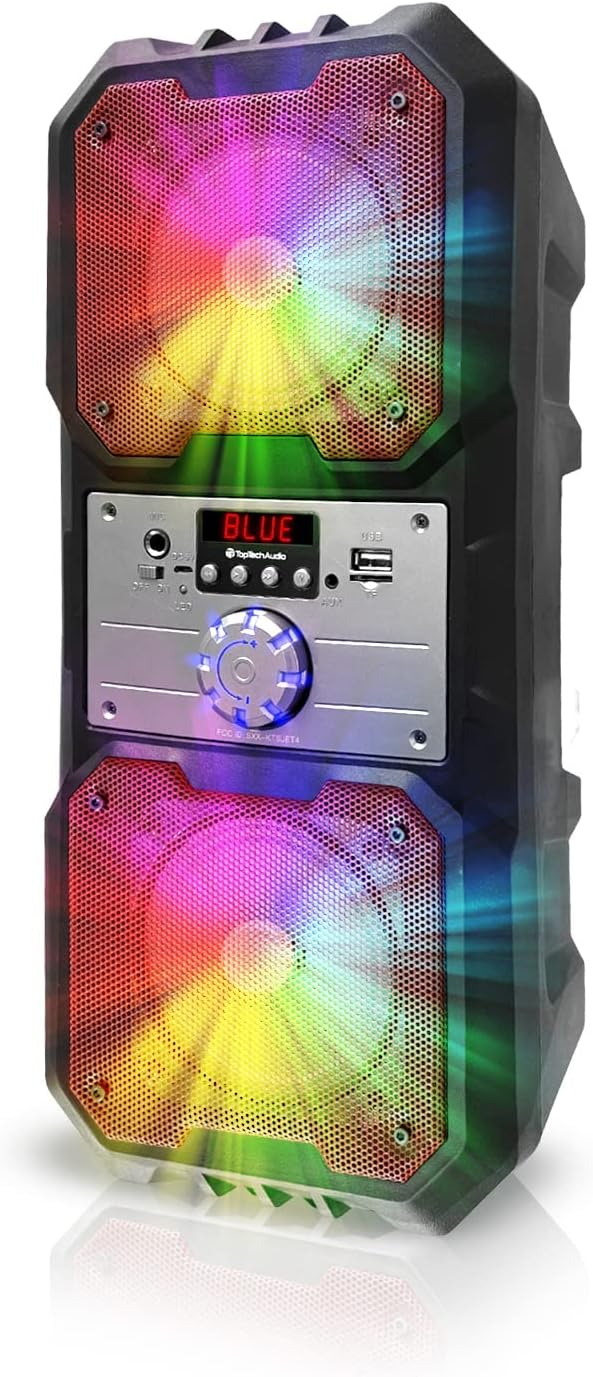
4.1-сүрөт: Фронт view of the Top Tech Audio Spike-4 speaker, showcasing its dual 4-inch woofers with vibrant, multi-color LED lighting effects. The central control panel is visible between the two speaker grilles.

4.2-сүрөт: Бүттүview of the speaker's connectivity options and features, including Easy Portable design, USB Port, TF Card Port, Mic Port, AUX Port, and Bluetooth Wireless capability. These features are indicated by clear icons around the speaker.

4.3-сүрөт: Illustration of the speaker's dynamic lighting features, including Multicolor Gradation where lights move with the rhythm, and Reactive Color Show where colors change and rotate slowly, enhancing the audio experience.
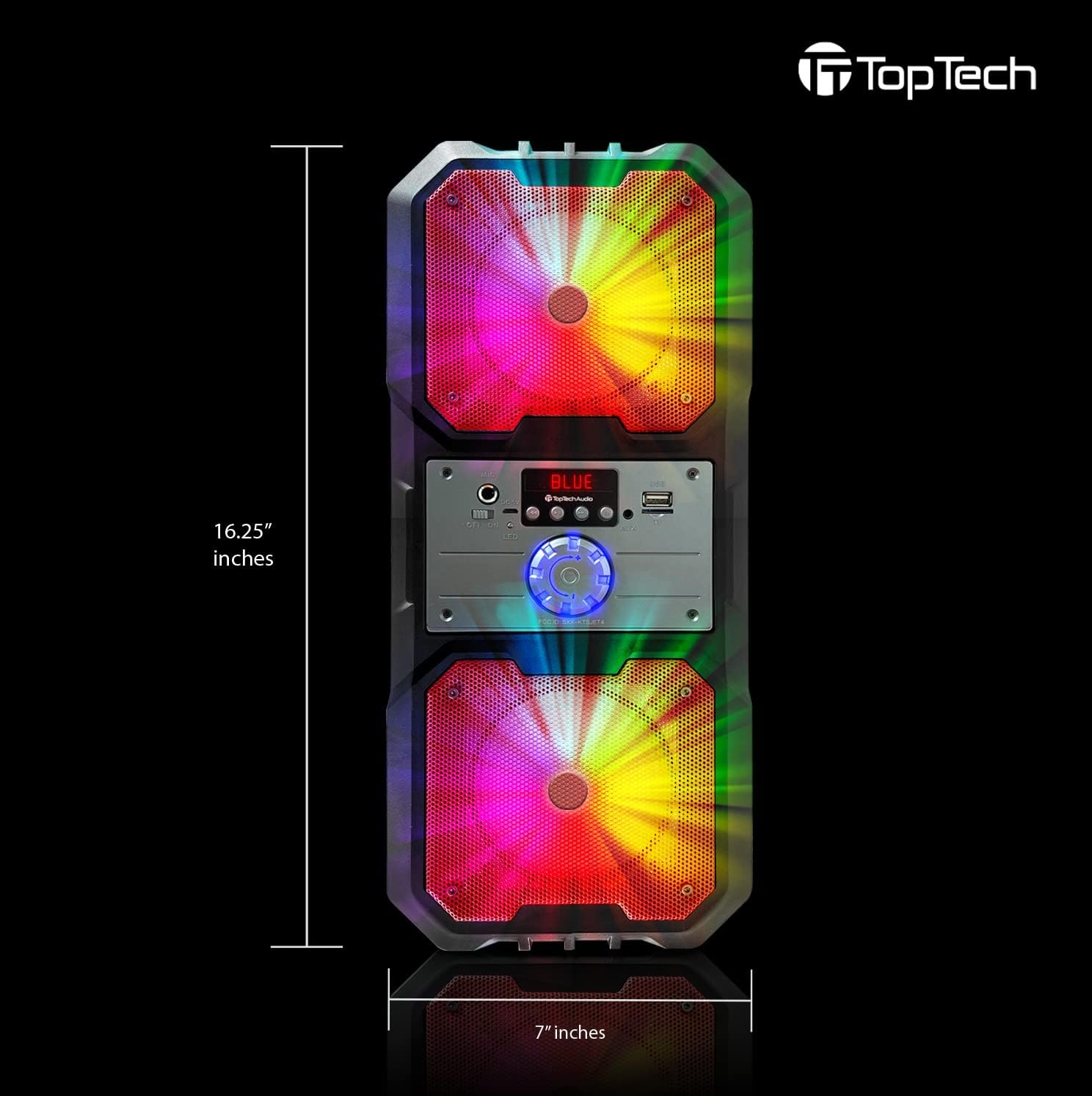
4.4-сүрөт: Dimensions of the Top Tech Audio Spike-4 speaker, showing a height of 16.25 inches and a width of 7 inches, emphasizing its compact yet powerful design.
Негизги өзгөчөлүктөрү:
- Күчтүү үн: Dual 4-inch woofers deliver full-range audio with deep bass and vibrant highs.
- Rhythmic Disco Lights: Built-in LED lighting effects synchronize with your music for a dynamic visual experience.
- Зымсыз Bluetooth агымы: Easily connect your smartphone or tablet with up to 33ft (10 meters) wireless range.
- Бир нече ойнотуу режимдери: Supports USB, TF card, AUX input, and FM radio for versatile listening options.
- Built-in Karaoke Function: Includes a microphone input and a microphone for sing-alongs and parties.
- Портативдик дизайн: Equipped with a handle for easy transport.
5. Орнотуу
5.1 Алгачкы заряддоо
Before first use, fully charge the speaker. Connect the supplied power cord to the speaker's charging port and plug the other end into a standard wall outlet. The charging indicator light will illuminate. Once fully charged, the light may change color or turn off, depending on the model.
5.2 Күйгүзүү/өчүрүү
To power on the speaker, locate the power button, usually on the control panel, and press and hold it for a few seconds until you hear an audible prompt or see the display light up. To power off, repeat the process.
5.3 Bluetooth жупташтыруу
- Ensure the speaker is powered on and in Bluetooth mode. If not, press the "Mode" button to switch to Bluetooth. The display will show "BLUE" or a similar indicator, and you may hear a pairing prompt.
- Мобилдик түзмөгүңүздө (смартфон, планшет ж.б.) Bluetooth иштетип, жеткиликтүү түзмөктөрдү издеңиз.
- Select "Spike-4" or "TOPTECH" from the list of found devices.
- Once paired, the speaker will indicate a successful connection, usually with an audible tone.
- Эми сиз түзмөгүңүздөн аудиону динамик аркылуу ойной аласыз.
5.4 Connecting Other Audio Sources
- AUX киргизүү: Connect an external audio device (e.g., MP3 player, computer) to the speaker's AUX port using a 3.5mm audio cable (not included). Press the "Mode" button to switch to AUX mode.
- USB ойнотуу: MP3 аудиосу бар USB флэш-дискти салыңыз fileUSB портуна киргизиңиз. Динамик автоматтык түрдө USB режимине өтүп, ойноп баштайт.
- TF картасын ойнотуу: MP3 аудио камтылган TF (microSD) картасын салыңыз files into the TF card slot. The speaker will automatically switch to TF card mode and begin playing.
5.5 Микрофон туташуу
Plug the supplied microphone into the speaker's microphone input port. The microphone is ready for use in any mode, allowing for karaoke or public address functions.
6. Иштөө нускамалары
6.1 Үндү башкаруу
Adjust the master volume using the large rotary knob on the control panel. Turn clockwise to increase volume, counter-clockwise to decrease.
6.2 Режимди тандоо
Press the "Mode" button repeatedly to cycle through available input modes: Bluetooth, FM Radio, AUX, USB, and TF Card. The current mode will be indicated on the display.
6.3 Жарык режим
The speaker features dynamic LED lights. There may be a dedicated button (e.g., "Light" or "LED") to cycle through different light patterns or to turn the lights on/off. Refer to the control panel for specific button functions.
6.4 FM радиосунун иштеши
- Switch the speaker to FM Radio mode using the "Mode" button.
- Press the "Play/Pause" button (often labeled with a play symbol) to initiate an automatic scan for available FM stations. The speaker will save detected stations.
- Use the "Previous/Next Track" buttons (often labeled with arrow symbols) to navigate between saved stations.
6.5 Караоке функциясы
With the microphone connected, simply speak or sing into the microphone. The speaker will amplify your voice. Adjust the microphone volume (if available) and echo effects (if available) using dedicated knobs or buttons on the control panel.
7. Техникалык тейлөө
7.1 Тазалоо
Динамиктин сыртын жумшак, кургак чүпүрөк менен сүртүңүз. Абразивдүү тазалагычтарды, момдорду же эриткичтерди колдонбоңуз. Динамиктин тешиктерине суюктуктар кирбесин.
7.2 Сактоо
When not in use for extended periods, store the speaker in a cool, dry place, away from direct sunlight and extreme temperatures. It is recommended to partially charge the battery before storing to prolong its lifespan.
7.3 Батареяга кам көрүү
The speaker contains a rechargeable battery. To maximize battery life:
- Батареяны бат-баттан толук кубаттап калуудан алыс болуңуз.
- Charge the speaker regularly, even if not in frequent use.
- Динамикти 45°C (113°F) жогору же 0°C (32°F) төмөн температурага дуушар кылбаңыз.
8. Кыйынчылыктарды
| Көйгөй | Мүмкүн себеп | Чечим |
|---|---|---|
| Динамик күйбөйт. | Батарея түгөнүп калды. | Динамикти кубат булагына туташтырып, кубаттаңыз. |
| Динамиктен үн жок. | Үн өтө төмөн; Туура эмес режим тандалды; Түзмөк туура эмес туташтырылган. | Increase volume; Ensure correct input mode (Bluetooth, AUX, USB, TF); Reconnect device. |
| Bluetooth жупташуусу болбой жатат. | Динамик жупташтыруу режиминде эмес; Түзмөктүн Bluetooth функциясы өчүк; Динамиктен өтө алыс. | Ensure speaker is in Bluetooth pairing mode; Turn on Bluetooth on your device; Move device closer to speaker (within 10 meters). |
| Микрофон иштебей жатат. | Микрофон туура эмес сайылган; үнү өтө төмөн. | Ensure microphone is fully inserted into the mic port; Adjust microphone volume knob if available. |
| FM радио статикалык. | Алсыз сигнал; Интерференция. | Динамикти жакшыраак кабыл алуу бар жерге жылдырыңыз; кайрадан авто-сканерлөөнү аткарыңыз. |
9. Техникалык шарттар
| Өзгөчөлүк | Деталь |
|---|---|
| Модель аты | Spike-4 |
| Бренд | Топтех |
| Динамик түрү | Сыртта / Көчмө |
| Динамик өлчөмү | Dual 4 Inches (Woofers) |
| Байланыш технологиясы | Bluetooth, USB, AUX |
| Зымсыз байланыш технологиясы | Bluetooth |
| Bluetooth диапазону | 10 метр (33 фут) |
| Power Source | Батарея менен иштейт |
| Батареянын иштөө мөөнөтү | 5 саатка чейин |
| Камтылган компоненттер | AL-802 Party Speaker, Microphone, Power Cord |
| Түс | Кара |
| UPC | 752574407043 |
| Өлчөмдөрү (болжол менен) | 16.25 дюйм (Бийиктик) x 7 дюйм (туурасы) |
10. Кепилдик жана колдоо
The Top Tech Audio Spike-4 Bluetooth Speaker comes with a Limited Warranty. Please retain your proof of purchase for warranty claims.
For technical support, warranty inquiries, or replacement parts, please contact Top Tech Audio customer service. Refer to the contact information provided with your product packaging or visit the official Top Tech Audio webсайт.
Өндүрүүчү: Top Tech Audio


