1. Киришүү
The Nokia Comfort Earbuds TWS-411-WH are designed to provide a balanced audio experience with a focus on comfort and durability. These wireless Bluetooth earbuds feature 10mm drivers for clear sound and are built to withstand daily use with IPX5 water and sweat resistance. This manual provides instructions for setting up, operating, maintaining, and troubleshooting your earbuds.
1.1. Кутуда эмне бар
- Nokia Comfort кулакчындары
- 3 pairs of ear tips (Small, Medium & Large)
- Заряддоо корпусу
- USB Type-C кабели
- Тез баштоо колдонмосу

Image 1.1: The Nokia Comfort Earbuds, charging case, three pairs of ear tips, USB-C cable, and quick start guide.
2. Орнотуу
2.1. Кулакчындарды жана кутуну кубаттоо
Before first use, fully charge the earbuds and the charging case. Place the earbuds into the charging case. Connect the USB Type-C cable to the charging port on the case and to a power source. The indicator light on the case will show the charging status. A full charge provides up to 9.5 hours of listening time for the earbuds, with the charging case offering an additional 19.5 hours, totaling up to 29 hours of playback.

Image 2.1: The Nokia Comfort Earbuds inside their charging case, illustrating the charging contacts and compact design.
2.2. Түзмөк менен жупташтыруу
- Кулакчындардын кубатталганын текшериңиз.
- Заряддоо кутучасын ачыңыз. Кулакчындар жупташтыруу режимине автоматтык түрдө кирет.
- On your device (phone, laptop, tablet), enable Bluetooth.
- Издөө available Bluetooth devices and select "Nokia Comfort Earbuds" from the list.
- Туташкандан кийин ырастоо үнү чыгат жана кулакчындар колдонууга даяр.
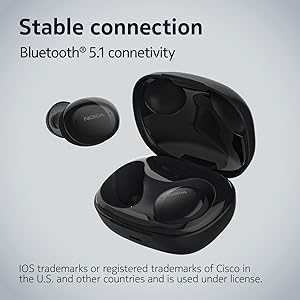
Image 2.2: The earbuds and charging case, highlighting the stable Bluetooth 5.1 connectivity.
3. Кулакчындарды иштетүү
3.1. Кулакчын тагынуу
Select the ear tips that provide the most comfortable and secure fit. Gently insert the earbuds into your ears and twist slightly to ensure a snug seal. The natural ergonomic form and unique comfort ring are designed for a secure fit.
3.2. Башкаруу элементтерине тийүү
The Nokia Comfort Earbuds feature touch controls for easy management of audio and calls. Refer to the quick start guide for specific tap gestures for functions such as play/pause, skip tracks, answer/end calls, and activate voice assistant.
3.3. Чалууларды башкаруу
The earbuds support easy automatic switching between using one or both earbuds for phone calls, providing flexibility during conversations.
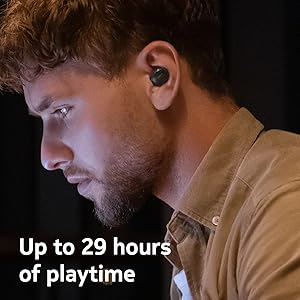
Image 3.1: A user wearing the Nokia Comfort Earbuds, demonstrating comfortable usage during daily activities.
4. Техникалык тейлөө
4.1. Тазалоо
Regularly clean your earbuds and charging case to ensure optimal performance and hygiene. Use a soft, dry, lint-free cloth to wipe the surfaces. For ear tips, remove them from the earbuds and clean with a mild soap solution, then rinse and dry thoroughly before reattaching.
4.2. Water and Sweat Resistance
The Nokia Comfort Earbuds are rated IPX5 for water and sweat resistance. This means they are protected against low-pressure water jets from any direction. They are suitable for workouts and light rain but should not be submerged in water. Ensure the earbuds are dry before placing them back in the charging case to prevent damage.

Image 4.1: The Nokia Comfort Earbuds demonstrating their IPX5 water and sweat resistance.
5. Кыйынчылыктарды
5.1. Жалпы маселелер жана чечүү жолдору
- Кулакчындар жупташкан жок: Эки кулакчындын тең кубаттоочу кутуда экенин текшерип, жупташтыруу режимин иштетүү үчүн капкакты ачыңыз. Түзмөгүңүздүн Bluetooth жөндөөлөрүн текшерип, кайра туташып көрүңүз.
- Үн жок же үнү төмөн: Түзмөгүңүздөгү жана гарнитураңыздагы үн деңгээлин текшериңиз. Кулакчындар кулагыңызга туура орноштурулганын текшериңиз.
- Үзгүлтүксүз туташуу: Туташкан түзмөгүңүзгө жакыныраак жылыңыз. Bluetooth сигналына тоскоол боло турган тоскоолдуктардан алыс болуңуз.
- Кулакчындар кубатталбай жатат: Ensure the charging cable is securely connected to both the case and the power source. Verify that the charging contacts on the earbuds and inside the case are clean and free of debris.
6. Техникалык шарттар
| Өзгөчөлүк | Деталь |
|---|---|
| Модель аты | Чыныгы зымсыз кулакчындар |
| Модель номери | TWS-411 WH |
| Байланыш технологиясы | Зымсыз (Bluetooth 5.1) |
| Аудио драйвер түрү | Динамикалык драйвер |
| Айдоочунун өлчөмү | 10 мм |
| Батареянын иштөө мөөнөтү (наушник) | 9.5 саатка чейин |
| Жалпы ойноо убактысы (Кеп менен) | 29 саатка чейин |
| Суу каршылык | IPX5 (Waterproof, Sweatproof) |
| Башкаруу ыкмасы | тийүү |
| Микрофон | Ооба |
| Форма фактору | Кулак ичинде |
| Материал | Пластик |
| Элемент Салмагы | 48.17 грамм |
| Продукциянын өлчөмдөрү | 10 x 10 x 4.9 см |
| Модель жылы | 2022 |

Image 6.1: Detailed dimensions of the Nokia Comfort Earbuds and their charging case.
7. Кепилдик жана колдоо
7.1. Кепилдик маалыматы
This product comes with a standard brand warranty. For detailed information regarding the warranty period, coverage, and terms, please refer to the warranty card included in the product packaging or visit the official Nokia support webсайт.
7.2. Кардарларды колдоо кызматы
For further assistance, technical support, or service inquiries, please contact Nokia customer support through their official channels. Contact details can typically be found on the Nokia webсайтында же продукт документациясында.
8. Продукт бүтүп калдыview Video
Видео 8.1: Аткаминер бүттүview of the Nokia Comfort Earbuds, showcasing their design, features, and key benefits such as ergonomic fit, sound balance, and water resistance.


