1. Киришүү
Thank you for choosing the Hunter Fan Company Avia II Ceiling Fan. This manual provides detailed instructions for the safe installation, operation, and maintenance of your new ceiling fan. Please read all instructions carefully before beginning installation and retain this manual for future reference.

Figure 1: Hunter Avia II Ceiling Fan, 52-inch, Matte Black finish with light wood-grain blades.
The Avia II is a contemporary ceiling fan designed to enhance your living space with its soft-modern style and integrated light fixture. Its smooth rounded edges contribute to a unified and elegant appearance. This fan is equipped with a 3-speed WhisperWind reversible motor, ensuring optimal performance for both cooling in summer and circulating warm air in winter. It is ideal for large rooms such as living rooms and bedrooms.

Figure 2: Avia II Ceiling Fan installed in a spacious modern bedroom setting.
2. Коопсуздук маалыматы
Электр тогуна урунуу, өрт чыгуу же жеке жаракат алуу коркунучун азайтуу үчүн ар дайым төмөнкү негизги коопсуздук чараларын сактаңыз:
- Желдеткичти орнотуудан мурун бардык нускамаларды жана коопсуздук маалыматын окуп чыгыңыз жана бул нускамаларды сактаңыз.
- Бардык зымдар улуттук жана жергиликтүү электр эрежелерине ылайык болушу керек. Эгерде сиз зымдарды жакшы билбесеңиз, квалификациялуу электрикке кайрылыңыз.
- Before you begin, disconnect power by turning off the circuit breakers to the fan's outlet box and associated wall switch location.
- Розетка кутучасы жана тирөөч конструкциясы бекем орнотулуп, кеминде 35 фунт (15.9 кг) салмакты ишенимдүү көтөрө алышы керек. "ВЕНТИЛЯТОРДУ КОЛДОО ҮЧҮН" деп белгиленген UL тизмесиндеги розетка кутучаларын гана колдонуңуз.
- Do not operate the fan with damaged power cords or plugs.
- Бычактардын жолуна объекттерди коюудан алыс болуңуз.
- Ensure the fan is installed at a height where blades are at least 7 feet (2.13 meters) from the floor.
- Do not use the fan with a dimmer switch not specifically designed for ceiling fans.
3. Пакеттин мазмуну
Carefully unpack your fan and check the contents. You should have the following items:
- Вентилятордун мотору
- Желдеткичтер (5)
- Батарея менен алыстан башкаруу
- Downrod (4 inch)
- Чатыр жана орнотуучу кронштейн
- Light Kit чогултуу
- Аппараттык комплект (бурамалар, шайбалар, зым гайкалар ж.б.)

Figure 3: Included handheld remote control for the Avia II Ceiling Fan.
4. Орнотуу жана орнотуу
4.1 Алдын ала орнотуу
- Электр өчүргүчтө кубат өчүрүлгөнүн текшериңиз.
- Verify that the chosen installation location has a suitable, UL Listed outlet box capable of supporting the fan's weight.
- Gather all necessary tools: Phillips screwdriver, flat-blade screwdriver, wire strippers, electrical tape, ladder.
4.2 Желдеткичти орнотуу
- Attach the mounting bracket to the outlet box using the screws provided with the outlet box. Ensure it is securely fastened.
- Assemble the downrod to the fan motor assembly, feeding the wires through the downrod.
- Carefully lift the fan assembly and hang it from the mounting bracket using the hanger ball.

Figure 4: Recommended downrod lengths based on ceiling height for optimal air circulation.
4.3 Электр зымдары
Connect the fan's electrical wires to the household wiring according to the wiring diagram provided in the separate installation guide (not included in this manual). Typically, this involves connecting the ground wire, neutral wire, and hot wire(s) using wire nuts. Ensure all connections are secure.
4.4 Бычактарды жана жарыктын комплектин бекитүү
- Attach the fan blades to the motor housing using the provided screws. Ensure all screws are tightened securely.
- Connect the light kit wires to the fan motor wires as instructed.
- Secure the light kit assembly to the fan motor housing.
- Install the light cover/diffuser.

Figure 5: Close-up of the integrated LED light fixture.

Figure 6: Detail of the fan blade texture and attachment.
5. Иштөө нускамалары
5.1 Алыстан башкаруунун иштеши
Your Avia II ceiling fan comes with a handheld remote control for convenient operation. Ensure the battery is correctly installed in the remote.
- Желдетүүчү ылдамдыкты көзөмөлдөө: Use the fan speed buttons (typically up/down arrows or numbered buttons) to cycle through the 3 available fan speeds (low, medium, high).
- Жарыкты башкаруу: Press the light button to turn the light on or off. Hold the light button to dim or brighten the integrated LED light.
Figure 7: Remote control functions for fan speed and light dimming.

Figure 8: Icons indicating 3-speed control and WhisperWind motor technology.
5.2 Reversible Motor Function
The Avia II features a WhisperWind reversible motor, allowing you to change the direction of the fan blades for year-round comfort.
- Жайкы операция: In warmer weather, set the fan to rotate counter-clockwise (downward airflow). This creates a cooling breeze effect.
- Кышкы операция: In cooler weather, set the fan to rotate clockwise (upward airflow). This helps to circulate warm air trapped near the ceiling, distributing it throughout the room.
To reverse the motor direction, locate the reverse switch on the fan motor housing (usually a small slide switch). Ensure the fan is off before changing the direction.
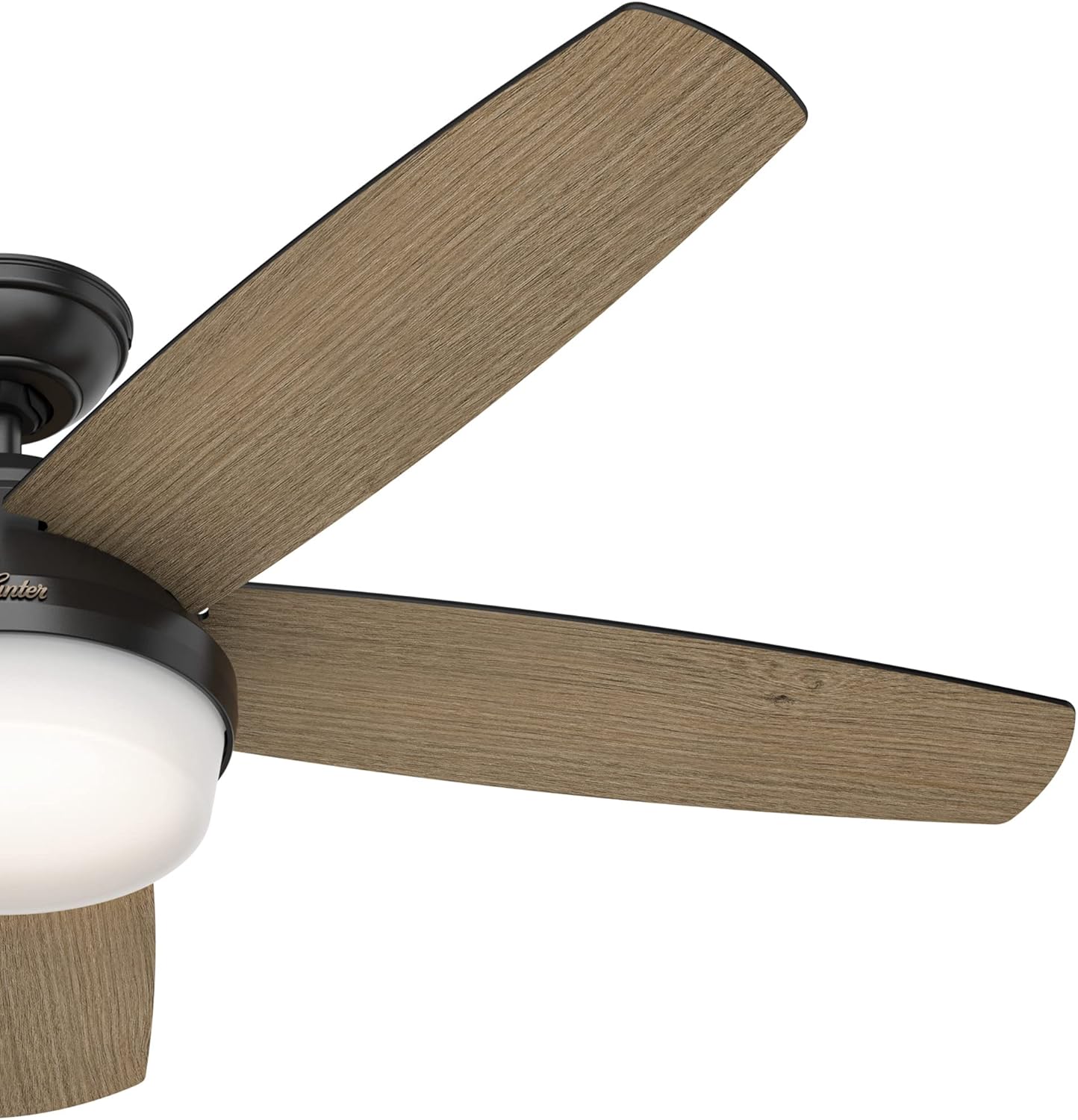
Figure 9: Fan blade angle for optimal air movement.
6. Техникалык тейлөө
Regular maintenance will ensure the longevity and optimal performance of your Hunter Avia II Ceiling Fan.
- Тазалоо: Вентиляторду тазалоо үчүн, жумшак, d менен сүртүңүзamp cloth. Do not use abrasive cleaners or solvents, as they may damage the finish or blades.
- Бычакты тазалоо: Dust the fan blades regularly to prevent dust buildup, which can affect balance and performance.
- Катуу бурамалар: Periodically check all screws on the fan and mounting hardware to ensure they are tight. Loose connections can cause noise or wobbling.
- Light Kit: The integrated LED light is designed for long life and typically does not require replacement. If issues arise, consult a qualified electrician or Hunter customer support.
7. Кыйынчылыктарды
If you experience issues with your fan, refer to the following troubleshooting guide:
| Көйгөй | Мүмкүн себеп | Чечим |
|---|---|---|
| Күйөрман иштебейт | Вентиляторго электр кубаты жетпейт; Зымдардын туташуусу бошоп калган; Алыстан башкаруу пультунун батареясы түгөндү. | өчүргүчтү текшерүү; Бардык зым байланыштары коопсуз экендигин текшериңиз; Алыстан башкаруунун батареясын алмаштырыңыз. |
| Күйөрман солкулдайт | бош бурамалар; салмактуу эмес бычактар; Бош монтаждык кронштейн. | Бардык бычак бурамаларын тартыңыз; Бычактарды тең салмактоо үчүн баланстоочу комплектти (кошумча эмес) колдонуңуз; Монтаждоо кронштейнинин бекем бекитилгендигин текшериңиз. |
| Жарык иштебейт | Loose wire connections in light kit; Faulty LED module. | Check light kit wiring connections; Contact Hunter customer support if LED module is suspected faulty. |
| Ызы-чуу операция | Loose screws; Fan not level; Motor hum. | Check and tighten all screws; Ensure fan is level; A slight motor hum is normal, but excessive noise may indicate an issue. |
8. Техникалык шарттар
Detailed specifications for the Hunter Avia II Ceiling Fan (Model 59593):
| Өзгөчөлүк | Деталь |
|---|---|
| Бренд | Hunter |
| Модель аты | Avia II |
| Модель номери | 59593 |
| Өлчөмү | 52 дюйм |
| Түс | Matte Black |
| Аяктоо түрү | Brushed Nickel, Matte Black |
| Blades саны | 5 |
| Бычактын материалы | Пластик |
| Мотор түрү | AC Motor (WhisperWind Reversible) |
| Кубат деңгээли саны | 3 (Ылдамдыктар) |
| Башкаруу ыкмасы | Алыстан башкаруу |
| Жарык түрү | Интегралдык LED |
| Жарык агымы | 800 Lumens |
| Түс температурасы | 3000 Келвин |
| Ватtage | 40 ватт |
| Тtage | 120 вольт |
| Power Source | AC |
| Ички/тышкы колдонуу | Indoor |
| Элемент Салмагы | 19.62 фунт |
| Продукциянын өлчөмдөрү | 52 x 52 x 14.75 дюйм |
| Камтылган компоненттер | Blades, Motor, Remote |
| Батареялар камтылганбы? | Ооба |
| Батарея клеткасынын түрү | щелочтуу |
| Дата биринчи жеткиликтүү | 28-март, 2022-жыл |

Figure 10: Indoor usage icon and fan size selection guide.
9. Кепилдик жана колдоо
9.1 Кепилдик маалыматы
The Hunter Avia II Ceiling Fan comes with a limited lifetime motor warranty. This warranty is backed by Hunter Fan Company, a leader in the fan business with over 135 years of experience, ensuring innovation, style, and expertise in every product they make.

Figure 11: Hunter Fan Company's commitment to quality and heritage.
9.2 Кардарларды колдоо
For technical assistance, troubleshooting beyond this manual, or warranty claims, please contact Hunter Fan Company customer support. Refer to the contact information provided with your product packaging or visit the official Hunter Fan Company webакыркы колдоо маалымат үчүн сайт.


