Introduction
The AOC GAMING 27G2SP is a 27-inch frameless gaming monitor designed for competitive gaming. It features a high 165Hz refresh rate and a rapid 1ms MPRT response time for smooth, fluid visuals. Adaptive-Sync technology ensures tear-free gaming by synchronizing the display with the GPU. This monitor supports FHD 1920x1080 resolution with wide viewing angles and vibrant colors, covering up to 122% sRGB and 90% DCI-P3 color gamut. It also incorporates AOC Flicker-Free technology for reduced eye strain and offers customization through AOC G-MENU software.
Кутуда эмне бар
- Монитор
- HDMI кабели
- Электр кабели
- User Manual
Жайгашуу
1. Монитор Ассамблеясы
Carefully remove the monitor and its components from the packaging. Attach the stand base to the stand neck, then secure the assembled stand to the back of the monitor. Ensure all connections are firm.
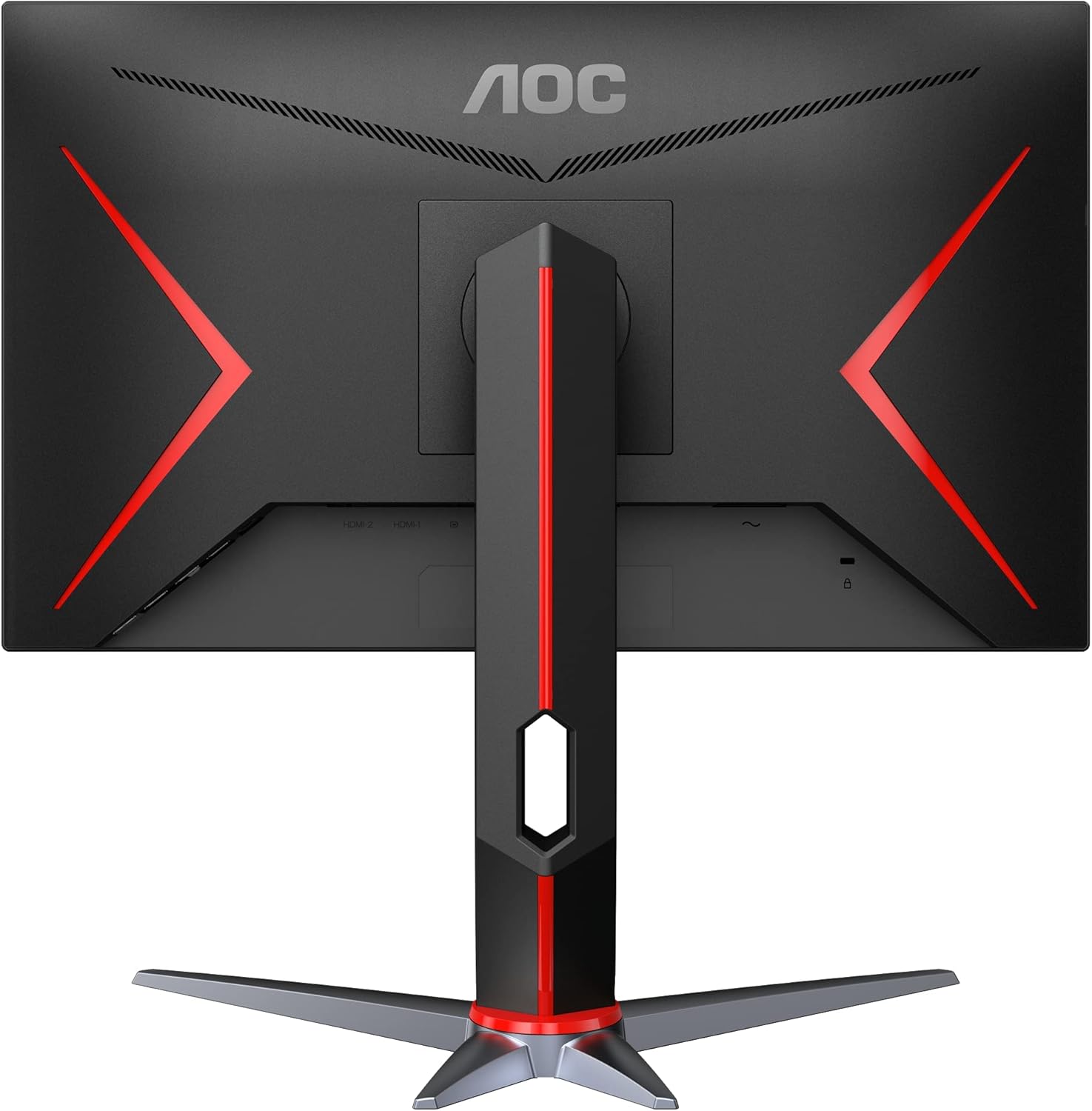
1-сүрөт: Арткы view of the AOC 27G2SP monitor with its adjustable stand fully assembled.
2. Түзмөккө туташуу
Connect the monitor to your computer or console using the provided HDMI or DisplayPort cable. The monitor supports multiple input options for versatile connectivity.

Figure 2: Available input ports on the AOC 27G2SP monitor, including HDMI and DisplayPort for video and audio connections.
3. Power Connection
Plug the power cord into the monitor's power input, then connect the other end to a power outlet. The monitor is now ready for use.
Иштөө нускамалары
1. Күйгүзүү/өчүрүү
Аны күйгүзүү же өчүрүү үчүн монитордо жайгашкан кубат баскычын басыңыз. Монитор активдүү болгондо кубат индикаторунун жарыгы күйөт.
2. Экрандагы дисплей (OSD) менюсу
Navigate the OSD menu using the joystick control located on the back of the monitor. This menu allows you to adjust various settings such as brightness, contrast, color temperature, and game-specific modes.
Сүрөт 3: Алдыңкы view of the AOC 27G2SP monitor, illustrating the on-screen display (OSD) menu for settings adjustments.
3. Негизги өзгөчөлүктөрү
- 165Hz жаңыртуу ылдамдыгы: Тез темптеги оюндар үчүн өтө жылмакай кыймылды камсыз кылат.
- 1ms MPRT жооп берүү убактысы: Eliminates motion blur and ghosting for crisp visuals.
- Adaptive-Sync технологиясы: Synchronizes the monitor's refresh rate with your GPU's frame rate to prevent screen tearing and stuttering.
- IPS панели: Offers wide 178/178 degree viewбурчтарды жана ырааттуу түстөрдү чыгаруу.
- Flicker-Free технологиясы: Узакка колдонууда көздүн чарчоосун азайтуу үчүн экрандын жыпылдап күйүшүн азайтат.
- AOC G-MENU Software: Allows for convenient customization of monitor settings and peripherals.
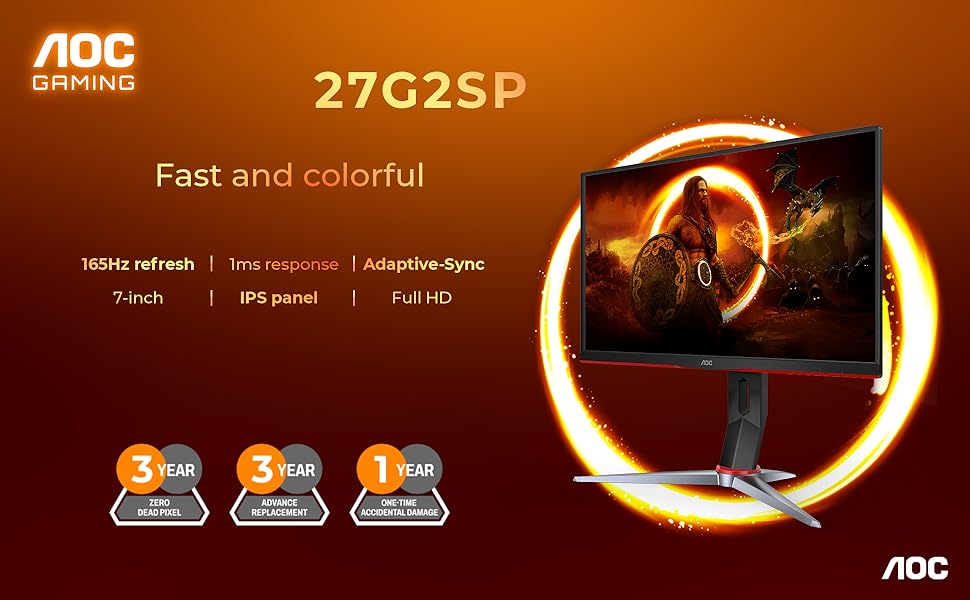
Figure 4: Visual representation of the AOC 27G2SP's core gaming features: 165Hz refresh rate, 1ms response time, and Adaptive-Sync technology.
4. Монитордун стендин тууралоо
The monitor stand is height-adjustable and allows for tilt and swivel movements to optimize your viewing experience. Gently push or pull the monitor to adjust its position.

5-сүрөт: Side profile of the AOC 27G2SP monitor, demonstrating its height adjustment capability.
Техникалык тейлөө
- Экранды тазалоо: Жумшак, түксүз кездемени жеңил колдонуңуз dampened with water or a screen cleaner. Avoid using alcohol or ammonia-based cleaners.
- Тазалоо Casing: Мониторду сүртүңүз casing жумшак, кургак чүпүрөк менен.
- Сактагыч: Мониторду көпкө чейин колдонбогон учурда, аны салкын, кургак жерде, күндүн нуру түз тийбеген жерде сактаңыз.
Проблемаларды чечүү
| Көйгөй | Мүмкүн болгон себеп / Чечим |
|---|---|
| Экранда сүрөт жок |
|
| Сүрөт бүдөмүк же бурмаланган |
|
| Экрандын бүлбүлдөөсү |
|
| No sound from monitor (if applicable) |
|
Техникалык шарттар
| Өзгөчөлүк | Деталь |
|---|---|
| Бренд | AOC |
| Модел | 27G2SP |
| Screen Size | 27 дюйм |
| Резолюция | 1920x1080 (FHD) |
| Жаңыртуу ылдамдыгы | 165Hz |
| Жооп убактысы | 1 мс MPRT |
| Панел түрү | IPS |
| Viewбурч | 178/178 градус |
| Түс гаммасы | 122% sRGB, 90% DCI-P3 |
| Adaptive Sync | Ооба |
| Жылмакысыз | Ооба |
| VESA шайкештиги | Ооба |
| Жөнгө салуу мүмкүнчүлүгү | Height, Tilt, Swivel |
| Киргизүү порттору | HDMI, DisplayPort |
| Элемент Салмагы | 11.17 фунт |
| Продукциянын өлчөмдөрү | 8.95 x 24.09 x 20.81 дюйм |
Кепилдик жана колдоо
AOC provides a limited warranty for its products. Please refer to the official AOC website or the warranty card included in your product packaging for detailed terms and conditions. For technical support, driver downloads, or further assistance, visit the official AOC support webсайтка же кардарларды тейлөөгө кайрылыңыз.
Онлайн колдоо: www.aoc.com
Тектеш документтер - 27G2SP
 |
AOC U27U3XD мониторунун колдонуучу колдонмосу AOC U27U3XD монитору үчүн орнотууларды, функцияларды, тууралоолорду, мүчүлүштүктөрдү оңдоону жана мүнөздөмөлөрдү камтыган кеңири колдонуучу колдонмосу. AOC мониторуңузду кантип туташтырууну, конфигурациялоону жана тейлөөнү үйрөнүңүз. |
 |
AOC CQ32G4E Gaming Monitor Колдонуучунун колдонмосу - Орнотуу, Функциялар жана Мүчүлүштүктөрдү аныктоо AOC CQ32G4E оюн монитору үчүн комплекстүү колдонуучу колдонмосу. Орнотуу, орнотуу, Adaptive-Sync жана HDR сыяктуу функцияларды, көйгөйлөрдү чечүү жана техникалык мүнөздөмөлөрдү камтыйт. AOC оюн дисплейиңиздин бардык мүмкүнчүлүктөрүн пайдаланыңыз. |
 |
AOC Q27G4SL/WS ゲーミングモニター ユーザーマニュアル AOC Q27G4SL/WSゲーミングモニターのユーザーマニュアル。セットアップ、接続、調整、トラブルシューティングに関する詳細情報を提供し、ディスプレイの機能を最大限に活用するためのガイダンスを提供します。 |
 |
AOC AG276QKD2 OLED Монитор Колдонуучунун колдонмосу AOC AG276QKD2 OLED Монитору үчүн комплекстүү колдонуучу колдонмосу, орнотууну, иштетүүнү, Adaptive-Sync жана HDR сыяктуу функцияларды, көйгөйлөрдү оңдоону жана спецификацияларды камтыйт. Оптималдуу иштеши үчүн дисплейиңизди кантип туташтырууну, тууралоону жана тейлөөнү үйрөнүңүз. |
 |
AOC Q27G4XF колдонуучу колдонмосу: Орнотуу, функциялар жана көйгөйлөрдү чечүү AOC Q27G4XF оюн монитору үчүн толук колдонуучу колдонмосу, анда орнотуу, коопсуздук, G-SYNC жана Adaptive-Sync сыяктуу функциялар, OSD жөндөөлөрү, көйгөйлөрдү чечүү жана мүнөздөмөлөр камтылган. |
 |
AOC 24G4X/27G4X оюн мониторунун колдонуучу колдонмосу AOC 24G4X жана 27G4X оюн мониторлору үчүн расмий колдонуучу колдонмосу. Оптималдуу оюн тажрыйбасы үчүн орнотууларды, Adaptive-Sync жана HDR сыяктуу функцияларды, көйгөйлөрдү чечүүнү жана мүнөздөмөлөрдү камтыйт. Көбүрөөк маалымат алуу үчүн www.aoc.com сайтына кириңиз. |