1. Киришүү
This manual provides comprehensive instructions for the setup, operation, maintenance, and troubleshooting of your Star Micronics BSH-HR2081BT Wireless Bluetooth 1D/2D Barcode Scanner. Designed for efficiency and durability, this scanner is a reliable solution for various point-of-sale and inventory management applications.
The BSH-HR2081BT scanner is equipped with a high-power CPU, enabling it to effortlessly capture high-density, high-volume, and even distorted barcodes from both printed materials and digital screens. Its robust design, coupled with advanced wireless capabilities, ensures seamless integration into your workflow.
2. Негизги өзгөчөлүктөрү
- Жогорку өндүрүмдүү сканерлөө: Powerful CPU captures high-density, high-volume, and distorted 1D/2D barcodes on paper or screen.
- Узартылган батареянын иштөө мөөнөтү: Offers up to 12 hours of continuous operation (one scan every six seconds) with its 2200mAh battery.
- Ар тараптуу байланыш: Connects directly to the host device via Bluetooth Low Energy (BLE) or wirelessly to a Star printer using the included USB dongle.
- Reliable Wireless Range: Maintains a stable wireless connection to transmit data, with communication distances up to 50 meters (approximately 164 feet).
- Туруктуу курулуш: Features an IP42-rated design and a drop-resistant housing, capable of withstanding drops from up to 1.2 meters (approximately 4 feet).
3. Орнотуу колдонмосу
3.1. Кутудан чыгаруу жана алгачкы текшерүү
Бардык компоненттерди таңгактан кылдаттык менен алып салыңыз. Төмөнкү заттар бар экенин текшериңиз:
- Star Micronics BSH-HR2081BT Barcode Scanner
- USB заряддоо кабели
- USB Dongle (for wireless connection to Star printers)
- Сканер стенди

Figure 3.1: Barcode scanner and its USB dongle.
3.2. Сканерди кубаттоо
Before first use, fully charge the scanner. Connect the USB charging cable to the scanner's charging port (located at the bottom of the handle) and plug the other end into a USB power adapter (not included) or a computer's USB port. The charging indicator light will show the charging status.

Figure 3.2: USB charging port at the base of the scanner handle.
3.3. Сканерди туташтыруу
The BSH-HR2081BT scanner offers two primary connection methods:
3.3.1. Bluetooth Connection (Direct to Host Device)
- Сканер күйгүзүлгөнүн текшериңиз.
- On your host device (smartphone, tablet, or computer), enable Bluetooth.
- Издөө available Bluetooth devices. The scanner should appear as "Star Micronics BSH-HR2081BT" or similar.
- Select the scanner to pair. Follow any on-screen prompts to complete the pairing process.
3.3.2. Wireless Connection (via USB Dongle to Star Printer)
- Insert the provided USB dongle into an available USB port on your compatible Star printer (e.g., mC-Print, mPOP).
- Power on the scanner. The scanner and dongle should automatically establish a connection.
- Refer to your Star printer's manual for specific instructions on connecting external devices.

Figure 3.3: Barcode scanner placed in its included stand.
4. Иштөө нускамалары
4.1. Негизги сканерлөө операциясы
To scan a barcode, point the scanner's window at the barcode and press the trigger button. A successful scan will typically be indicated by an audible beep and/or a visual confirmation light.
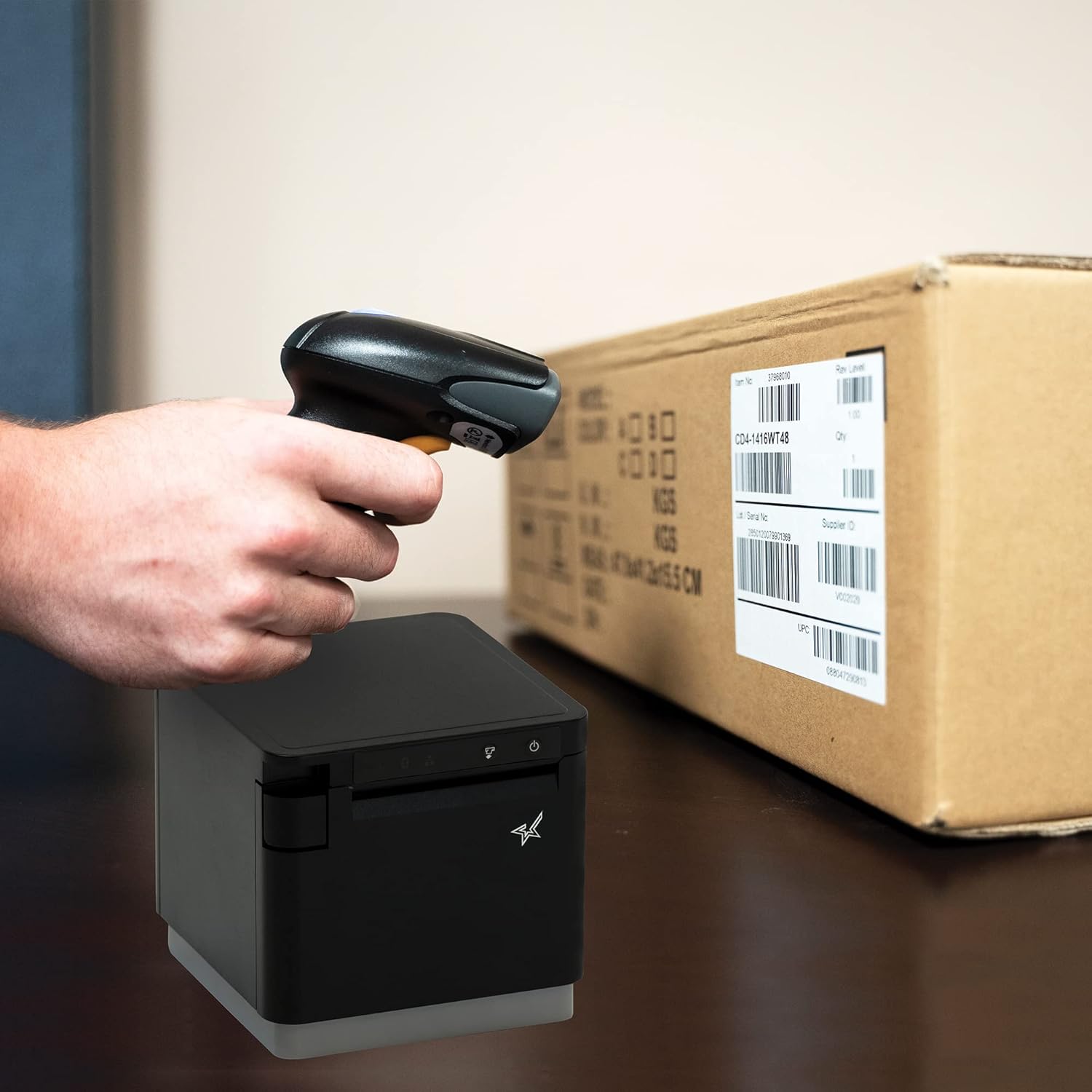
4.1-сүрөт: Мисample of scanning a barcode on a package.
4.2. Сканерлөө режимдери
The BSH-HR2081BT scanner supports six different scanning modes to accommodate various operational needs:
- Деңгээл режими: The scanner's trigger will activate the decode session.
- Триггер режими: A trigger pull activates a decode session.
- Сезим режими: The scanner activates a decode session every time it detects a barcode.
- Үзгүлтүксүз режим: The scanner automatically starts one decode session after another.
- Импульс режими: When the trigger is pulled and released, scanning is activated until a barcode is decoded or the decode session timeout expires.
- Пакет режими: When the trigger is pulled and released, scanning is activated until the trigger is released.
Refer to the full user guide (link in Section 7) for detailed instructions on how to switch between these modes and configure specific settings.
5. Техникалык тейлөө
5.1. Сканерди тазалоо
To maintain optimal performance, keep the scanner's window clean. Use a soft, lint-free cloth lightly dampened with water or a mild, non-abrasive cleaner. Do not use harsh chemicals or abrasive materials, as they may damage the scanner's surface or optical components.
5.2. Батареяга кам көрүү
The scanner is equipped with a Lithium Ion battery. To prolong battery life:
- Батареяны бат-баттан толук кубаттап калуудан алыс болуңуз.
- Сканерди узак убакытка колдонбогондо салкын, кургак жерде сактаңыз.
- Charge the battery regularly, even if the scanner is not in frequent use.
6. Кыйынчылыктарды
6.1. Scanner Not Connecting
- Күчтү текшерүү: Ensure the scanner is fully charged and powered on.
- Bluetooth жупташууда: For Bluetooth connections, ensure Bluetooth is enabled on your host device and the scanner is in pairing mode. Try unpairing and re-pairing the device.
- USB Dongle: If using the USB dongle, ensure it is securely plugged into the Star printer and the printer is powered on.
- Диапазон: Ensure the scanner is within the effective communication range (up to 50m) of the host device or dongle.
6.2. Scanner Not Reading Barcodes
- Barcode Condition: Ensure the barcode is clear, not smudged, torn, or excessively reflective.
- Аралык жана бурч: Adjust the distance and angle of the scanner to the barcode. Try different scanning modes if applicable.
- Жарыктандыруу: Ensure adequate lighting. Avoid direct glare on the barcode.
- Сканер терезеси: Clean the scanner's reading window as described in the Maintenance section.
6.3. Батареянын иштөө мөөнөтү кыска
- Толук заряд: Ensure the scanner is charged until the indicator shows a full charge.
- Usage Pattern: Continuous heavy usage will deplete the battery faster.
- Батареянын жашы: Over time, rechargeable batteries naturally lose capacity.
7. Техникалык шарттар
| Спецификация | Деталь |
|---|---|
| Продукциянын өлчөмдөрү | 5.7 x 4 x 2.7 дюйм |
| Элемент Салмагы | 1.06 фунт |
| Модель номери | BSH-HR2081BT BLK |
| Батареялар | 1 литий-иондук батарейка талап кылынат (кошулган) |
| Өндүрүүчү | Star Micronics |
| Шайкеш түзмөктөр | Смартфон, Планшет |
| Power Source | Батарея менен иштейт |
| Байланыш технологиясы | Bluetooth, USB кабели |
| IP рейтинги | IP42 |
| Drop Resistance | 1.2 метрге чейин |
8. Кепилдик жана колдоо
For warranty information and technical support, please contact Star Micronics directly or visit their official webсайт. Сатып алуу квитанциясын кепилдик дооматтары үчүн сатып алуунун далили катары сактаңыз.
PDF форматындагы толук колдонуучу колдонмосун жүктөп алууга болот:


