1. Киришүү
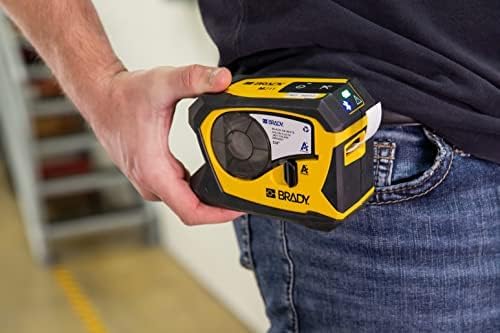
The Brady M211 Portable Bluetooth Monochrome Label Printer is a robust and intuitive device designed for efficient label creation and printing directly from your smartphone. Its compact and durable construction ensures reliable performance in various work environments. This manual provides comprehensive instructions for setting up, operating, maintaining, and troubleshooting your M211 label printer.

2. Кутуда эмне бар
Пакетиңизде бардык буюмдар бар экенин текшериңиз:
- 1 x Brady M211 Printer
- 1 x M21-750-499 Label Cartridge
- 1 x Quick Start Guide
- 1 x AC Adapter (North America)
3. Орнотуу
3.1 Принтерди заряддоо
Before first use, fully charge the M211 printer using the provided AC adapter. Connect the adapter to the printer's charging port and plug it into a power outlet. The charging indicator light will show the charging status.
3.2 Installing a Label Cartridge
The M211 printer uses M21 series label cartridges. To install a cartridge:
- Принтердин капталындагы картридж эшигин ачыңыз.
- Align the label cartridge with the slot and gently push it in until it clicks into place.
- Close the cartridge door securely.

3.3 Bluetooth жана тиркемелерди орнотуу аркылуу туташуу
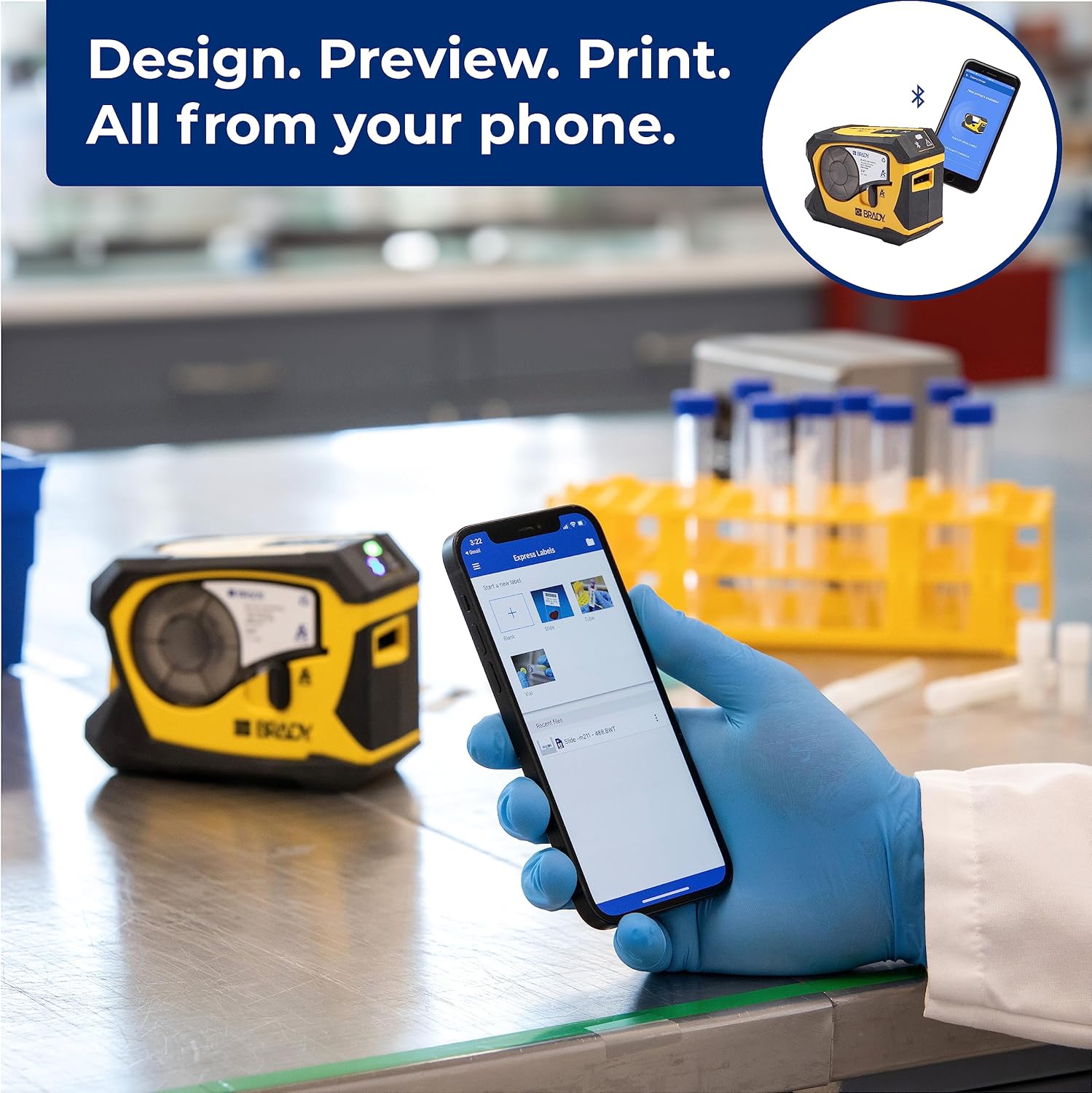
The M211 printer connects to your smartphone via Bluetooth using the Brady Express Labels Mobile app.
- Download the 'Express Labels Mobile' app from your device's app store (available for iOS and Android).
- Смартфонуңузда Bluetooth иштетилгенин текшериңиз.
- Power on the M211 printer by pressing the power button. The Bluetooth indicator light will blink, indicating it's ready to pair.
- Open the Express Labels Mobile app. The app will automatically search for and connect to your M211 printer. Follow any on-screen prompts to complete the pairing process.
Video 1: Official video demonstrating how to create and print barcode labels using the Brady M211 printer and the Express Labels Mobile app.
4. Принтерди иштетүү
4.1 Designing and Printing Labels
The Express Labels Mobile app provides a user-friendly interface for designing and printing labels.
- Open the app and select a label template or start a new blank label.
- Use the app's tools to add text, barcodes (over 20 types supported), symbols (over 1400 available), and other elements.
- Preview your label design to ensure accuracy.
- Tap the print icon in the app to send the design to your M211 printer. The printer will automatically cut the label after printing.
4.2 Label Applications and Materials
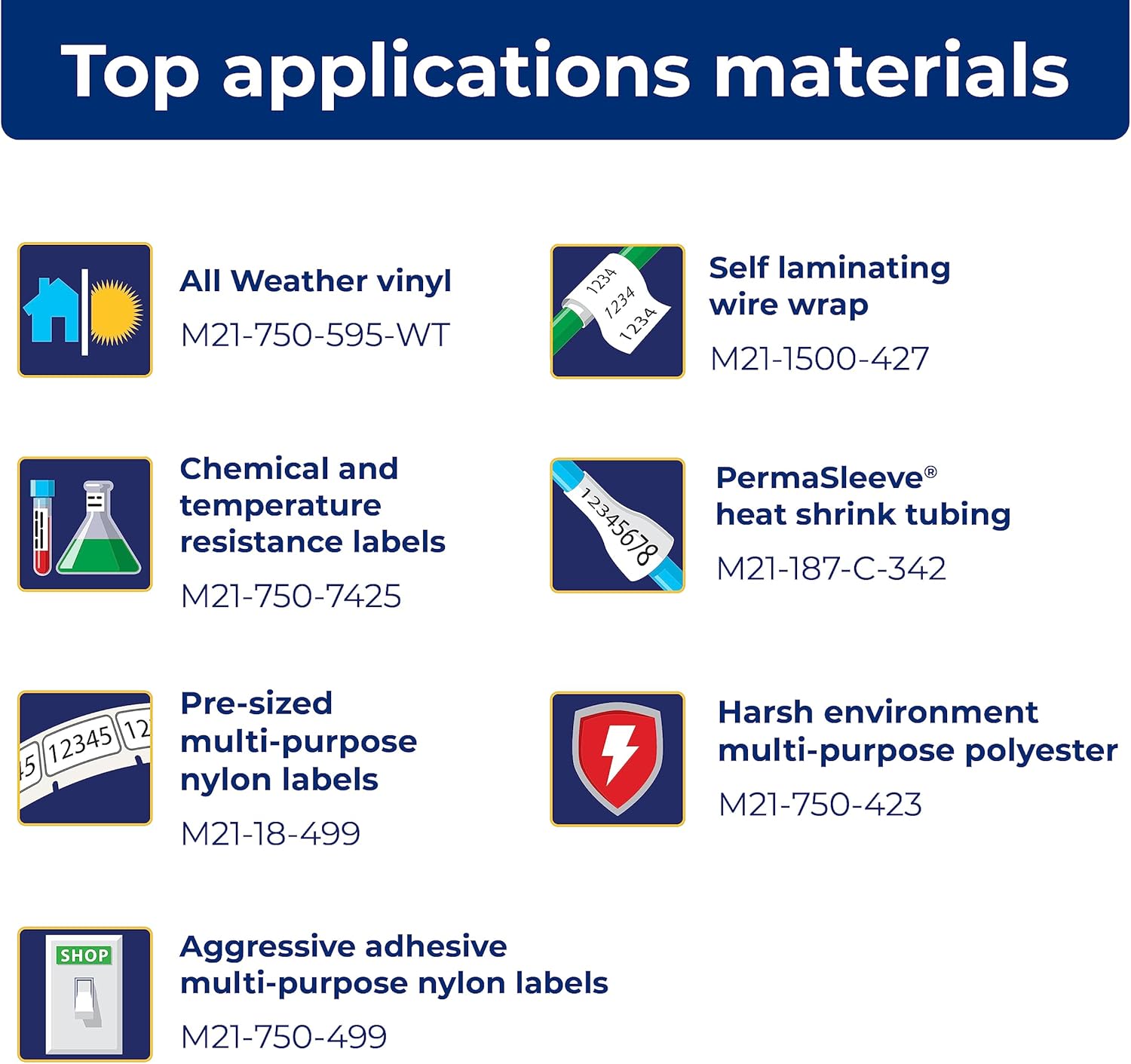
The M211 printer supports a wide range of label applications and materials, making it versatile for various tasks.

5. Техникалык тейлөө
5.1 Принтерди тазалоо
Үзгүлтүксүз тазалоо оптималдуу иштөөнү сактоого жардам берет:
- Принтердин сыртын аарчуу үчүн жумшак, мамыксыз чүпүрөктү колдонуңуз.
- Periodically clean the print head and platen roller using a Brady-approved cleaning card or isopropyl alcohol on a cotton swab. Refer to the Quick Start Guide for detailed instructions on print head cleaning.
5.2 Картриджди алмаштыруу
Replace label cartridges when the material runs out or when the print quality degrades. Always use authentic Brady cartridges to ensure compatibility and optimal performance.

6. Кыйынчылыктарды
If you encounter issues with your M211 printer, try the following common troubleshooting steps:
- Принтер жооп бербей жатат: Ensure the printer is charged and powered on. Check the Bluetooth connection status in the app and on your phone.
- Начар басып чыгаруу сапаты: Verify that the label cartridge is correctly installed. Clean the print head as described in the maintenance section. Ensure you are using authentic Brady label materials.
- Колдонмого туташуу маселелери: Restart both the printer and your smartphone. Ensure the Express Labels Mobile app is updated to the latest version. Try forgetting and re-pairing the Bluetooth connection in your phone's settings.
- Labels Not Feeding/Cutting: Check for any obstructions in the label path. Ensure the label cartridge is not empty or jammed.
For more complex issues, refer to the detailed troubleshooting section in the full user manual or contact Brady customer support.
7. Техникалык шарттар
| Өзгөчөлүк | Спецификация |
|---|---|
| Продукциянын өлчөмдөрү | 2.6"D x 5.4"W x 4"H |
| Controller Type | Android, iOS |
| Максималдуу медиа өлчөмү | 0.75 дюйм |
| Басма маалымат каражаттары | Энбелгилер |
| Сканер түрү | Portable |
| Максималдуу киргизүү барагынын сыйымдуулугу | 50 |
| Макс көчүрүү ылдамдыгы (ак-кара) | 0.6 промилле |
| Дисплей түрү | LCD |
| Шайкеш түзмөктөр | Смартфондор |
| Максималдуу түстүү басып чыгаруу чечими | 203 dpi |
| Барактын өлчөмү | 0.25 x 0.75 |
| Максималдуу кара жана ак басып чыгаруу чечими | 203 dpi |
| Түс тереңдиги | 1 bits per pixel |
| Эки тараптуу басып чыгаруу | Ооба |
| Макс көчүрмө чечими кара-ак | 203 dpi |
| Дуплекс | Симплекс |
| Аппараттык интерфейс | Bluetooth |
| Сыя түсү | Кара, Сары |
| Резолюция | 203 dpi |
| Принтердин кошумча функциялары | Басып чыгаруу гана |
| Башкаруу ыкмасы | Колдонмо |
| Output sheet capacity | 50 |
| Серия номери | 211 |
| Моделдер сериясы | 211 |
| UPC | 888434587515 |
| Эстутум сактоо сыйымдуулугу | 2 MB |
| Элемент Салмагы | 1.44 фунт |
| Батареялар | 1 литий-иондук батарейкалар талап кылынат. (камтылган) |
| Дата биринчи жеткиликтүү | 31-март, 2022-жыл |
| Өндүрүүчү | Brady |
| Бренд | Brady |
| Байланыш технологиясы | Bluetooth® 5 Low Energy (class II) |
| Басма технологиясы | Термикалык |
| Түс | Сары/Кара |
| Модель аты | M211 |
| Принтердин чыгышы | Монохромдуу |
| Максималдуу басып чыгаруу ылдамдыгы (түстүү) | 0.6 промилле |
| Макс басып чыгаруу ылдамдыгы монохромдуу | 0.6 |

8. Жеткиликтүү аксессуарлар
Enhance your M211 printer's functionality and protection with these available accessories:
- Hard Case
- AC адаптер
- Power Brick
- Belt Clip
- Магнит

9. Кепилдик жана колдоо
9.1 Кепилдик маалыматы
The Brady M211 Portable Bluetooth Monochrome Label Printer comes with a Limited Warranty. Please refer to the warranty card included with your product or visit the official Brady webкепилдиктин камтылышы, мөөнөтү жана дооматтардын жол-жоболору боюнча толук шарттар жана эрежелер менен таанышуу үчүн сайтка кириңиз.
9.2 Кардарларды колдоо
For technical assistance, product inquiries, or service requests, please contact Brady Customer Support:
- Webсайт: Visit the official Brady webКөп берилүүчү суроолор, колдоо булактары жана байланыш формалары үчүн сайт.
- Телефон: Refer to the Quick Start Guide or Brady's webаймактык байланыш номерлери үчүн сайт.
- Электрондук почта: Use the contact information provided on the Brady website for email support.


