
1. Киришүү
Thank you for choosing the LIQUIPEL Powertek Power Bank. This compact and portable power bank is designed to provide reliable and fast charging for your smartphone, tablet, and other electronic devices. With its 10,000 mAh capacity and dual USB outputs, it ensures your devices stay powered on the go.
Негизги өзгөчөлүктөрү:
- Compact and portable design, weighing approximately 0.39 pounds.
- 10,000 mAh capacity for multiple device charges.
- Fast Charging Dual USB Outputs.
- Micro USB and USB Type C Inputs for versatile recharging.
- Built-in battery life display.

Image 1.1: The LIQUIPEL Powertek Power Bank, showcasing its compact form factor and the included Micro USB charging cable.
2. Орнотуу
2.1 Power банктын алгачкы заряддоосу
Before first use, fully charge your LIQUIPEL Powertek Power Bank. Connect the included USB Type-C charging cable or a Micro USB cable to the corresponding input port on the power bank. Connect the other end of the cable to a USB wall adapter (not included) or a computer's USB port. The LED indicators on the power bank will illuminate to show the charging progress. All four LEDs will be solid when fully charged.
2.2 Түзмөктөрүңүздү туташтыруу
The power bank features dual USB outputs. Use your device's charging cable and connect it to one of the USB output ports on the power bank. Then, connect the other end of the cable to your smartphone, tablet, or other compatible electronic device. The power bank will automatically begin charging your device.

Сүрөт 2.1: деталдуу view of the power bank's side, highlighting the dual USB-A output ports, and the USB-C and Micro USB input ports.
2.3 Продукт бүттүview Video
Видео 2.1: Бул видео визуалдык көрүнүштү камсыз кылатview of the LIQUIPEL Powertek Power Bank, demonstrating its compact size, multiport compatibility, charging capabilities, battery life display, and integrated safeguard technologies.
3. Power Bankты иштетүү
3.1 Түзмөктөрдү заряддоо
Once your device is connected to the power bank via a USB cable, the power bank will automatically detect the device and begin charging. The LED indicators will show the remaining battery level of the power bank.
3.2 Батареянын деңгээлин текшерүү
To check the remaining battery level of the power bank, briefly press the power button located on the side. The LED indicators will light up, with each light representing approximately 25% of the battery capacity. Four solid lights indicate a full charge.
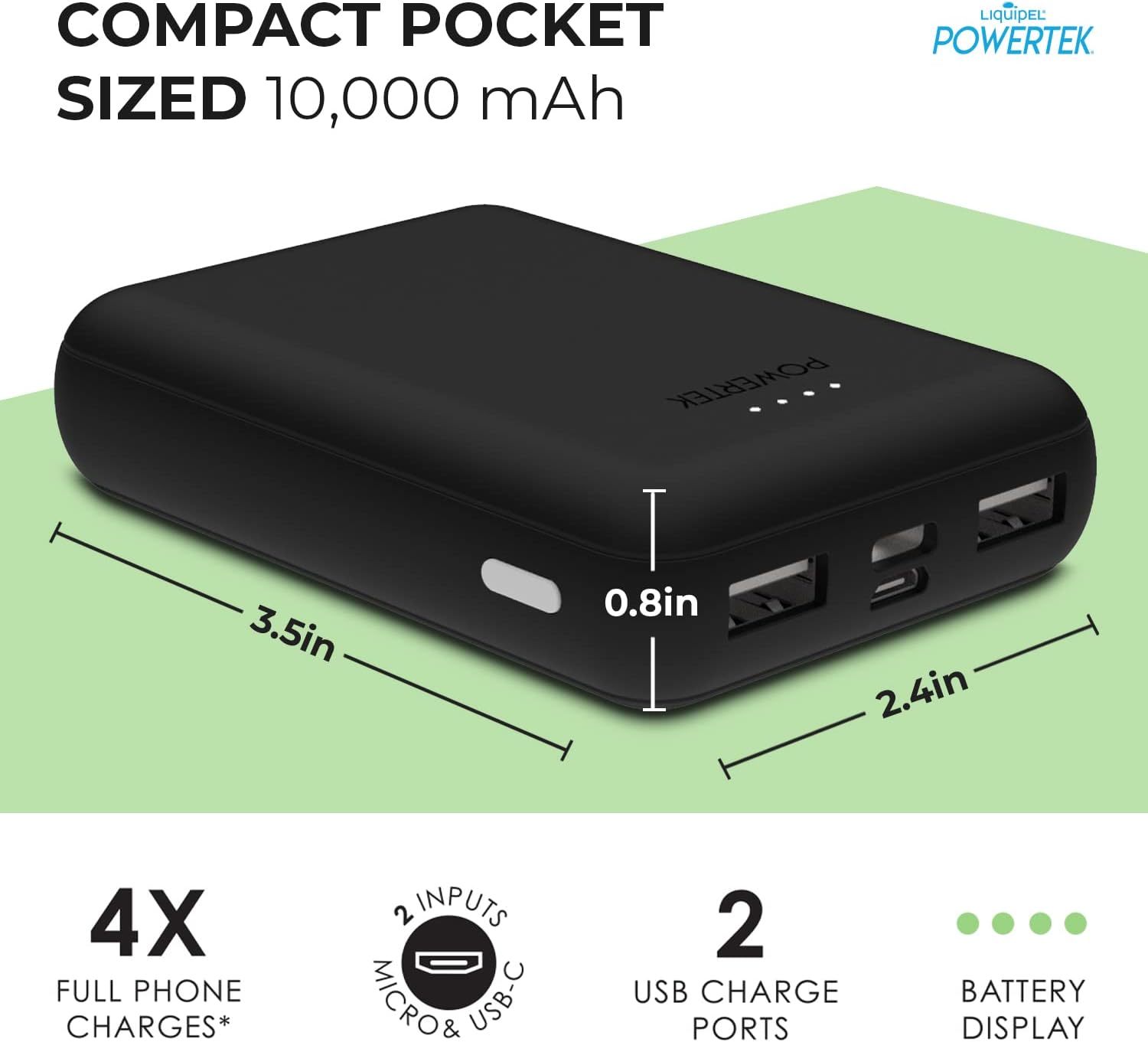
Image 3.1: A user connecting a smartphone to the LIQUIPEL Powertek Power Bank, illustrating the ease of use for charging on the go.
4. Техникалык тейлөө
To ensure the longevity and optimal performance of your LIQUIPEL Powertek Power Bank, please follow these maintenance guidelines:
- Power банкты күн тийбеген жана экстремалдык температурадан алыс, салкын, кургак жерде сактаңыз.
- Power банкты кулап же катуу таасирлерге дуушар кылуудан качыңыз.
- Электр банкын сууга же башка суюктуктарга тийгизбеңиз.
- Сыртын жумшак, кургак чүпүрөк менен тазалаңыз. Катуу химиялык заттарды же абразивдүү материалдарды колдонбоңуз.
- For long-term storage, charge the power bank to about 50% capacity every three months to preserve battery health.
5. Кыйынчылыктарды
5.1 Power Bank заряддалбай жатат
- Кубаттоочу кабелдин кубат банкынын киргизүү портуна жана кубат булагына бекем туташтырылганын текшериңиз.
- Verify that the wall adapter or USB port is functioning correctly. Try a different adapter or port.
- Check if the charging cable is damaged. Try using a different cable.
5.2 Түзмөк Power Bankтан кубатталбай жатат
- Ensure the power bank has sufficient charge. Check the LED indicators.
- Verify that your device's charging cable is securely connected to both the power bank's output port and your device.
- Try using a different USB output port on the power bank.
- Test with a different charging cable or device to rule out cable or device issues.
5.3 Жай заряддоо
- Жогорку сапаттагы кубаттоочу кабелди колдонуп жатканыңызды текшериңиз.
- Some devices may draw more power than others. Ensure the power bank's output meets your device's requirements for fast charging.
- Environmental factors like extreme temperatures can affect charging speed.
The LIQUIPEL Powertek Power Bank incorporates safeguard technologies including overcharge protection, over-discharge protection, temperature protection, and short circuit protection to ensure safe operation.
6. Техникалык шарттар
| Өзгөчөлүк | Деталь |
|---|---|
| Бренд | LIQUIPEL |
| Модель номери | 802564 |
| Батарея сыйымдуулугу | 10000 миллионamp Саат (мАч) |
| Туташтыргыч түрү | USB Type C, Micro USB (Inputs) |
| Output Ports | Dual USB (Type-A) |
| Тtage | 5 вольт |
| Элемент Салмагы | 0.39 фунт |
| Пакеттин өлчөмдөрү | 7.44 x 4.29 x 1.06 дюйм |
| Өзгөчөлүктөр | Fast Charging, Indicator, Portable Charger |
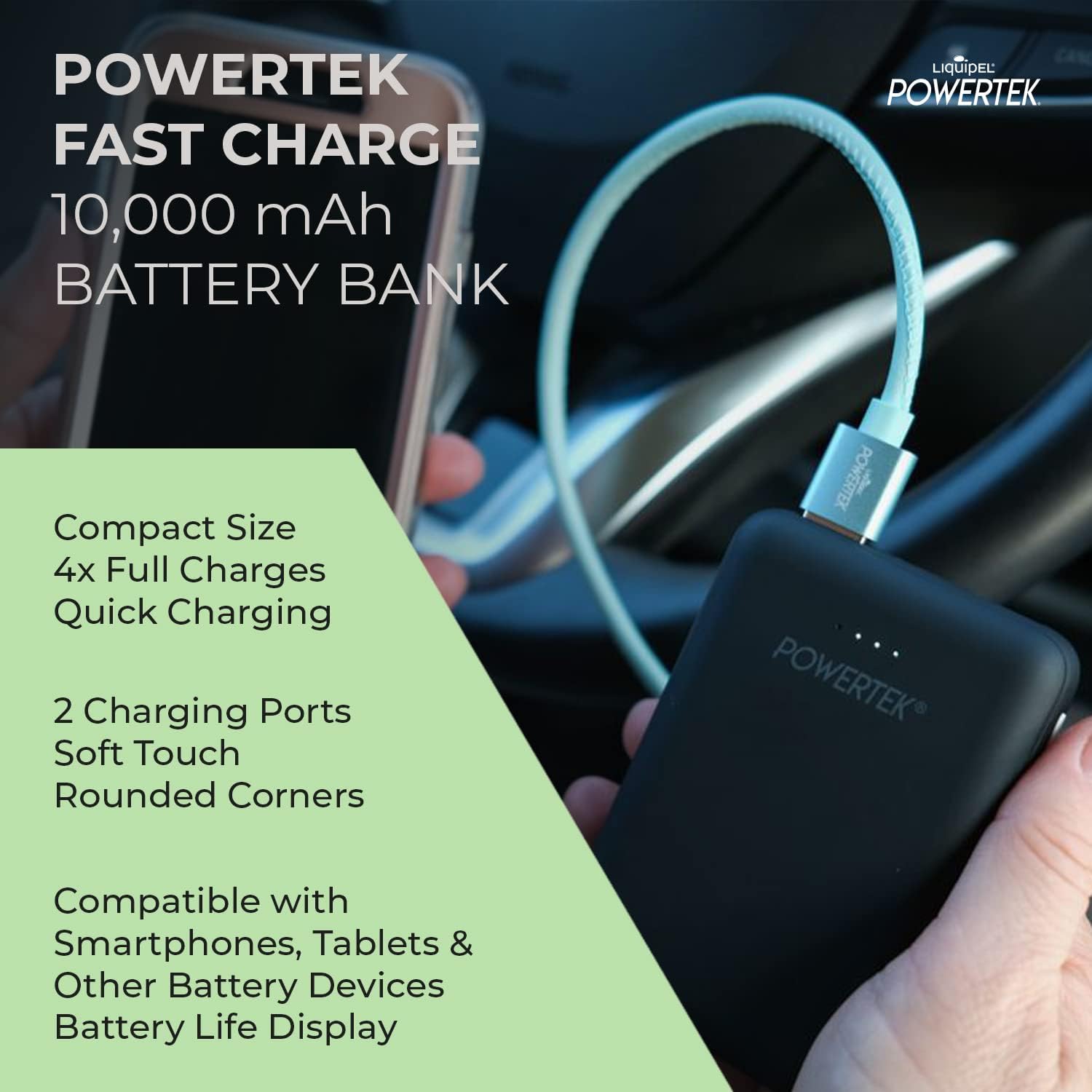
Image 6.1: Visual representation of the compact dimensions of the LIQUIPEL Powertek Power Bank.

Image 6.2: A comparison table highlighting the advantages of the Powertek Compact Battery Bank over standard and value battery chargers.
7. Кепилдик жана колдоо
For warranty information and customer support, please refer to the packaging or contact LIQUIPEL customer service directly. Keep your purchase receipt as proof of purchase for any warranty claims.