1. Киришүү
This manual provides essential information for the safe and effective use of your Walfront Noise Generator. This device is designed to function as both a noise source and a spectrum tracking source, operating across a wide frequency range of 0.001MHz to 3000MHz. It is an electronic component primarily used in testing and measurement applications.
Сураныч, аппаратты иштетүүдөн мурун бул колдонмону кылдат окуп чыгыңыз жана аны келечекте маалымат үчүн сактап коюңуз.
2. Коопсуздук маалыматы
To ensure safe operation and prevent damage to the device or injury to yourself, observe the following safety precautions:
- Электр камсыздоо: Only use the provided DC 12V power adapter. Using an incorrect power supply can damage the device and pose a fire hazard.
- Курчап турган чөйрө: Operate the device in a dry environment, away from moisture, extreme temperatures, and direct sunlight.
- Вентиляция: Ашыкча ысып кетүүнүн алдын алуу үчүн түзмөктүн айланасында жетиштүү желдетүүнү камсыз кылыңыз. Желдетүүчү тешиктерди жаппаңыз.
- Байланыштары: Ensure all connections, especially the SMA connector, are secure before powering on the device.
- Колдонуу: Аппаратты этияттык менен колдонуңуз. Аны түшүрүүдөн же катуу таасирлерге дуушар кылуудан алыс болуңуз.
- Демонтаж: Do not attempt to disassemble or modify the device. This will void the warranty and may lead to electric shock or malfunction.
3. Продукт бүтүп калдыview
The Walfront Noise Generator is housed in a durable aluminum alloy casing, designed for reliability and heat dissipation. It features a DC power input and an SMA output connector.
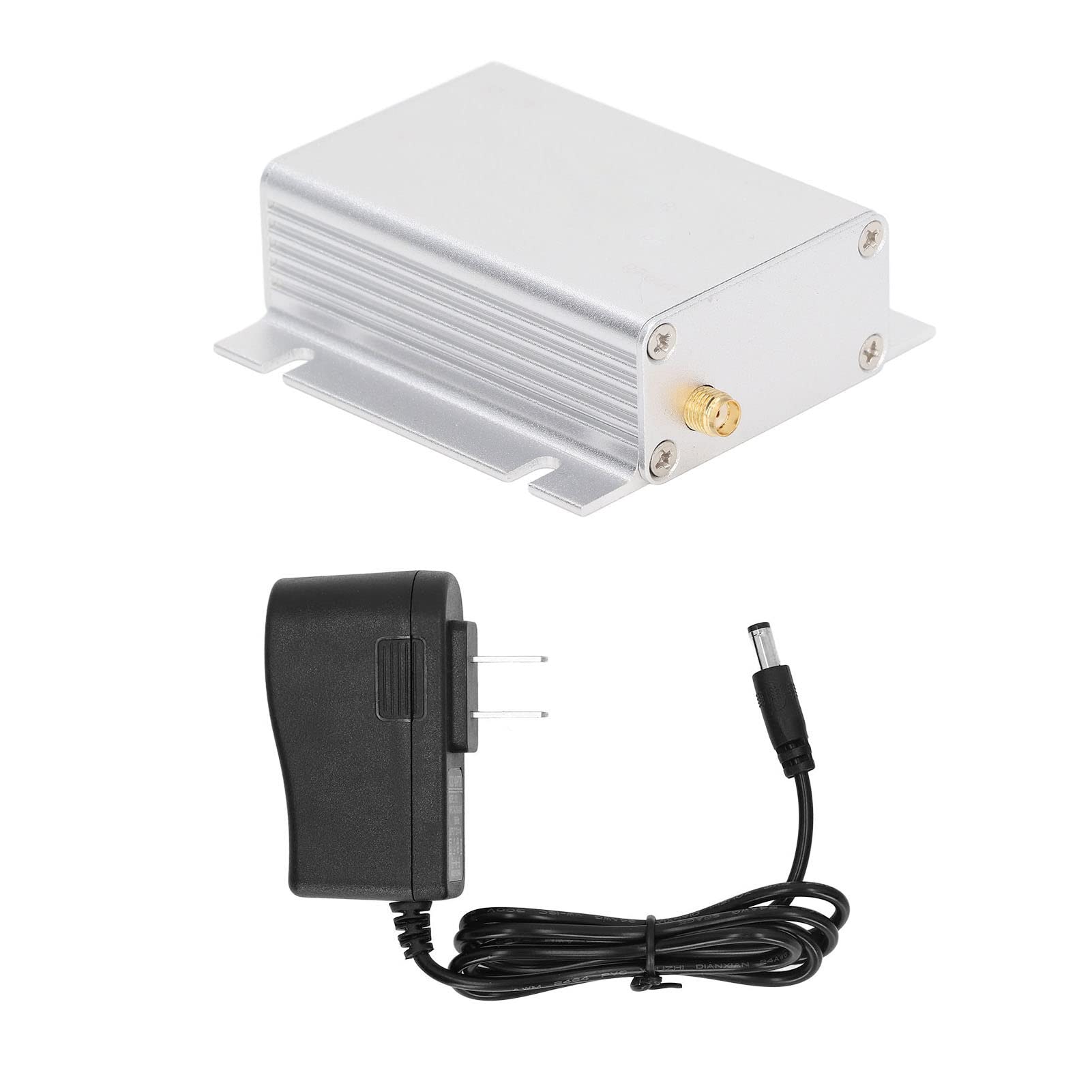
3.1-сүрөт: Жалпысынан view of the Walfront Noise Generator. The device features a compact, silver aluminum casing with mounting tabs on the sides.
3.1 Компоненттер
- Noise Generator Unit: Негизги аппарат.
- DC 12V Power Adapter: For powering the unit.

Figure 3.2: The noise generator unit shown alongside its US plug power adapter.
3.2 Коннекторлор
- Туруктуу кубат киргизүү: Located on one end of the unit, this port is for connecting the 12V DC power adapter.

Сүрөт 3.3: Жакын пландан view of the DC power input port on the noise generator.
- SMA Output Connector: Located on the opposite end, this connector provides the noise or tracking source output.

Сүрөт 3.4: Жакын пландан view of the SMA output connector on the noise generator.
3.3 Негизги өзгөчөлүктөрү
- Жыштык диапазону: 0.001-3000 МГц.
- Чыгуу: Capable of generating white noise and acting as a spectrum tracking source.
- Күч: DC 12V киргизүү.
- Турак жай: Durable aluminum alloy for enhanced durability and heat management.
- Excess Noise Ratio (ENR): The ENR quantifies how much the noise source's thermal noise exceeds the standard noise temperature (T0). This is relevant when assessing signal strength with and without the noise source connected.
4. Орнотуу
Follow these steps to set up your Walfront Noise Generator:
- Таңылганын ачуу: Carefully remove the noise generator unit and the power adapter from their packaging.
- Жайгашкан жери: Түзмөктү туруктуу, тегиз жана жетиштүү желдетүү бар бетке коюңуз.
- Туташуу кубаты: Insert the DC plug of the power adapter into the DC power input port on the noise generator. Then, plug the power adapter into a standard 100V-240V AC outlet.
- Туташуу чыгаруу: Connect the SMA output connector of the noise generator to your testing equipment (e.g., spectrum analyzer, receiver) using an appropriate SMA cable (not included).
5. Иштөө нускамалары
Once properly set up, the Walfront Noise Generator is ready for operation.
5.1 Күйгүзүү/өчүрүү
The device powers on automatically when connected to the power supply. There is no separate power switch. Disconnect the power adapter to turn off the device.
5.2 Using as a Noise Source
When powered on, the unit generates broadband white noise across its specified frequency range. This noise can be used for various applications, such as:
- Testing receiver sensitivity.
- Measuring noise figures of amplifiers and other RF components.
- Providing an interference source for system testing.
Connect the SMA output to the input of the device or system under test. Use a spectrum analyzer to observe the noise output and perform measurements.
5.3 Using as a Spectrum Tracking Source
The noise generator can also serve as a spectrum tracking source. This is particularly useful when paired with a spectrum analyzer that has a tracking generator input. While this unit is a noise source, its broadband output can be utilized to simulate a tracking source for certain measurements, allowing you to observe the frequency response of filters, amplifiers, and other RF circuits.
Consult your spectrum analyzer's manual for specific instructions on using an external tracking source or noise source for frequency response measurements.
6. Техникалык тейлөө
The Walfront Noise Generator requires minimal maintenance to ensure long-term performance.
- Тазалоо: Disconnect the power before cleaning. Use a soft, dry cloth to wipe the exterior of the unit. Do not use liquid cleaners, solvents, or abrasive materials.
- Сактагыч: When not in use, store the device in a cool, dry place, away from dust and direct sunlight. Keep it in its original packaging or a protective case if available.
- Текшерүү: Periodically inspect the power adapter cable and connectors for any signs of damage. If damage is found, discontinue use and replace the component.
7. Кыйынчылыктарды
If you encounter issues with your noise generator, refer to the following troubleshooting guide:
| Көйгөй | Мүмкүн себеп | Чечим |
|---|---|---|
| No power/LED indicator off | Power adapter not connected or faulty. Outlet not working. | Ensure power adapter is securely plugged into the unit and a working electrical outlet. Test the outlet with another device. Check the power adapter for damage. |
| No noise output | Incorrect connection to testing equipment. Faulty SMA cable. Testing equipment settings incorrect. | Verify SMA cable is securely connected to both the noise generator and the testing equipment. Try a different SMA cable. Check the input settings and frequency range on your spectrum analyzer or receiver. |
| Weak or distorted output | Improper impedance matching. Damaged unit or cable. | Ensure proper impedance matching between the noise generator and your testing equipment (typically 50 ohms). Inspect cables for damage. If the problem persists, contact customer support. |
8. Техникалык шарттар
| Өзгөчөлүк | Спецификация |
|---|---|
| Модел | B09XRD7YN2 |
| Жыштык диапазону | 0.001 - 3000 МГц |
| Power Input | DC 12V |
| Туташтыргыч түрү | SMA |
| Продукциянын өлчөмдөрү | 6.3 x 3.94 x 1.57 дюйм (16 x 10 x 4 см) |
| Элемент Салмагы | 6.3 унция (178.6 грамм) |
| Турак жай материалы | Алюминий эритмеси |
9. Кепилдик жана колдоо
For warranty information and technical support, please refer to the documentation provided with your purchase or contact Walfront customer service through their official channels. Keep your purchase receipt as proof of purchase for any warranty claims.
For further assistance, you may visit the Walfront store on Amazon: Walfront Store
