Introduction
Thank you for choosing the HyperGear ChargePad Pro 15W Wireless Charging Pad. This device is designed to provide efficient and convenient wireless charging for all Qi-enabled devices, including various iPhone and Android models, as well as wireless earbuds. Please read this manual carefully to ensure proper use and optimal performance.
Кутуда эмне бар
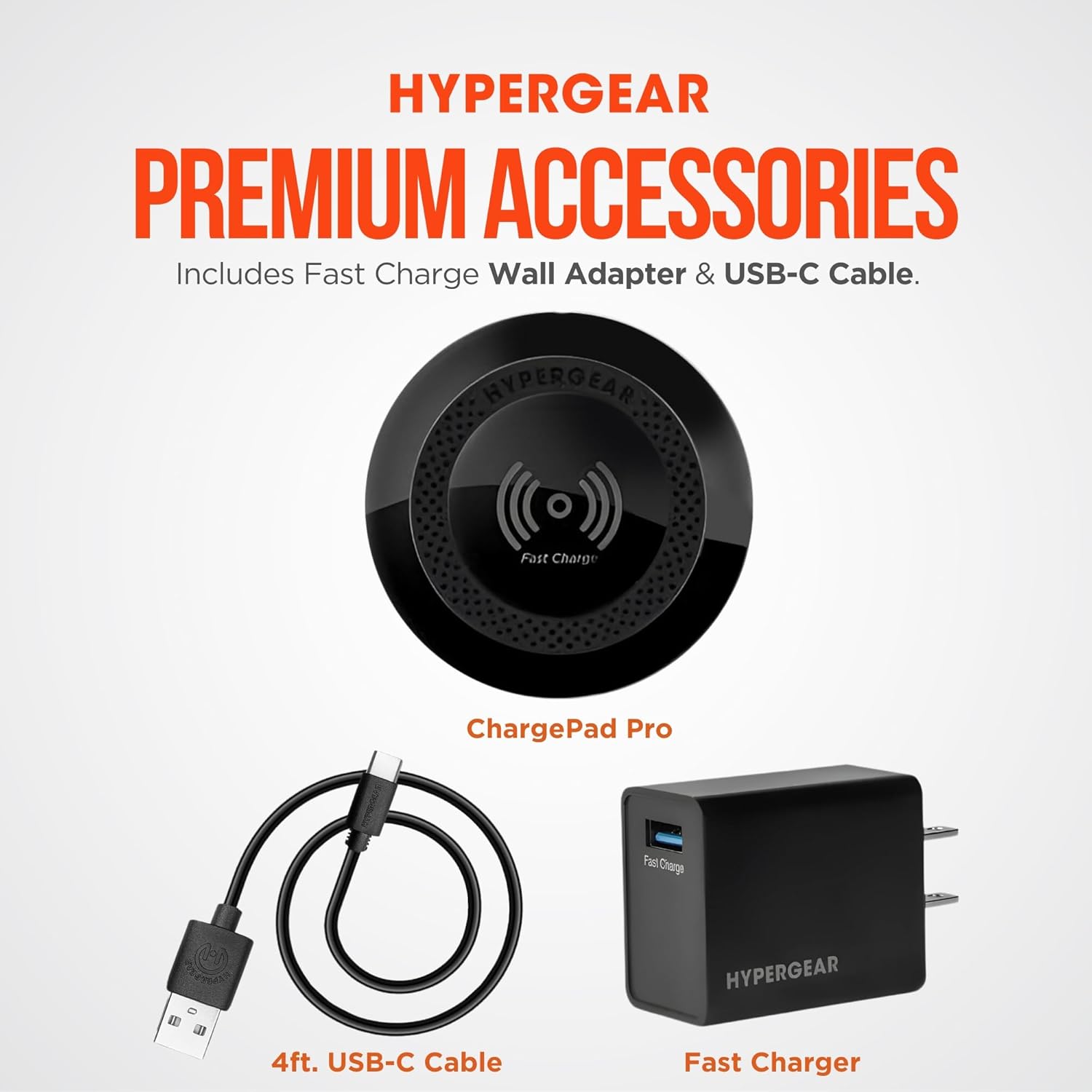
Пакетиңизде бардык буюмдар бар экенин текшериңиз:
- HyperGear ChargePad Pro Wireless Charging Pad
- USB Type-C Cable (4ft)
- Fast Charge Wall Adapter (USB-C connector)
Орнотуу нускамалары
- Заряддоо аянтчасын туташтыруу: Insert the USB Type-C cable into the port on the HyperGear ChargePad Pro.
- Кубатка туташуу: Plug the other end of the USB Type-C cable into the provided Fast Charge Wall Adapter. Insert the wall adapter into a standard electrical outlet.
- Күч көрсөткүчү: The LED power indicator on the charging pad will briefly illuminate to confirm it is receiving power.

Иштөө нускамалары
- Түзмөгүңүздү жайгаштырыңыз: Position your Qi-enabled smartphone or wireless earbuds centrally on the HyperGear ChargePad Pro. Ensure the device is aligned with the charging coil for optimal performance.
- Заряддоону ырастоо: Your device's screen should indicate that it is charging. The LED power indicator on the ChargePad Pro will also illuminate steadily during active charging.
- Иштин шайкештиги: The ChargePad Pro is designed to charge through most phone cases up to 3mm thick. Cases containing metal, magnets, or those thicker than 3mm may interfere with wireless charging.
- Тез кубаттоо: The pad supports up to 15W fast wireless charging for compatible Android devices and 7.5W fast charging for compatible iPhones.
- Тынч иштөө: The ChargePad Pro operates silently, making it suitable for use in bedrooms or quiet office environments. The LED indicator is designed to be minimal to avoid disturbance.


Техникалык тейлөө
- Тазалоо: Disconnect the charging pad from the power source before cleaning. Wipe the surface with a soft, dry, lint-free cloth. Do not use abrasive cleaners, solvents, or chemical agents.
- Сактагыч: Аппаратты колдонбогондо түз күн тийбеген жана өтө температурадан алыс салкын, кургак жерде сактаңыз.
Проблемаларды чечүү
| Көйгөй | Мүмкүн себеп | Чечим |
|---|---|---|
| Түзмөк заряддалбай жатат | Not properly connected to power; device not aligned; incompatible case; device not Qi-enabled. | Ensure the charging pad is securely plugged into a working outlet. Reposition your device centrally on the pad. Remove any thick or metallic cases. Verify your device supports Qi wireless charging. |
| Жай кубаттоо | Device misalignment; case interference; using a non-fast charge adapter. | Ensure optimal device placement. Remove cases thicker than 3mm or those with metal/magnets. Use the provided Fast Charge Wall Adapter for best results. |
| LED индикатору күйбөйт | No power; faulty connection. | Check power connections. Try a different outlet. Ensure the USB-C cable is fully inserted into both the pad and the adapter. |
Техникалык шарттар
| Өзгөчөлүк | Деталь |
|---|---|
| Модель номери | 15653 |
| Продукциянын өлчөмдөрү | 5.12 x 1.38 x 7.48 дюйм |
| Элемент Салмагы | 7.2 унция |
| Киргизүү көлөмүtage | 120 вольт |
| Ватtage | 7.5 watts (Output up to 15W) |
| Туташтыргыч түрү | USB түрү C |
| Шайкеш түзмөктөр | Qi-Enabled Devices |
| Өзгөчөлүктөр | 15W Wireless Fast Charge, LED Power Indicator, Quiet Operation |
| Түс | Кара |
Коопсуздук маалыматы
ЭСКЕРТҮҮ: This product can expose you to chemicals, including lead, which is known to the State of California to cause cancer and birth defects or other reproductive harm. For more information, go to www.P65Warnings.ca.gov.
- Аппаратты ажыратпаңыз же өзгөртпөңүз.
- Avoid exposure to extreme temperatures, direct sunlight, or humid environments.
- Балдар жетпеген жерде сактаңыз.
- Do not place metal objects, credit cards, or other foreign objects between the charging pad and your device during charging.
Кепилдик жана колдоо
For warranty information or technical support, please visit the official HyperGear webсайтка же кардарларды тейлөө бөлүмүнө кайрылыңыз. Көбүрөөк маалымат жана байланыш маалыматтарын даректен таба аласыз HyperGear Store on Amazon.