1. Киришүү
This manual provides essential information for the setup, operation, and maintenance of your Xiaomi Mi Smart Band 6. Designed to enhance your daily fitness and health monitoring, the Mi Smart Band 6 offers a range of features from activity tracking to sleep analysis. Please read this manual carefully to ensure proper use and to maximize the benefits of your device.

Image 1.1: The Xiaomi Mi Smart Band 6, showcasing its display with various health and time indicators.
2. Кутуда эмне бар
Upon unboxing your Xiaomi Mi Smart Band 6, verify that all components are present:
- Mi Smart Band 6 device (x1)
- Black TPU Strap (x1)
- Колдонуучунун колдонмосу (x1)
- Магниттик заряддоо кабели (x1)
3. Техникалык шарттар
Detailed technical specifications for the Xiaomi Mi Smart Band 6:
| Дисплей | 1.56-inch AMOLED, 152 x 486 resolution, 326 PPI, up to 450 nits brightness |
| Өлчөмдөр | 47.4 x 18.6 x 12.7 мм |
| Салмагы | 12.8 г |
| Суу каршылык | 5 банкомат (50 метрге чейин) |
| Байланыш | Bluetooth 5.0 |
| Батарея | 125 mAh Lithium-ion Polymer, up to 14 days typical use |
| Заряддоо | Магниттик заряддоо |
| Боо материалы | TPU (adjustable length: 155-219 mm) |
| Иштин материалы | Tempered glass with anti-fingerprint coating, PC plastic case |
| Иштөө температурасы | 0 ℃ ~ 45 ℃ |
| Шайкеш системалар | Android 5.0 же iOS 10.0 жана андан жогору |
| Модель номери | BHR4951GL |
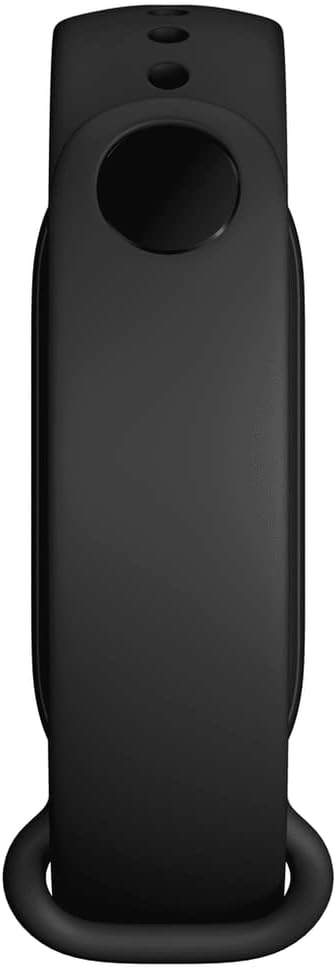
Image 3.1: The back of the Mi Smart Band 6, highlighting the sensors and charging contacts.
4. Орнотуу
4.1 Аппаратты заряддоо
Before first use, fully charge your Mi Smart Band 6. Connect the magnetic charging cable to the charging contacts on the back of the band and plug the USB end into a power adapter or computer USB port. The band will display a charging icon.
4.2 Колдонмону орнотуу
To use all features of the Mi Smart Band 6, you need to install the companion app on your smartphone:
- Scan the QR code in the included manual or search for "Mi Wear" or "Mi Fit" in your smartphone's app store (Google Play Store for Android, Apple App Store for iOS).
- Колдонмону жүктөп алып, орнотуңуз.
- Каттоо эсебин түзүңүз же сизде мурунтан эле бар болсо кириңиз.
4.3 Смартфонуңуз менен жупташуу
Follow these steps to pair your Mi Smart Band 6 with your smartphone:
- Смартфонуңузда Bluetooth иштетилгенин текшериңиз.
- Open the Mi Wear or Mi Fit app.
- "Profile" or "Devices" section and select "Add device" or "+ ".
- Choose "Band" from the list of device types.
- The app will search for nearby devices. Select "Mi Smart Band 6" when it appears.
- Смартфонуңузда да, топуңузда да жупташтыруу өтүнүчүн ырастаңыз.
5. Иштөө нускамалары
5.1 Дисплей жана навигация
The Mi Smart Band 6 features a full-screen AMOLED display. Navigate through menus and functions using touch gestures:
- Өйдө/ылдый сүрүү: Scroll through main menu options (e.g., Status, PAI, Heart Rate, Workout, Notifications).
- Солго/Оңго сүрүү: Access quick functions or widgets (e.g., Music Control, Weather, Notifications).
- таптаңыз: Select an item or enter a sub-menu.
- Swipe Right (from left edge): Мурунку экранга кайтыңыз.

Image 5.1: The Mi Smart Band 6 display, showing its expanded screen area for more information at a glance.
5.2 Фитнеске көз салуу
The band supports 30 fitness modes to track your workouts. To start a workout:
- Swipe up or down on the band's display to find the "Workout" option.
- Tap to enter the workout menu.
- Select your desired activity (e.g., Outdoor Running, Cycling, Swimming, HIIT).
- Tap "Go" to begin tracking. The band will record duration, heart rate, calories burned, and other relevant metrics.
- To end a workout, swipe right from the left edge or press and hold the button (if applicable) and confirm to stop.
Supported workout modes include: Treadmill, Freestyle, Outdoor Running, Cycling, Walking, Swimming, Rowing Machine, Elliptical, Indoor Cycling, Yoga, Jump Rope, Dance, Indoor Fitness, Gym, HIIT, Core Training, Stretching, Bowling, Badminton, Boxing, Stepper, Pilates, Basketball, Volleyball, Table Tennis, Cricket, Ice Skating, Kickboxing, Street Dance, Zumba.
5.3 Ден соолуктун мониторинги
The Mi Smart Band 6 offers comprehensive health monitoring features:
- Жүрөктүн кагышын көзөмөлдөө: Provides all-day manual heart rate tracking, resting heart rate, and heart rate curve analysis.
- SpO2 мониторинги: Measures blood oxygen saturation levels, crucial for overall health assessment.
- Уйкунун мониторинги: Tracks deep sleep, light sleep, Rapid Eye Movement (REM) sleep, and naps. It also assesses breathing quality during sleep.
- Аялдардын ден соолугуна көз салуу: Records and provides reminders for menstrual cycles and ovulation phases.
- Стресс мониторинги: Күн бою стресс деңгээлиңизди түшүнүүгө жардам берет.
- Дем алуу көнүгүүлөрү: Стрессти азайтууга жардам берүү үчүн дем алуу көнүгүүлөрүн жасоо.
- PAI Vitality Index: Personal Activity Intelligence score, a comprehensive measure of your physiological activity.
- Inactivity Alerts: Аракетсиз убакыттан кийин көчүп кетүүнү эскертет.
- Кадам эсептегич: Tracks your daily steps and helps you set goals.

Image 5.2: The companion app interface, illustrating sleep and activity tracking data.
5.4 Smart өзгөчөлүктөрү
Beyond health and fitness, the Mi Smart Band 6 offers several smart functionalities:
- Эскертмелер: Чалуулар, билдирүүлөр жана колдонмо эскертмелери үчүн эскертүүлөрдү түздөн-түз билегиңизге алыңыз.
- Музыкалык башкаруу: Туташкан смартфонуңузда музыканы ойнотууну башкарыңыз.
- Камераны башкаруу: Смартфонуңуздун камерасы үчүн алыстан башкаруучу жапкыч катары тилкени колдонуңуз.
- Alarms, Timer, Stopwatch: Set alarms, use a timer, or activate a stopwatch directly from the band.
- Аба ырайы: View учурдагы аба ырайы жана божомолдор.

Image 5.3: The Mi Smart Band 6 with a personalized watch face, demonstrating the clear AMOLED display.
6. Техникалык тейлөө
6.1 Тазалоо
Regularly clean your Mi Smart Band 6 to ensure optimal performance and hygiene:
- Экранды жана боону жумшак, d менен сүртүңүзamp кездеме.
- Катуу химиялык заттарды же абразивдүү материалдарды колдонуудан алыс болуңуз.
- Заряддоодон мурун заряддоо контакттары таза жана кургак экенин текшериңиз.
6.2 Сууга туруктуулук
The Mi Smart Band 6 has a 5 ATM water resistance rating, meaning it can withstand pressures equivalent to a depth of 50 meters. This makes it suitable for showering, swimming in pools, and shallow-water activities. However, it is not recommended for hot showers, saunas, or diving, as steam and high-pressure water jets may compromise the seal.
6.3 Батареяга кам көрүү
Батареянын иштөө мөөнөтүн узартуу үчүн:
- Ашыкча температурадан сактаныңыз.
- Аппаратты үзгүлтүксүз заряддаңыз, бирок аны узак убакытка толук зарядсыз калтырбаңыз.
- Disable unnecessary features if you need to conserve battery.
7. Кыйынчылыктарды
If you encounter issues with your Mi Smart Band 6, try the following solutions:
- Топ күйгүзүлбөй жатат: Топтун толук заряддалганын текшериңиз. Аны заряддагычка кеминде 10 мүнөт туташтырыңыз.
- Жупташтыруу мүмкүн эмес: Make sure Bluetooth is enabled on your phone and the band is within range. Restart both the band and your phone. Try unpairing and re-pairing through the app.
- Так эмес маалыматтар: Ensure the band is worn snugly on your wrist, about one finger's width above your wrist bone. Clean the sensors regularly.
- Эскертмелер көрүнбөй жатат: Check app permissions on your phone to ensure the Mi Wear/Mi Fit app has access to notifications. Verify that notifications are enabled within the app settings for the band.
- Экран жооп бербейт: Try restarting the band. If unresponsive, allow the battery to fully drain and then recharge it.
Туруктуу маселелер үчүн расмий Xiaomi колдоосуна кайрылыңыз webсайтка же кардарларды тейлөөгө кайрылыңыз.
8. Кепилдик жана колдоо
8.1 Кепилдик маалыматы
The Xiaomi Mi Smart Band 6 typically comes with a 2 жылдык өндүрүүчүнүн кепилдигиБул кепилдик кадимки колдонуудагы материалдардагы жана жасалгалоодогу кемчиликтерди камтыйт. Кепилдик дооматтары үчүн сатып алганыңызды тастыктаган документти сактап коюңуз. Кепилдик туура эмес колдонуудан, кырсыктардан, уруксатсыз өзгөртүүлөрдөн же кадимки эскирүүдөн келип чыккан зыянды камтыбайт.
8.2 Кардарларды колдоо
For further assistance, technical support, or warranty claims, please visit the official Xiaomi support website or contact their customer service department. Contact information can usually be found on the Xiaomi webсайтында же продуктунун таңгагында.


