1. Киришүү
This manual provides detailed instructions for the installation, operation, and maintenance of your ANNKE 4K PoE Security Camera System. This system is designed for comprehensive surveillance, offering high-resolution video recording and smart detection features for both home and business environments. Please read this manual thoroughly before using the product to ensure proper setup and functionality.

Image 1.1: ANNKE 4K PoE Security Camera System components including NVR and 12 dome cameras.
2. Пакеттин мазмуну
Төмөндө көрсөтүлгөн бардык буюмдар таңгагыңызда бар экенин текшериңиз. Эгерде кандайдыр бир буюмдар жок болсо же бузулуп калса, ANNKE кардарларды колдоо кызматына кайрылыңыз.
- 1x 16-Channel 8MP PoE NVR (with 4TB HDD pre-installed)
- 12x 8MP IP PoE Dome Cameras
- 6x 30m/100ft Network Cables
- 6x 18m/60ft Network Cables
- 1x Power Adapter for NVR (DC48V)
- 1x 5.9ft/1.8m HDMI Cable
- 1x 3.2ft/1m Ethernet Cable
- 1x USB чычкан
- 1x Quick Instruction Guide
- 1x Wall Sticker
- 12x Screws for camera mounting

Image 2.1: Visual representation of all items included in the ANNKE 4K PoE Security Camera System package.
3. Негизги өзгөчөлүктөрү
- Ultra HD 4K Resolution: Equipped with 8MP image sensors, delivering video footage with four times the pixels of 1080p, allowing for enhanced detail upon digital zoom.
- PoE (Power over Ethernet) Connectivity: Simplifies installation by transmitting both data and power through a single network cable, eliminating the need for separate power adapters for cameras.
- Person and Vehicle Detection: Advanced algorithms differentiate between human and vehicle movement, reducing false alarms.
- H.265+ Video кысуу: Efficiently saves up to 75% of storage space compared to H.264, optimizing HDD usage for longer recording times.
- 24/7 үзгүлтүксүз жаздыруу: The included 4TB surveillance-grade HDD is engineered for constant operation, supporting simultaneous recording from all 16 channels.
- Remote Access via ANNKE Vision App: Free mobile application for Android and iOS devices enables live viewing, snapshots, video recording, and push notifications with event images.
- Customizable Motion Detection Areas: Define specific zones for motion detection to focus on critical areas and minimize irrelevant alerts.
- IP67 аба ырайы камералары: Cameras feature a robust metal and ABS housing, providing protection against extreme weather conditions with an operating temperature range of -22°F to 140°F.

Image 3.1: Day and night vision clarity with 4K resolution.

Image 3.2: Simplified installation with PoE technology.
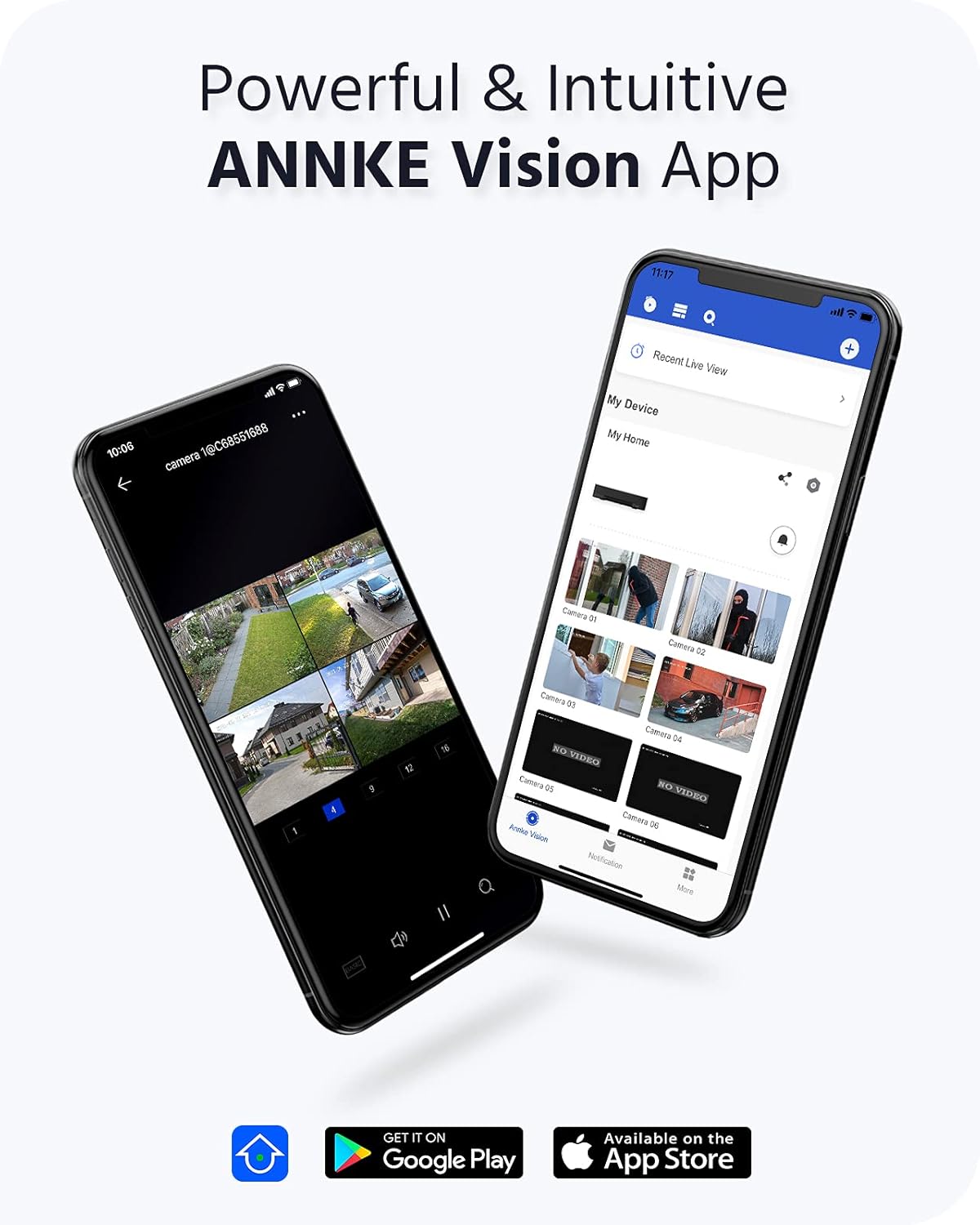
Image 3.3: ANNKE Vision App for remote monitoring.

Image 3.4: Various 24/7 monitoring and recording options.

Image 3.5: H.265+ video compression efficiency.

Image 3.6: Customizing motion detection areas.

Image 3.7: IP67 weatherproof and wide operating temperature range.
4. Орнотуу колдонмосу
Follow these steps to set up your ANNKE 4K PoE Security Camera System.
4.1 NVR баштапкы орнотуусу
- Мониторду туташтыруу: Connect the NVR to a monitor using the provided HDMI cable or a VGA cable (not included).
- Чычканды туташтыруу: USB чычканын NVRдин USB портторунун бирине сайыңыз.
- Тармакка туташуу: Connect the NVR to your router using the Ethernet cable for internet access and remote viewжөндөмдүүлүктөрүн.
- Күйгүзүү: NVR кубат адаптерин NVRге, андан кийин розеткага туташтырыңыз. NVR автоматтык түрдө күйөт.
- Баштапкы конфигурация: Follow the on-screen wizard to set up basic settings such as language, date/time, and create a strong password for the NVR.
4.2 Камераны орнотуу жана туташтыруу
The ANNKE PoE system utilizes Power over Ethernet, simplifying camera installation.
- Монтаждоо камералары: Камераларыңыз үчүн ылайыктуу жерлерди тандаңыз, оптималдуу болушун камсыз кылуу viewing angles and coverage. Use the provided screws to securely mount the cameras.
- Connect PoE Cables: Connect one end of the network cable to the camera's PoE port and the other end to an available PoE port on the NVR. The cameras will receive both power and data through this single cable.
- Байланышты текшерүү: Once connected, the cameras should automatically be detected and display video on the connected monitor.
4.3 ANNKE Vision App Setup
For remote access and mobile monitoring, download and configure the ANNKE Vision App.
- Колдонмону жүктөп алуу: Издөө 'ANNKE Vision' in the Apple App Store (iOS) or Google Play Store (Android) and install it.
- Каттоо эсеби: Колдонмону ачып, жаңы каттоо эсебин каттаңыз же сизде мурунтан эле бар болсо кириңиз.
- Түзмөк кошуу: Tap the '+' icon to add your NVR. You can typically scan the QR code displayed on your NVR's monitor (under Network settings) or manually enter the NVR's serial number.
- Live View: Once added, you can access live video feeds from your cameras, view recordings, and receive notifications directly on your smartphone.
5. Иштөө нускамалары
This section covers the basic operation of your ANNKE Security Camera System.
5.1 Live View
Ийгиликтүү орнотуудан кийин, сиз view жаша фооtage from your cameras:
- Монитордо: The NVR will display a multi-channel live view on the connected monitor. Use the USB mouse to navigate the interface.
- Via ANNKE Vision App: Open the app on your smartphone or tablet, select your NVR, and tap on the desired camera feed for live viewing.
- аркылуу Web Браузер: NVRге кирүү web анын IP дарегин киргизүү менен интерфейс web бир тармакка туташкан компьютердеги браузер.
5.2 Жазуу режимдери
NVR ар кандай жазуу режимдерин колдойт:
- Тынымсыз жаздыруу: Records 24/7 without interruption. Configurable via NVR settings.
- Кыймылды аныктоо жазуусу: Records only when motion is detected in the configured areas.
- Пландаштырылган жаздыруу: Records during specific time periods set by the user.
- Окуяны жаздыруу: Records triggered by specific events like person/vehicle detection.
These modes can be configured through the NVR's menu system (right-click with the mouse on the monitor) or via the ANNKE Vision App/web интерфейс.
5.3 Ойнотуу
Кайраview foo жазылганtage:
- On NVR: From the NVR's main menu, select 'Playback'. Choose the camera(s), date, and time range to review.
- Via ANNKE Vision App: In the app, select your NVR, then navigate to the playback section. Select the desired camera and timeline to view жаздыруулар.
5.4 Smart Detection (Person/Vehicle)
Configure smart detection features to receive more accurate alerts:
- Кирүү Орнотуулары: Navigate to the 'Event' or 'Smart Analysis' section in the NVR menu or app settings.
- Аныктоого уруксат берүү: Activate 'Person Detection' and/or 'Vehicle Detection' for specific cameras.
- Configure Areas: Draw specific detection zones on the camera's view to define where the system should look for persons or vehicles.
- Set Actions: Choose actions to be taken upon detection, such as recording, sending push notifications, or triggering an audible alarm.
6. Техникалык тейлөө
Үзгүлтүксүз техникалык тейлөө сиздин коопсуздук системаңыздын оптималдуу иштешин жана узак мөөнөттүү иштешин камсыз кылат.
6.1 Cleaning Cameras
- Gently wipe the camera lens and housing with a soft, damp кездеме. Абразивдүү тазалагычтардан же эриткичтерден качыңыз.
- Ensure the lens is free from dust, dirt, or spiderwebs for clear image quality.
6.2 Микропрограмма жаңыртуулары
- Periodically check the ANNKE website or the NVR's system settings for available firmware updates.
- Firmware updates can improve system stability, add new features, and enhance security. Follow the provided instructions carefully when performing updates.
6.3 Катуу дискти башкаруу
- The 4TB HDD is configured for continuous recording with overwrite functionality, meaning older footage is automatically deleted to make space for new recordings.
- You can check the HDD status and remaining capacity in the NVR's storage settings.
7. Кыйынчылыктарды
This section addresses common issues you might encounter with your ANNKE Security Camera System.
7.1 Видео көрсөтүү жок
- Күчтү текшерүү: NVR күйгүзүлгөнүн жана кубат адаптери бекем туташтырылганын текшериңиз.
- Монитор туташуу: Verify the HDMI/VGA cable connection between the NVR and the monitor. Try a different cable or monitor if possible.
- Камеранын туташуусу: Ensure all PoE cables are securely connected to both the cameras and the NVR's PoE ports. Check for any damaged cables.
- NVR Output Resolution: If the monitor shows 'Out of Range', the NVR's output resolution might be too high for the monitor. Connect the NVR to a different monitor or try resetting the NVR's display settings (refer to the quick guide for specific steps).
7.2 Алыстан кирүү мүмкүн эмес
- Тармак туташуусу: Ensure the NVR is connected to your router via an Ethernet cable and has internet access. Check the network status in the NVR settings.
- Колдонмого кирүү: Verify you are logged into the ANNKE Vision App with the correct account.
- Түзмөктүн абалы: In the app, check if the NVR device is online. If offline, troubleshoot the NVR's network connection.
- Firewall/Router Орнотуулары: Ensure your router's firewall is not blocking the NVR's connection. Port forwarding might be required in some complex network setups (consult your router's manual or ISP).
7.3 Жазуу маселелери
- HDD абалы: Check the HDD status in the NVR's storage settings. Ensure it is detected and healthy.
- Жазуу графиги: Verify that the recording schedule is correctly configured for the desired cameras and times.
- Кыймылды аныктоо жөндөөлөрү: If using motion detection, ensure it is enabled and the sensitivity and detection areas are properly set.
For further assistance, please refer to the ANNKE support webсайтка же кардарларды тейлөөгө кайрылыңыз.
8. Техникалык шарттар
| Өзгөчөлүк | Спецификация |
|---|---|
| Бренд | ANNKE |
| Модель номери | AU-N46PCK4-V2-9CBN-V3#USH1 (H800 Series) |
| Байланыш технологиясы | Зымдуу (PoE) |
| Өзгөчөлүктөр | Image Sensor, Person Detection, Vehicle Detection, Night Vision |
| NVR каналдары | 16-канал |
| Камеранын чечилиши | 8 МП (4K Ultra HD) |
| Видеону кысуу | H.265 + |
| Сактоо сыйымдуулугу | 4TB HDD (Surveillance-grade) |
| Power Source | Corded Electric (NVR), Power over Ethernet (Cameras) |
| Камеранын аба ырайынын рейтинги | IP67 |
| Иштөө температурасы | -22°F – 140°F (-30°C – 60°C) |
| NVR Video Output | HDMI (up to 4K), VGA (up to 1080p) |
| Product Dimensions (NVR) | 20.87 x 19.29 x 11.81 дюйм (болжол менен) |
| Дата биринчи жеткиликтүү | 24-апрель, 2022-жыл |
9. Кепилдик жана колдоо
ANNKE products are designed for reliability and performance. For warranty information, technical support, or service inquiries, please visit the official ANNKE website or contact their customer support team directly. Ensure you have your product model number (H800) and purchase details available when seeking support.
ANNKE расмий Webсайт: www.annke.com


