1. Киришүү
The Thinkcar Thinkscan Max2 is a professional-grade wireless OBD2 diagnostic scan tool designed for comprehensive vehicle analysis. It offers all-system diagnosis, over 28 maintenance reset functions, and supports advanced protocols like CAN-FD and FCA AutoAuth. This manual provides detailed instructions for setting up, operating, maintaining, and troubleshooting your device to ensure optimal performance.

Figure 1: Thinkcar Thinkscan Max2 Diagnostic Tool and Carrying Case.

Figure 2: Key features of Thinkscan Max2 including OE-Level All System Diagnosis, 28+ Reset Functions, CANFD Protocol, Wireless Connection, and Android 10.0 System.
2. Орнотуу колдонмосу
2.1 Пакеттин мазмуну
Before starting, verify all items are present in the package:
- Thinkscan Max2 Diagnostic Tool
- VCI Dongle (Wireless Connector)
- Заряддоо кабели
- Заряддоо адаптери
- Convertible Plugs (x3)
- EVA Storage Bag
- Көп тилдүү колдонмо

Figure 3: Complete package contents of the Thinkscan Max2.
2.2 Түзмөктү баштапкы орнотуу
Follow these steps for the initial setup of your Thinkscan Max2:
- Күйгүзүү: Түзмөктү иштетүү үчүн кубат баскычын басып, кармап туруңуз.
- Тил тандоо: Тизмеден каалаган тилиңизди тандаңыз.
- Wi-Fi туташуусу: Connect the device to a stable Wi-Fi network for updates and online features.
- Убакыт алкагын жөндөө: Жергиликтүү убакыт алкагын тандаңыз.
- Account Registration & Activation: Create a new account or log in. You will need the serial number and activation code provided with your device to activate it.
2.3 Унаага туташуу
The Thinkscan Max2 uses a wireless VCI (Vehicle Communication Interface) dongle for connection:
- Унааңыздын OBD-II портун табыңыз, эреже катары, айдоочу тараптагы аспаптар тактасынын астына.
- Plug the VCI dongle into the OBD-II port. Ensure a secure connection.
- The Thinkscan Max2 tablet will automatically connect to the VCI dongle via Bluetooth.
2.4 Программалык камсыздоо жаңыртуулары
Regular software updates ensure your device has the latest vehicle coverage and diagnostic functions. Connect to Wi-Fi and navigate to the 'Update' section on the main menu to check for and install available updates.
Video 1: Comprehensive guide on setting up, registering, connecting, and updating the Thinkscan Max2. This video demonstrates initial power-on, language and Wi-Fi setup, account activation, VCI dongle connection, system scanning, data stream analysis, report generation, and various maintenance functions.
3. Аппаратты иштетүү
3.1 Негизги навигация
The Thinkscan Max2 operates on Android 10.0 with a 5.99-inch touch screen. Navigate through menus by tapping icons and swiping. The main interface provides quick access to key functions like Scan, OBD, Maintenance & Service, ThinkFile, ThinkStore, Setup, Repair Info, and Update.
3.2 All System Diagnosis
This function allows you to scan all available electronic control units (ECUs) in the vehicle, such as Engine, ABS, SRS, Transmission, etc.
- VINди автоматтык түрдө сканерлөө: The device can automatically identify the vehicle's VIN for quick diagnosis. Tap 'Scan' and select 'AutoSearch'.
- Ден соолук боюнча отчет: After VIN identification, the device performs a comprehensive health report, scanning all systems for diagnostic trouble codes (DTCs).
- DTCлерди окуу/тазалоо: View detailed descriptions of fault codes and clear them after repairs.
- Live Data Stream: Monitor real-time data parameters from various sensors and modules. You can combine up to 4 data streams for graphical display, aiding in complex diagnostics.
- ECU маалымат: Read control module information such as unit type, version numbers, etc.

Figure 4: Auto-VIN scan feature for automatic vehicle identification.
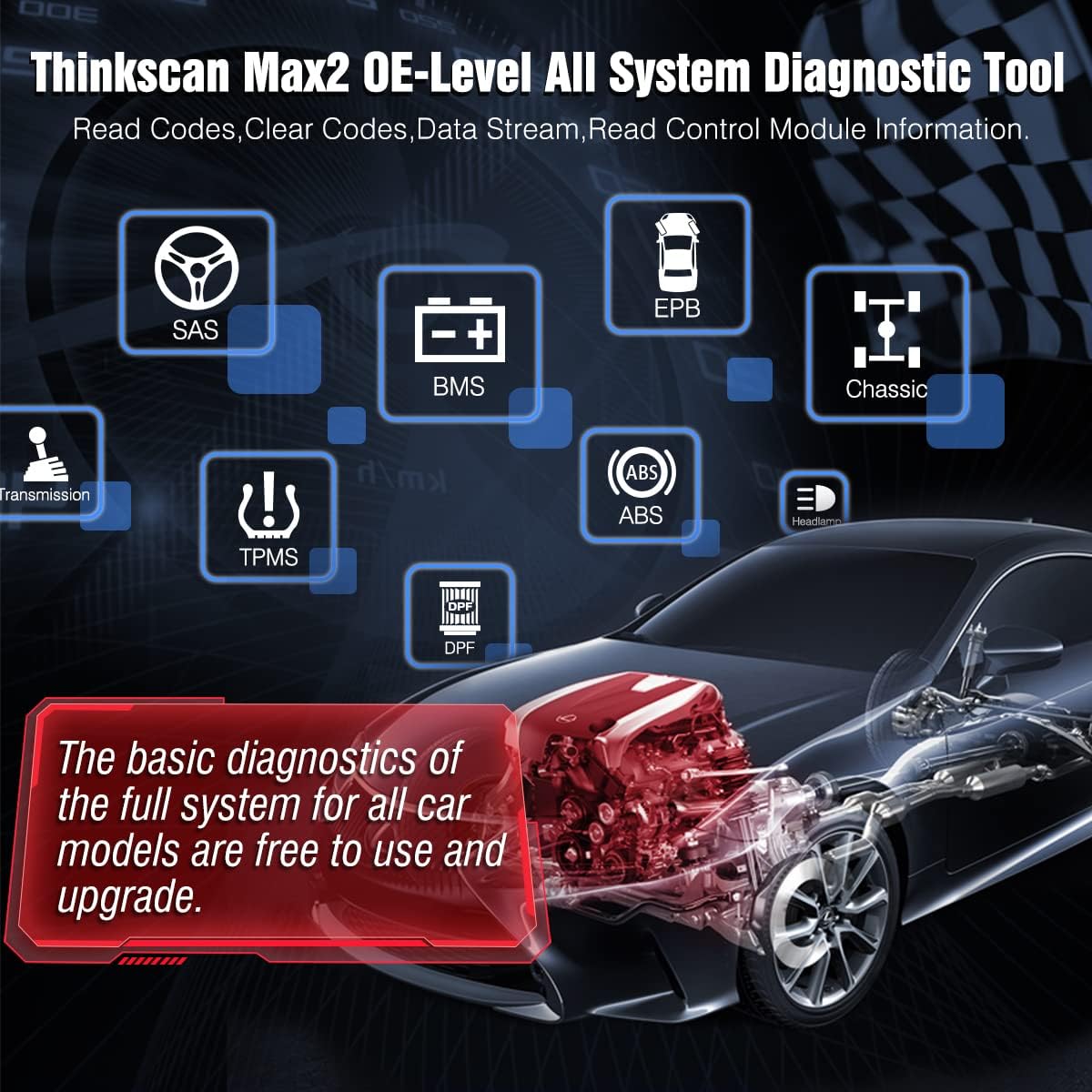
Figure 5: ашыкview of OE-Level All System Diagnostic capabilities, including SAS, BMS, EPB, ABS, TPMS, and Transmission.
3.3 Maintenance & Service Functions (28+ Resets)
The Thinkscan Max2 provides lifetime free access to over 28 popular maintenance reset functions. Access these by tapping 'Maintenance & Service' on the main menu.

Figure 6: Visual representation of the 28+ maintenance reset functions available on the device.
Негизги функцияларга төмөнкүлөр кирет:
- Май чырагын баштапкы абалга келтирүү: Recalculate engine oil life system after an oil change.
- Steering Angle (SAS) Reset: Reset steering angle to zero.
- Инжектор коддоо: Write new injector codes into the car system.
- ABS кан агуу: Exhaust air from the ABS system to restore braking sensitivity.
- AdBlue баштапкы абалга келтирүү: Reset urea after diesel exhaust treatment fluid replacement.
- Дроссельди дал келтирүү: Initialize throttle actuators.
- TPMS баштапкы абалга келтирүү: Reset tire pressure after maintenance or sensor replacement.
- EPB баштапкы абалга келтирүү: Replace and reset brake pads.
- Дөңгөлөктү баштапкы абалга келтирүү: Set size parameters for modified or replaced tires.
- AFS Headlamp Кайтаруу: Initialize adaptive headlamp системасы.
- Люкту баштапкы абалга келтирүү: Initialize sunroof when locked off or closed.
- Батареяны баштапкы абалга келтирүү: Register battery after replacement.
- Орунду калибрлөө: Calibrate memory in replaced or repaired seats.
- Airbag (SRS) Reset: Reset airbag data and turn off warning light after replacement.
- Аудио/Ф баштапкы абалга келтирүү: Аба/Отун катышынын параметрлерин коюңуз же үйрөнүңүз.
- Редукторду баштапкы абалга келтирүү: Complete gearbox self-learning.
- Транспорт режими: Транспорт режимин өчүрүңүз.
- Windows калибрлөөсү: Perform door window matching.
- Тилди өзгөртүү: Change vehicle central control system language.
- GEAR Reset: Re-correct gear position information communication.
- ODO баштапкы абалга келтирүү: Copy, write, or correct kilometer value (cannot decrease).
- NOx сенсорун баштапкы абалга келтирүү: Reset catalytic converter learned value.
- Токтотуу/Баштоо баштапкы абалга келтирүү: Set up automatic start-stop function.
- Муздаткыч суюктуктун агып кетиши: Activate electronic water pump.
- Асма системасын баштапкы абалга келтирүү: Adjust vehicle body height sensor for level calibration.
3.4 CAN-FD Protocol Support
The Thinkscan Max2 is compatible with the CAN-FD protocol, supporting GM vehicles manufactured after 2020. This allows for faster communication and reduces the risk of undetected errors.

Figure 7: CAN-FD protocol support for GM vehicles (2020-2025).
3.5 FCA AutoAuth Support
The device supports AutoAuth, enabling you to unlock the protected FCA vehicle SGW (Security Gateway) module on Chrysler, Dodge, Jeep, Alfa Romeo, and Fiat vehicles. Note: This requires purchasing a registration number on the AutoAuth webсайт өзүнчө.
3.6 Диагностикалык отчет жана бөлүшүү
After a diagnosis, the device automatically generates a diagnostic report. This report can be shared via email or by scanning a QR code with your phone.

Figure 8: Diagnostic report generation and sharing options via QR code or email.
3.7 Built-in Google Chrome
The device includes a built-in Google Chrome browser, allowing for quick online troubleshooting and access to repair information directly from the tool.
4. Техникалык тейлөө
To ensure the longevity and optimal performance of your Thinkscan Max2, adhere to the following maintenance guidelines:
- Программалык камсыздоо жаңыртуулары: Regularly check for and install software updates as described in Section 2.4. These updates provide new features, bug fixes, and expanded vehicle compatibility.
- Тазалоо: Use a soft, dry cloth to clean the device's screen and body. Avoid abrasive cleaners or solvents.
- Батареяга кам көрүү: To prolong battery life, avoid extreme temperatures and do not leave the device fully discharged for extended periods. Charge the device regularly.
- Сактагыч: Store the device in its EVA storage bag when not in use to protect it from dust and physical damage.
5. Кыйынчылыктарды
If you encounter issues with your Thinkscan Max2, consider the following:
- Туташуу маселелери: Ensure the VCI dongle is securely plugged into the OBD-II port and that Bluetooth is enabled on the Thinkscan Max2. Verify Wi-Fi connection for online features.
- Программалык камсыздоонун бузулушу: If an application crashes or behaves unexpectedly, try restarting the device. Ensure all software is up-to-date.
- Feedback Function: The device includes an online feedback function. If you encounter a persistent issue or a function that doesn't work as expected, you can submit a detailed report directly from the device. This helps the manufacturer address problems efficiently.
- Алыстан техникалык колдоо: Utilize the built-in TeamViewer feature for 1-to-1 professional remote assistance from technicians.
6. Техникалык шарттар
| Өзгөчөлүк | Спецификация |
|---|---|
| Бренд | Thinkcar |
| Модель номери | XKB05 |
| Операция системасы | Android 10.0 |
| Дисплей | 5.99 дюймдук сенсордук экран (720x1440 чечим) |
| Батарея сыйымдуулугу | 3100mAh литий-ион (кошулган) |
| Ички сактагыч | 32 ГБ |
| Байланыш | Wi-Fi, Bluetooth (VCI Dongle supports up to 33 feet) |
| Элемент Салмагы | 3.35 фунт |
| Продукциянын өлчөмдөрү | 8 x 4 x 2 дюйм |
| Колдоого алынган протоколдор | OBDII (10 modes), CAN-FD, FCA AutoAuth |
| Колдоого алынган унаа бренддери | 93+ American, Asian, and European vehicle makes |

Figure 9: High-end hardware configuration of the Thinkscan Max2, including Android 10.0, 5.99-inch touch screen, 3150mAh battery, 32GB storage, Wi-Fi & Bluetooth, and built-in Google Browser.
7. Кепилдик жана колдоо
Thinkcar provides comprehensive support for the Thinkscan Max2:
- Lifetime Free Upgrades: Enjoy free lifetime software upgrades for basic diagnostic functions and 28+ reset functions, saving on annual subscription fees.
- 7/24 кызматы: For any questions or issues, contact Thinkcar's customer service.
- Алыстан техникалык колдоо: Utilize the built-in TeamViewer feature for 1-to-1 professional remote assistance from technicians.


