1. Киришүү
The Godox FLS10 Fresnel Lens is an optical modifier designed to enhance the light output and control the beam angle of compatible Godox Bowens Mount LED lights. This manual provides instructions for the proper setup, operation, and maintenance of your FLS10 Fresnel Lens.
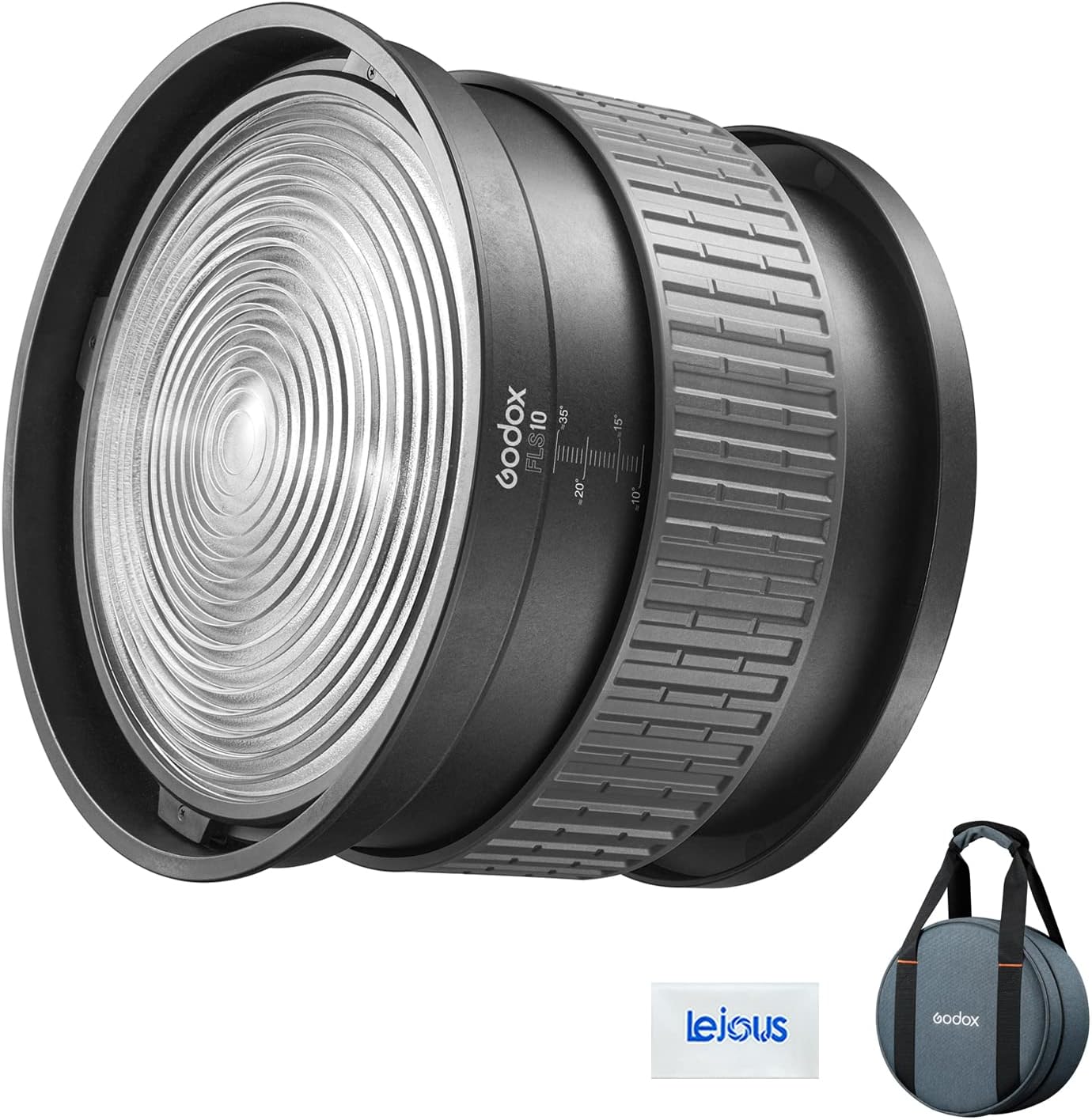
Image 1.1: The Godox FLS10 Fresnel Lens shown with its protective carry bag.
2. Продукциянын өзгөчөлүктөрү
- Variable Beam Angle: The FLS10 allows for precise adjustment of the light beam from a narrow 10° spot to a wide 35° flood.
- Чыгуу Ampжашоо: When used with compatible Godox LED lights, the FLS10 can amplify the light output by up to 19 times, providing increased intensity.
- Мыкты курулуш: Engineered for durability, the FLS10 features an ergonomic and sturdy build that minimizes light leaks and ensures long-term reliability.
- Barndoor Compatibility: The lens is compatible with Godox 8-leaf barndoors (sold separately), enabling precise shaping and cutting of the light for creative control.
- Боуэнс тоосу: Designed for seamless integration with Godox Bowens Mount LED lights, ensuring broad compatibility.

Image 2.1: The FLS10 Fresnel Lens intensifies the light output of a Godox LED light.
3. Орнотуу
Follow these steps to properly attach the Godox FLS10 Fresnel Lens to your compatible Godox Bowens Mount LED light:
- Ensure your Godox LED light is powered off and cooled down before attaching any accessories.
- Align the three mounting lugs on the rear of the FLS10 Fresnel Lens with the corresponding slots on the Bowens mount of your LED light.
- Insert the FLS10 into the Bowens mount.
- Rotate the FLS10 clockwise until it clicks securely into place. Ensure it is firmly seated and does not wobble.
- To remove, press the release lever on the Bowens mount of your LED light and rotate the FLS10 counter-clockwise until it detaches.

Image 3.1: The FLS10 Fresnel Lens securely attached to a Godox LED light.

Image 3.2: The rear of the FLS10, illustrating the Bowens mount for attachment.
4. Иштөө нускамалары
The FLS10 Fresnel Lens allows for easy adjustment of the beam angle to achieve desired lighting effects:
- Once the FLS10 is securely mounted on your LED light, power on the light.
- Locate the textured ring on the body of the FLS10. This ring is used for beam angle adjustment.
- To achieve a narrower, more focused beam (spot), rotate the ring in one direction (e.g., clockwise). The beam angle can be adjusted down to 10°.
- To achieve a wider, more diffused beam (flood), rotate the ring in the opposite direction (e.g., counter-clockwise). The beam angle can be adjusted up to 35°.
- Observe the light output and adjust the ring until the desired beam spread is achieved. Markings on the lens body indicate approximate beam angles (e.g., 10°, 15°, 20°, 35°).

Сүрөт 4.1: Детальдуу view of the FLS10's beam angle adjustment markings.

Image 4.2: The FLS10 configured for a narrow spot beam.

Image 4.3: A user adjusting the FLS10 Fresnel Lens to modify the light beam.
5. Техникалык тейлөө
Proper maintenance ensures the longevity and optimal performance of your FLS10 Fresnel Lens:
- Тазалоо: Use a soft, lint-free cloth to gently wipe the lens surface. For stubborn smudges, a small amount of lens cleaning solution can be applied to the cloth (not directly to the lens). Avoid abrasive materials or harsh chemicals.
- Сактагыч: When not in use, store the FLS10 in its included carry bag to protect it from dust, scratches, and impacts. Store in a cool, dry place.
- Колдонуу: Always handle the lens by its body, avoiding direct contact with the optical surface to prevent fingerprints and smudges.
6. Кыйынчылыктарды
If you encounter issues with your FLS10 Fresnel Lens, consider the following:
- Линза бекем бекитилбегендиктен: Ensure the mounting lugs are correctly aligned with the Bowens mount slots and that the lens is rotated fully until it clicks. Check for any obstructions in the mount.
- Нурду жөндөө катуу: Check for any debris or foreign objects in the adjustment mechanism. If the issue persists, contact customer support. Do not force the adjustment ring.
- Reduced light output or uneven beam: Ensure the lens surface is clean and free from smudges or dust. Verify that the FLS10 is fully seated on the LED light.
7. Техникалык шарттар
| Өзгөчөлүк | Спецификация |
|---|---|
| Модел | FLS10 |
| Beam Angle | 10°тан 35°ка чейин |
| Тоо түрү | Боуэнс Маунт |
| Продукциянын өлчөмдөрү (L x W x Y) | 11.61 x 5.31 x 11.61 дюйм (29.5 x 13.5 x 29.5 см) |
| Элемент Салмагы | 10.68 фунт (4.84 кг) |
| Туура келген аксессуарлар | Godox 8-leaf barndoors (LB-02, optional purchase) |
8. Кутуда эмне бар
The Godox FLS10 Fresnel Lens package includes:
- Godox FLS10 Fresnel Lens
- Гулжигит Сатыбеков

Image 8.1: The FLS10 Fresnel Lens and its carry bag. Barndoors (LB-02) are an optional purchase.
9. Кепилдик жана колдоо
For warranty information, technical support, or service inquiries, please refer to the official Godox website or contact your authorized Godox dealer. Keep your purchase receipt as proof of purchase for warranty claims.


