1. Киришүү
The HyperX DuoCast is a versatile USB condenser microphone designed for clear audio capture across various applications, including gaming, streaming, podcasting, and voiceovers. It features customizable RGB lighting, multiple polar patterns, and convenient controls for an optimized user experience.

Сүрөт 1.1: Алдыңкы view of the HyperX DuoCast microphone with its integrated stand and RGB light ring.
2. Пакеттин мазмуну
Пакетте бардык буюмдар бар экенин текшериңиз:
- HyperX DuoCast USB Condenser Microphone
- USB Type-Cден Type-Aга чейин кабель
- Quick Start Guide

Image 2.1: Contents of the HyperX DuoCast retail package, including the microphone, USB cable, and documentation.
3. Орнотуу нускамалары
3.1 Микрофонду туташтыруу
- Connect the USB Type-C end of the provided cable to the USB-C port on the back of the HyperX DuoCast microphone.
- Connect the USB Type-A end of the cable to an available USB port on your PC, PS5, PS4, or Mac.
- The microphone will automatically be detected by your operating system.
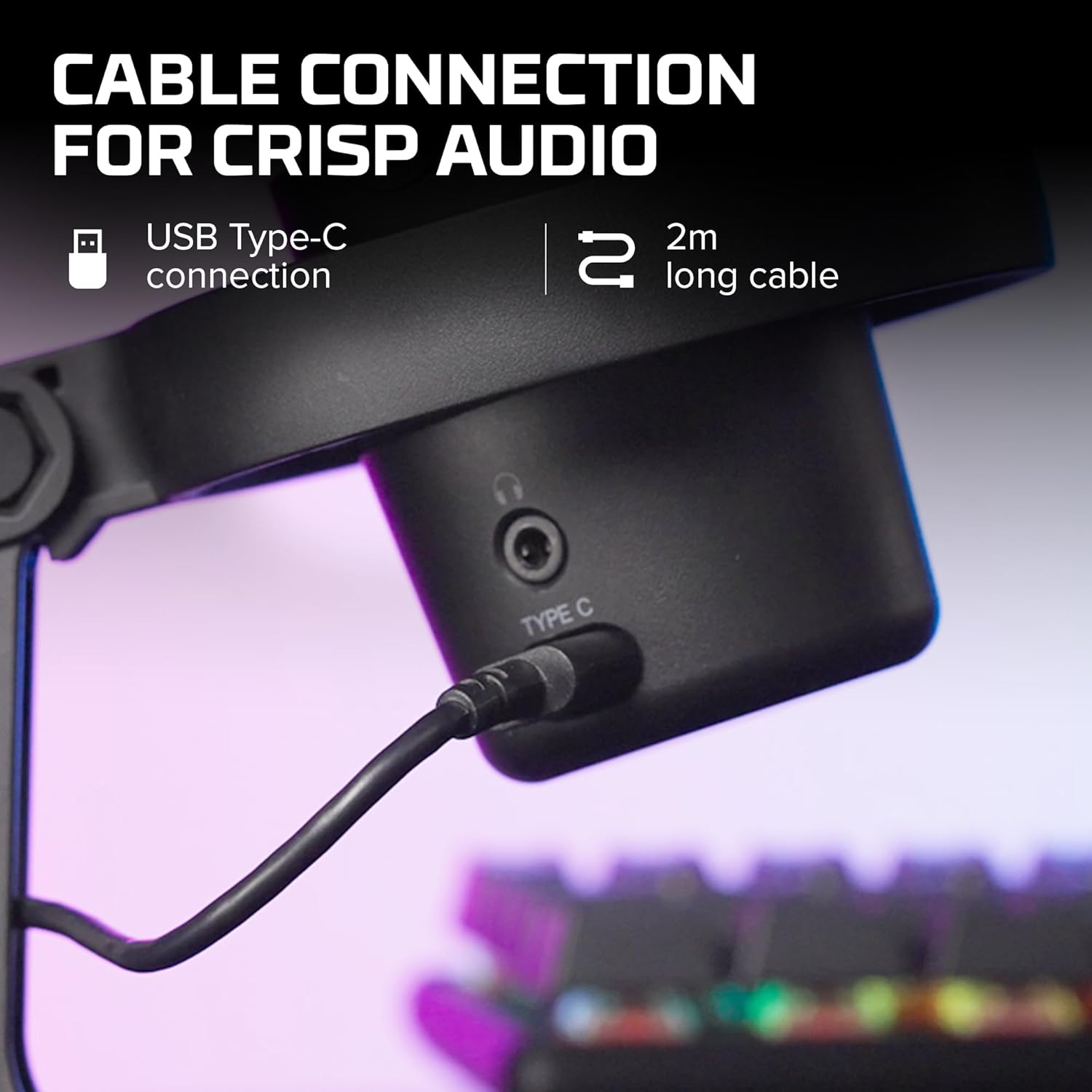
Сүрөт 3.1: Жакын пландан view of the USB Type-C connection port on the HyperX DuoCast microphone.
3.2 Positioning the Microphone
The DuoCast features a low-profile shock mount to reduce unwanted vibrations. For optimal audio quality, position the microphone directly in front of you, approximately 6-12 inches (15-30 cm) from your mouth.

Image 3.2: HyperX DuoCast microphone positioned on a boom arm for optimal recording, with a user wearing headphones.
3.3 Программалык камсыздоону орнотуу (кошумча)
For advanced customization of RGB lighting and other settings, download and install the HyperX NGENUITY Software from the official HyperX webсайт. Бул программа Windows операциялык системалары менен шайкеш келет.

Image 3.3: User customizing the RGB lighting of the HyperX DuoCast microphone using the HyperX NGENUITY software interface on a computer screen.
4. Микрофонду иштетүү
4.1 Polar Patterns
The DuoCast offers two selectable polar patterns: Cardioid and Omnidirectional. Switch between these patterns using the button located on the microphone.
- Кардиоид: Ideal for single-person recording, such as streaming, podcasts, and voiceovers. It captures sound primarily from the front, reducing background noise.
- аташы: Suitable for multi-person recordings, conference calls, or capturing ambient sounds, as it picks up sound equally from all directions.

Image 4.1: Diagram illustrating the Cardioid and Omnidirectional polar patterns and their recommended use cases.
4.2 Tap-to-Mute Sensor
The microphone features a convenient tap-to-mute sensor on the top. Tapping the top of the microphone will instantly mute or unmute your audio. The RGB light ring will change color to indicate the mute status.

Image 4.2: Close-up of the microphone's top showing the tap-to-mute sensor and the gain control knob.
4.3 Gain Control Adjustment
Adjust the microphone's input sensitivity (gain) using the control knob located on the microphone. Rotate the knob to increase or decrease the gain to achieve optimal audio levels and prevent distortion.
4.4 RGB жарыктандыруу
The DuoCast features a customizable RGB light ring with two zones. The lighting can be personalized using the HyperX NGENUITY Software (Windows only) to match your setup or preference.
4.5 Гарнитуранын чыгышы
A 3.5mm headphone jack is integrated into the microphone for direct monitoring of your audio output. Connect your headphones to this port to hear your voice in real-time.
5. Техникалык тейлөө
To ensure the longevity and optimal performance of your HyperX DuoCast microphone, follow these maintenance guidelines:
- Тазалоо: Use a soft, dry cloth to clean the microphone's exterior. Avoid using harsh chemicals, solvents, or abrasive materials.
- Сактагыч: Микрофонду колдонбогон учурда, аны таза, кургак чөйрөдө, өтө жогорку температурадан жана нымдуулуктан алыс сактаңыз.
- Колдонуу: Микрофонду этияттык менен кармаңыз. Аны түшүрүп албаңыз же катуу соккуларга дуушар кылбаңыз, анткени ички компоненттерге зыян келтириши мүмкүн.
6. Кыйынчылыктарды
If you encounter issues with your HyperX DuoCast microphone, refer to the following common solutions:
| Көйгөй | Мүмкүн себеп | Чечим |
|---|---|---|
| Аудио киргизүү жок | Микрофон туура эмес туташтырылган Туура эмес киргизүү түзмөгү тандалды Микрофондун үнү өчүрүлдү | USB кабели коопсуз туташканын текшериңиз. Verify the DuoCast is selected as the default input device in your system settings. Үнүн чыгаруу үчүн микрофондун жогору жагын таптаңыз. |
| Аудионун үнү төмөн | Жөндөө өтө төмөн System input volume too low | Adjust the gain control knob on the microphone. Increase the microphone input volume in your system's sound settings. |
| Бузулган аудио | Жөндөө өтө жогору Микрофон үн булагына өтө жакын | Decrease the gain control knob on the microphone. Микрофонду үн булагынан алысыраак жылдырыңыз. |
| Өтө фон ызы-чуу | Incorrect polar pattern selected Жогорку пайда орнотуу | Switch to Cardioid polar pattern for single-person use. Күчөтүү жөндөөсүн азайтыңыз. Тынч чөйрөдө экениңизди текшериңиз. |
| RGB жарыктандыруу иштебейт | Программалык камсыздоо маселеси USB туташуу көйгөйү | Ensure HyperX NGENUITY Software is installed and updated (Windows only). USB кабелин кайра туташтырыңыз. |
7. Техникалык шарттар
| Өзгөчөлүк | Деталь |
|---|---|
| Микрофон түрү | USB конденсатор |
| Полярдык үлгүлөр | Кардиоиддик, бардык багыттуу |
| Аудио сезгичтиги | 6 децибел |
| Ызы-чуунун катышы | 70 дБ |
| Frequency Response | 20 Гц - 20 кГц |
| Resolution Recording | 24-бит / 96kHz |
| Байланыш | USB (Type-C to Type-A) |
| Шайкеш түзмөктөр | PC, PS5, PS4, Mac |
| Өзгөчөлүктөр | Customizable RGB Light Ring, Tap-to-Mute Sensor, Gain Control, Low-profile Shock Mount, Internal Pop Filter, 3.5mm Headphone Output |
| Өлчөмдөрү (L x W x Y) | 5.5 x 9.3 x 5 дюйм (140 x 236 x 127 мм) |
| Элемент Салмагы | 8.6 унция (243.2 грамм) |
| Модель номери | 4P5E2AA |

Image 7.1: Diagram showing the physical dimensions (width, height, depth) and weight of the HyperX DuoCast microphone.
8. Кепилдик жана колдоо
For warranty information and technical support, please visit the official HyperX webсайтына кириңиз же HyperX кардарларды тейлөө кызматына кайрылыңыз. Кепилдик талаптары үчүн сатып алганыңызды тастыктаган документти сактап коюңуз.
Онлайн колдоо: www.hyperx.com/support


