1. Киришүү
The ANCEL BD500 is a professional-grade Bluetooth diagnostic scan tool specifically designed for Volkswagen, Audi, Seat, and Skoda vehicles. It provides comprehensive system diagnostics and advanced maintenance functions. For non-VAG vehicles, it offers standard OBD2 functionalities. This manual provides instructions for setup, operation, and maintenance of your device.

Image: The ANCEL BD500 device connected to a smartphone displaying its diagnostic interface.
2. Орнотуу жана туташуу
Follow these steps to set up your ANCEL BD500 and connect it to your smartphone:
- Download the ANCEL App: Scan the QR code provided in the product packaging or search for "ANCEL" in the App Store (iOS) or Google Play Store (Android) to download the official application.
- Унааны баштоо: Мотор ӨЧҮРҮҮ менен от алдырууну КҮЙГҮЗҮҮ.
- Түзмөккө сайыңыз: Locate your vehicle's OBD2 port (usually under the dashboard on the driver's side) and firmly plug in the ANCEL BD500 device. The device will power on.
- Bluetooth иштетүү: On your smartphone, ensure Bluetooth is enabled.
- Колдонмону баштоо: Open the ANCEL application on your smartphone. The app will automatically detect and connect to the BD500 device via Bluetooth 5.0.

Image: Visual guide illustrating the six steps to download the app, start the vehicle, plug in the device, enable Bluetooth, start the app, and achieve automatic device connection.
3. Иштөө нускамалары
The ANCEL BD500 offers various diagnostic and special functions through its intuitive app interface.
3.1. Full System Diagnostics (VAG Vehicles)
For Volkswagen, Audi, Seat, and Skoda vehicles, the BD500 can read and clear diagnostic fault codes from all major systems, including Engine, Transmission, SRS, TPMS, ABS, SAS, and ESP. It also supports body, chassis, and powertrain modules.

Сүрөт: жарылган view of a car highlighting various systems (Engine, ABS, EPB, ESP, SAS, SRS, Transmission, TPMS, Battery Test, ETC) that the ANCEL BD500 can diagnose.
3.2. Basic OBD2 Functions (All Vehicles)
For non-VAG vehicle models, the BD500 performs essential engine diagnostics, including:
- Read and erase trouble codes (DTCs)
- Turn off Malfunction Indicator Light (MIL)
- I/M Даярдык абалын текшерүү
- Read live data stream
- View Freeze Frame data
- O2 Sensor Test
- Унаа жөнүндө маалымат (VIN, CIN, CVN)

Image: A smartphone displaying the ANCEL app's interface for full OBDII test modes, including vehicle self-check, trouble codes, and data stream.
3.3. Special Functions (VAG Vehicles)
The BD500 offers advanced maintenance services for VAG vehicles:
- Кызматты баштапкы абалга келтирүү: Reset oil service lights and inspection service intervals.
- EPB тормоз колодкаларын алмаштыруу: Тормоз колодкаларын алмаштыруу үчүн электрондук колодка тормозунун суппортторун коопсуз түрдө тартып, ишке киргизиңиз.
- Дроссель менен үйрөнүү: Perform throttle body adaptation after cleaning or replacement.
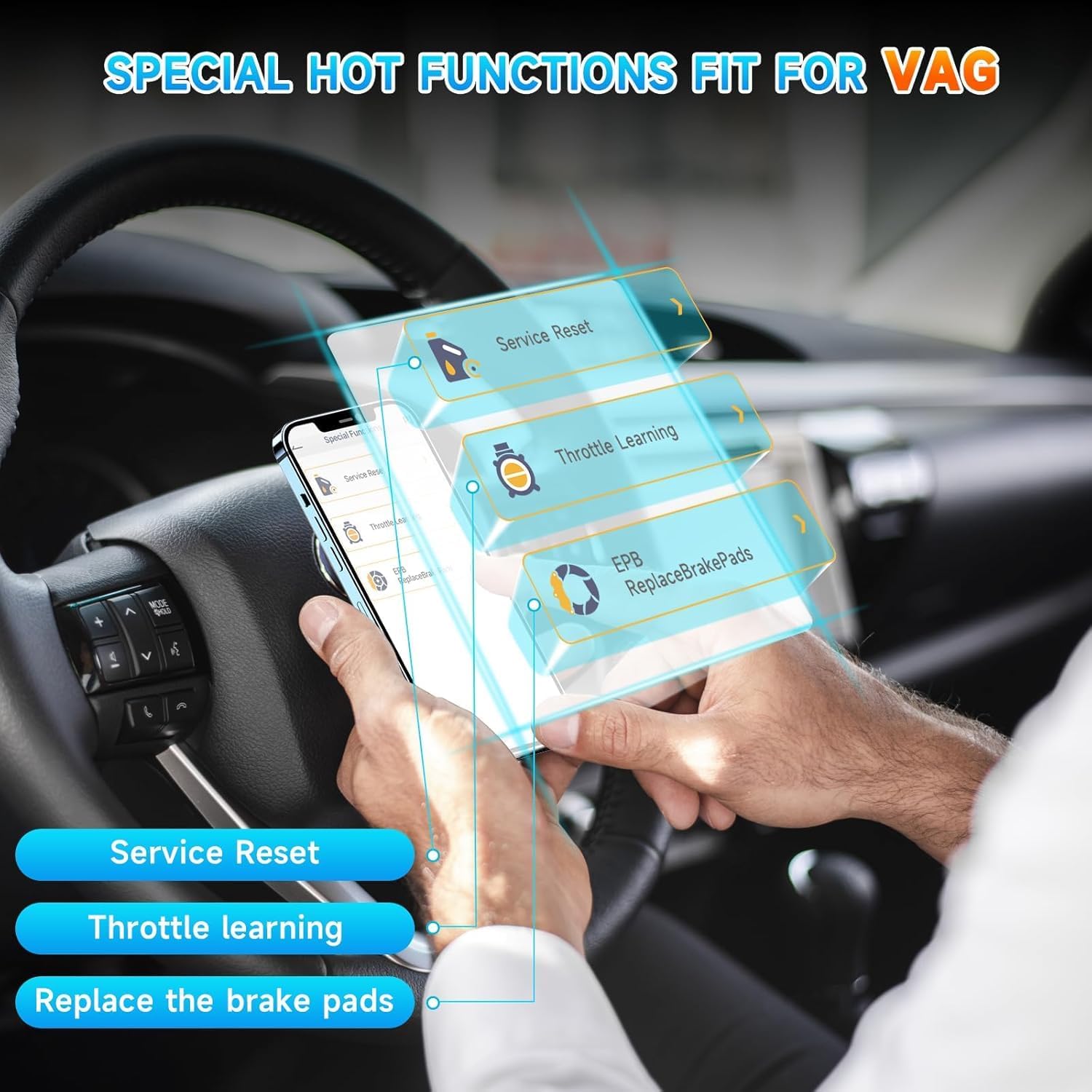
Image: A smartphone displaying the ANCEL app's special functions menu, including Service Reset, Throttle Learning, and EPB Replace Brake Pads, with hands interacting with a steering wheel.
3.4. Performance Test & Trip Analysis
The app includes unique features to test vehicle performance and analyze trip data:
- Аткаруу сыноосу: Conduct acceleration, braking, and distance tests.
- Сапарды талдоо: Get detailed numerical analysis for each trip, including start time, idle time, highest speed, highest RPM, average speed, and number of rapid braking events.

Image: A smartphone displaying the ANCEL app's performance test interface with speed and RPM gauges, and a trip analysis screen showing detailed driving data.
3.5. Батареяны текшерүү
The BD500 can graphically display the voltage change (starting voltage) of your vehicle's 12V battery over a certain period, helping you monitor its health.
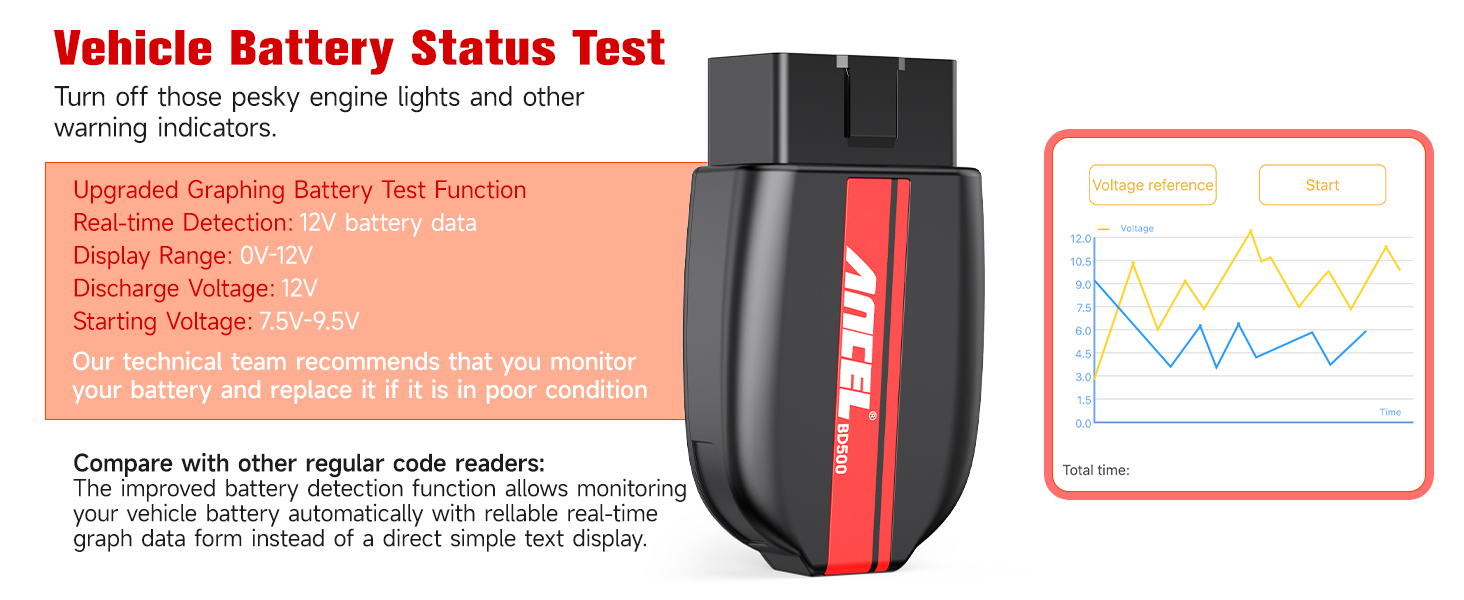
Image: A smartphone displaying the ANCEL app's battery status test, showing current voltage and a graph of voltage changes over time.
3.6. Customizable Dashboard
The app features an editable dashboard that allows you to customize the size and position of gauges and PID properties to monitor real-time data relevant to your needs.
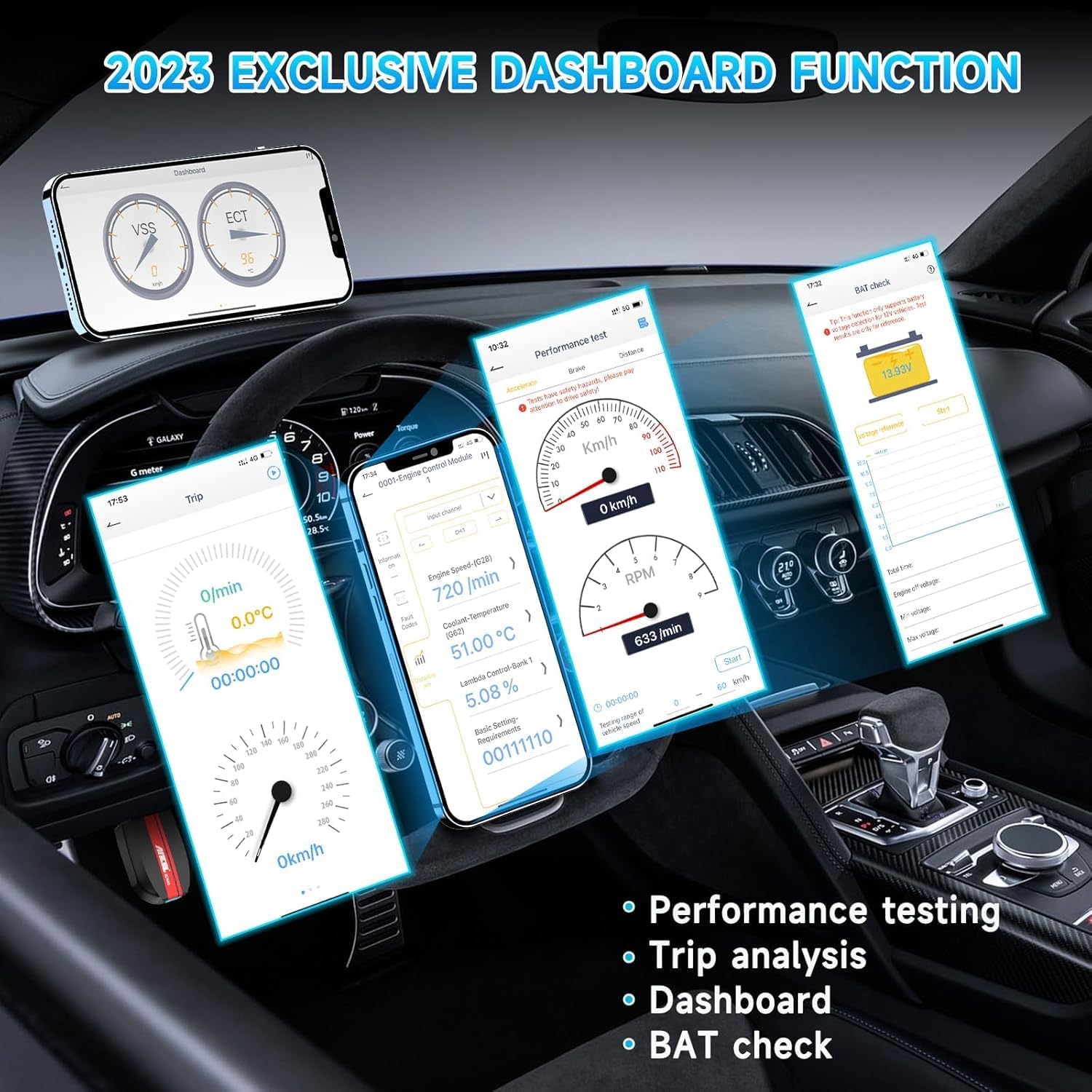
Image: A smartphone displaying the ANCEL app's customizable dashboard feature, showing various gauges and data points like VSS, ECT, MAF, and Spark Advance.
4. Кыйынчылыктарды
If you encounter issues during diagnosis or operation, consider the following:
- Байланыш каталары: Ensure the ignition is ON and the BD500 device is securely connected to the vehicle's DLC port. Verify the battery is charged.
- Колдонмо маселелери: If the app exits abnormally, turn off the ignition for 5 seconds, then re-enter.
- Brake/Airbag System Test: If the system is in a failed state, the instrument warning light will flash and disappear after exiting the system.
- Пикир функциясы: If there is a problem with the test, use the feedback function within the app for assistance.
- Vehicle Readability: Some cars may require waiting more than 8 seconds or re-igniting after using the OBDII function before they can be read again.
Video: An official ANCEL video demonstrating the BD500 Bluetooth OBD2 Scanner for VW, Audi, Seat, and Skoda, highlighting its features and ease of use.
5. Шайкештик
The ANCEL BD500 is compatible with:
- VAG Vehicles: All vehicles from Volkswagen, Audi, Seat, and Skoda (e.g., VW Jetta, Golf, Beetle, Touareg, GTI, Passat; Audi A3, A4, A6, A7, A8, Q5, Q7, R8, RS3, TT; Skoda Octavia, Rapid, Yeti; Seat Leon, Ibiza, Altea).
- Non-VAG Vehicles: Most non-VAG cars for engine diagnostics (OBD2 functions only).
- Протоколдор: Supports KWP, TP20, New UDS protocols, and all OBD2 protocols.
- Түзмөктөр: Compatible with iPhone, iPad, and Android devices via Bluetooth 5.0.
Video: An official ANCEL video demonstrating the BD500's special functions for Volkswagen and Audi vehicles, showcasing the app interface and capabilities.
6. Техникалык шарттар
| Өзгөчөлүк | Деталь |
|---|---|
| Бренд | ANCEL |
| Модель номери | BD500 |
| Байланыш | Bluetooth 5.0 |
| Колдоого алынган OS | iOS (11 же андан жогору), Android (4.4 же андан жогору) |
| Өлчөмдөр | 4.33 x 2.99 x 1.18 дюйм |
| Элемент Салмагы | 2.46 унция |
| Колдоого алынган протоколдор | KWP, TP20, New UDS, All OBD2 protocols |
7. Кепилдик жана колдоо
The ANCEL BD500 comes with lifetime free software updates. This ensures your device stays current with the latest technology and vehicle data without additional subscription fees.

Image: A smartphone and laptop illustrating the process of downloading and installing free lifetime software updates for the ANCEL BD500.
For technical support or feedback, utilize the dedicated feedback function within the ANCEL application.


