1. Киришүү
The Meliconi Easy 4.1 is a universal 4-in-1 infrared remote control designed to simplify your home entertainment experience by consolidating up to four original remote controls. It is compatible with a wide range of devices including TVs, Smart TVs, Digital Terrestrial (DTT) decoders, Satellite receivers, TV Boxes, DVD players, Blu-Ray players, and Media Centers. Its full keyboard is particularly well-suited for Smart TV functionalities.
This manual provides detailed instructions for setting up, operating, and maintaining your Meliconi Easy 4.1 remote control. Please read it carefully before use.
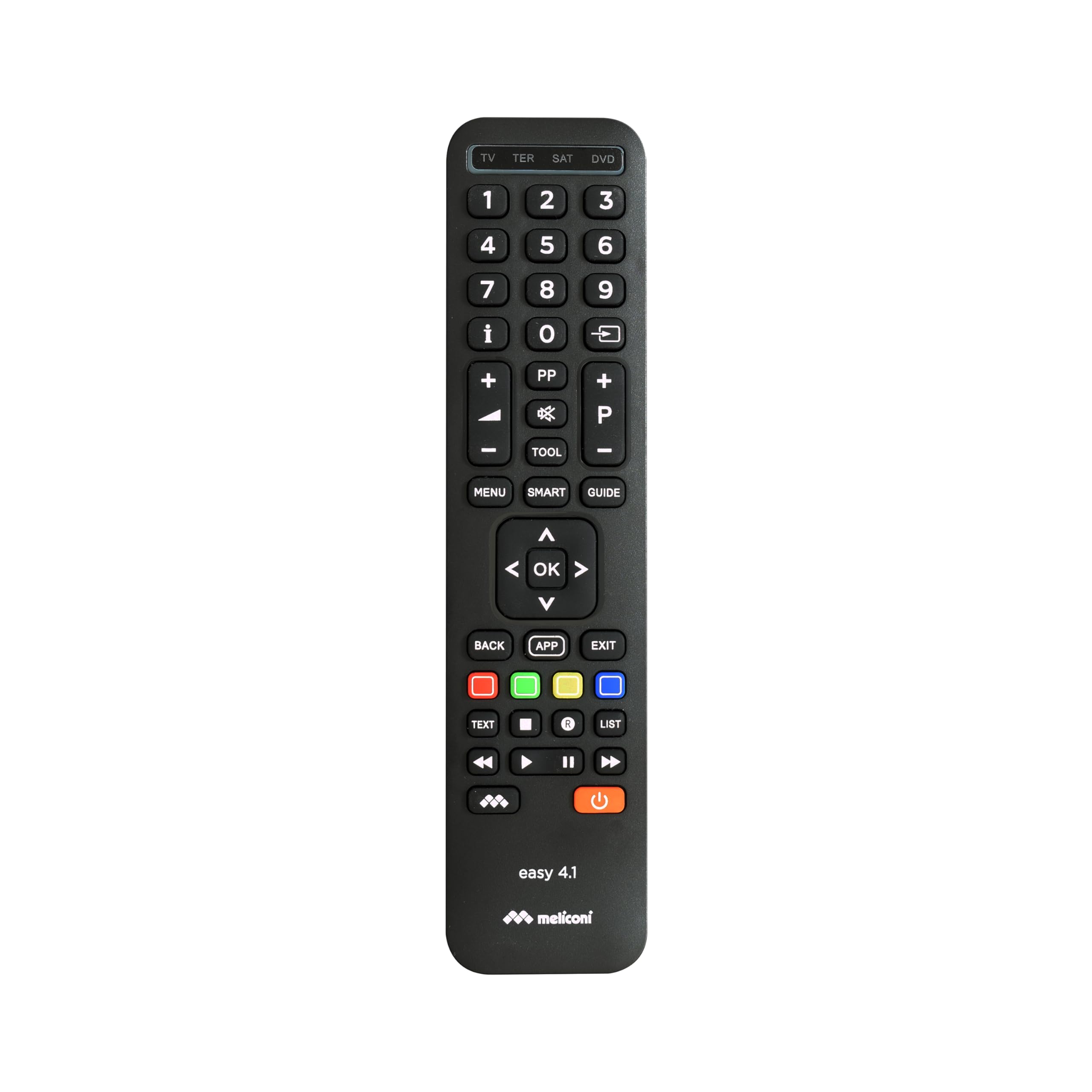
Image 1.1: The Meliconi Easy 4.1 Universal Remote Control.
2. Коопсуздук маалыматы
- Пультту түз күн нуруна, жылуулук булактарына же өтө нымдуулукка дуушар кылбаңыз.
- Алыстан башкаруу пультун түшүрүп алуудан же катуу соккуга кабылтуудан алыс болуңуз.
- Пультту ажыратууга же өзгөртүүгө аракет кылбаңыз. Бул кепилдикти жокко чыгарат.
- Батареяларды балдар жетпеген жерде сактаңыз. Эгер жутуп алса, дароо медициналык жардамга кайрылыңыз.
- Dispose of used batteries according to local regulations. Do not mix old and new batteries, or different types of batteries.
3. Пакеттин мазмуну
Сураныч, сиздин пакетиңизде төмөнкү заттар бар экенин текшериңиз:
- Meliconi Easy 4.1 Universal Remote Control
- Көрсөтмө (бул документ)
Note: 2 AAA batteries are required and are not included in the package.
4. Орнотуу
4.1. Батареяларды салуу
- Алыстан башкаруу пультунун артындагы батарея бөлүмүнүн капкагын ачыңыз.
- Бөлүмдүн ичинде көрсөтүлгөндөй туура полярдуулукту (+ жана -) камсыз кылып, эки AAA батарейкасын салыңыз.
- Батарея уясынын капкагын бекем жабыңыз.

Сүрөт 4.1: Арткы view батарея бөлүмүн көрсөтүп, алыстан башкаруу пультунун
4.2. Алыстан башкаруу пультун программалоо
The Meliconi Easy 4.1 can be programmed using an automatic code search or by manually entering a code. For detailed code search software, key/function correspondence tables, and video tutorials, please visit the official Meliconi support webсайт: cme.it.
4.2.1. Automatic Code Search (Recommended)
This method allows the remote to automatically find the correct code for your device.
- Turn on the device you wish to control (e.g., TV).
- Алыстан башкаруу пультундагы каалаган түзмөк баскычын басып, кармап туруңуз (мисалы, TV, SAT, DVD, ТЕР) until the indicator light illuminates.
- While holding the device button, press and hold the КҮЧ button. The indicator light will start flashing.
- Release both buttons. The remote is now in automatic search mode.
- Пультту түзмөгүңүзгө багыттап, баскычын басыңыз КҮЧ баскычын кайра-кайра басыңыз (болжол менен 2 секунда сайын) аппаратыңыз өчүп калганга чейин.
- Once the device turns off, immediately press the device button (e.g., TV) to save the code. The indicator light will flash twice to confirm.
- Test the remote's functions. If some functions do not work correctly, repeat the process as the remote may have found a partial match.
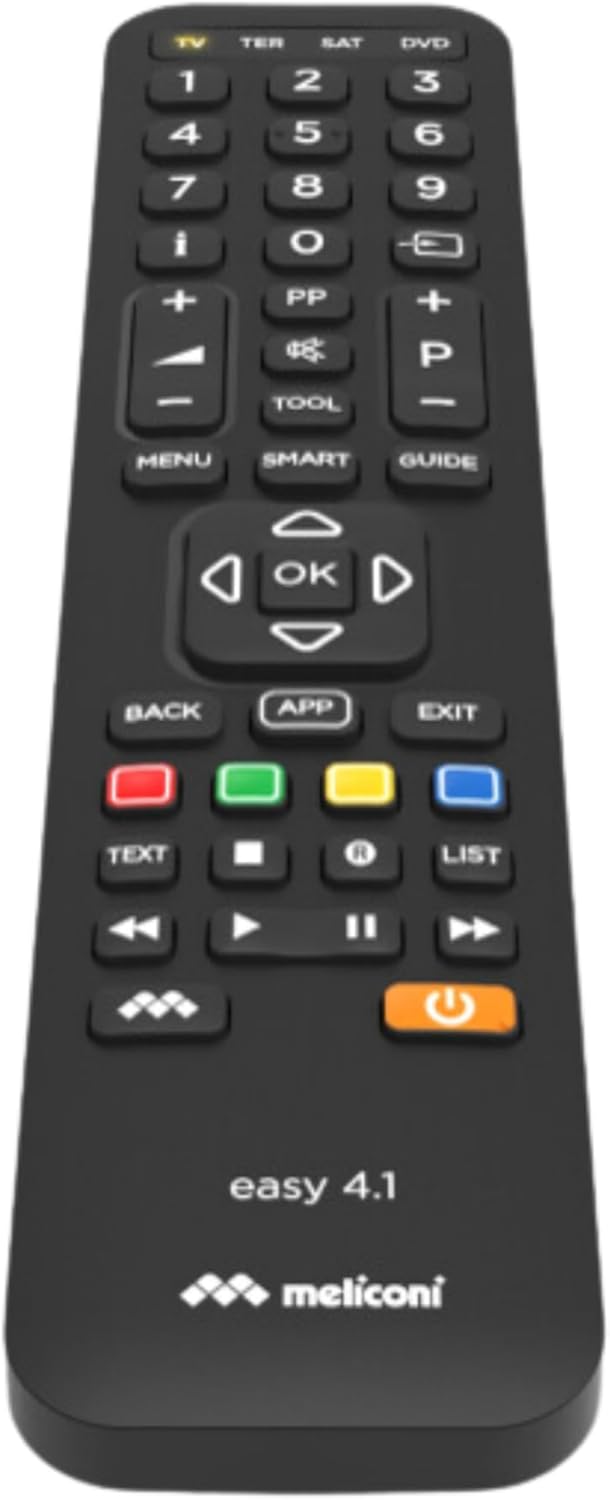
Image 4.2: Close-up of the Meliconi Easy 4.1 remote control buttons.
4.2.2. Manual Code Entry
If you know the specific code for your device, you can enter it directly. Codes can be found on the cme.it webсайт.
- Көзөмөлдөгөн шайманды күйгүзүңүз.
- Керектүү түзмөк баскычын басып, кармап туруңуз (мисалы, TV) until the indicator light illuminates.
- Enter the 4-digit code for your device using the numeric keypad.
- After entering the last digit, the indicator light will flash twice to confirm the code has been saved.
- Test the remote's functions. If it does not work, try another code from the list for your device.
4.3. Окутуу функциясы
The learning function allows you to copy specific functions from your original remote control to the Meliconi Easy 4.1. This is useful for functions not covered by the pre-programmed codes. The remote can learn up to 63 signals.
- Place the Meliconi Easy 4.1 and your original remote control on a flat surface, facing each other, with a distance of about 2-5 cm.
- басып, кармап туруңуз ЖАЙГАШУУ button on the Meliconi remote until the indicator light illuminates.
- Түзмөктүн баскычын басыңыз (мисалы, TV) for which you want to learn a function. The indicator light will flash slowly.
- Press the button on the Meliconi remote where you want to store the new function. The indicator light will flash rapidly.
- Press and hold the corresponding button on your original remote control until the Meliconi remote's indicator light flashes twice, indicating successful learning.
- Үйрөнгүңүз келген башка функциялар үчүн 4 жана 5-кадамдарды кайталаңыз.
- Окуу режиминен чыгуу үчүн басыңыз ЖАЙГАШУУ button. The indicator light will turn off.
5. Иштөө нускамалары
5.1. Түзмөктөрдүн ортосунда которулуу
To control a specific device, simply press the corresponding device button at the top of the remote (e.g., TV, ТЕР, SAT, DVD). The indicator light will briefly illuminate to confirm the selection.
5.2. Негизги функциялар
- КҮЧ: Тандалган аппаратты күйгүзөт же өчүрөт.
- Сандык баскычтоп (0-9): For direct channel selection or numerical input.
- Үнүн жогорулатуу/төмөндөтүү (+/-): Тандалган түзмөктүн үнүн тууралайт.
- Каналдын өйдө/ылдый жагы (P+/-): Тандалган түзмөктөгү каналдарды өзгөртөт.
- БАСУУ: Mutes the audio.
- OK / Навигация жебелери: For menu navigation and selection.
- МЕНЮ: Accesses the device's main menu.
- АРТКА / ЧЫГУУ: Мурунку экранга кайтарат же менюдан чыгат.
- Түстүү баскычтар (Кызыл, Жашыл, Сары, Көк): These typically correspond to specific functions within menus or interactive services (e.g., Teletext, Smart TV apps).

Сүрөт 5.1: Алдыңкы view баскычтын жайгашуусун белгилеп, алыстан башкаруу пультунун
5.3. Smart TV өзгөчөлүктөрү
The Meliconi Easy 4.1 features a comprehensive keyboard layout, making it ideal for navigating Smart TV interfaces and applications. Buttons such as APP, АКЫЛДУУ, and dedicated colored buttons are designed to interact with modern Smart TV functions. Refer to your TV's manual for specific Smart TV button functionalities.
5.4. Memory and Security Functions
- Security Mode (Key Lock): You can activate a security mode to lock non-essential keys, preventing accidental presses. Consult the cme.it website for instructions on enabling and disabling this feature.
- Freeze Initial Settings: This function allows you to lock the initial programming settings, ensuring they cannot be inadvertently modified. Details on how to use this feature are available on the cme.it support page.
6. Техникалык тейлөө
6.1. Пультту тазалоо
Пультту тазалоо үчүн жумшак, кургак чүпүрөктү колдонуңуз. өжөр кир үчүн, бир аз гampen the cloth with water or a mild cleaning solution. Do not use abrasive cleaners, alcohol, or solvents, as these can damage the surface.
6.2. Батареяны алмаштыруу
When the remote control's range decreases or it becomes unresponsive, it's time to replace the batteries. Follow the steps in Section 4.1 "Inserting Batteries" to replace the two AAA batteries. Always replace both batteries at the same time with new ones of the same type.
7. Кыйынчылыктарды
| Көйгөй | Мүмкүн себеп | Чечим |
|---|---|---|
| Пульт иштебейт. | Batteries are dead or inserted incorrectly. No code programmed for the device. | Check battery polarity and replace if necessary. Program the remote control using the automatic code search or manual code entry (Section 4.2). |
| Айрым функциялар гана иштейт. | Incorrect code programmed. Device not fully compatible. | Repeat the programming process (Section 4.2) to find a more suitable code. Use the learning function (Section 4.3) for missing functions. |
| Үйрөнүү функциясы иштебей калды. | Original remote batteries are low. Remotes are not aligned correctly. | Ensure original remote has fresh batteries. Adjust the distance and alignment between the two remotes. Try again in a dimly lit room to avoid interference. |
| Алыстан байланышуу аралыгы начар. | Low batteries. Obstruction between remote and device. | Replace batteries. Ensure a clear line of sight between the remote and the device's IR receiver. |
8. Техникалык шарттар
| Бренд | Meliconi |
| Модел | Жеңил 4.1 |
| Түс | Кара |
| Байланыш технологиясы | Инфракызыл |
| Өзгөчөлүктөр | Universal, 4-in-1, Learning Function, Full Keyboard for Smart TV |
| Шайкеш түзмөктөр | Television, Digital Terrestrial and Satellite Decoders, DVD/Blu-ray Players, Media Centers, TV-Boxes, etc. |
| Power Source | 2 x AAA Батареялар (киргизилген эмес) |
| Максималдуу диапазон | 10 метр |
| Өндүрүүчү моделдин номери | 8006023299836 |
| Келип чыккан өлкө | Кытай |
9. Кепилдик
The Meliconi Easy 4.1 Universal Remote Control comes with a manufacturer's warranty of 2 years. This warranty covers defects in materials and workmanship under normal use. Please retain your proof of purchase for warranty claims. The warranty does not cover damage caused by misuse, accidents, unauthorized modifications, or normal wear and tear.
10. Колдоо
For comprehensive web support, including code search software, key/function correspondence tables, image search, a full instruction manual, video tutorials, and frequently asked questions (FAQs), please visit the official Meliconi webсайт:
You can also contact Meliconi customer service for further assistance. Refer to the webаймакка тиешелүү байланыш маалыматы үчүн сайт.


