Introduction
The Thrustmaster T128 features the HYBRID DRIVE system, which combines a belt and gears mechanism to provide immersive and versatile Force Feedback, and delivers 20% more power (in relation to previous Thrustmaster TMX hybrid racing wheels). Its lightweight wheel rim helps you really feel the sensations transmitted by the Force Feedback system, for an authentic racing experience and to optimize your racing lines. A 4-color LED strip lets you keep an eye on the engine speed, and indicates when it is time to shift gears. Thanks to the clamp-based attachment system, the racing wheel can be adjusted to fit desks and tables for quick and easy setup. The T2PM pedal set included with the racing wheel features patented frictionless magnetic technology, for enhanced precision that won’t decrease over time. T128 has been designed for all gamers looking for a first racing wheel offering new immersive sensations, and users who want to improve their driving skills. T128 is an officially-licensed racing wheel for Xbox Series X|S and Xbox One, and is compatible with PC.
Кутуда эмне бар
- Жарыш дөңгөлөгү
- Таблица clamp
- Колдонуучулардын колдонмосу
Негизги өзгөчөлүктөрү
- Fully modular professional gamepad.Box Contents : 1 x ESWAP X PRO CONTROLLER gamepad, 2 x interchangeable mini-stick modules, 2 x interchangeable grip modules, 2 x interchangeable triggers, 1 x interchangeable four-direction D-pad module 2 x additional mini-stick caps, 1 x power cable, 1 x screwdriver for removing the modules, 1 x small storage bag for screwdriver and cable, Quick start guide and warranty information”
- New next-generation (NXG) mini-sticks: a longer lifespan, and greater precision
- Physical locking for triggers; direct remapping of rear buttons
- T-MOD technology and Hot Swap feature lets you swap a module with any other — at any point in a game
- Extremely high-precision modules and action buttons, with minimal response times
- Quick attachment system suitable for desks and tables up to 2.2 inches / 5.5 cm thick
- Magnetic 2-pedal pedal set (patented H.E.A.R.T technology) featuring 12-bit precision that won’t decrease over time
- Next-generation HYBRID DRIVE technology delivering 20% more power than other Thrustmaster hybrid racing wheels (TMX series)
- Access to hundreds of games, with 1 month’s free subscription to the Xbox Game Pass Ultimate service
- Officially licensed for Xbox and compatible with Xbox Series X|S, Xbox One and PC (Windows 10/11)
Жайгашуу
- Пакеттен чыгаруу: Бардык компоненттерди таңгактан кылдаттык менен алып салыңыз. "Кутуда эмне бар" бөлүмүндө тизмеленген бардык нерселердин бар экенин текшериңиз.
- Wheel Base Placement: Place the racing wheel base on a stable, flat surface such as a desk or table.
- Clamp: Use the included table clamp to securely fasten the racing wheel base to your surface. Tighten the clamp until the wheel is stable and does not move during use. The clamp system is suitable for surfaces up to 2.2 inches / 5.5 cm thick.
- Педалдарды туташтыруу: Педаль топтомунун кабелин жарыш дөңгөлөгүнүн негизинин арткы жагындагы белгиленген портко туташтырыңыз.
- Connecting to Console/PC: Connect the racing wheel's USB cable to an available USB port on your Xbox Series X|S, Xbox One, or PC.
- Кубат туташуу: Connect the power adapter to the racing wheel base and then plug it into a power outlet.
- PC Driver Installation (for PC users): For PC compatibility, download and install the latest drivers from the official Thrustmaster support website. This ensures proper functionality and access to all features, including Force Feedback.
- Баштапкы калибрлөө: The wheel will automatically calibrate itself upon power-on. Do not touch the wheel during this process.
For detailed setup instructions and diagrams, please refer to the official user manual PDF.
Иштөө нускамалары
- Күйгүзүү: Once connected, power on your console or PC. The racing wheel will automatically be detected.
- Режим тандоо: Ensure the wheel is in the correct mode for your platform (Xbox or PC). Refer to the official user manual for specific button combinations or switches to change modes if necessary.
- Башкаруу: Use the wheel to control steering in your racing games. The HYBRID DRIVE Force Feedback system will provide realistic sensations, including road texture, impacts, and tire grip.
- Педальдар: Use the magnetic pedals for acceleration (right pedal) and braking (left pedal). The H.E.A.R.T technology ensures precise and consistent performance.
- Калакты которгучтар: Utilize the magnetic paddle shifters located behind the wheel for quick and precise gear changes.
- LED Strip: Monitor the 4-color LED strip on the wheel. These LEDs indicate engine speed and signal when to shift gears, enhancing your racing experience.
- Баскыч функциялары: Familiarize yourself with the various buttons on the wheel, including the Xbox Guide button, D-pad, and action buttons (A, B, X, Y), which replicate standard controller functions.
- Орнотуулар: Some games and platforms allow for in-game or driver-level adjustments to Force Feedback strength and other wheel parameters. Experiment with these settings to find your preferred racing feel.
Техникалык тейлөө
- Тазалоо: Regularly clean the racing wheel and pedals with a soft, dry cloth. Avoid using abrasive cleaners or solvents, as they may damage the surfaces.
- Кабелдик башкаруу: Ensure all cables are neatly organized and not tangled or pinched to prevent damage.
- Сактагыч: When not in use, store the racing wheel in a clean, dry place away from direct sunlight and extreme temperatures.
- Force Feedback Care: While the Force Feedback system is robust, avoid excessive force or sudden impacts on the wheel when not in use or during calibration.
- Педал тейлөө: The magnetic pedals are designed for long-term precision and require minimal maintenance. Keep them free of dust and debris.
Проблемаларды чечүү
- No Power/No Detection:
- Ensure all cables (USB, power) are securely connected to the wheel base, console/PC, and power outlet.
- Консолуңуздагы же компьютериңиздеги башка USB портун колдонуп көрүңүз.
- For PC, verify that the latest drivers are installed and the device is recognized in Device Manager.
- Күч колдонбогон пикир:
- Check in-game settings to ensure Force Feedback is enabled and its strength is not set to zero.
- Дөңгөлөктүн микропрограммасы жаңыртылганын текшериңиз.
- Restart your console/PC and the racing wheel.
- Педальдар жооп бербей жатат:
- Verify the pedal cable is firmly connected to the wheel base.
- Check in-game controller settings to ensure pedal inputs are correctly mapped.
- Дөңгөлөктөрдү калибрлөө маселелери:
- Ensure no pressure is applied to the wheel or pedals during the initial calibration sequence when powering on.
- If issues persist, try recalibrating through the Thrustmaster control panel on PC, or by following specific console recalibration steps in the full manual.
For more in-depth troubleshooting, please consult the comprehensive user manual PDF or the Thrustmaster support webсайт.
Техникалык шарттар
| Өзгөчөлүк | Деталь |
|---|---|
| ASIN | B0B2BSHRV5 |
| Чыгарылган күнү | 17-октябрь, 2022-жыл |
| Продукциянын өлчөмдөрү | 11.2 x 13.09 x 11 дюйм |
| Элемент Салмагы | 8.93 фунт |
| Буюмдун түрү | Аксессуар |
| Элементтин моделинин номери | 4469027 |
| Өндүрүүчү | Thrustmaster |
| Келип чыккан өлкө | Кытай |
Product Visuals and Demonstrations

The Thrustmaster T128X Force Feedback Racing Wheel with its magnetic pedal set.
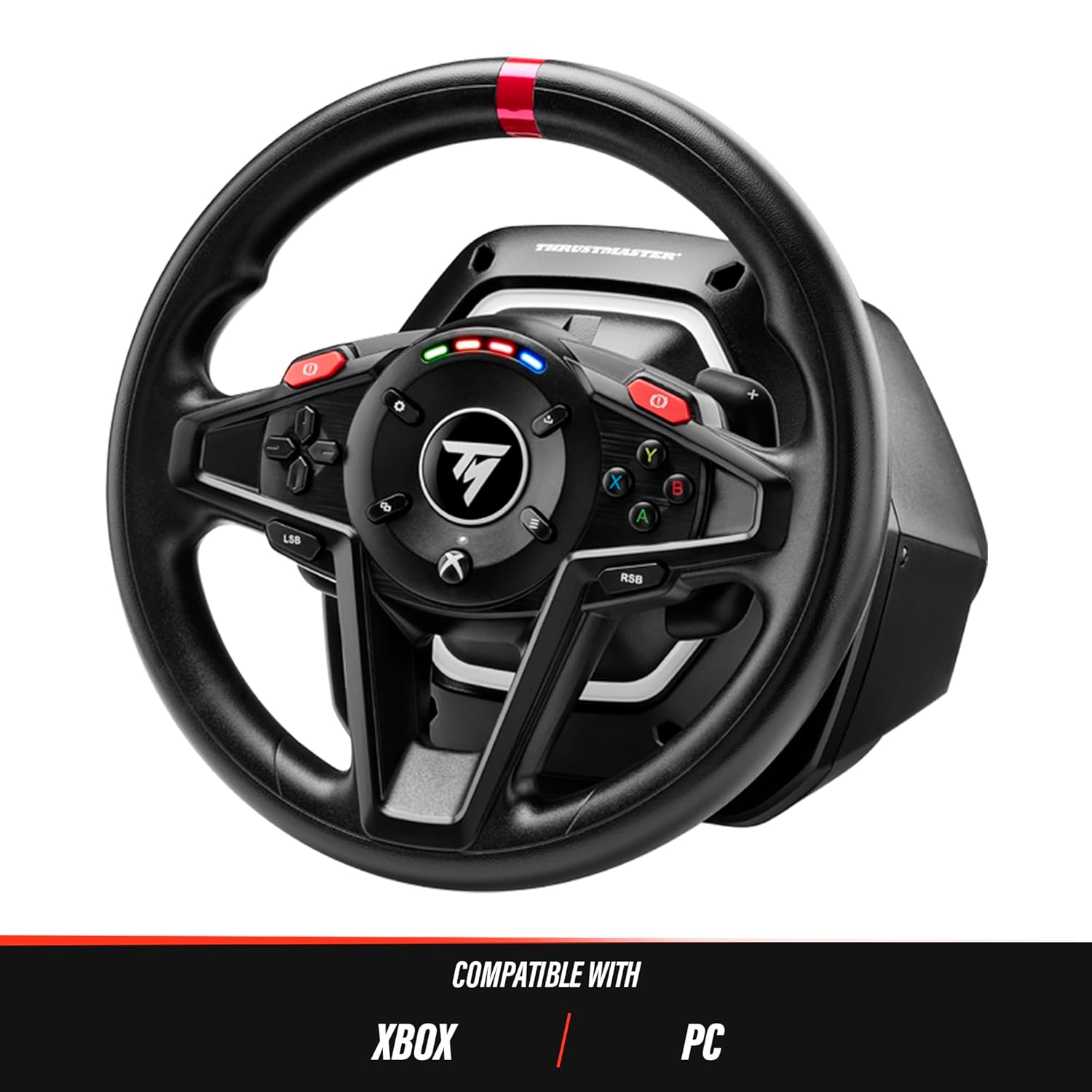
The T128X racing wheel is compatible with Xbox and PC platforms.

Жакын план view of the 4-color LED strip indicating engine speed on the T128X wheel.
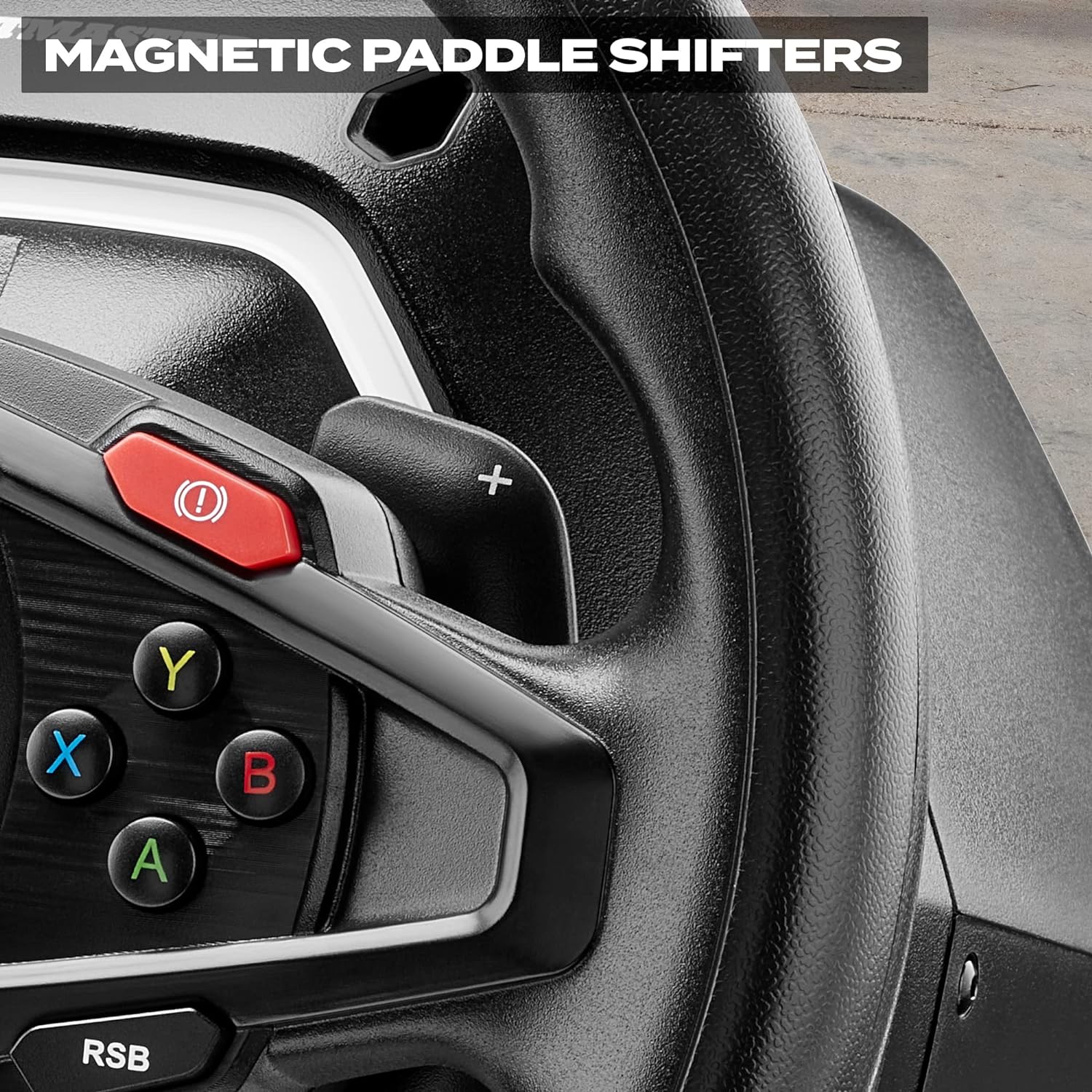
Detail of the magnetic paddle shifters located behind the T128X racing wheel.
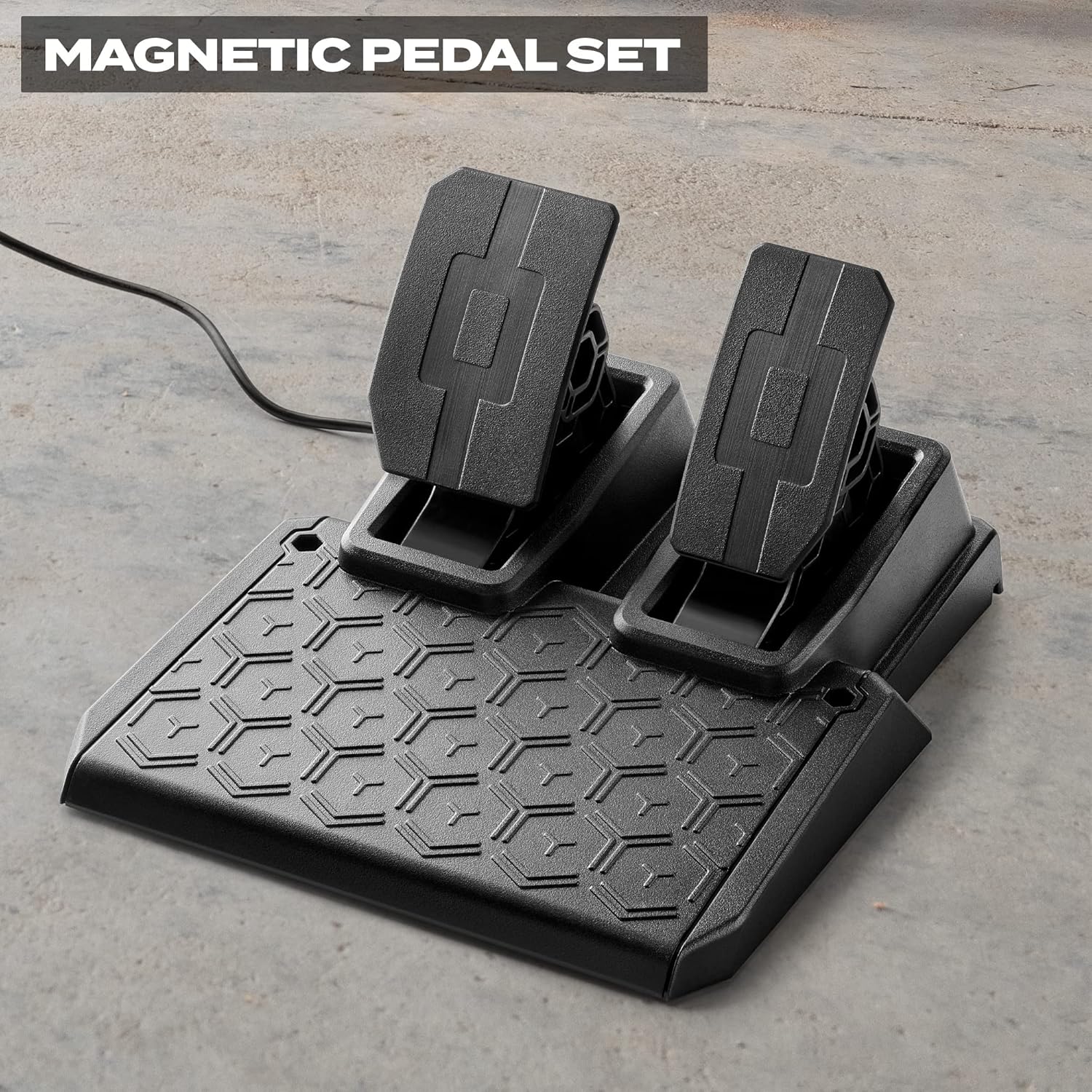
The T2PM magnetic 2-pedal set included with the T128X racing wheel.
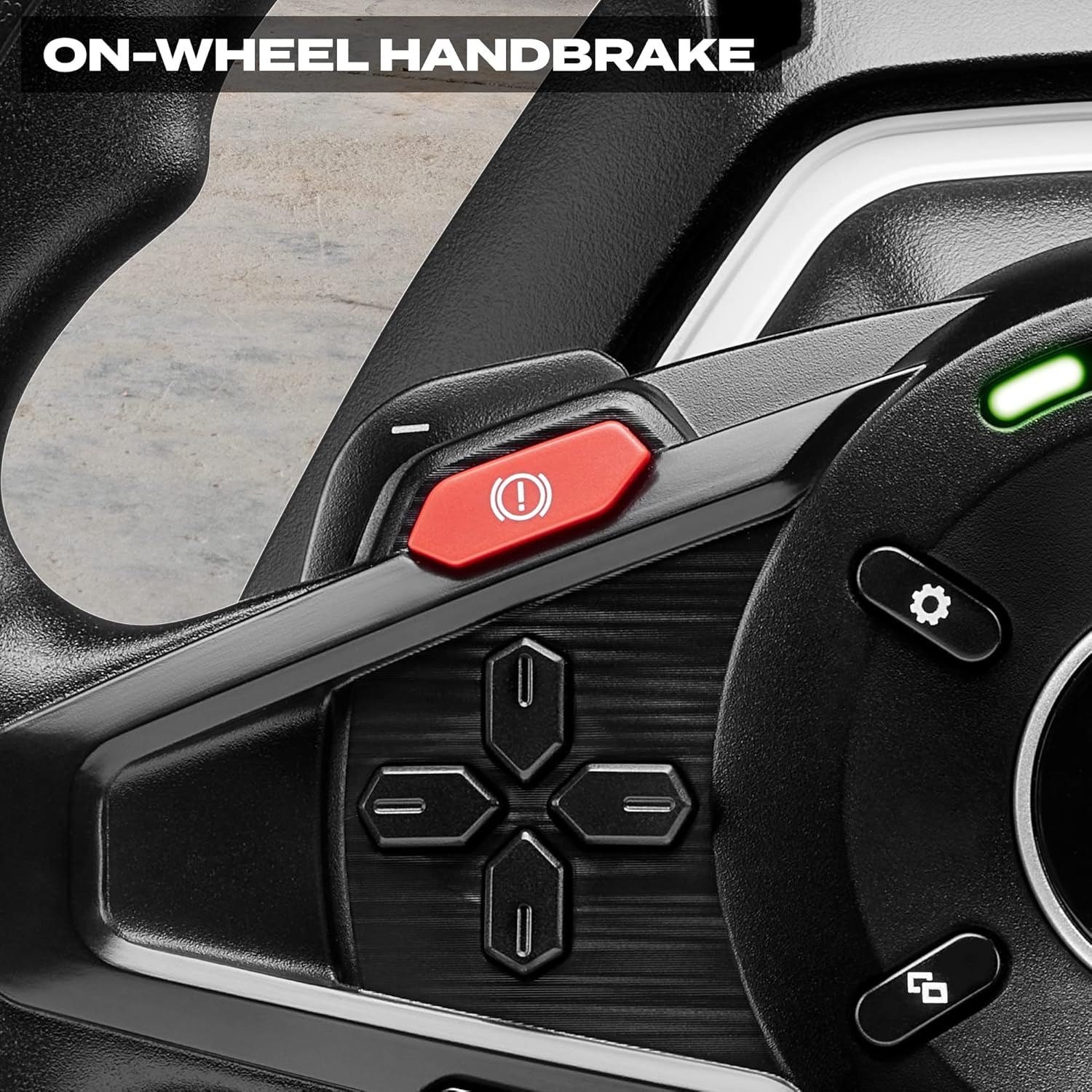
The dedicated on-wheel handbrake button for quick activation during gameplay.

The T128 racing wheel is part of the Thrustmaster ecosystem, allowing for upgrades with additional pedal sets and shifters.
Кепилдик жана колдоо
The Thrustmaster T128X Force Feedback Racing Wheel is covered by a manufacturer's warranty. For specific warranty terms and conditions, please refer to the documentation included with your product or visit the official Thrustmaster webсайт.
For comprehensive support, including detailed setup guides, driver downloads, and frequently asked questions, please refer to the official User Manual PDF:
Колдонуучунун колдонмосун жүктөп алуу (PDF)
Сиз да зыярат кылсаңыз болот Thrustmaster Store on Amazon көбүрөөк продукт маалымат жана аксессуарлар үчүн.


