1. Киришүү
Сатып алганыңыз үчүн рахматasing the X Rocker Evora 2.1 Gaming Chair. This manual provides essential information for the assembly, setup, operation, and maintenance of your new gaming chair. The X Rocker Evora 2.1 is designed to enhance your gaming and multimedia experience with its integrated 2.1 stereo sound system, sound-reactive vibration, and versatile connectivity options.

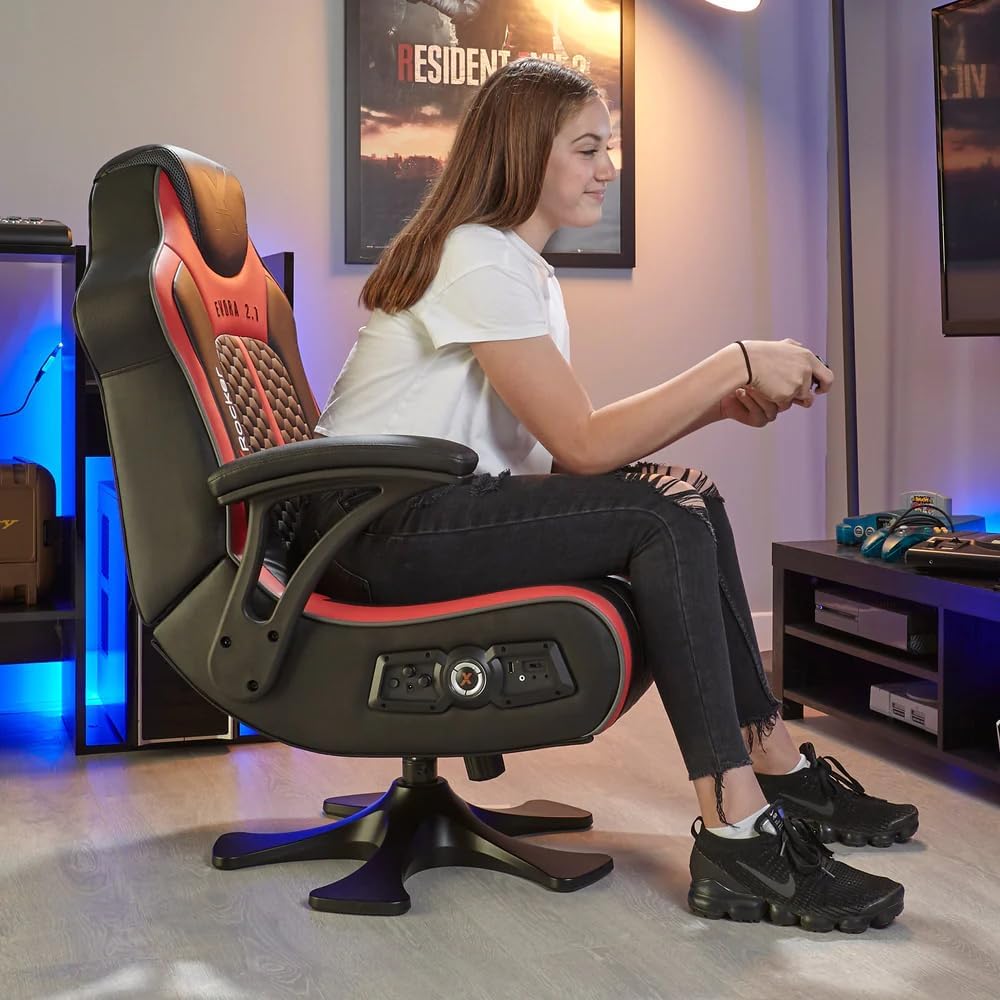
Figure 1.1: The X Rocker Evora 2.1 Gaming Chair, showcasing its sleek black and red design with integrated audio controls.
2. Коопсуздук маалыматы
Please read all safety warnings carefully before assembly and use. Failure to follow these instructions may result in injury or damage to the product.
- Бардык таңгак материалдарын балдардан алыс кармаңыз.
- Колдонуудан мурун бардык компоненттердин бекем бекитилишин текшериңиз.
- Стулга турбаңыз же аны тепкич катары колдонбоңуз.
- Avoid exposing the chair to direct sunlight, high temperatures, or excessive moisture.
- Do not attempt to modify or disassemble the internal components of the chair.
- Берилген кубат адаптерин гана колдонуңуз.
- Disconnect power before cleaning or moving the chair.
3. Пакеттин мазмуну
Verify that all items are present in the package. If any parts are missing or damaged, please contact X Rocker customer support.
- X Rocker Evora 2.1 Gaming Chair (Main Body)
- Пьедестал базасы
- Кубаттуу адаптер
- Wireless Digital Audio Transmitter
- 3.5mm Audio Cables
- RCA аудио кабелдери
- Instruction Manual
- Жыйноочу жабдыктар (бурамалар, алты бурчтуу ачкыч)
4. Монтаждоо боюнча нускамалар
Follow these steps to assemble your X Rocker Evora 2.1 Gaming Chair. It is recommended to have two people for assembly.
- Бардык компоненттерди таңгактан кылдаттык менен алып салыңыз.
- Attach the pedestal base to the main chair body using the provided screws and Allen key. Ensure the base is firmly secured.
- Connect the power cable from the chair to the power adapter, and then plug the adapter into a wall outlet.
- Position the chair in your desired gaming area.

4.1-сүрөт: Каптал view of the assembled X Rocker Evora 2.1 Gaming Chair, showing its ergonomic design.

Figure 4.2: The X Rocker Evora 2.1 Gaming Chair can be folded for convenient storage when not in use.
5. Орнотуу жана туташуу
The X Rocker Evora 2.1 offers multiple ways to connect to your gaming consoles and mobile devices.
5.1 Wireless Audio Connection (Consoles)
For PlayStation, Xbox, or Nintendo Switch, use the included wireless digital audio transmitter.
- Connect the digital audio transmitter to your console's audio output (e.g., optical, HDMI audio extractor, or 3.5mm headphone jack if available).
- Өткөргүч күйгүзүлгөнүн текшериңиз.
- Turn on the X Rocker chair. The chair will automatically attempt to pair with the transmitter.
- Adjust the volume using the controls on the chair.
5.2 Bluetooth Connectivity (Mobile Devices)
Connect your mobile phone, tablet, or other Bluetooth-enabled device to the chair.
- Отургучтун электр кубаты күйүп турганын текшериңиз.
- Мобилдик түзмөгүңүздө Bluetooth'ду жандырыңыз.
- On your device, search for "X Rocker" or a similar name in the Bluetooth device list.
- Select the X Rocker chair to pair. Once paired, audio from your device will play through the chair's speakers.

Figure 5.1: The control panel on the side of the chair, featuring audio input jacks and power controls.
5.2-сүрөт: Детальдуу view of the chair's integrated control panel, showing volume, bass, and input options.
6. Иштөө нускамалары
6.1 Аудио башкаруу
The X Rocker Evora 2.1 features a 2.1 stereo sound system with two integrated speakers and a back-mounted subwoofer.
- Үндү көзөмөлдөө: Use the dedicated volume knob on the control panel to adjust the overall audio output.
- Басс башкаруу: A separate knob allows you to adjust the intensity of the subwoofer's bass output.
6.2 Sound-Reactive Vibration
The chair includes vibrating motors in the backrest that react to audio impulses, providing an immersive tactile experience.
- The vibration intensity is linked to the audio input. Higher volume and bass levels will result in stronger vibrations.
- Ensure the vibration feature is enabled via the control panel if a switch is present.

Figure 6.1: A user enjoying the immersive experience of the X Rocker Evora 2.1 Gaming Chair during gameplay.
7. Техникалык тейлөө
To ensure the longevity and appearance of your X Rocker Evora 2.1 Gaming Chair, follow these simple maintenance guidelines:
- Тазалоо: Wipe the faux leather material with a soft, damp кездеме. Өжөр тактар үчүн жумшак самын эритмесин колдонуп, дароо кургатыңыз. Абразивдүү тазалоочу каражаттардан же эриткичтерден алыс болуңуз.
- Чаңдандыруу: Regularly dust the chair with a dry cloth to prevent dust buildup.
- Сактагыч: When not in use for extended periods, the chair can be folded for compact storage. Store in a cool, dry place away from direct sunlight.
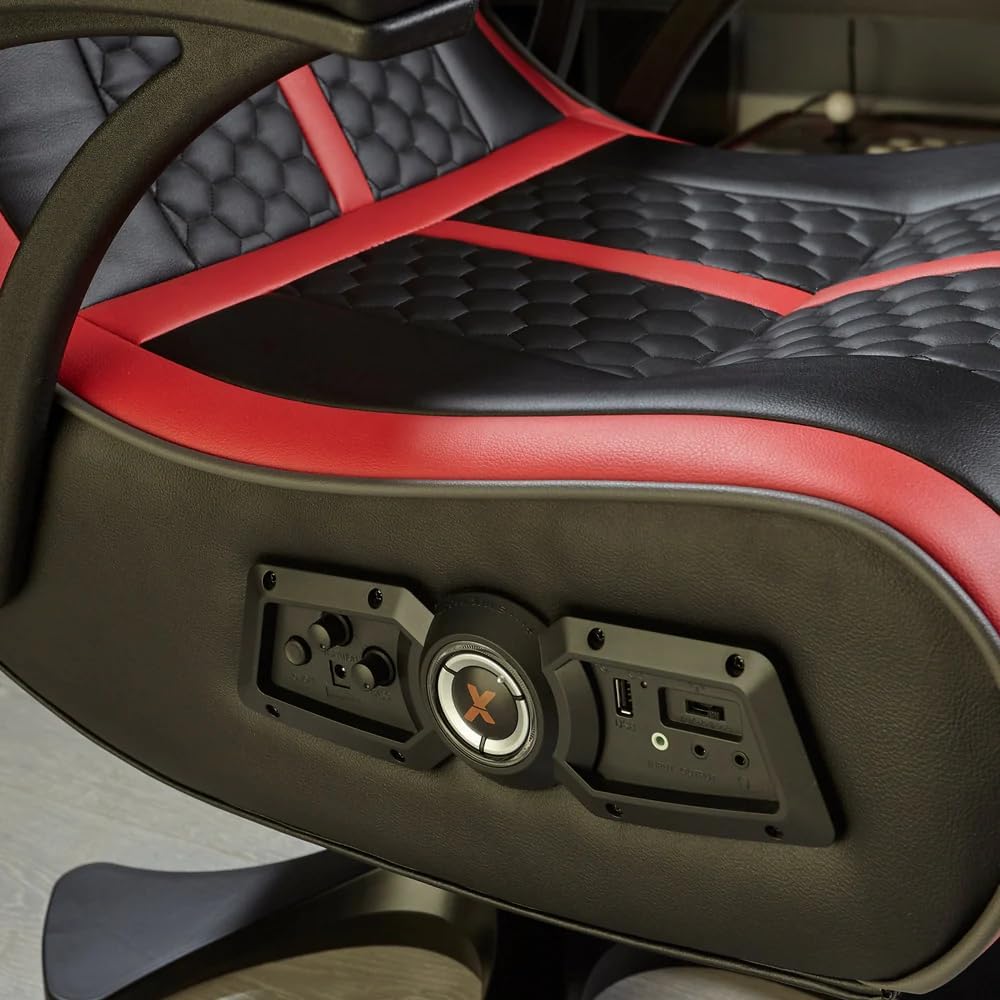
Figure 7.1: Detail of the durable and easy-to-clean faux leather material with hexagonal stitching.
8. Кыйынчылыктарды
If you encounter issues with your X Rocker Evora 2.1 Gaming Chair, refer to the following common problems and solutions:
| Көйгөй | Мүмкүн себеп | Чечим |
|---|---|---|
| Үн жок/Төмөн үн |
|
|
| Vibration жок |
|
|
| Bluetooth жупташуу маселелери |
|
|
9. Техникалык шарттар
| Өзгөчөлүк | Деталь |
|---|---|
| Бренд | X Rocker |
| Модель номери | 2020014 |
| Түс | Кара/Кызыл |
| Материал | Жасалма тери |
| Продукциянын өлчөмдөрү (L x W x Y) | 78 x 65 x 102.5 см (30.7 x 25.6 x 40.4 дюйм) |
| Элемент Салмагы | 22 килограмм (48.5 фунт) |
| Аудио системасы | 2.1 Stereo with integrated speakers and subwoofer |
| Байланыш | Wireless (Digital Audio Transmitter), Bluetooth |
| Өзгөчөлүктөр | Sound-reactive vibration, Padded armrests, Foldable design |
| Frame Material | Эритме болот |
| Артка стили | Артка толтурулган |
| Care Instructions | Таза сүртүңүз |
10. Кепилдик жана колдоо
For warranty information and technical support, please refer to the warranty card included with your product or visit the official X Rocker webсайт.
X Rocker Official Webсайт: www.xrockeruk.com
For any issues not covered in this manual, please contact X Rocker customer service for assistance.


