Introduction
The LEKATO MIDI-to-USB Interface (Model MTU-10) provides a reliable and efficient connection between your MIDI-enabled musical instruments and your computer. This adapter facilitates the editing and recording of MIDI tracks, making it an essential tool for musicians and producers. It features a plug-and-play design with built-in drivers, ensuring compatibility with various operating systems.
Key features include 1 input and 1 output with indicators for easy troubleshooting, support for up to 16 input and output channels, and extremely low latency for stable data transmission. The cable is constructed from soft bare copper for strong electrical conductivity.

Figure 1: The LEKATO MIDI-to-USB Interface is compatible with Windows, Mac OS, and Android systems, and various USB devices including sound modules, electronic organs, synthesizers, and electric drums.
Орнотуу нускамалары
Follow these steps to connect your LEKATO MIDI-to-USB Interface:
- Connect MIDI OUT: Plug the MIDI cable marked "IN" into the MIDI "OUT" port of your MIDI keyboard or other MIDI device.
- Connect MIDI IN: Plug the MIDI cable marked "OUT" into the MIDI "IN" port of your MIDI keyboard or other MIDI device.
- Компьютерге туташуу: Insert the USB Type-C connector into an available USB port on your computer. The red LED indicator on the interface will illuminate, indicating that the device is powered on.
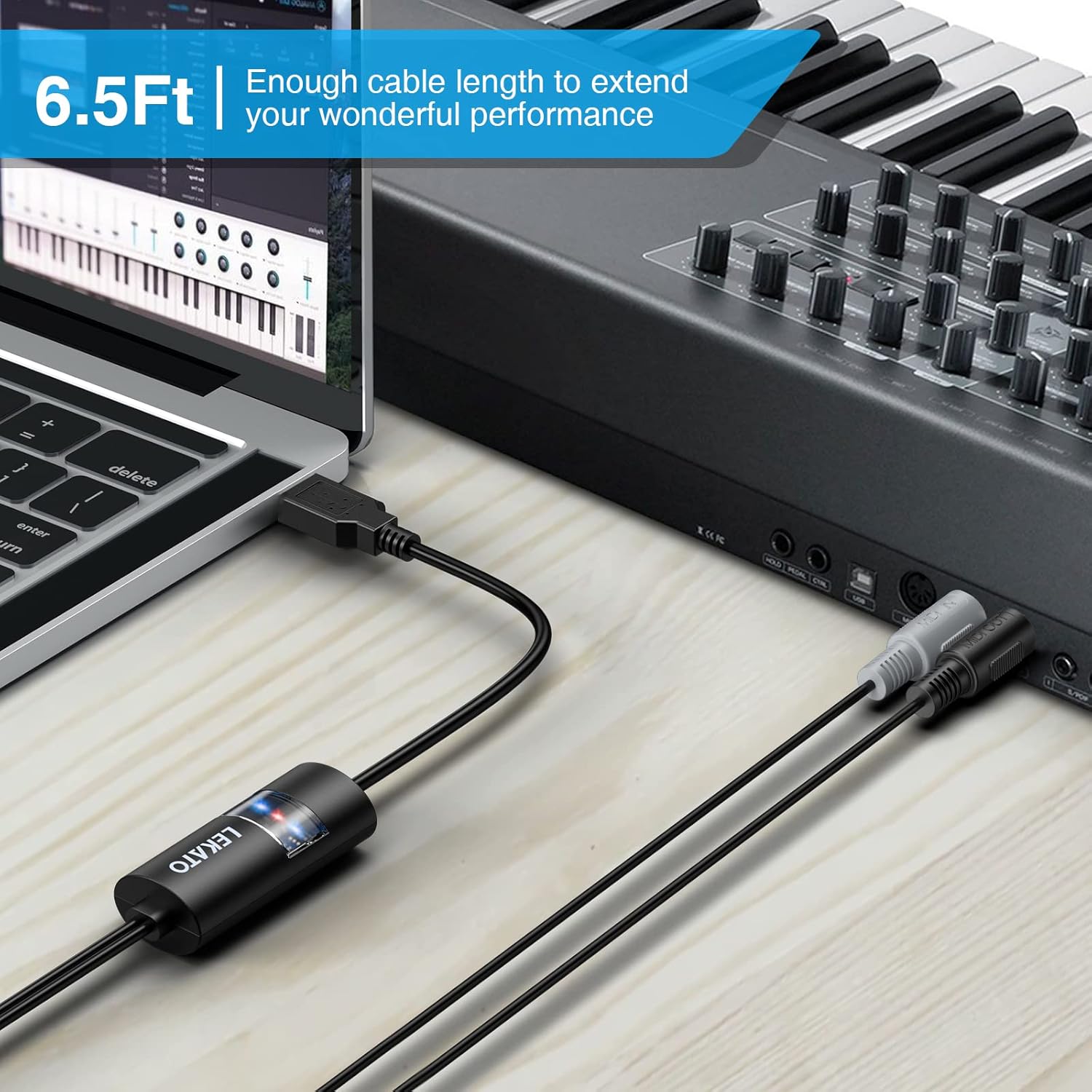
Figure 2: Connection diagram showing the USB interface connected to a computer, with MIDI OUT connected to a sound module and MIDI IN connected to an electronic keyboard.

Figure 3: Detail of the MIDI IN and MIDI OUT connectors, illustrating the 5-pin DIN configuration.
Иштөө нускамалары
Once the hardware connections are established, proceed with the software setup:
- Open Music Software: Launch your preferred Digital Audio Workstation (DAW) or music software on your computer.
- Configure MIDI Settings: Within your music software, navigate to the MIDI settings or preferences. Set the MIDI input and output devices to recognize your LEKATO MIDI-to-USB Interface (it may appear as a generic USB Audio Device or similar).
- Байланышты текшерүү: The blue LED indicator on the interface will flash when MIDI data is being transmitted or received, confirming an active signal connection.

Figure 4: The intelligent LED indicators provide visual feedback: Red for power, Blue for signal transmission.
Техникалык тейлөө
To ensure the longevity and optimal performance of your LEKATO MIDI-to-USB Interface, consider the following maintenance guidelines:
- Тазалоо: Use a soft, dry cloth to wipe the exterior of the device. Avoid using liquid cleaners or abrasive materials, as these can damage the finish or internal components.
- Сактагыч: Store the interface in a cool, dry place away from direct sunlight, extreme temperatures, and high humidity.
- Колдонуу: Avoid bending or twisting the cables excessively, especially near the connectors, to prevent internal wire damage.
Проблемаларды чечүү
If you encounter issues with your LEKATO MIDI-to-USB Interface, refer to the following common troubleshooting steps:
- No Power (Red LED Off):
- Ensure the USB Type-C connector is fully inserted into a functional USB port on your computer.
- Порт көйгөйлөрүн болтурбоо үчүн башка USB портуна же башка компьютерге туташып көрүңүз.
- No Signal (Blue LED Not Flashing):
- Verify that the MIDI "IN" and "OUT" cables are correctly connected to the corresponding "OUT" and "IN" ports on your MIDI instrument.
- Check the MIDI settings within your music software to ensure the LEKATO interface is selected as the active MIDI input/output device.
- Confirm that your MIDI instrument is powered on and sending/receiving MIDI data.
- Кечирүү маселелери:
- While the device is designed for low latency, ensure your computer's audio drivers (e.g., ASIO drivers on Windows) are up-to-date and correctly configured in your DAW.
- Системалык ресурстарды бошотуу үчүн фондо иштеп жаткан керексиз тиркемелерди жабыңыз.
Техникалык шарттар
| Модель номери | MTU-10 |
| Узундук | 2 метр (болжол менен 6.5 фут) |
| Салмагы | 99.79 грамм |
| USB туташуу | Standard USB Type-C (full speed) |
| Жарык көрсөткүчтөрү | Red (Power), Blue (MIDI Input/Output Signal) |
| Шайкеш системалар | Windows, Mac OS, iOS, Android |
| Шайкеш түзмөктөр | Piano, Keyboard, Electric Piano, Hand Piano, Electric Guitar, Computer |
| Өзгөчөлүктөр | High-speed data transfer, Plug & Play |
Кепилдик жана колдоо
Specific warranty details for the LEKATO MIDI-to-USB Interface (MTU-10) are not provided in the product information. For warranty claims, technical support, or further assistance, please contact the manufacturer directly through their official webсайт же продукт сатылып алынган чекене сатуучу.


