1. Киришүү
Thank you for choosing the Steelplay Impulse Gaming Headset. This manual provides detailed instructions for setting up, operating, and maintaining your headset. The Steelplay Impulse offers versatile connectivity, supporting both Bluetooth wireless and 3.5mm wired connections, making it compatible with a wide range of devices including PC, Mac, Nintendo Switch, smartphones, tablets, PlayStation 4, PlayStation 5, Xbox One, and Xbox Series consoles.
Key features include a detachable microphone, up to 28 hours of battery life, comfortable ear cushions, an adjustable headband, and integrated controls for audio and microphone management.
2. Продукт бүтүп калдыview жана компоненттер
The Steelplay Impulse Gaming Headset package includes the following components:
- Steelplay Impulse Gaming Headset
- Алынуучу микрофон
- 3.5mm Audio Jack Cable (2 meters)
- USB-C Charging Cable (1.5 meters)
Familiarize yourself with the headset's main parts:

Figure 2.1: Steelplay Impulse Gaming Headset with detachable microphone attached.
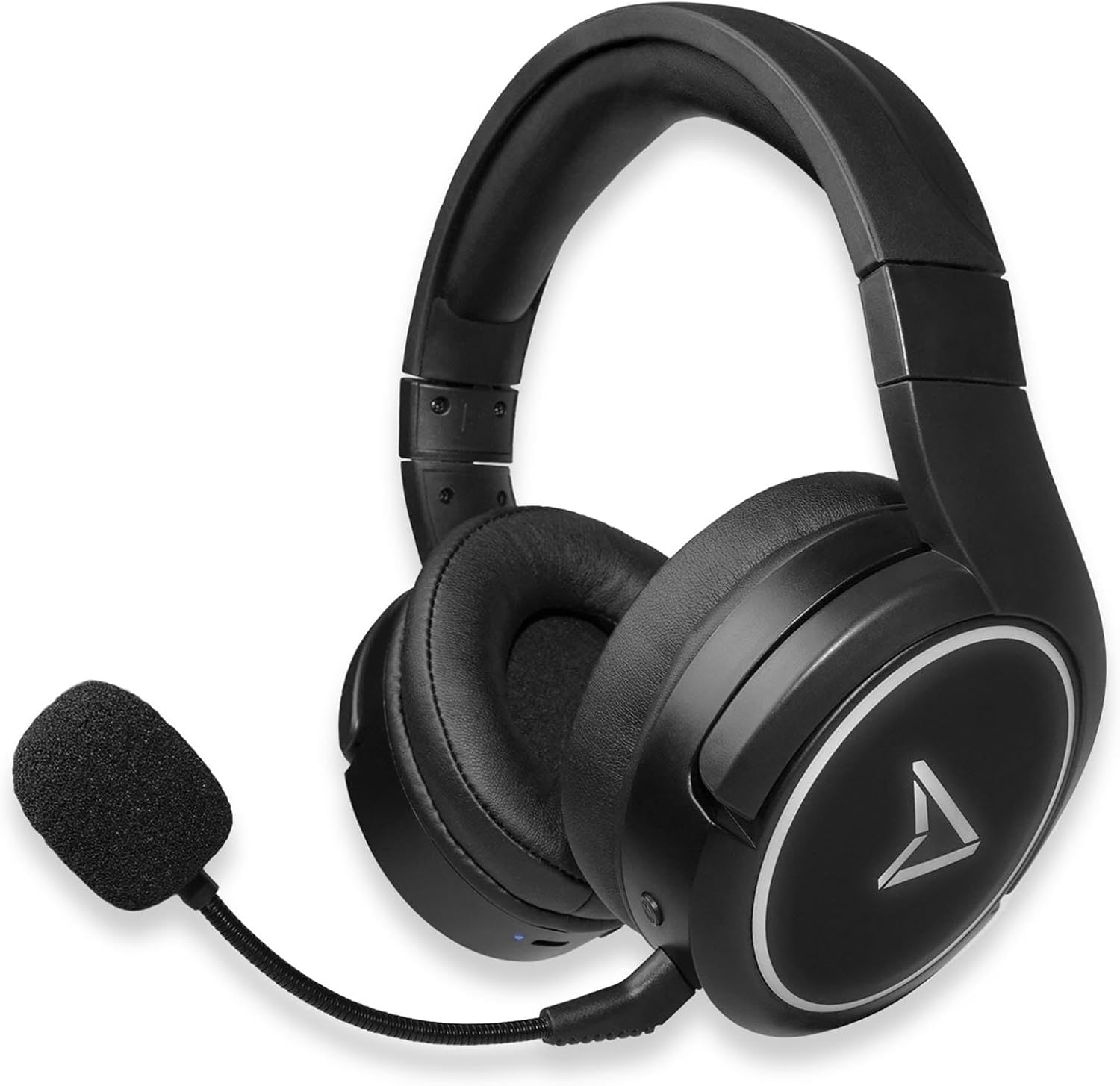
Figure 2.2: Steelplay Impulse Gaming Headset, highlighting the left earcup with integrated controls and microphone port.

Сүрөт 2.3: Жакын пландан view of the detachable microphone, showing its flexible arm and 3.5mm jack connector.
3. Орнотуу
3.1 Алгачкы заряддоо
Before first use, fully charge the headset. Connect the supplied USB-C charging cable to the headset's USB-C port and the other end to a compatible USB power source (e.g., computer USB port, USB wall adapter). The charging indicator light will show the charging status and turn off or change color when fully charged. A full charge provides up to 28 hours of autonomy.
3.2 Bluetooth зымсыз байланышы
The Steelplay Impulse headset can connect wirelessly via Bluetooth to compatible devices such as PC, Mac, Nintendo Switch, Android smartphones, iOS smartphones, and tablets.
- Күйгүзүү: Press and hold the Power button on the headset until the indicator light flashes, indicating it is in pairing mode.
- Bluetooth иштетүү: On your device (PC, Mac, Switch, smartphone, tablet), navigate to the Bluetooth settings.
- Жупташуу: Select "Steelplay Impulse" from the list of available devices. Once connected, the indicator light on the headset will typically show a solid color or slow flash.
3.3 Зымдуу туташуу (3.5 мм уяча)
For wired use, connect the supplied 3.5mm audio jack cable to the headset's 3.5mm port and the other end to your device. This connection is compatible with PS5, PS4, Xbox Series X/S, Xbox One, Nintendo Switch, PC, laptops, Mac, smartphones, and tablets.
- Microphone Note: When using the 3.5mm wired connection, the detachable microphone functions on all compatible platforms.
- Ensure the 3.5mm jack is fully inserted into both the headset and your device for optimal audio and microphone performance.
4. Иштөө нускамалары
4.1 Күйгүзүү/өчүрүү
- Күйгүзүү үчүн: Индикатор жарыгы күйгүчө кубат баскычын болжол менен 3 секунд басып туруңуз.
- Өчүрүү үчүн: Күйгүзүү баскычын болжол менен 5 секунд басып, индикатор өчкөнчө кармап туруңуз.
4.2 Үндү башкаруу
The headset features integrated volume controls, typically located on one of the earcups. Use the volume up (+) and volume down (-) buttons or wheel to adjust the audio level.
4.3 Микрофонду колдонуу
- Микрофонду тиркөө: Insert the detachable microphone's 3.5mm jack into the dedicated microphone port on the headset.
- Микрофондун шайкештиги: The detachable microphone is designed for use with PC, Mac, and mobile devices when connected via Bluetooth. When using the 3.5mm wired connection, the microphone is compatible with all listed platforms (PS5, PS4, Xbox Series X/S, Xbox One, Switch, PC, Mac, smartphone, tablet).
- Үнсүз функция: The headset includes integrated microphone controls. Refer to the specific button layout on your headset for the microphone mute function.
5. Техникалык тейлөө
Proper maintenance ensures the longevity and performance of your Steelplay Impulse Gaming Headset.
- Тазалоо: Кулакчындарды жана баш боочуну тазалоо үчүн жумшак, кургак чүпүрөктү колдонуңуз. Өжөр кир үчүн бир азamp cloth can be used, but ensure no moisture enters the speaker grilles or ports. Avoid harsh chemicals or abrasive cleaners.
- Сактагыч: Store the headset in a cool, dry place away from direct sunlight and extreme temperatures. If storing for an extended period, ensure the battery is partially charged (around 50%) to help preserve battery health.
- Кабельге кам көрүү: Avoid sharply bending or twisting the audio and charging cables. Disconnect cables by pulling the plug, not the cable itself.
- Суу каршылык: This product is not waterproof. Avoid exposure to liquids.
6. Кыйынчылыктарды
Гарнитураңызга байланыштуу көйгөйлөргө туш болсоңуз, төмөнкү жалпы чечимдерди караңыз:
- Үн жок:
- Ensure the headset is powered on and connected (Bluetooth or wired).
- Гарнитурадагы жана туташкан түзмөгүңүздүн үнүнүн деңгээлин текшериңиз.
- If using Bluetooth, try re-pairing the headset.
- If wired, ensure the 3.5mm cable is fully inserted and try a different audio port if available.
- Микрофон иштебейт:
- Ensure the detachable microphone is securely attached.
- Гарнитурадагы же түзмөгүңүздүн жөндөөлөрүндөгү микрофон үнсүздөтүлгөнүн текшериңиз.
- Компьютериңиздеги же консолуңуздагы микрофон киргизүү жөндөөлөрүн текшериңиз.
- Remember the microphone's specific compatibility for Bluetooth (PC, Mac, mobile) vs. wired (all platforms).
- Bluetooth жупташтыруу маселелери:
- Ensure the headset is in pairing mode (flashing indicator light).
- Түзмөгүңүздөгү Bluetooth'ду өчүрүп, күйгүзүңүз.
- Remove "Steelplay Impulse" from your device's Bluetooth list and attempt to re-pair.
- Гарнитуранын жетиштүү заряддалганын текшериңиз.
- Заряддоо көйгөйлөрү:
- Verify the USB-C cable is correctly connected to both the headset and the power source.
- Башка USB-C кабелин же кубат булагын колдонуп көрүңүз.
- Гарнитурадагы заряддоо порту таза жана таштандылардан таза экенин текшериңиз.
7. Техникалык шарттар
| Өзгөчөлүк | Description |
|---|---|
| Модель аты | JVAMUL00143 |
| Бренд | Steelplay |
| Байланыш технологиясы | Bluetooth, Wired (3.5mm Jack) |
| Зымсыз байланыш технологиясы | Bluetooth |
| Шайкеш түзмөктөр | PC, Mac, Switch, Android/iOS smartphones, tablets, PS5, PS4, Xbox Series X/S, Xbox One |
| Микрофон | Detachable, included |
| Батареянын иштөө мөөнөтү | 28 саатка чейин |
| Жыштык диапазону | 20 Гц - 20 000 Гц |
| Материал | Пластик |
| Түс | Кара |
| Кулак жайгаштыруу | Кулактын үстүнөн (айланма кулак) |
| Башкаруу түрү | Интегралдык башкаруу |
| Кабель өзгөчөлүгү | Алынуучу |
| Сууга туруктуулук деңгээли | Сууга чыдамдуу эмес |
8. Кепилдик жана колдоо
The Steelplay Impulse Gaming Headset comes with a standard manufacturer's warranty. Please refer to the warranty card included in your product packaging or visit the official Steelplay webдеталдуу кепилдик шарттары жана шарттары үчүн сайт.
For technical support, troubleshooting assistance beyond this manual, or warranty claims, please contact Steelplay customer service through their official webсайтка же продуктуну сатып алган сатуучуга.


