1. Киришүү
This manual provides detailed instructions for the installation, operation, and maintenance of your Blaupunkt Key Largo 980-9 inch Android Car Multimedia System. Please read this manual thoroughly before using the product to ensure proper operation and to prevent damage.
2. Коопсуздук маалыматы
- Орнотуу: Ensure professional installation to avoid damage to the vehicle's electrical system.
- Электр камсыздоо: Connect only to a 12V DC car battery with negative grounding.
- Операция: Системаны айдоодон алаксытпай иштетпеңиз. Жол коопсуздугун ар дайым биринчи орунга коюңуз.
- Температура: Аппаратты экстремалдык температурага же түз күн нуруна узак убакытка калтыруудан сактаңыз.
- Нымдуулук: Аппаратты суудан жана жогорку нымдуулуктан алыс кармаңыз.
3. Пакеттин мазмуну
Пакетте бардык буюмдар бар экенин текшериңиз:
- Blaupunkt Key Largo 980-9 inch Multimedia System
- 7 Units Connector cables
- 8 Units Screws
- 1 Unit Warranty card
- Колдонуучунун Колдонмосу (бул документ)
4. Продукт бүтүп калдыview
The Blaupunkt Key Largo 980-9 inch is an Android-based car multimedia system designed to enhance your in-car entertainment and connectivity. It features a 9-inch display, Android 10.0 OS, 2GB RAM, 32GB ROM, and various connectivity options.

4.1-сүрөт: Фронт view of the Blaupunkt Key Largo 980-9 inch car multimedia system, showing the 9-inch display with various application icons.
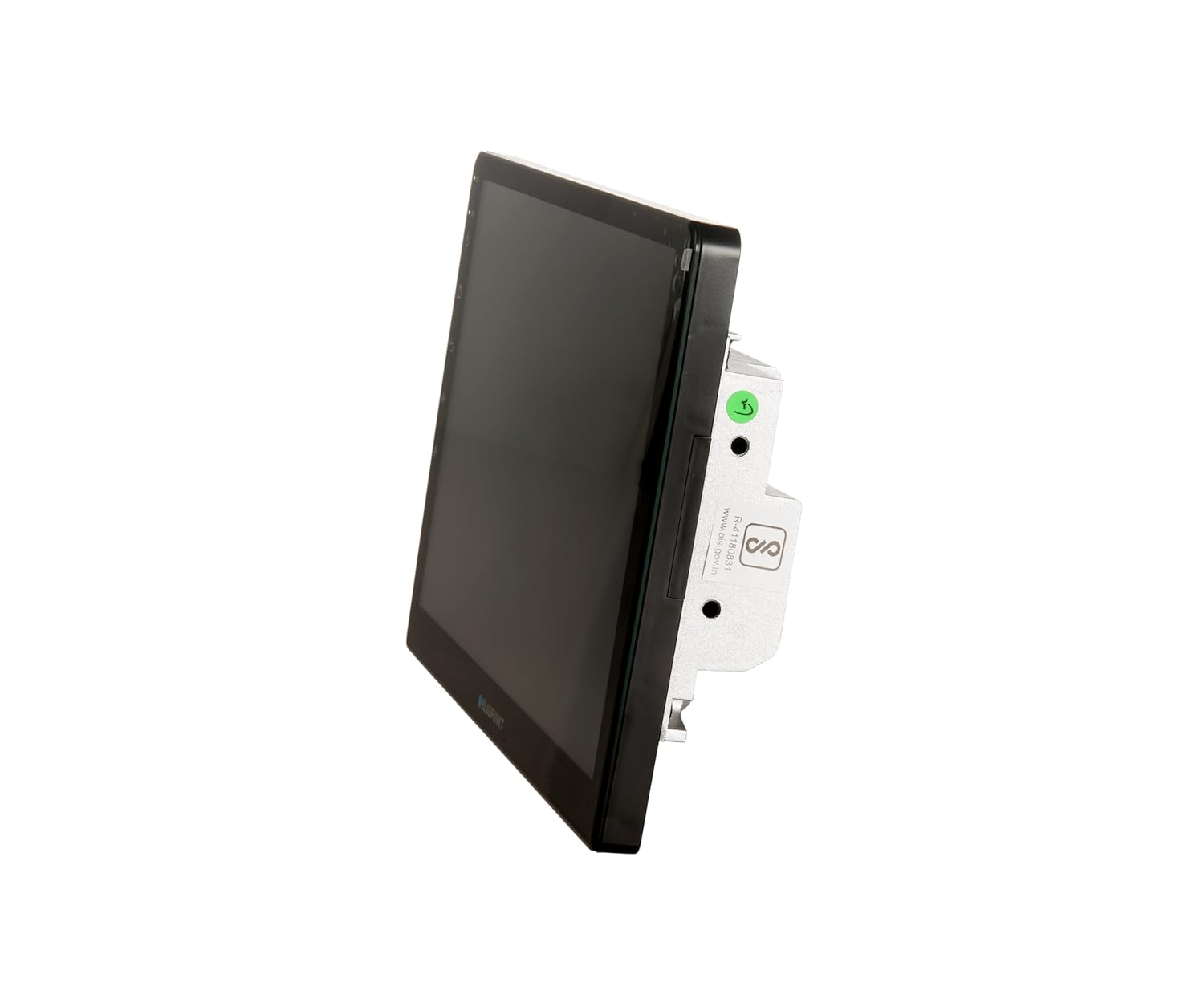
4.2-сүрөт: Side view of the multimedia system, highlighting its slim profile жана монтаждоо пункттары.
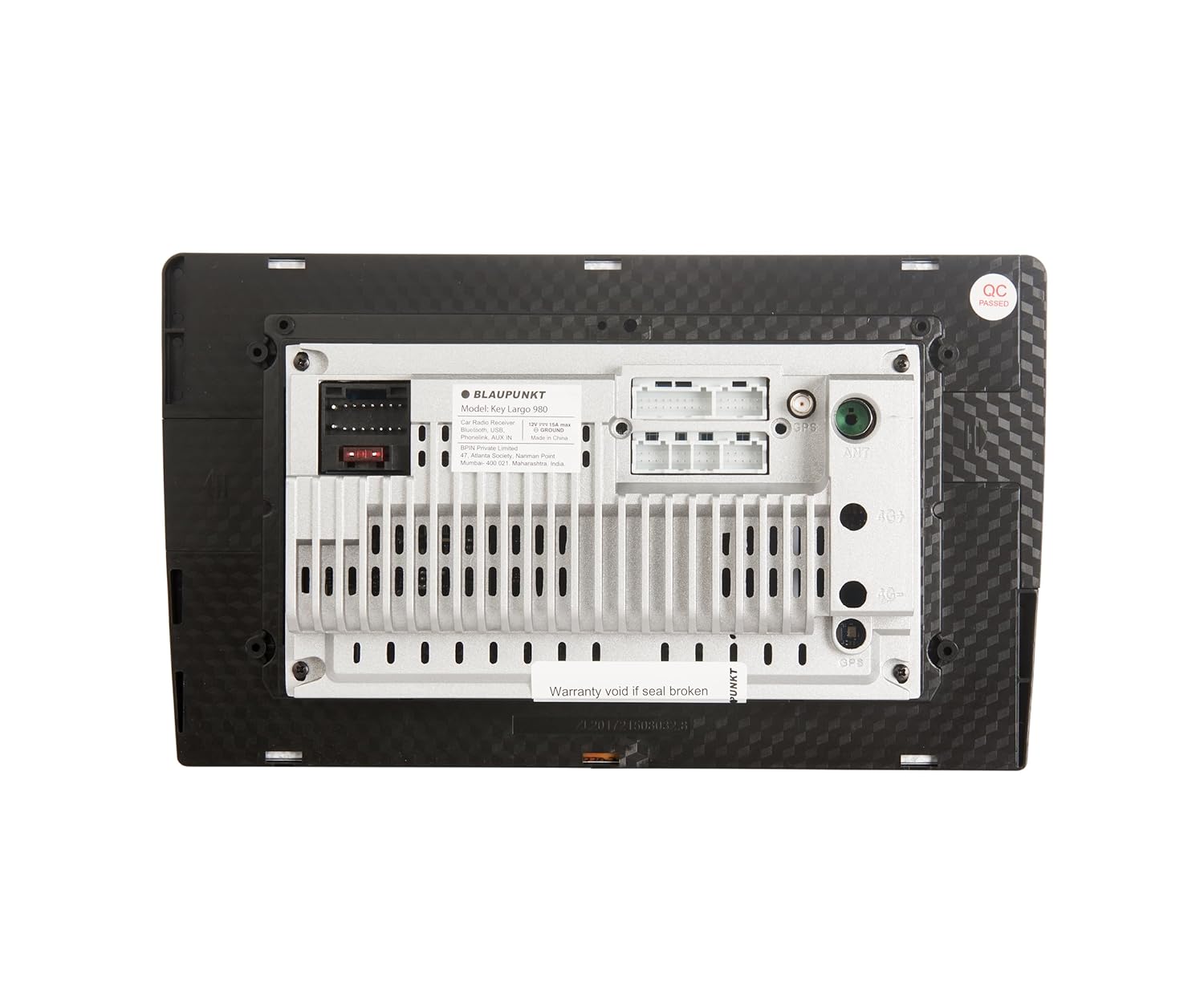
4.3-сүрөт: Арткы view of the multimedia system, displaying various input/output ports for power, audio, video, and accessories. Note the "Warranty void if seal broken" sticker.
4.1 Негизги өзгөчөлүктөрү
- 9 дюймдук Android унаа мультимедиа системасы
- Android 10.0 OS
- 2 ГБ RAM + 32 ГБ ROM
- 1.5GHz Quad Core processor
- PhoneLINK (Screen Mirroring)
- Bluetooth v5.0
- Dual Rear USB ports
- AUX-IN
- AHD Reverse Camera input support
- Video out for rear screen entertainment monitors
- FM (RDS) / AM Tuner
- 10 тилкелүү эквалайзер (EQ)
- Learning Steering Wheel Control capable
- Камтылган Wi-Fi
5. Орнотуу жана орнотуу
Professional installation is highly recommended for this car multimedia system. Incorrect installation can lead to damage to the unit or your vehicle's electrical system.
5.1 Электр өткөргүч схемасы
Конкреттүү туташуулар үчүн аппаратыңыз менен берилген зымдар схемасын караңыз. Негизги байланыштарга төмөнкүлөр кирет:
- Күч: 12V ACC, 12V Battery, Ground.
- Баяндамачылар: Унааңыздын динамик системасына туташтырыңыз.
- USB: Тышкы USB түзмөктөрүн туташтырыңыз.
- Колдонуучу: For external audio sources.
- AHD камерасы: Input for a compatible AHD reverse camera.
- Руль башкаруусу: Connect to vehicle's steering wheel control wires for learning function.
- Видео Чыгуу: Тышкы мониторлорду туташтыруу үчүн.
Note: Ensure all connections are secure and properly insulated to prevent short circuits.
5.2 Баштапкы күйгүзүү
- Орнотуудан кийин, унааңыздын от алдыруучу системасын күйгүзүңүз.
- The system should power on automatically and display the Blaupunkt logo.
- Баштапкы орнотуу үчүн тилди тандоо жана убакыт алкагы сыяктуу экрандагы көрсөтмөлөрдү аткарыңыз.
6. Иштөө нускамалары
The Key Largo 980-9 inch operates on an Android platform, similar to a tablet. You can navigate using touch gestures on the screen.

6.1-сүрөт: Main menu screen showing various application icons like Navigation, Radio, Music, Phone, Settings, Video, File Explorer, BT Music, EQ, and AUX.
6.1 Негизги навигация
- Үй баскычы: Негизги менюга кайтат.
- Артка баскычы: Мурунку экранга кайтат.
- Көлөмдү көзөмөлдөө: Аудио чыгарууну тууралоо.
- Орнотуулар сөлөкөтү: Access system settings for display, sound, network, etc.
6.2 Radio (FM/AM)
- Tap the "Radio" icon on the main screen.
- FM же AM диапазонун тандаңыз.
- Станцияларды табуу же кол менен жөндөө үчүн издөө/сканерлөө баскычтарын колдонуңуз.
- Save preferred stations to presets.
6.3 Bluetooth байланышы
Connect your mobile phone via Bluetooth for hands-free calling and audio streaming.
- Tap the "Phone" or "BT Music" icon.
- Мобилдик телефонуңузда Bluetooth'ду иштетип, жеткиликтүү түзмөктөрдү издеңиз.
- Select "Key Largo 980" (or similar) from the list on your phone.
- Жупташтыруу кодун эки түзмөктө тең ырастаңыз.
- Once paired, you can make/receive calls and stream music.

6.2-сүрөт: Screen displaying the phone dialer interface, accessible after Bluetooth pairing for hands-free communication.
6.4 PhoneLINK (Screen Mirroring)
PhoneLINK allows you to mirror your smartphone's screen onto the multimedia system's display.
- Ensure your phone is connected via USB or Wi-Fi (depending on PhoneLINK app requirements).
- Open the PhoneLINK application on the multimedia system.
- Follow the on-screen instructions to connect your smartphone. This may involve installing a specific app on your phone.
6.5 USB ойнотуу
Connect a USB drive to one of the rear USB ports to play audio or video files.
- Insert the USB drive into a USB port.
- "File Explorer" or "Music" / "Video" icon.
- Navigate to the USB drive and select the desired file ойноо.

6.3-сүрөт: Screen displaying the music playback interface, showing track information and playback controls.
6.6 AUX киргизүү
Connect external audio devices using the AUX-IN port.
- Connect your audio device to the AUX-IN port using a 3.5mm audio cable.
- Tap the "AUX" icon on the main screen.
- Туташкан аудио түзмөгүңүздөн ойнотууну көзөмөлдөө.
6.7 AHD Reverse Camera Support
When a compatible AHD reverse camera is connected and the vehicle is put into reverse gear, the system will automatically display the camera feed.
6.8 Audio Settings (Equalizer)
Customize your audio experience using the built-in 10-band equalizer.
- Tap the "EQ" icon on the main screen.
- Adjust frequency bands to your preference.
- Select from preset equalizer modes or create custom settings.
6.9 Рулду башкаруу
The system supports learning steering wheel controls. This allows you to map functions like volume, track change, and mode selection to your vehicle's steering wheel buttons.
- Go to "Settings" and locate the "Steering Wheel Control" option.
- Follow the on-screen instructions to program each button.
6.10 Wi-Fi байланышы
Connect to a Wi-Fi network (e.g., mobile hotspot) to access online features, download apps, and use navigation with real-time traffic updates.
- Go to "Settings" and select "Network & Internet" or "Wi-Fi".
- Wi-Fi күйгүзүп, каалаган тармакты тандаңыз.
- Эгер суралса, сырсөздү киргизиңиз.
7. Техникалык тейлөө
- Экранды тазалоо: Экранды акырын сүртүү үчүн жумшак, мамыксыз чүпүрөктү колдонуңуз. Абразивдүү тазалоочу каражаттарды же эриткичтерди колдонбоңуз.
- Программалык камсыздоо жаңыртуулары: Оптималдуу иштөөнү жана жаңы функцияларга жетүүнү камсыз кылуу үчүн системанын жөндөөлөрүндө программалык камсыздоонун жаңыртууларын мезгил-мезгили менен текшерип туруңуз.
- Жалпы кам көрүү: Avoid placing heavy objects on the unit or exposing it to excessive force.
8. Кыйынчылыктарды
| Көйгөй | Мүмкүн себеп | Чечим |
|---|---|---|
| Күч жок | туура эмес зымдар; күйгөн сактагыч; Унаанын аккумулятору маселеси. | Check power connections; Replace fuse; Check vehicle battery. Consult a professional if needed. |
| Үн жок | Үн өтө төмөн; Үнсүз кылуу иштетилди; Динамик зымдары маселеси. | Көлөмүн жогорулатуу; Үнсүздү өчүрүү; Динамик байланыштарын текшериңиз. |
| Bluetooth туташпай жатат | Bluetooth off on phone/unit; Device not in pairing mode; Interference. | Ensure Bluetooth is on; Put device in pairing mode; Try pairing again; Move closer to the unit. |
| Сенсордук экран жооп бербейт | Системанын иштебей калышы; программалык камсыздоонун иштебей калышы. | Perform a soft reset (refer to device manual for reset button location, often a small pinhole); If issue persists, consult support. |
| Радио кабыл алуу начар | Антенна туташкан эмес; Сигнал алсыз аймак. | Антеннанын туташуусун текшериңиз; Күчтүү станцияга тууралап көрүңүз. |
9. Техникалык шарттар
| Бренд | Blaupunkt |
| Модел | Key Largo 980 9 inches |
| Операция системасы | Android 10.0 |
| Процессор | 1.5 ГГц төрт ядро |
| RAM | 2 ГБ |
| Ички сактагыч (ROM) | 32 ГБ |
| Дисплей өлчөмү | 9 дюйм (22.73см) |
| Tuner Technology | AM, FM (RDS) |
| Bluetooth версиясы | v5.0 |
| Байланыш | Wi-Fi, USB (Dual Rear), AUX-IN, 3.5mm Jack |
| Өзгөчөлүктөр | Built-In Wi-Fi, FM Tuner, PhoneLINK, AHD Camera Support, 10-band EQ, Learning Steering Wheel Control |
| Аудио чыгаруу режими | Стерео |
| Динамиктин айланасындагы үн каналынын конфигурациясы | 3.1 |
| Аудио Wattage | 200 Watts (4 x 50 Watt Max. power) |
| Продукциянын өлчөмдөрү | 30 x 45 x 15 см |
| Элемент Салмагы | 780 г |
10. Кепилдик жана колдоо
This product comes with a 2-year warranty. Please refer to the included warranty card for detailed terms and conditions. Keep your purchase receipt as proof of purchase.
For technical support or service inquiries, please contact Blaupunkt customer care:
- Кардарларды тейлөө номери: 18002096820
- E-mail: info@blaupunktcar.in
- Импорттоочунун дареги: BPIN Pvt. Ltd. - 47, Atlanta Society, Jamnalal Bajaj Marg, Nariman Point, Mumbai - 400021, Maharashtra, India.
Note: Warranty may be void if the product seal is broken or if unauthorized repairs are attempted.


