Introduction
This manual provides detailed instructions for the GOLOZA Projection Alarm Clock, designed with a modern curved display and advanced features for your convenience. Please read this manual carefully before use to ensure proper operation and to maximize the lifespan of your device.

Figure 1: GOLOZA Projection Alarm Clock Overview
Камтылган компоненттер
The GOLOZA Projection Alarm Clock package includes the following items:
- Ойготкуч саат бирдиги
- User Manual
- Микро USB кабели
- AC Adapter (AC100-240V, 50/60Hz)
Орнотуу колдонмосу
Кубат туташуу:
Connect the provided Micro USB Cable to the alarm clock's power input port. Plug the AC Adapter into a standard electrical outlet (AC100-240V, 50/60Hz). The clock will power on and the display will illuminate.

Figure 2: Power Adapter and Cable
Backup Battery (CR2032):
The clock has a built-in CR2032 button cell battery. This battery automatically saves your time and alarm settings in case of a power outage. The display will not show time and the alarm will not sound during an outage, but settings will be retained when power returns. No user action is required for this feature.

Figure 3: Built-in Backup Battery
Баштапкы убакыт жөндөөсү:
Refer to the "Operating Instructions" section for detailed steps on setting the time and alarm. The large control buttons on top of the clock are clearly marked for easy adjustment.
Иштөө нускамалары
1. Time Display and Brightness
The clock features a large LED curved screen (3.4 x 1.7 inches for digits) for easy readability. It offers 3 adjustable brightness levels for the main display, allowing you to set it to a comfortable level for day or night use. The brightness of the face display and the projection display can be adjusted separately.

Figure 4: Large LED Curved Screen

Figure 5: 3 Levels of Display Brightness
The clock supports both 12-hour and 24-hour time formats. If the 12-hour format is selected, a "PM" icon will appear when the time reaches the afternoon.

Figure 6: 12/24-Hour Time Display
2. Проекциялоо өзгөчөлүгү
The integrated projector allows you to project the time onto a wall or ceiling. The projector arm swivels 180 degrees for optimal positioning, providing a clear and sharp image at a distance of 1.64-11.4 feet (0.5-3 meters). The projected numerals are sharp and do not require focus adjustment.

Figure 7: High-Definition Projection
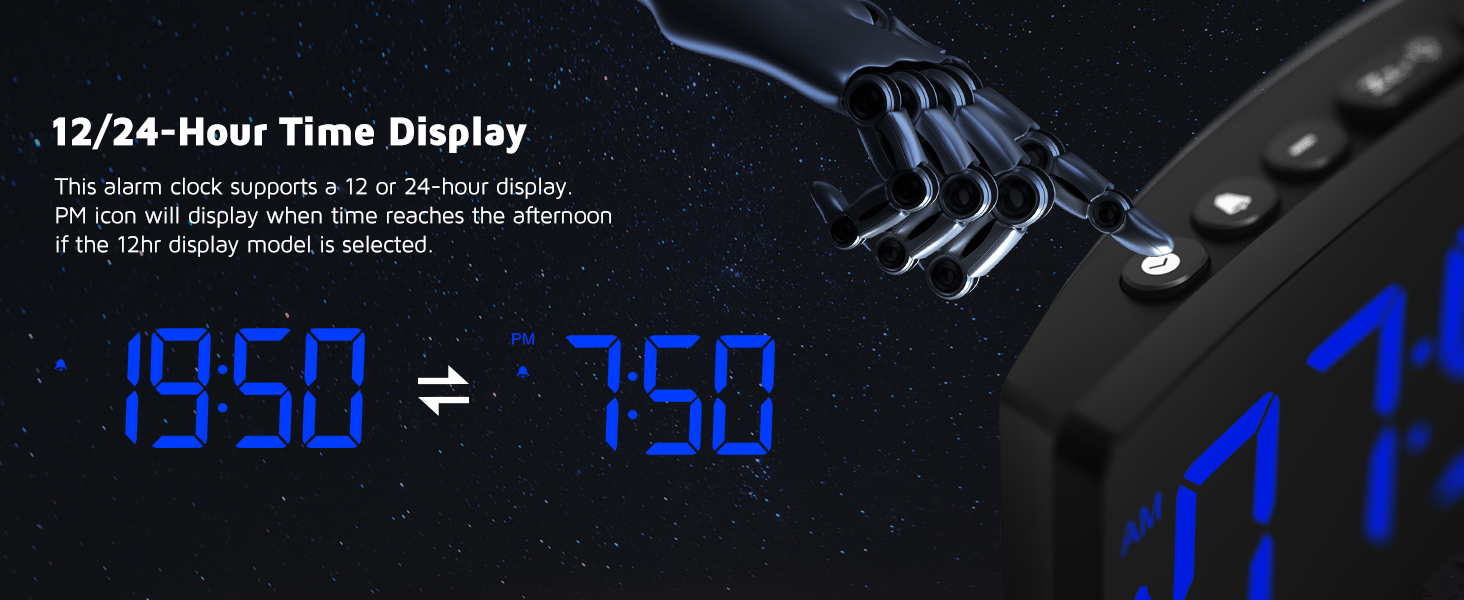
Figure 8: Customizable Clear Projection
Projection Operation:
- Убакыт режиминде, проекцияны күйгүзүү үчүн проекциялоо баскычын кыска басыңыз.
- Rotate the projector arm to adjust it to the desired angle.
- Short press the projection button again to adjust the projection brightness (Low-Medium-High-OFF).
- If the projected numbers appear upside down, long press the projection button to flip the numbers.

Figure 9: Projection 4-Step Operation
3. Alarm and Snooze Function
The alarm features a progressive buzzer volume (up to 75dB), which gradually increases in loudness and speed. This is beneficial for heavy sleepers, preventing sudden loud sounds.
To activate the snooze function, press the large SNOOZE button located on the top of the clock when the alarm sounds. This will provide an additional 9 minutes of sleep before the alarm sounds again.

Figure 10: 9 Minutes Snooze Function
4. USB кубаттоочу порт
The alarm clock includes a 5V/1A USB output interface. This allows you to charge your smartphone or other mobile devices directly from the clock, freeing up an additional power outlet.

11-сүрөт: USB заряддоо порту
Техникалык тейлөө жана кам көрүү
- Do not expose the unit to extreme temperatures, direct sunlight, dust, or high humidity.
- Always use the original AC adapter provided with the clock.
- Before cleaning, disconnect the power. Clean the clock with a soft cloth moistened only with mild soap and water.
- Do not disassemble the clock or attempt to touch any internal components.
- When placing the clock on furniture, use a cloth or other protective material underneath to prevent scratches.
Проблемаларды чечүү
| Көйгөй | Мүмкүн себеп | Чечим |
|---|---|---|
| Clock display is off / Alarm does not sound during power outage. | Main power supply is interrupted. | This is normal. The built-in CR2032 battery only retains settings, it does not power the display or alarm. Reconnect to main power for full functionality. |
| Projected image is blurry or unclear. | Incorrect projection distance or surface. | Ensure the clock is placed within the optimal projection distance of 1.64-11.4 feet (0.5-3 meters) from the projection surface. The projector does not require manual focus adjustment. |
| Projected numbers are upside down. | Projection image orientation needs adjustment. | Long press the projection button to flip the projected numbers. |
| USB аркылуу кубаттоо жай же иштебей жатат. | Device requires more than 5V/1A; cable issue; device not properly connected. | Ensure your device is compatible with 5V/1A charging. Try a different USB cable. Ensure the cable is securely connected to both the clock and your device. |
If you encounter issues not listed here or if the problem persists, please refer to the "Warranty and Support" section for assistance.
Техникалык шарттар
| Өзгөчөлүк | Деталь |
|---|---|
| Бренд | ГОЛОЗА |
| Модел | B0B45XH44P |
| Дисплей түрү | Digital LED (Curved Screen) |
| Display Color | Blue Digit + Blue Projection |
| Power Source | AC Adapter (AC100-240V, 50/60Hz) |
| USB чыгышы | 5V/1A |
| Камдык батарея | CR2032 (for settings memory only) |
| Проекциялык аралык | 1.64-11.4 фут (0.5-3 м) |
| Тындыруунун узактыгы | 9 мүнөт |
| Ойготкучтун үнү | Progressive, up to 75dB |
Кепилдик жана колдоо
GOLOZA provides comprehensive support for its products:
- Кепилдик: 24 ай кепилдик
- Колдоо: Өмүр бою колдоо
For any questions or assistance, please contact GOLOZA support through your Amazon account:
- Go to "Account"
- Navigate to "Orders"
- Select "Order Detail" for your GOLOZA Projection Alarm Clock purchase
- Click on "Sold by: GOLOZA"
- Select "Ask a question"
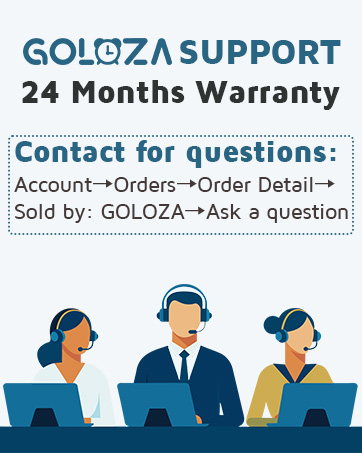
Figure 12: GOLOZA Support Information

