Introduction
The Donner NEOTRACK-LX is a versatile RGB USB condenser microphone designed for high-quality audio capture across various platforms including PC, PS4, and Mac. Featuring a cardioid pickup pattern, quick mute function, mic monitoring, and gain control, it is ideal for streaming, podcasts, Twitch, YouTube, and Discord. Its plug-and-play design ensures ease of use without requiring additional drivers.
Өзгөчөлүктөрү
- RGB жарыктандыруу: Dynamic dream lights with colorful ambient effects.
- Кардиоиддик пикап үлгүсү: Focuses on sound directly in front of the microphone, reducing background noise.
- Instant Touch Mute: Capacitive touch button on top for quick muting.
- Наушник мониторинги: 3.5mm jack for real-time audio monitoring.
- Көзөмөлдү алуу: Adjustable knob for microphone input sensitivity.
- USB туташуу: Simple plug-and-play operation via USB-C.
- Кеңири шайкештик: Works with PC, PS4, and Mac.
- Exceptional Anti-Vibration: Stable metal base and design to minimize vibrations.
Пакеттин мазмуну
Сураныч, төмөнкү нерселер үчүн кутучаны белгилеңиз:
- Donner NEOTRACK-LX USB Condenser Microphone
- Detachable Metal Base
- USB-C - USB-A кабели
- USB-C - USB-A адаптер
- Lightning to USB-A Adapter
- User Manual

Image: The Donner NEOTRACK-LX microphone with its stand, USB-C to USB-A cable, USB-C to USB-A adapter, and Lightning to USB-A adapter.
Жайгашуу
- Микрофонду чогултуу: Attach the microphone to its metal base by aligning the mounting points and securing it. The microphone can also be mounted on a standard 5/8-inch threaded boom arm.
- Түзмөккө туташуу:
- For PC/Mac: Connect the USB-C end of the provided cable to the microphone and the USB-A end to an available USB port on your computer.
- For PS4: Connect the USB-C end of the provided cable to the microphone and the USB-A end to an available USB port on your PS4 console.
- For compatible mobile devices (e.g., tablets, smartphones): Use the appropriate USB-C or Lightning adapter with the USB-A cable to connect the microphone.

Image: The microphone demonstrating compatibility with PC, laptop, tablets, and smartphones via USB-A, USB-C, and Lightning connections.
- Системаны таануу: The microphone is plug-and-play and should be automatically recognized by your operating system (Windows, macOS) or console (PS4). No additional drivers are typically required.
- Киргизүү түзмөгү катары тандаңыз: Go to your device's sound settings and select the "Donner NEOTRACK-LX" as your default input (microphone) device.
Микрофонду иштетүү
- Пайданы жөнгө салуу: The gain knob on the back of the microphone controls the input sensitivity. Turn it clockwise to increase sensitivity (for quieter sources) and counter-clockwise to decrease sensitivity (for louder sources). Adjust this to prevent audio clipping or ensure sufficient volume.
- Гарнитуранын үнүн башкаруу: The volume knob on the front of the microphone controls the output volume for the connected headphones. Plug your 3.5mm headphones into the jack on the back of the microphone for real-time monitoring.

Image: A close-up of the microphone showing the headphone jack and USB port, with a headphone cable connected.
- Instant Mute Function: Tap the top of the microphone to instantly mute or unmute. When muted, the RGB lights will turn off, indicating that the microphone is not picking up sound.

Image: A hand touching the top of the microphone to activate the mute function, showing the RGB lights turning off when muted.
- RGB жарыктандыруу: The microphone features dynamic RGB lighting that cycles through various colors automatically. This provides an aesthetic enhancement to your setup. The lights cannot be manually changed or turned off, except by muting the microphone.
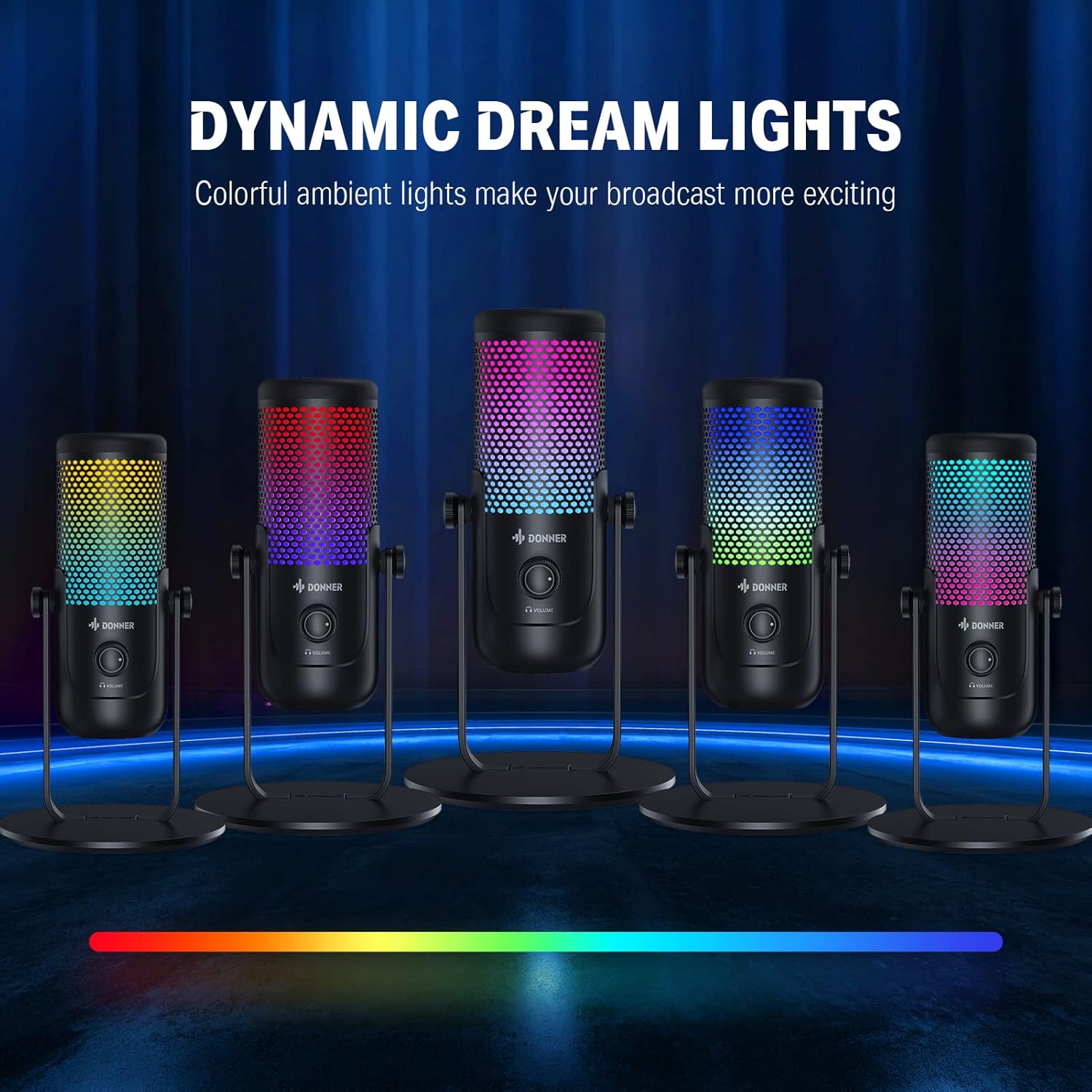
Image: Multiple Donner NEOTRACK-LX microphones showcasing the dynamic dream lights in different color combinations.
Техникалык тейлөө
- Тазалоо: Use a soft, dry cloth to clean the microphone's exterior. Avoid using harsh chemicals or abrasive materials.
- Сактагыч: Микрофонду күндүн тике тийген нурунан жана экстремалдык температурадан алыс, салкын, кургак жерде сактаңыз.
- Колдонуу: Handle the microphone with care to avoid dropping it or subjecting it to strong impacts, which could damage internal components.
Проблемаларды чечүү
| Көйгөй | Мүмкүн себеп | Чечим |
|---|---|---|
| Микрофондон үн чыкпайт | Микрофон туура эмес туташтырылган Incorrect input device selected Микрофондун үнү өчүрүлгөн Gain is too low | USB кабели коопсуз туташканын текшериңиз. Check system sound settings and select "Donner NEOTRACK-LX" as input. Tap the top of the microphone to unmute (RGB lights should turn on). Increase the gain knob on the microphone's back. |
| Бурмаланган же түшүнүксүз үн | Gain is too high Микрофон үн булагына өтө жакын Экологиялык ызы-чуу | Decrease the gain knob. Maintain an appropriate distance from the microphone (e.g., 6-12 inches). Ensure you are in a quiet environment. |
| RGB lights are off | Микрофондун үнү өчүрүлгөн Microphone not powered | Tap the top of the microphone to unmute. Ensure the microphone is properly connected to a powered USB port. |
| Наушниктен үн жок | Headphones not properly connected Headphone volume too low | Ensure headphones are fully plugged into the 3.5mm jack. Increase the headphone volume knob on the microphone's front. |
Техникалык шарттар
- Микрофон түрү: Конденсатор
- Полярдык үлгү: кардиоида
- Байланыш: USB (USB-C port on microphone)
- Sample Rate: 24-бит / 96 кГц

Image: The microphone with a graphic overlay indicating its 24-bit 96kHz sample rate capability.
- Гарнитуранын чыгышы: 3.5 мм Jack
- Башкаруу каражаттары: Gain Knob, Headphone Volume Knob, Capacitive Mute Button
- Жарыктандыруу: Динамикалык RGB
- Шайкештик: PC, PS4, Mac, compatible mobile devices
- Өндүрүүчү: Доннер
Кепилдик жана колдоо
Donner өнүмдөрү ишенимдүүлүк жана иштөө үчүн иштелип чыккан. Кепилдик маалыматы, техникалык колдоо же тейлөө боюнча суроолор үчүн, расмий Donner компаниясына кайрылыңыз. webсайтка же түздөн-түз кардарларды колдоо менен байланышыңыз. Сатып алуу квитанциясын кепилдик дооматтары үчүн сатып алуунун далили катары сактаңыз.
Кошумча жардам алуу үчүн төмөнкү дарекке кайрылыңыз: Amazon'догу Доннердин расмий дүкөнү


