Introduction
This user manual provides detailed instructions for the safe and efficient operation, maintenance, and troubleshooting of your JONR Intelligent Cordless Wet and Dry Vacuum Cleaner. Please read this manual thoroughly before first use and keep it for future reference.
The JONR XQ02-PM-DE is a versatile cleaning appliance designed to vacuum and wash hard floors simultaneously, handling both dry debris and wet spills. Its intelligent features, powerful suction, and self-cleaning function make floor care effortless.
Коопсуздук нускамалары
WARNING: To reduce the risk of fire, electric shock, or injury, read all instructions before operating this appliance.
- Шайманды ар дайым кургак, тегиз жерде иштетиңиз.
- Шайманды сууга же башка суюктуктарга батырбаңыз.
- Чачты, кенен кийимдерди, манжаларды жана дененин бардык бөлүктөрүн тешиктерден жана кыймылдуу бөлүктөрдөн алыс кармаңыз.
- Use only JONR recommended cleaning solutions. Do not use flammable or combustible liquids.
- Тамеки, ширеңке, ысык күл сыяктуу күйүп жаткан же чылым чеккен нерселерди албаңыз.
- Колдонбогондо жана тазалоодон мурун заряддагычты розеткадан сууруп алыңыз.
- Бузулган шнур же сайгыч менен колдонбоңуз. Эгерде шайман талаптагыдай иштебесе, кулап, бузулуп, көчөдө калып же сууга түшүп калса, аны тейлөө борборуна кайтарыңыз.
- Бул шаймандын курамында тажрыйбалуу адамдар гана алмаштыра ала турган батарейкалар бар.
Продукт бүттүview жана компоненттер
Familiarize yourself with the parts of your JONR vacuum cleaner and the accessories included.

Figure 1: JONR XQ02-PM-DE Vacuum Cleaner and Included Accessories. This image shows the main unit, an extra brush roll, a cleaning brush, a spare filter, and a bottle of floor cleaner.

2-сүрөт: Детальдуу view of included accessories. This image displays the cleaning solution, brush roll, charging dock, HEPA filter, cleaning brush, storage basket, charger, and user manual.
Негизги компоненттер:
- Негизги блок: Contains the motor, battery, clean water tank, dirty water tank, and handle.
- Щетка башчысы: Houses the brush roll for scrubbing and suction.
- Таза суу багы (0.6л): Таза суу жана тазалоо үчүн.
- Кир суу багы (0.55л): Кир сууларды жана таштандыларды чогултат.
- LED дисплей: Shows battery level, tank status, and error codes.
Камтылган аксессуарлар:
- Brush Roll (x2)
- Replacement Filter Element (x2)
- Cleaning Liquid (x1)
- Тазалоочу курал (x1)
- Заряддоо док
- Кубаттуу адаптер
Жайгашуу
1. Кутудан чыгаруу жана чогултуу:
- Бардык компоненттерди таңгактан кылдаттык менен алып салыңыз.
- Туткасын негизги блокко бекем орнотулганга чейин киргизиңиз.
- Таза суу багынын жана кир суу багынын туура орнотулганын текшериңиз.
2. Алгачкы кубаттоо:
Before first use, fully charge the vacuum cleaner. This typically takes approximately 4 hours.
- Чаң соргучту заряддоочу жерге коюңуз.
- Кубат адаптерин кубаттоочу докко туташтырыңыз жана аны розеткага сайыңыз.
- LED дисплей заряддоо абалын көрсөтөт.
3. Filling the Clean Water Tank:
- Негизги блоктон таза суу сактагычты алып салыңыз.
- Open the tank cap and fill with clean tap water. You may add a small amount of the provided JONR cleaning solution (refer to solution bottle for exact ratio).
- Капкагын бекем жаап, резервуарды негизги блокко кайра салыңыз.

Figure 3: Illustration of clean and dirty water tank capacities. The image shows the 0.6L clean water tank and 0.55L dirty water tank, highlighting the 35-minute runtime.
Иштөө нускамалары
1. Күйгүзүү/өчүрүү:
- Press the Power button on the handle to turn the appliance on.
- Press the Power button again to turn it off.
2. Режимди тандоо:
The JONR vacuum cleaner features intelligent dirt detection and multiple cleaning modes.

Figure 4: LED display indicating cleaning modes. The image shows the display with "100" (battery percentage) and icons for normal/light stains (low noise) and medium/heavy stains (dirt detection).
- Стандарттык режим: Suitable for everyday cleaning and light spills. The appliance automatically adjusts suction based on detected dirt.
- Турбо режими: For stubborn dirt and heavy spills. Activates maximum suction power.
- LED дисплей учурдагы режимди жана батареянын деңгээлин көрсөтөт.
3. Cleaning Techniques:
Move the vacuum cleaner slowly and steadily over the floor surface. For best results, overlap each pass slightly.

Figure 5: Multi-surface cleaning capability. This image demonstrates the vacuum cleaner's effectiveness on hardwood, carpet, marble, and tile surfaces, handling various types of dirt.
- нымдуу тазалоо: The appliance dispenses water and cleaning solution while the brush roll scrubs and the vacuum suctions up the dirty liquid.
- Кургак чаң соргуч: Can be used for dry debris without dispensing water.
- Четтерин тазалоо: The brush head is designed to clean close to edges and corners, minimizing missed spots.

Figure 6: Close-up of the brush head demonstrating complete edge cleaning. The image highlights how the brush roll extends to clean within 1cm of edges, unlike other products.
Техникалык тейлөө
Regular maintenance ensures optimal performance and extends the lifespan of your JONR vacuum cleaner.
1. Self-Cleaning Function:
After each use, it is recommended to activate the self-cleaning cycle.

Figure 7: Visual representation of the one-touch self-cleaning process. The image shows clean water flowing through the system to rinse the brush roll and pipes, collecting dirty water.
- Чаң соргучту заряддоочу жерге коюңуз.
- Таза суу сактагычта жетиштүү таза суунун бар экенине ынаныңыз.
- Press the self-clean button (usually indicated by a water drop icon or similar) on the handle or base.
- The appliance will run a cycle to rinse the brush roll and internal pipes, preventing odors and maintaining hygiene.
2. Emptying and Cleaning the Dirty Water Tank:
- After each use, or when the dirty water tank is full (indicated by the LED display), remove the tank.
- Carefully empty the dirty water and debris into a sink or toilet.
- Танкты таза суу менен жакшылап чайкаңыз.
- Резервуарды кайра салуудан мурун аны толугу менен абада кургатып алыңыз.
3. Щетка ролигин тазалоо:
- Even with self-cleaning, occasional manual cleaning of the brush roll is recommended.
- Remove the brush roll cover and then the brush roll itself.
- Use the provided cleaning tool to remove any hair or debris tangled around the brush roll.
- Щетка түрмөгүн агын суунун астында чайкаңыз.
- Кайра монтаждоодон мурун аны толугу менен абада кургатууга уруксат бериңиз.
4. Фильтрди тазалоо:
- The filter is located within the dirty water tank assembly.
- Remove the filter and tap it gently to dislodge any dry debris.
- If necessary, rinse the filter under cold water. Ensure it is completely dry before reinserting to prevent mold or damage.
- Replace the filter every 3-6 months, or as needed, to maintain optimal suction.
5. Сактоо:
- Store the vacuum cleaner on its charging dock in a cool, dry place.
- Ensure both water tanks are empty and clean before long-term storage.
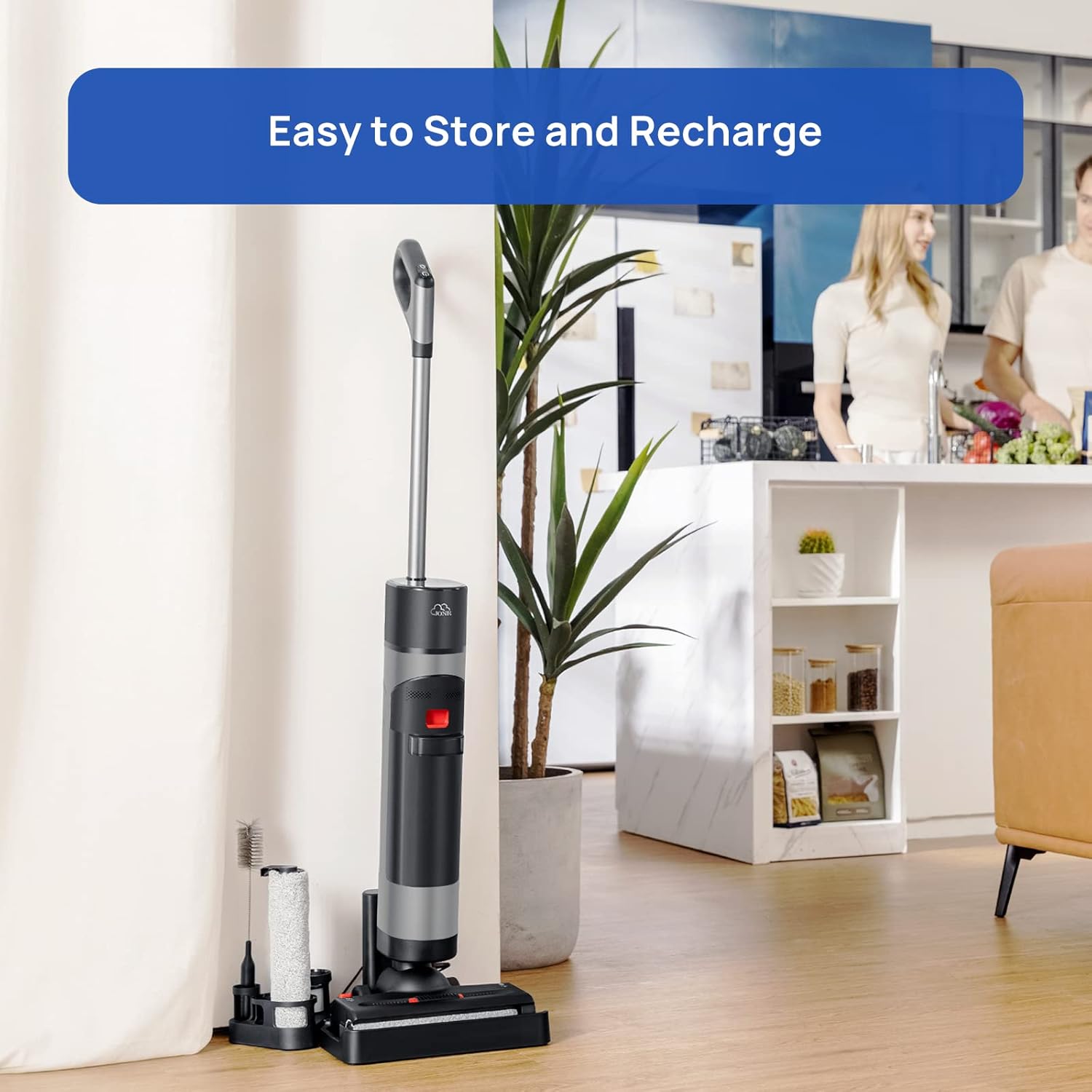
Figure 8: The JONR vacuum cleaner stored neatly on its charging dock, with accessories organized beside it. This illustrates the ease of storage and recharging.
Проблемаларды чечүү
If you encounter issues with your JONR vacuum cleaner, refer to the table below for common problems and solutions.
| Көйгөй | Мүмкүн себеп | Чечим |
|---|---|---|
| Шайман күйбөйт. | Батарея аз же түгөнүп калган. | Шайманды толук заряддаңыз. |
| Соруу жок же алсыз соруу. | Dirty water tank is full; Filter is clogged; Brush roll is tangled; Suction path is blocked. | Empty dirty water tank; Clean or replace filter; Clean brush roll; Check for blockages in the hose/nozzle. |
| Суу берилбей жатат. | Clean water tank is empty; Tank is not installed correctly. | Fill clean water tank; Reinstall tank securely. |
| Error Code E4 (as reported by some users). | Often indicates a blockage or issue with the dirty water tank/sensor. | Ensure dirty water tank is empty and clean. Check for any blockages in the dirty water path or sensor area. If problem persists, contact customer support. |
| Жагымсыз жыт. | Кир суу сактагыч же щетка рулону туура эмес тазаланган. | Perform self-cleaning cycle. Thoroughly clean dirty water tank and brush roll, allowing them to air dry completely. |
If the problem persists after attempting these solutions, please contact JONR customer support.
Техникалык шарттар
| Өзгөчөлүк | Деталь |
|---|---|
| Бренд | JONR |
| Модель номери | XQ02-PM-DE |
| Түс | Кара |
| Продукциянын өлчөмдөрү (L x W x Y) | 28 x 26 x 116 см |
| Элемент Салмагы | 4.5 килограмм |
| Тtage | 22.2 вольт |
| Ызы-чуу деңгээли | 74 дБ |
| Runtime | 35 мүнөткө чейин |
| Батарея түрү | Литий-ион (10 клетка кошулган) |
| Чыпка түрү | Картридж |
| Surface Recommendation | Hard Floor |
| Power Source | Батарея менен иштейт |
| Өзгөчөлүктөр | LED Display, Edge Cleaning, Strong Suction for sticky messes, Self-cleaning function, Dual-tank system (separates clean/dirty water), Mops, vacuums, and dries hard floors. |
Кепилдик жана колдоо
JONR is committed to providing high-quality products and excellent customer service.

Figure 9: JONR customer support team. This image represents the availability of professional service and multilingual online assistance.
- Кепилдик: Your JONR vacuum cleaner comes with a 2-year professional service warranty from the date of purchase. This warranty covers manufacturing defects and malfunctions under normal use.
- Multilingual Online Assistance: For any questions or issues, JONR offers multilingual online assistance.
- European Repair Warehouse: JONR maintains a European repair warehouse for efficient service and repairs.
- Колдоо кызматы менен байланышуу: For support inquiries, please visit the official JONR website or contact their customer service through the platform where you purchased the product.


