1. Киришүү
Thank you for choosing the GEEKOM Wireless Keyboard and Mouse Combo. This essential work duo provides a reliable and comfortable wireless experience for your PC. Featuring a compact design and quiet click functionality, this combo is designed to enhance your productivity and comfort.
This manual provides detailed instructions on setting up, operating, and maintaining your new wireless keyboard and mouse combo. Please read it carefully before use and retain it for future reference.
2. Пакеттин мазмуну
Сураныч, пакеттин мазмунун текшерип, бардык буюмдар бар экенин текшериңиз:
- 1 x GEEKOM Wireless Keyboard
- 1 x GEEKOM Wireless Mouse
- 1 x 2.4GHz USB Receiver (stored inside the mouse battery compartment)
- 1 x User Manual
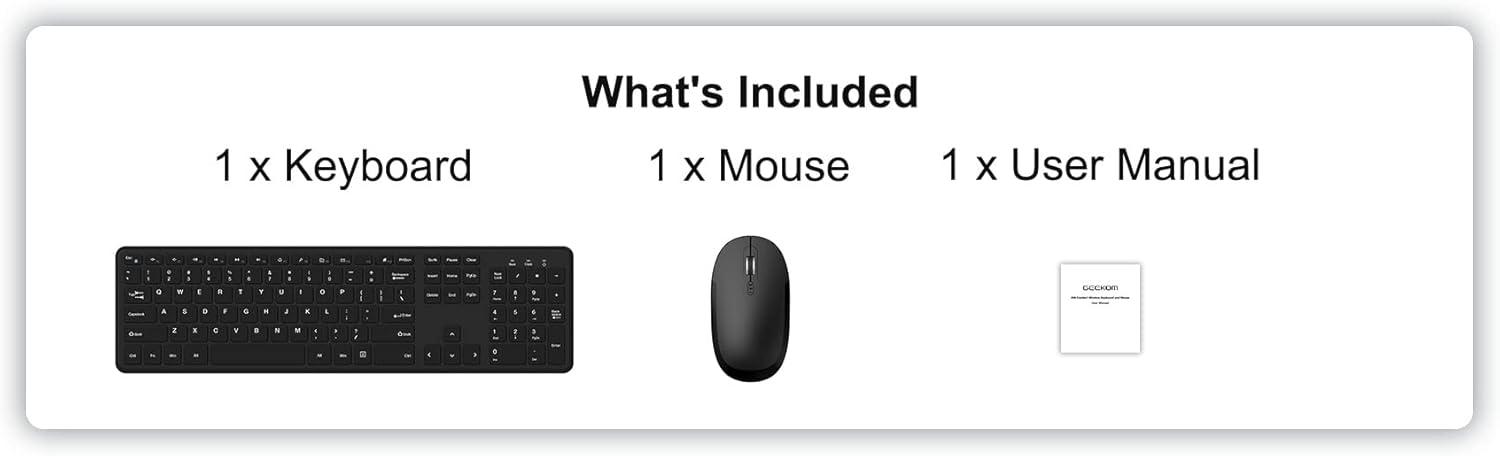
Image: The package contents, showing one keyboard, one mouse, and one user manual.
3. Орнотуу жана орнотуу
3.1 Батареяны орнотуу
Клавиатура жана чычкан иштөө үчүн батарейкаларды (кошумча эмес) талап кылат.
- Баскычтоп үчүн: Locate the battery compartment on the underside of the keyboard. Insert 2 x AAA batteries, ensuring correct polarity (+/-). Close the battery compartment cover.
- Чычкан үчүн: Locate the battery compartment on the underside of the mouse. Insert 2 x AAA batteries, ensuring correct polarity (+/-). The 2.4GHz USB receiver is typically stored in this compartment for safekeeping during transport. Remove the receiver before inserting batteries. Close the battery compartment cover.
3.2 Connecting the Combo
The GEEKOM Wireless Keyboard and Mouse Combo uses a single 2.4GHz USB receiver for both devices, offering a simple plug-and-play connection.
- Remove the 2.4GHz USB receiver from the mouse battery compartment.
- USB ресиверди компьютериңиздеги жеткиликтүү USB портуна сайыңыз.
- Turn on the power switch located on the underside of the mouse.
- Your computer should automatically detect and install the necessary drivers. The keyboard and mouse will be ready for use within a few seconds.

Image: A laptop with the small USB receiver plugged into its side, illustrating the plug-and-play wireless connection for the keyboard and mouse.
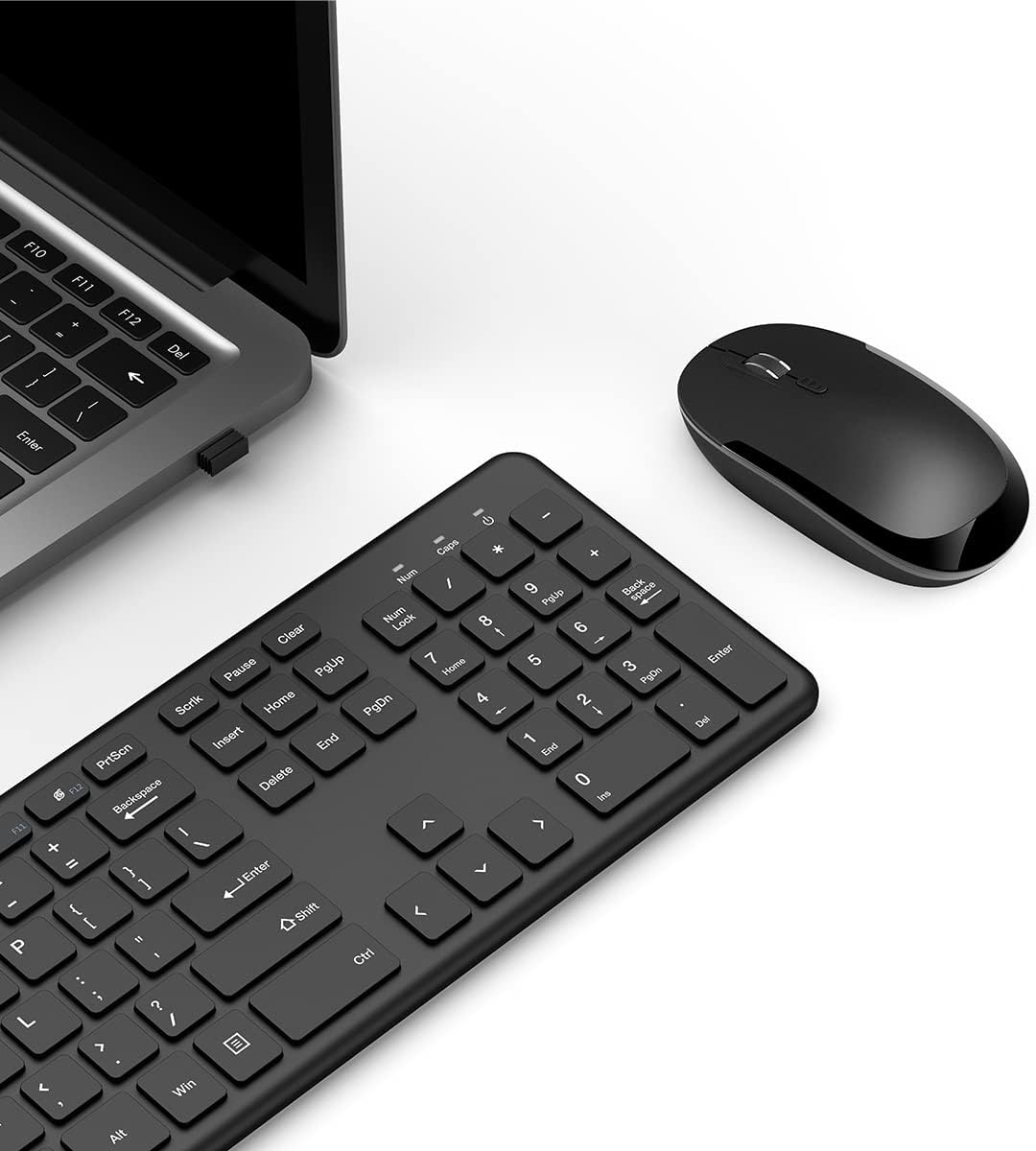
Сүрөт: үстүнкү view of the GEEKOM wireless keyboard and mouse, with the USB receiver visible in a laptop's USB port, demonstrating the complete setup.
4. Иштөө нускамалары
4.1 Баскычтоптун өзгөчөлүктөрү
The GEEKOM wireless keyboard is a full-size keyboard designed for comfort and efficiency.
- Whisper-Quiet Keys: Designed to minimize typing noise for a more peaceful work environment.
- F-Keys and Number Pad: Includes a full set of function keys and a dedicated number pad for comprehensive input.
- Эргономикалык баскычтар: Shaped for comfortable typing during extended use.
- Мультимедиялык Ыкчам баскычтар: Provides instant access to functions such as media player control, homepage, and volume adjustment for convenience.

Сүрөт: Жакын планда тартылган, бурчтуу view of the GEEKOM wireless keyboard, showcasing its full layout and ergonomic keycap design.

Сүрөт: эки views of the GEEKOM wireless keyboard, showing the full key layout from the top and the battery compartment and feet from the bottom.
4.2 Чычкандын өзгөчөлүктөрү
The GEEKOM wireless optical mouse is designed for comfortable and precise navigation.
- Slim Size and Ergonomic Design: Provides all-day comfort for your hand.
- Жөнгө салынуучу DPI: Features three levels of adjustable DPI (800/1200/1600) for smooth cursor control and accurate tracking on most surfaces. To change DPI, press the DPI button located behind the scroll wheel.

Сүрөт: Жакын планда тартылган, бурчтуу view of the GEEKOM wireless optical mouse, emphasizing its ergonomic shape and the DPI adjustment button.

Image: Three distinct views of the GEEKOM wireless mouse: top-down, bottom-up showing the power switch and battery compartment, and a side profile illustrating its slim design.
5. Техникалык шарттар
5.1 Keyboard Specifications
| Өзгөчөлүк | Description |
|---|---|
| Зымсыз байланыш | 2.4 GHz wireless USB receiver |
| Зымсыз диапазон | 8 метр |
| Кызмат мөөнөтү | 3 миллион баскыч басуу |
| Батарея | 2 x AAA батарейка (кошулган эмес) |
| Индикатор жарыгы | Ооба |
| Үзгүлтүксүз иштөө убактысы | 85 саат |
| Уйку режими | 5 seconds after stop using |
| Wake-up Way | Click any key for about 3 seconds |
| Өлчөмү | 428.10 x 125.07 x 16.26 мм |
| Операция системасы | Windows 7 же андан кийинкиси |

Image: A table detailing the specifications of the GEEKOM wireless keyboard.
5.2 Mouse Specifications
| Өзгөчөлүк | Description |
|---|---|
| Зымсыз байланыш | 2.4 GHz wireless USB receiver |
| Зымсыз диапазон | 8 метр |
| Батарея | 2 x AAA батарейка (кошулган эмес) |
| DPI Frequency | 800/1200/1600 |
| Үзгүлтүксүз иштөө убактысы | 85 саат |
| Уйку режими | 10 minutes after stop using |
| Wake-up Way | Click any key for about 3 seconds |
| Өлчөмү | 107.5 x 60 x 27.5 мм |

Image: A table detailing the specifications of the GEEKOM wireless mouse.
6. Техникалык тейлөө
To ensure the longevity and optimal performance of your GEEKOM Wireless Keyboard and Mouse Combo, follow these maintenance guidelines:
- Тазалоо: Баскычтоптун жана чычкандын беттерин тазалоо үчүн жумшак, кургак чүпүрөктү колдонуңуз. өжөр кир үчүн, бир аз гampчүпүрөктү суу же жумшак тазалоо эритмеси менен жууп салыңыз. Катуу химиялык заттарды же абразивдүү материалдарды колдонуудан алыс болуңуз.
- Батареяны алмаштыруу: When the devices become unresponsive or the indicator light (if present) signals low battery, replace the batteries with new ones (2 x AAA for each device). Ensure correct polarity.
- Сактагыч: When not in use for extended periods, turn off the mouse to conserve battery life. Store the USB receiver in the mouse's battery compartment to prevent loss.
- Суюктуктардан алыс болуңуз: Keep the devices away from liquids to prevent damage to internal components.
- Температура жана нымдуулук: Avoid exposing the devices to extreme temperatures or high humidity.
7. Кыйынчылыктарды
If you encounter issues with your GEEKOM Wireless Keyboard and Mouse Combo, please refer to the following common troubleshooting steps:
- Баскычтоп/чычкандан жооп жок:
- Чычкан күйгүзүлгөнүн текшериңиз.
- Check if the batteries in both the keyboard and mouse are correctly installed and have sufficient charge. Replace them if necessary.
- USB кабыл алгыч компьютериңиздеги иштеп жаткан USB портуна бекем сайылганын текшериңиз. Башка USB портун колдонуп көрүңүз.
- Баскычтоп менен чычканды USB кабыл алгычка жакындатып, алар 8 метрлик зымсыз байланыш диапазонунда экенине ынаныңыз.
- Компьютериңизди өчүрүп күйгүзүңүз.
- Кечүү же үзгүлтүктүү туташуу:
- Ensure there are no large metal objects or other electronic devices (like Wi-Fi routers, cordless phones) operating on the 2.4GHz frequency that might cause interference.
- Түзмөктөр менен USB кабыл алгычтын ортосундагы аралыкты азайтыңыз.
- USB кабыл алгычты башка USB портуна, эгерде жумушчу стол компьютерин колдонсоңуз, компьютериңиздин алдыңкы жагындагы портко сайып көрүңүз.
- Чычкан курсору секирүүдө же так эмес:
- Чычкандын түбүндөгү оптикалык сенсорду тазалаңыз.
- Чычканды ылайыктуу бетте колдонуп жатканыңызды текшериңиз. Өтө жарык чагылдыруучу же тунук беттер көзөмөлдөөгө таасир этиши мүмкүн. Чычкандын жаздыкчасы сунушталат.
- Чычкандагы DPI баскычын колдонуп DPI жөндөөсүн тууралаңыз.
- Multimedia Hotkeys Not Working:
- Иштөө тутумуңуз жана медиа ойноткуч программаңыз жаңыртылганын текшериңиз.
- Some hotkeys may require specific software or drivers, though this combo is generally plug-and-play. Check the GEEKOM support website for any specific driver updates if issues persist.
8. Кепилдик жана колдоо
GEEKOM products are designed for reliability and performance. For warranty information, technical support, or further assistance, please visit the official GEEKOM webсайтка же түздөн-түз кардарларды тейлөөгө кайрылыңыз.
Сураныч, кепилдик дооматтар үчүн сатып алуу далилиңизди сактап коюңуз.
GEEKOM Official Webсайт: www.geekompc.com


