1. Киришүү
Thank you for choosing the KOSPET Smart Watch Tank T1 Pro. This rugged and versatile smartwatch is designed for outdoor enthusiasts and daily users alike, offering advanced features such as Bluetooth calling, comprehensive health monitoring, and military-grade durability. This manual provides detailed instructions to help you set up, operate, and maintain your device, ensuring optimal performance and longevity.
2. Пакеттин мазмуну
- KOSPET Smart Watch Tank T1 Pro
- Магниттик кубаттоочу кабель
- User Manual
3. Орнотуу колдонмосу
3.1 Алгачкы заряддоо
Before first use, fully charge your KOSPET Tank T1 Pro. Connect the magnetic charging cable to the charging points on the back of the watch and plug the USB end into a power adapter (not included) or a computer USB port. A full charge typically takes approximately 2 hours for the 410mAh battery.

Figure 3.1: Charging the KOSPET Tank T1 Pro Smart Watch.
3.2 Күйгүзүү/өчүрүү
- Күйгүзүү: Press and hold the 'POWER' button (top right) until the KOSPET logo appears.
- Өчүрүү: Press and hold the 'POWER' button, then select 'Power Off' on the screen.
3.3 Колдонмону орнотуу жана жупташтыруу
To unlock the full potential of your Tank T1 Pro, download and install the FitCloudPro смартфонуңуздагы колдонмо.
- Телефонуңуздагы Bluetooth функциясын күйгүзүңүз.
- Open the Google Play Store (for Android) or Apple App Store (for iOS).
- Издөө "FitCloudPro" and download the application.
- Open the FitCloudPro app, navigate to 'Add Device', and select "TANK T1 PRO" to bind your watch.
- For call functionality, swipe right on the watch's sub-menu, click the call icon, and turn on 'Audio mode'. On your phone, go to Bluetooth settings, find "T1 PRO CALL" and connect to it. Once connected, you can answer/make calls directly from your watch.

Figure 3.2: Connecting the Smartwatch to the FitCloudPro App and Enabling Call Function.

Figure 3.3: Bluetooth Dial Calls feature on the KOSPET Tank T1 Pro.
4. Иштөө нускамалары
4.1 Дисплей жана навигация
The Tank T1 Pro features a 1.43-inch HD AMOLED always-on color screen with 1000NIT brightness and 466x466 resolution, offering clear visibility even outdoors. Navigate the watch using its touch screen and the physical buttons on the side. The orange titanium alloy buttons provide convenient functions such as returning to the previous page and SOS help.
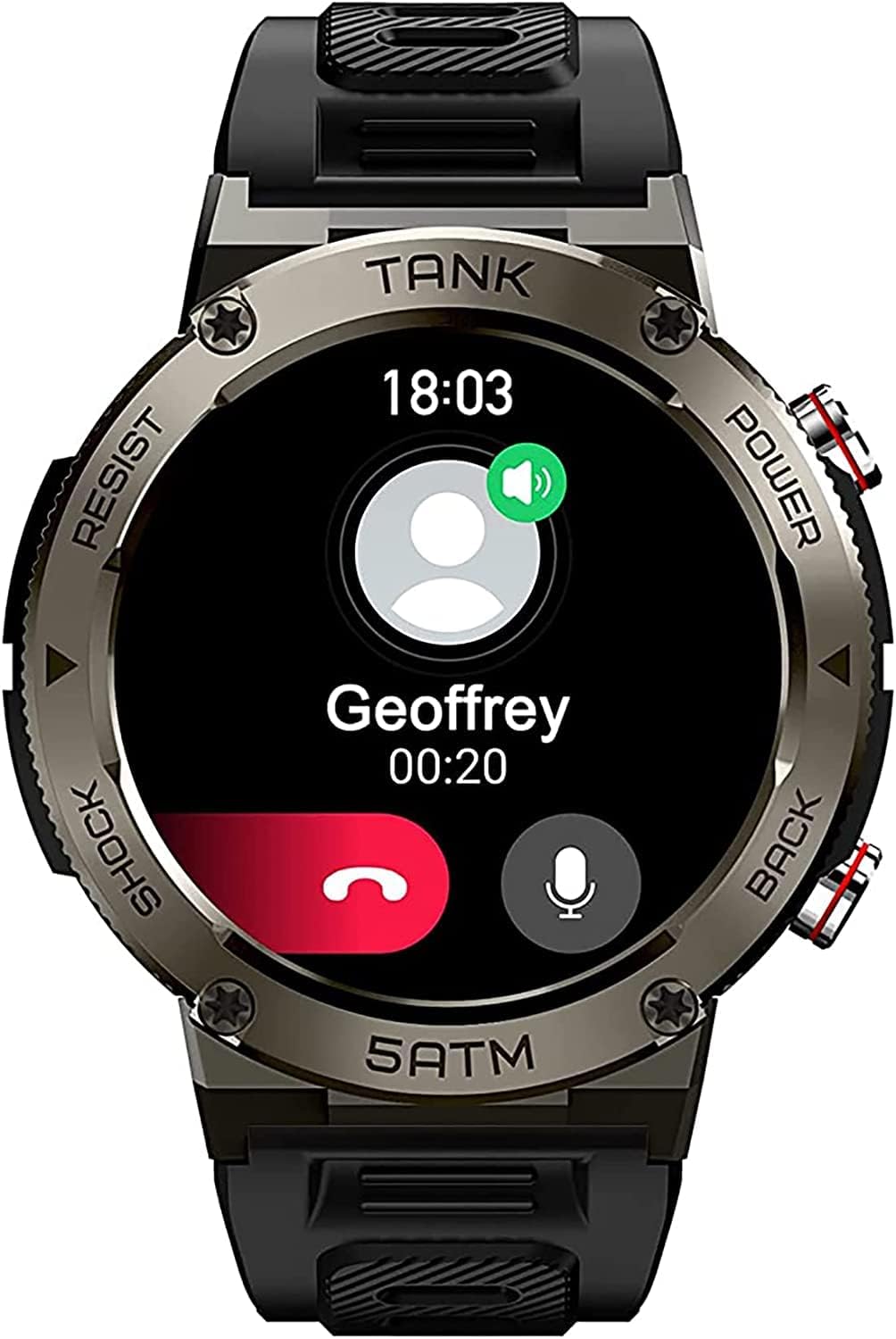
Figure 4.1: Incoming Call Display on Tank T1 Pro.
4.2 Спорт режимдери жана активдүүлүккө көз салуу
The watch supports 70 sports modes and 6 smart sports recognition features, allowing you to track a wide range of physical activities. Data such as steps, distance, and calories burned are recorded and synchronized with the FitCloudPro app.

Figure 4.2: Exploring Sports Modes and Health Tracking.
4.3 Ден соолуктун мониторинги
The Tank T1 Pro provides comprehensive health monitoring features:
- Уйкуга көз салуу: Tracks and assesses your sleep quality in various dimensions, including exercise status and heart rate, generating comprehensive data.
- Жүрөктүн кагышын аныктоо: Күн бою жүрөктүн кагышын көзөмөлдөө.
- Кандагы кычкылтекти өлчөө: Precise blood oxygen measurements.

Figure 4.3: Sleep Tracking Functionality.

Figure 4.4: Health Partner Features.
4.4 Сууга туруктуулук
The Tank T1 Pro boasts 5ATM and IP69K waterproof ratings, making it suitable for various water sports such as swimming, surfing, and diving. Its robust design allows it to withstand pressure in water depths of up to 50 meters in a static state.

Figure 4.5: 5ATM & IP69K Waterproof Capabilities.
5. Техникалык тейлөө жана кам көрүү
5.1 Саатыңызды тазалоо
Regularly clean your watch to ensure proper function and hygiene. Use a soft, lint-free cloth to wipe the screen and watch body. For stubborn dirt, slightly dampчүпүрөктү суу менен. Катуу химиялык заттарды же абразивдүү материалдарды колдонуудан алыс болуңуз.
5.2 Батареянын иштөө мөөнөтүн оптималдаштыруу
The Tank T1 Pro features a 410mAh pure cobalt battery, offering extended usage. To maximize battery life:
- Экран жарыктыгын азайтыңыз.
- Фондук колдонмону жаңыртууну чектеңиз.
- Керексиз эскертмелерди өчүрүңүз.
- Disable 'Always-on Display' if not needed.
Expected battery life: 15 days for daily usage, up to 60 days standby.
5.3 Сактоо
When not in use for extended periods, store the watch in a cool, dry place. Ensure it is partially charged (around 50%) to preserve battery health.
6. Кыйынчылыктарды
If you encounter issues with your KOSPET Tank T1 Pro, refer to the following common solutions:
| Көйгөй | Мүмкүн чечим |
|---|---|
| Саат күйбөй жатат | Ensure the watch is fully charged. Press and hold the 'POWER' button for at least 10 seconds. |
| Cannot connect to FitCloudPro app | Ensure Bluetooth is enabled on your phone. Restart both the watch and your phone. Clear the app's cache or reinstall the app. |
| Bluetooth call function not working | Ensure 'Audio mode' is enabled on the watch. Check your phone's Bluetooth settings to confirm "T1 PRO CALL" is connected. |
| Туура эмес ден соолук маалыматы | Ensure the watch is worn snugly on your wrist. Clean the sensor on the back of the watch. Update the FitCloudPro app and watch firmware. |
| Батареянын иштөө мөөнөтү кыска | Refer to Section 5.2 for battery optimization tips. Ensure no excessive background processes are running. |
If the issue persists, please contact KOSPET customer support.
7. Техникалык шарттар
| Өзгөчөлүк | Деталь |
|---|---|
| Модель номери | Tank T1 Pro |
| Өлчөмдөр | 11 x 1.72 x 0.54 дюйм |
| Салмагы | 6.1 унция |
| Дисплей өлчөмү | 1.32 дюйм (AMOLED) |
| Резолюция | 466x466 пиксел |
| Жарыктык | 1000 NIT |
| Батарея сыйымдуулугу | 410 мАч |
| Операция системасы | Android (шайкеш) |
| Байланыш | Bluetooth |
| Суу каршылык | 5ATM & IP69K |
| Аскердик стандарт | U.S MIL-STD-810H |
| Өзгөчөлүктөр | Sleep Monitor, Heart Rate, Blood Oxygen, Bluetooth Calling, 70 Sports Modes |
8. Кепилдик жана колдоо
KOSPET products are designed for durability and performance. For information regarding warranty coverage and customer support, please refer to the warranty card included with your product or visit the official KOSPET website. You can also find additional support and FAQs on the Amazon'догу KOSPET дүкөнү.


