Introduction
This manual provides detailed instructions for the setup, operation, and maintenance of your Wiszodet Kids Smart Game Watch S16. Please read this manual thoroughly to ensure proper use and to maximize the watch's features.

Сүрөт: алдыңкы view of the Wiszodet Kids Smart Game Watch S16 in blue, showing the digital time and date.
Кутуда эмне бар
Пакетти ачкандан кийин, төмөнкү нерселердин бардыгы камтылганын текшериңиз:
- Wiszodet Kids Smart Watch (S16)
- Экранды коргоочу айнек
- USB заряддоо кабели
Продукт бүттүview
Familiarize yourself with the physical components of your smart watch.

Image: Diagram illustrating the watch's features including the camera, soft band, flashlight (torch), home button, USB charging port, and aluminum casing.
- Камера: Located at the top of the watch face for photos and videos.
- Soft Band: Comfortable and adjustable strap.
- Фонарь (Фонарик): Жарыктандыруу үчүн интегралдык жарык.
- Үй баскычы: Used to return to the main screen or activate certain functions.
- USB розетка: For charging the watch and transferring data.
- Алюминий кабык: Durable outer casing.
- Сенсордук экран: 1.54-inch display for interactive control.
Жайгашуу
1. Саатты заряддоо
Before first use, fully charge the watch.
- Connect the provided USB charging cable to the USB socket on the watch.
- USB кабелинин экинчи учун туура келген USB кубат адаптерине (кошумча эмес) же компьютердин USB портуна сайыңыз.
- The watch screen will indicate charging status. Allow approximately 2-3 hours for a full charge.
2. Күйгүзүү / Өчүрүү
- Күйгүзүү үчүн: Press and hold the Home button until the screen lights up.
- Өчүрүү үчүн: Press and hold the Home button, then follow the on-screen prompts to confirm power off.
3. Initial Settings (Time and Date)
Upon first power-on or after a factory reset, you may need to set the correct time and date.
- From the main screen, swipe to find and tap the "Settings" icon.
- Navigate to "Time & Date" or a similar option.
- Adjust the hour, minute, year, month, and day as needed.
- Select 12-hour or 24-hour format.
- Орнотууларыңызды ырастаңыз.
Иштөө нускамалары
The Wiszodet S16 Smart Watch offers a variety of functions accessible via its touch screen.

Image: The watch interface showing various application icons, including Camera, Games, Music, and more.
1. Камера жана видео жазуу
Capture photos and record videos directly from your watch.
- From the main menu, tap the "Camera" icon to open the camera application.
- Tap the screen to take a photo.
- To switch to video recording, look for a video camera icon within the camera app and tap it.
- Tap again to start recording, and tap once more to stop.
- Photos and videos are saved to the watch's internal storage.

Image: The watch demonstrating its selfie camera function, with options for video recording and playback.
2. Оюндар
The watch includes 24 built-in puzzle games designed to engage and entertain.
- Tap the "Game" icon from the main menu.
- Select from the list of available games.
- Ойнотуу үчүн экрандагы көрсөтмөлөрдү аткарыңыз.

Image: A visual representation of the 24 puzzle games available on the watch, such as 'Fruit Weighing' and 'Time Teaching'.
3. Музыка ойноткуч
Музыка угуу files stored on the watch.
- Tap the "Music" icon.
- Browse and select the desired audio file.
- Ойнотуу үчүн экрандагы башкаруу элементтерин колдонуңуз (ойнотуу, тындыруу, өткөрүп жиберүү).
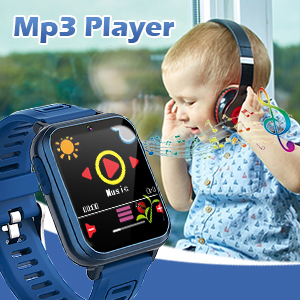
Image: The watch displaying its MP3 player interface, with a child listening to music in the background.
4. жөө
Track daily steps and estimated calories burned.
- Tap the "Pedometer" icon.
- The watch will automatically begin tracking steps when worn.
- View your daily step count and calorie estimates on the screen.

Image: The watch highlighting its fitness tracking features, including pedometer, stopwatch, and timer, with children engaged in physical activity.
5. Ойготкуч саат
Set alarms for reminders or daily routines.
- Tap the "Alarm" icon.
- Tap "+" or "Add Alarm" to set a new alarm.
- Adjust the time and select repeat days if desired.
- Ойготкучту сактап коюңуз.
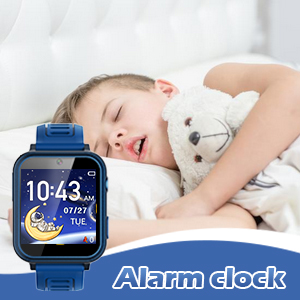
Image: The watch displaying the alarm clock feature, with a child sleeping, suggesting its use for morning routines.
6. Фонар
Activate the built-in flashlight for quick illumination.
- Tap the "Torch" or "Flashlight" icon.
- Tap again to turn it off.
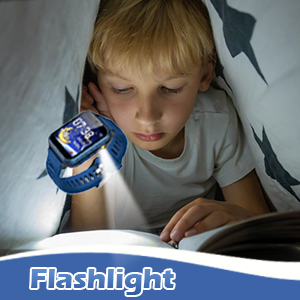
Image: The watch's flashlight feature in use, providing light for a child reading under a blanket.
7. Үн жазгыч
Record short audio messages or notes.
- Tap the "Voice Recorder" icon.
- Жаздырууну баштоо үчүн жаздыруу баскычын басыңыз.
- Tap again to stop and save the recording.

Image: The watch displaying the voice recorder function, with children singing, indicating its use for capturing audio.
8. Калькулятор
Негизги арифметикалык эсептөөлөрдү аткарыңыз.
- Tap the "Calculator" icon.
- Use the on-screen keypad to input numbers and operations.
9. Башка өзгөчөлүктөр
- Тема: Customize the watch face and interface theme.
- Экран сактагыч: Select different screensaver options.
- Секундомер: Measure time intervals.
- Таймер: Артка саноочу таймерлерди коюңуз.
- Календар: View the current date and navigate through months.
- Үндү тууралоо: Control the watch's audio output level.
- Арткы жарык убактысы: Adjust how long the screen stays lit.

Сүрөт: Коллаж көрсөтүүasing various watch functions including alarm, recorder, music, calculator, flashlight, and calendar, with children demonstrating their use.
Техникалык тейлөө
Proper care will extend the life of your Wiszodet S16 Smart Watch.
- Тазалоо: Wipe the watch screen and band with a soft, dry cloth. Avoid harsh chemicals or abrasive materials.
- Суу каршылык: The watch is designed for daily use and splash resistance, but it is not suitable for swimming or showering. Avoid submerging the watch in water.
- Сактагыч: Саатты күн нурунан жана экстремалдык температурадан алыс салкын, кургак жерде сактаңыз.
- Экран коргоочу: Apply the included screen glass protector to prevent scratches.
Проблемаларды чечүү
| Көйгөй | Мүмкүн себеп | Чечим |
|---|---|---|
| Саат күйбөй жатат. | Батарея аз. | Саатты жок дегенде 30 мүнөткө заряддаңыз. |
| Экран жооп бербей жатат. | Убактылуу программалык ката. | Restart the watch by holding the Home button. |
| Сүрөттөрдү/видеолорду сактоо мүмкүн эмес. | Сактоочу жай жетишсиз. | Эскисин жок кылуу files or transfer them to a computer. |
| Убакыт/дата туура эмес. | Орнотуулар тууралоону талап кылат. | Go to Settings > Time & Date to adjust. |
Техникалык шарттар
| Өзгөчөлүк | Деталь |
|---|---|
| Модель аты | S16 |
| Бренд | Wiszodet |
| Screen Size | 1.54 дюйм |
| Дисплей түрү | Сенсордук экран |
| Батарея түрү | 1 Литий Полимер (кошулган) |
| Байланыш | USB |
| GPS | GPS жок |
| Камеранын чечилиши | HD (not full HD) |
| Продукциянын өлчөмдөрү | 9.4 x 2.4 x 0.71 дюйм |
| Элемент Салмагы | 0.353 унция (10 грамм) |
Кепилдик жана колдоо
For warranty information or technical support, please refer to the contact details provided with your purchase or visit the official Wiszodet webсайт. Ар кандай кепилдик дооматтары үчүн сатып алганыңыздын далилин сактаңыз.


