Introduction
This manual provides detailed instructions for the setup, operation, maintenance, and troubleshooting of your Pokitter Go Pro Mini Portable Projector. Please read this manual thoroughly before using the product to ensure proper functionality and to extend the lifespan of your device.
The Pokitter Go Pro is a compact and powerful portable projector featuring integrated Android TV 10.0, Google Assistant, 200 ANSI lumens brightness, 1080p Full HD resolution with 4K support, dual-band 2.4G/5G WiFi, and a maximum projection size of 120 inches. It is designed for versatile entertainment, offering a cinematic experience on the go.
Пакеттин мазмуну
Пакетте бардык буюмдар бар экенин текшериңиз:
- Pokitter Go Pro Mini Portable Projector
- Алыстан башкаруу
- Кубаттуу адаптер
- Колдонуучунун Колдонмосу (бул документ)
- Боо көтөрүү

Image: The Pokitter Go Pro Mini Portable Projector, highlighting its compact design and integrated handle for easy portability.
Продукт бүттүview
Фронт View
The front of the projector features the projection lens and ventilation grilles.
Арткы View
The rear panel typically includes various ports for connectivity.
- HDMI порту: For connecting external devices like laptops, gaming consoles, or Blu-ray players.
- USB порт: For connecting USB drives for media playback or external peripherals.
- Аудио чыгышы (3.5 мм уяча): Тышкы динамиктерди же наушниктерди туташтыруу үчүн.
- DC In: Кубат киргизүү порту.
Жогорку View
The top surface may include control buttons or indicators.
Side View
The sides often feature additional ventilation and a carrying handle.
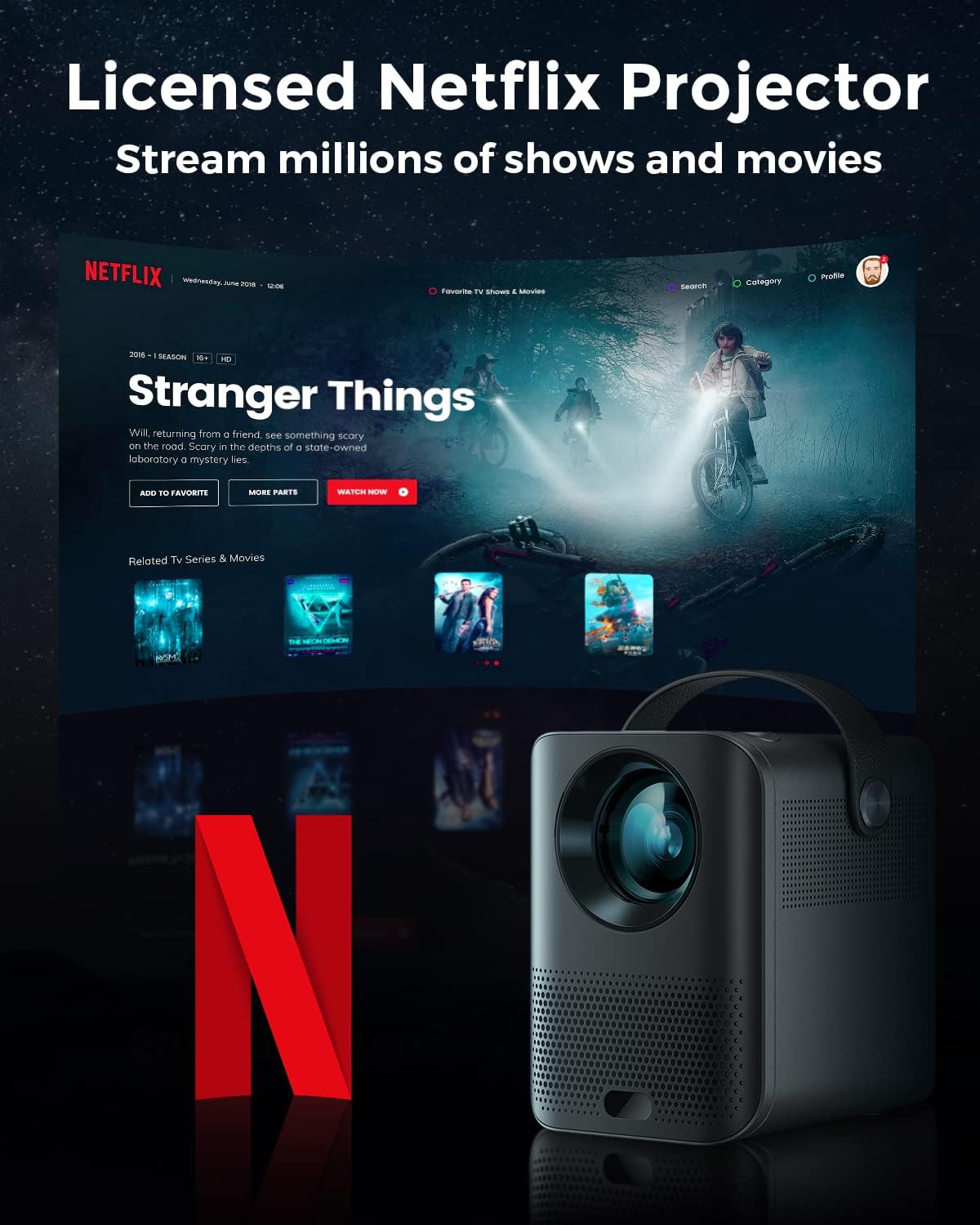
Image: The Pokitter Go Pro projector showcasing its integrated Netflix license and streaming capabilities.

Image: A size comparison of the Pokitter Go Pro projector with a smartphone, illustrating its mini and portable form factor.
Жайгашуу
1. Power Connection
- Connect the power adapter to the DC In port on the projector.
- Кубат адаптерин розеткага сайыңыз.
- Кубат индикаторунун жарыгы күйөт.
2. Баштапкы күйгүзүү
- Аппаратты иштетүү үчүн проектордун же пульттун кубат баскычын басыңыз.
- Allow a few moments for the Android TV system to boot up.
3. Фокусту тууралоо
Use the focus ring (if mechanical) or the remote control's focus buttons to achieve a clear image. The Pokitter Go Pro features automatic vertical keystone correction up to 40 degrees.

Image: Illustration of the automatic keystone correction feature, which adjusts the image for optimal viewing even when the projector is not perfectly aligned.
4. Screen Size Adjustment
Adjust the distance between the projector and the projection surface to achieve the desired screen size. The projector supports a screen size up to 120 inches.

Image: Guide for optimal projection distances to achieve screen sizes of 40, 80, and 120 inches.
5. Тармактык туташуу (Wi-Fi)
- Navigate to the Wi-Fi settings in the Android TV interface.
- Тизмеден каалаган Wi-Fi тармагын тандаңыз.
- Эгер суралса, сырсөздү киргизиңиз.
- The projector supports dual-band 2.4G and 5G Wi-Fi for stable and fast transmission.

Image: The Pokitter Go Pro projector demonstrating its 2.4/5GHz WiFi capabilities for seamless wireless screen casting from various devices.
Иштөө нускамалары
Алыстан башкарууну колдонуу
The included remote control allows full navigation and control of the Android TV interface. Key functions include:
- Кубат баскычы: Проекторду күйгүзөт/өчүрөт.
- Навигация аянтчасы: For moving through menus.
- OK баскычы: Тандоолорду ырастайт.
- Артка баскычы: Мурунку экранга кайтат.
- Үй баскычы: Android TV башкы экранына кайтып келет.
- Үн баскычтары: Аудионун үнүн тууралайт.
- Google Жардамчы баскычы: Үн буйруктарын иштетет.
Android TV интерфейси
The Pokitter Go Pro runs on Android TV 10.0, providing access to a wide range of streaming applications such as Netflix, YouTube, Amazon Prime Video, and Disney+.
- Колдонмонун навигациясы: Use the remote's navigation pad to select and open applications.
- Мазмун агымы: Log in to your streaming accounts to access content.
- Google Жардамчысы: Press the Google Assistant button on the remote and speak your commands to search for content, control playback, or get information.

Сүрөт: An overview of the Pokitter Go Pro's key features, including its Android TV operating system, Google Assistant integration, and display capabilities.
Screen Mirroring (Chromecast Built-in)
The projector features built-in Chromecast for easy screen mirroring from compatible devices (smartphones, tablets, laptops).
- Түзмөгүңүз менен проектор бир Wi-Fi тармагына туташып турганын текшериңиз.
- Түзмөгүңүздө Chromecast иштетилген колдонмону ачыңыз (мисалы, YouTube, Netflix).
- "Тышкы экранга чыгаруу" сүрөтчөсүн таптаңыз (адатта, Wi-Fi символу бар тик бурчтук) колдонмонун ичинде.
- Select your Pokitter Go Pro projector from the list of available devices.
- The content from your device will be mirrored or cast to the projector.

Image: Demonstrating the Chromecast built-in feature, allowing users to stream content from their smartphone to the projector's large display.
Connecting External Devices (HDMI/USB)
- HDMI: Connect an HDMI cable from your external device (e.g., laptop, game console) to the HDMI port on the projector. The projector will automatically switch to the HDMI input or you may need to select it from the input source menu.
- USB: Insert a USB flash drive into the USB port. The Android TV system will typically prompt you to open a file browser to access media fileдискте.
Техникалык тейлөө
Линзаны тазалоо
Проектордун линзасын акырын сүртүү үчүн атайын оптикалык линзалар үчүн жасалган жумшак, түксүз кездемени колдонуңуз. Абразивдүү тазалагычтарды же ашыкча күч колдонбоңуз, анткени бул линзаны чийип алышы мүмкүн.
Cleaning the Projector Body
Wipe the exterior of the projector with a soft, dry cloth. For stubborn stains, a slightly damp кездеме, андан кийин кургак чүпүрөк колдонсо болот. Проектордун ичине суюктуктар кирбесин.
Вентиляция
Ensure that the ventilation grilles are not blocked during operation to prevent overheating. The Pokitter Go Pro features a dust-proof design to maintain picture quality.

Image: An internal diagram of the Pokitter Go Pro, illustrating its dust-proof design for long-lasting, flawless picture quality.
Сактагыч
Проекторду узак убакыт бою колдонбогон учурда, аны салкын, кургак жерде, күндүн түз нурунан жана өтө жогорку температурадан алыс сактаңыз. Түпнуска таңгагын же коргоочу капты колдонуу сунушталат.
Проблемаларды чечүү
| Көйгөй | Мүмкүн себеп | Чечим |
|---|---|---|
| Күч жок | Электр кабели туташкан эмес; розетка туура эмес. | Кубат кабели коопсуз туташтырылганын текшериңиз. Башка электр розеткасын колдонуп көрүңүз. |
| No Image / Blurry Image | Lens out of focus; Incorrect input source; Obstruction in projection path. | Adjust focus using the remote or focus ring. Select correct input source. Remove any obstructions. |
| Үн жок | Үнү өтө төмөн; Үнү өчүрүлгөн; Тышкы динамиктер туура туташкан эмес. | Increase volume. Unmute the projector. Check external speaker connections. |
| Wi-Fi туташуу маселелери | Туура эмес сырсөз; Роутер өтө алыс; Тармактык тоскоолдук. | Wi-Fi сырсөзүн ырастаңыз. Проекторду роутерге жакыныраак жылдырыңыз. Маршрутизатор менен проекторду кайра иштетиңиз. |
| Пульт иштебейт | Өлгөн батареялар; Алыстан жана проектордун ортосундагы тоскоолдук. | Батареяларды алмаштырыңыз. Проектордун инфракызыл кабыл алгычы ачык көрүнүп турушу керек. |
Техникалык шарттар
- Модел: F1A
- Бренд: Pokitter
- Дисплей технологиясы: LED
- Түпкү резолюция: 1920 x 1080 (Full HD)
- Колдоого алынган максималдуу чечим: 3840 x 2160 (4K)
- Жарыктык: 200 ANSI люменине чейин
- Проекциянын өлчөмү: 120 дюймга чейин
- Операция системасы: Android TV 10.0
- Үн жардамчысы: Google Жардамчысы орнотулган
- Зымсыз туташуу: 2.4G/5G Dual-band Wi-Fi, Bluetooth 5.1
- Байланыш порттору: HDMI, USB, 3.5mm Audio Out, DC In
- Баяндамачылар: Integrated (2x5W as per infographic)
- Average Lifespan (Light Source): 50,000 саат
- Форма фактору: Portable
- Монтаж түрү: Стол орнотуу

Image: An illustration of the projector's internal speaker system, designed to provide true-to-life sound for a cinematic viewтажрыйбасы.
Кепилдик жана колдоо
The Pokitter Go Pro Mini Portable Projector comes with a 2 жылдык кепилдик. For any questions or professional assistance regarding this product, please contact Pokitter customer support. We are committed to supporting our customers.
For the latest support information, FAQs, and contact details, please visit the official Pokitter webсайтка же сатып алууда берилген байланыш маалыматына кайрылыңыз.


