1. Киришүү
This manual provides detailed instructions for the setup, operation, maintenance, and troubleshooting of your DELTACO GAMING DH420 Wireless Headset. Please read this manual thoroughly before using the product to ensure optimal performance and longevity.
2. Пакеттин мазмуну
Пакетте бардык буюмдар бар экенин текшериңиз:
- DELTACO GAMING DH420 Wireless Headset
- Алынуучу микрофон
- 2.4 GHz USB Wireless Receiver
- USB-C дан 3.5 мм аудио кабель
- USB-C заряддоо кабели
- 1x 3.5mm to 2x 3.5mm Adapter (for PC audio/mic split)
- Колдонуучунун Колдонмосу (бул документ)
3. Продукт бүтүп калдыview
Гарнитураңыздын компоненттери жана башкаруу элементтери менен таанышыңыз.
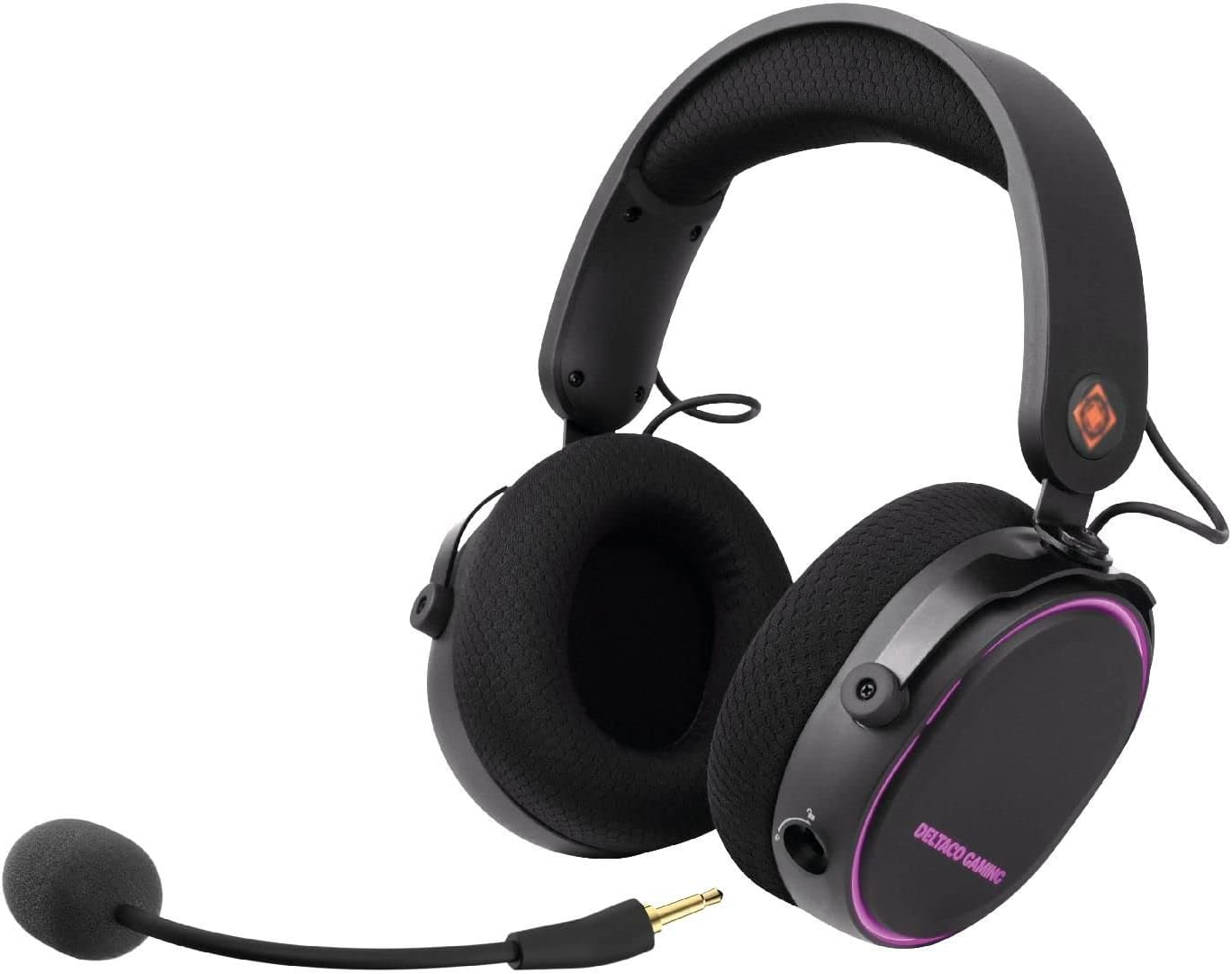
Сүрөт 3.1: DELTACO GAMING DH420 Wireless Headset. This image shows the headset from a front-side angle, highlighting the over-ear design, adjustable headband, and the detachable microphone connected to the left earcup.
3.1 Headset Controls and Ports

Сүрөт 3.2: Diagram illustrating the location of controls and ports on the DELTACO GAMING DH420 headset. Key features include the volume control, USB-C charge and connection port, microphone mute button, EQ button, and power on/off button.
- Үндү көзөмөлдөө: Аудио чыгаруу деңгээлин тууралайт.
- USB-C Charge & Connection Port: Used for charging and wired audio connection.
- Микрофондун үнүн басуу баскычы: Микрофонду күйгүзөт/өчүрөт.
- EQ баскычы: Cycles through available equalizer modes.
- Күйгүзүү / Өчүрүү баскычы: Гарнитураны күйгүзөт же өчүрөт.
- Detachable Microphone Port: For connecting the flexible microphone.
3.2 Design and Comfort Features

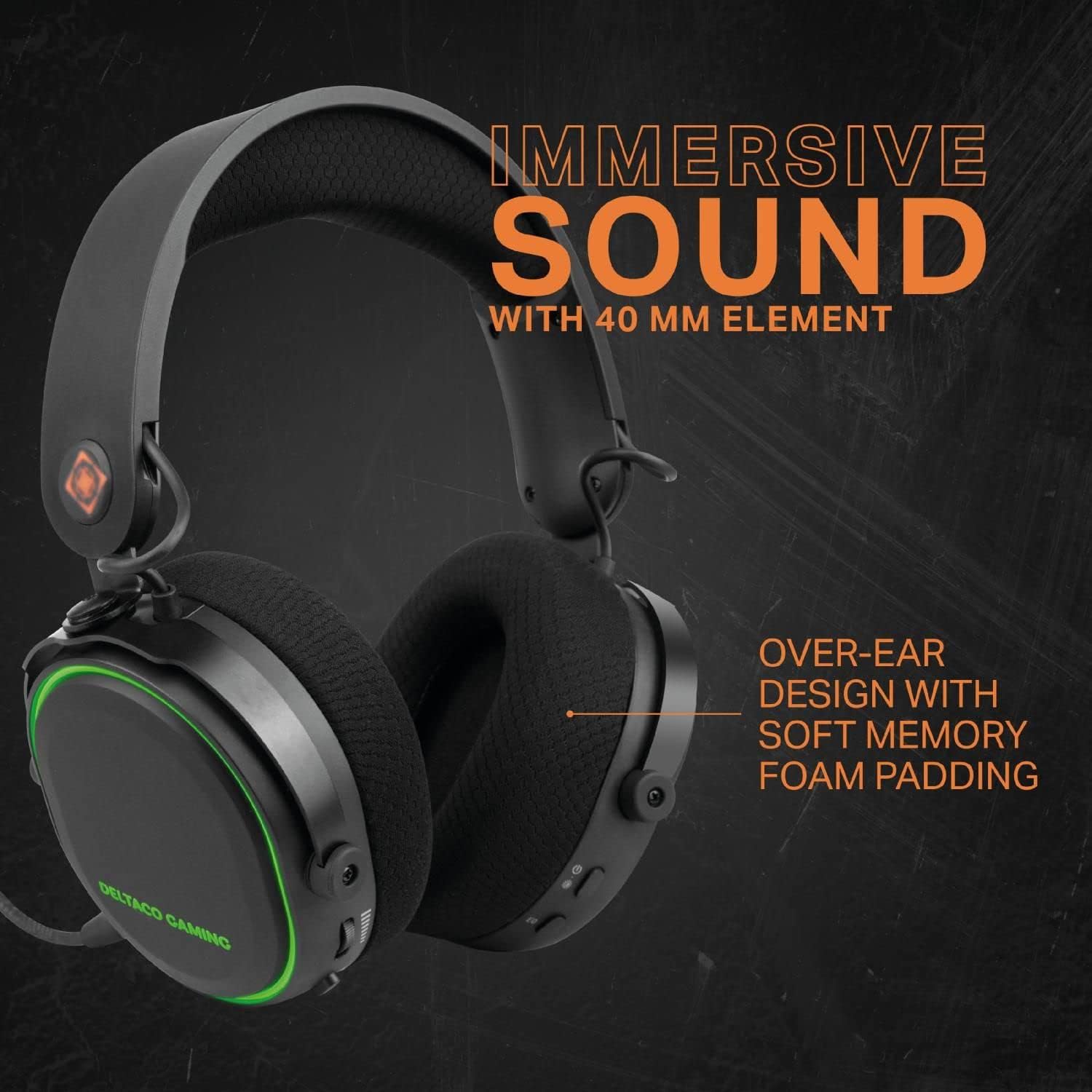
Сүрөт 3.3: The DELTACO GAMING DH420 headset highlighting its immersive sound with 40mm drivers and comfortable over-ear design with soft memory foam padding.

Сүрөт 3.4: Detail of the headset's adjustable headband with soft foam padding and durable metal fittings, ensuring a comfortable and secure fit.
- Over-Ear Design: Provides comfort during extended use and helps with passive noise isolation.
- Soft Memory Foam Padding: Used in earcups for enhanced comfort.
- Жөнгө салынуучу баш боосу: Allows for a customized fit for various head sizes.
- Metal Fittings: Contribute to the headset's durability and robust construction.
4. Орнотуу жана туташуу
4.1 Гарнитураны заряддоо
- Connect the supplied USB-C charging cable to the headset's USB-C port.
- Кабелдин экинчи учун USB кубат булагына туташтырыңыз (мисалы, компьютердин USB порту, USB дубал адаптери).
- The LED indicator on the headset will show charging status. A full charge typically takes 2-3 hours.
- Толук заряддалгандан кийин, заряддоо кабелин ажыратыңыз.
Эскертүү: The headset can be used while charging in wired mode.
4.2 Микрофонду орнотуу

Сүрөт 4.1: Жакын план view of the detachable and flexible microphone. This image shows the microphone's 3.5mm jack and its flexible arm, ready to be inserted into the headset.
Insert the detachable microphone into the 3.5mm microphone port located on the left earcup. Adjust the flexible arm to position the microphone optimally for your voice.
4.3 Wireless Connection (2.4 GHz USB Receiver)
This method is compatible with PC, Mac, and PS5.
- Plug the 2.4 GHz USB wireless receiver into an available USB port on your PC, Mac, or PS5 console.
- Power on the headset by pressing and holding the Power On/Off button until the LED indicator illuminates.
- The headset should automatically pair with the receiver. The LED indicator will show a stable light once connected.
- On your device, ensure the DELTACO GAMING DH420 is selected as the default audio input and output device in your sound settings.

Сүрөт 4.2: Promotional image highlighting the wireless functionality of the headset, featuring a low-latency 2.4 GHz USB receiver and a 32 ft (10m) range. The headset is shown with red RGB lighting.
4.4 Wired Connection (USB-C to 3.5mm Cable)
This method is compatible with PC, Mac, PS5, Xbox One (controller), and mobile devices.
- Connect the USB-C end of the USB-C to 3.5mm audio cable to the headset's USB-C port.
- Connect the 3.5mm end of the cable to the audio jack of your device (PC, Mac, PS5 controller, Xbox One controller, or mobile phone).
- If your PC has separate audio and microphone jacks, use the included 1x 3.5mm to 2x 3.5mm adapter. Connect the headset's 3.5mm cable to the adapter, then plug the adapter's two 3.5mm plugs into the corresponding audio and microphone ports on your PC.
- Ensure the DELTACO GAMING DH420 is selected as the default audio input and output device in your device's sound settings.
5. Операция
5.1 Күйгүзүү/өчүрүү
- Күйгүзүү үчүн: Күйгүзүү/өчүрүү баскычын LED индикатору күйгөнгө чейин болжол менен 3 секунд басып туруңуз.
- Өчүрүү үчүн: LED индикатору өчкөнгө чейин Күйгүзүү/Өчүрүү баскычын болжол менен 3 секунд басып туруңуз.
5.2 Үндү башкаруу
Rotate the volume control wheel located on the earcup upwards to increase volume and downwards to decrease volume.
5.3 Микрофонду үнсүз кылуу
Press the Microphone Mute button to toggle the microphone on or off. An indicator light (if present) will show the microphone's status.
5.4 Эквалайзер (EQ) режимдери
Press the EQ button to cycle through the available equalizer sound profiles. This allows you to optimize audio for different content types like gaming, music, or movies.
5.5 RGB LED жарыктандыруу
Сүрөт 5.1: The DELTACO GAMING DH420 headset displaying its RGB LED lighting. This image highlights the headset's capability to show 8 unique LED modes and its long battery life.
The headset features 8 customizable RGB LED lighting modes. Refer to the product's specific instructions or manufacturer's website for details on how to cycle through or customize these modes, if a dedicated control is not present on the headset itself.
6. Техникалык тейлөө
6.1 Тазалоо
- Гарнитуранын бетин сүртүү үчүн жумшак, кургак чүпүрөктү колдонуңуз.
- Кулакчындар үчүн бир аз d менен акырын сүртүңүзamp кездемеге ороп, колдонуудан мурун толугу менен кургатыңыз.
- Катуу химиялык заттарды, эриткичтерди же абразивдүү тазалагычтарды колдонбоңуз.
6.2 Сактоо
Гарнитураны күн нурунан жана экстремалдык температурадан алыс салкын, кургак жерде сактаңыз. Гарнитурага оор нерселерди коюудан алыс болуңуз.
6.3 Батареяга кам көрүү
- Батареянын иштөө мөөнөтүн узартуу үчүн, гарнитураны бат-баттан толук зарядсыздандырбаңыз.
- Гарнитураны көпкө чейин колдонбосоңуз да, аны үзгүлтүксүз кубаттап туруңуз.
- Батареяны жогорку температурага калтырбаңыз.
7. Кыйынчылыктарды
| Көйгөй | Мүмкүн себеп | Чечим |
|---|---|---|
| Гарнитурадан үн жок |
|
|
| Микрофон иштебей жатат |
|
|
| Гарнитура зымсыз туташпай жатат |
|
|
| RGB жарыктандыруу иштебейт |
|
|
8. Техникалык шарттар
| Өзгөчөлүк | Деталь |
|---|---|
| Модель аты | DH420 |
| Айдоочулар | 40мм |
| Frequency Response | 20 Гц – 25 кГц |
| Спикер сезгичтиги | 102 дБ ± 3 дБ |
| Микрофондун сезгичтиги | -49 дБ ± 3 дБ |
| Динамик импедансы | 32 Ом |
| Батарея сыйымдуулугу | 1500 мАч |
| Батареянын иштөө мөөнөтү (RGB ӨЧҮК) | 28 саатка чейин |
| Батареянын иштөө мөөнөтү (RGB күйүк) | 18 саатка чейин |
| Заряддоо убактысы | 2-3 саат |
| Зымсыз туташуу | 2.4 ГГц USB кабыл алгыч |
| Зымдуу туташуу | USB-C to 3.5mm cable |
| Зымсыз диапазон | 10m (32 и) |
| Шайкештик | PC, Mac, PS5, Xbox One (wired only), Mobile (wired only) |
| Продукциянын өлчөмдөрү | 12 x 20 x 18 см |
| Салмагы | 830 г |
9. Кепилдик жана колдоо
The DELTACO GAMING DH420 Wireless Headset is manufactured by DELTACO GAMING. For warranty information, technical support, or service inquiries, please refer to the warranty card included with your product or visit the official DELTACO GAMING webсайт. Кепилдик дооматтары үчүн сатып алганыңыздын далилин сактап коюңуз.


