Introduction
Welcome to the instruction manual for your new eKids Cocomelon Bluetooth Headphones. These wireless headphones are designed specifically for children, featuring safe listening levels and a comfortable fit. This manual provides essential information on setting up, operating, maintaining, and troubleshooting your headphones to ensure optimal performance and longevity.
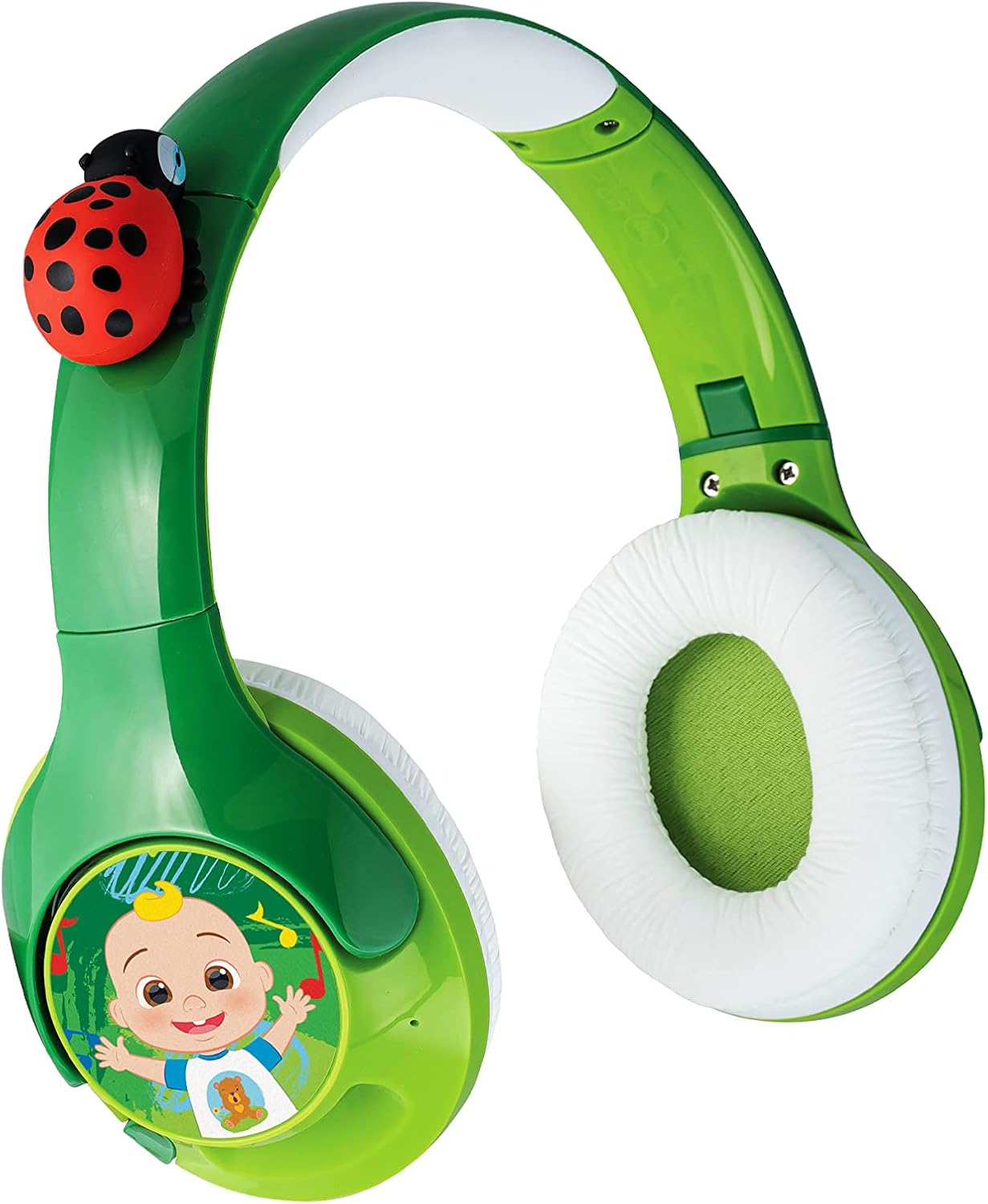
1-сүрөт: Бүттүview of the eKids Cocomelon Bluetooth Headphones. This image displays the vibrant green headphones with white ear cushions, featuring a red ladybug accent on the headband and a Cocomelon character graphic on the right ear cup.
Продукт өзгөчөлүктөрү
- Зымсыз туташуу: Connects via Bluetooth to compatible devices like smartphones, tablets, and computers.
- Parental Volume Control: Volume is reduced to 85 dB for safe listening. Adjustable volume output for iOS and Android devices.
- Ыңгайлаштырылган тууралоо: Features an adjustable headband and comfy padded ear cushions for a personalized and comfortable fit.
- Кайра заряддалуучу батарея: Provides up to 8 hours of continuous playtime on a single charge.
- Cocomelon Design: Incorporates iconic Cocomelon character and ladybug details.
Кутуда эмне бар
- eKids Cocomelon Bluetooth Headphones
- USB-C заряддоо кабели
Жайгашуу
1. Наушниктерди заряддоо
Before first use, fully charge your headphones. Locate the USB-C charging port on the headphones. Connect the included USB-C charging cable to the headphones and the other end to a USB power source (e.g., computer USB port, USB wall adapter). The LED indicator will show charging status.

2-сүрөт: Charging Port and Controls. This diagram highlights the location of the USB-C charging port, the On/OFF & Bluetooth button, the AUX Jack, and the LED indicator on the headphones, along with overall dimensions.
2. Күйгүзүү / Өчүрүү
To power on the headphones, press and hold the On/OFF & Bluetooth button until the LED indicator lights up. To power off, press and hold the same button until the LED indicator turns off.
Иштөө нускамалары
1. Bluetooth Жупташтыруу
To pair your headphones with a Bluetooth device:
- Наушниктердин өчүрүлгөнүн текшериңиз.
- Press and hold the On/OFF & Bluetooth button for approximately 5-7 seconds until the LED indicator flashes blue and red, indicating pairing mode.
- On your device (smartphone, tablet, etc.), enable Bluetooth and search for "eKids COCOMELON" in the list of available devices.
- Select "eKids COCOMELON" to connect. The LED indicator on the headphones will turn solid blue when successfully paired.
Bluetooth Pairing Tip: To manually pair after initial setup, wait 12 seconds from power ON, then press and hold the Bluetooth Pairing Button for 2-3 seconds. To reset Bluetooth, press and hold the Bluetooth Pairing Button for 7 seconds while the unit is powered ON.
2. Үндү башкаруу
The headphones feature a built-in volume limiter set to 85 dB for safe listening. Additionally, you can adjust the volume output for iOS and Android devices using the physical volume switch (H/M/L) located on the ear cup.

3-сүрөт: Parental Volume Control Switch. This image shows a detailed view of the H (High), M (Medium), and L (Low) switch on the side of the ear cup, used to set the appropriate sound level.

4-сүрөт: Recommended Volume Levels. This table provides guidance on selecting the appropriate volume level (High, Medium, Low) for different environments and device platforms (iOS vs. Android) to ensure safe and optimal listening.
3. Using with Audio Cable (Optional)
While primarily wireless, these headphones can also be used with a 3.5mm audio cable (not included) by connecting it to the AUX Jack. This is useful if the battery is depleted or for devices without Bluetooth connectivity.
Техникалык тейлөө
1. Тазалоо
Wipe the headphones with a soft, dry cloth. Do not use abrasive cleaners or immerse the headphones in water.
2. Сактоо
Store the headphones in a cool, dry place away from direct sunlight and extreme temperatures. The headphones are foldable for portable storage.

5-сүрөт: Foldable Design. This image demonstrates how the headphones can be folded inward, making them compact and easy to store or transport.
3. Батареяга кам көрүү
Батареянын иштөө мөөнөтүн узартуу үчүн, бат-баттан батарейканы толук зарядсыздандырбаңыз. Узак убакыт колдонулбаса да, гарнитураны үзгүлтүксүз заряддаңыз.
Проблемаларды чечүү
| Көйгөй | Мүмкүн себеп | Чечим |
|---|---|---|
| Кулакчындар күйбөйт. | Батарея аз же түгөнүп калган. | Charge the headphones using the included USB-C cable. |
| Bluetooth аркылуу жупташтыруу мүмкүн эмес. | Кулакчындар жупташтыруу режиминде эмес; түзмөктүн Bluetooth'у өчүк; тоскоолдук бар. | Ensure headphones are in pairing mode (flashing blue/red LED). Turn Bluetooth off and on on your device. Move closer to the device. Reset Bluetooth on headphones (hold button for 7 seconds). |
| Үн жок же үнү төмөн. | Device volume too low; headphones volume switch set to 'Low'; headphones not connected. | Increase volume on your connected device. Check the H/M/L switch on the headphones. Ensure headphones are properly paired or connected via AUX cable. |
| Үндүн бузулушу. | Аппараттан өтө алыс; кийлигишүү; аз батарея. | Move closer to the Bluetooth device (within 26 feet/8 meters). Charge the headphones. |
Техникалык шарттар
- Модел: CO-B42.EXV22
- Байланыш: Bluetooth зымсыз
- Bluetooth Аралык: > 8M / 26ft
- Сезимталдуулук: 85-90дБ
- Батареянын иштөө мөөнөтү: 8 саатка чейин
- Заряддоо порту: USB-C
- Камтылган компоненттер: USB-C заряддоо кабели
- Материал: Пластик
- Элемент Салмагы: 8.1 унция
- Пакеттин өлчөмдөрү: 7.91 x 7.28 x 2.87 дюйм
- Өндүрүүчү: KIDdesigns
- UPC: 092298956183
Кепилдик жана колдоо
For warranty information and customer support, please refer to the official eKids website or contact their customer service directly. The product may be covered by a limited manufacturer's warranty.
Расмий колдонуучу колдонмосу (PDF): PDF жүктөп алуу
eKids Brand Store: Visit eKids Store on Amazon


