Introduction
This manual provides essential information for the safe and efficient operation of your Xtreme 10W Standing Desktop Wireless Smartphone Charger. Please read this manual thoroughly before using the device and retain it for future reference.

Image: The Xtreme 10W Standing Desktop Wireless Smartphone Charger with a smartphone placed horizontally on the stand, indicating 75% charge. The charger is black with a blue LED indicator light.
Коопсуздук чаралары
- Заряддоочу түзүлүштү сууга же ашыкча нымдуулукка дуушар кылбаңыз.
- Avoid dropping or subjecting the charger to severe impacts.
- Заряддоочу түзүлүштү ажыратпаңыз, оңдобоңуз же өзгөртпөңүз.
- Keep the charger away from extreme temperatures and direct sunlight.
- Колдонуу учурунда заряддагычтын айланасында туура желдетүүнү камсыз кылыңыз.
- Use only compatible power sources as specified in the Техникалык шарттар бөлүм.
Пакеттин мазмуну
- Xtreme 10W Standing Desktop Wireless Smartphone Charger
- USB заряддоо кабели
Note: A wall adapter is not included and must be purchased separately. For fast charging, a 2.0 Fast Charge Adapter is required.

Image: The retail packaging for the Xtreme Desktop Wireless Charger, highlighting its universal compatibility, 10W power, and smart LED indicator.
Жайгашуу
- Заряддагычты туташтыруу: Insert the smaller end of the included USB charging cable into the USB Type C port on the back of the wireless charger.
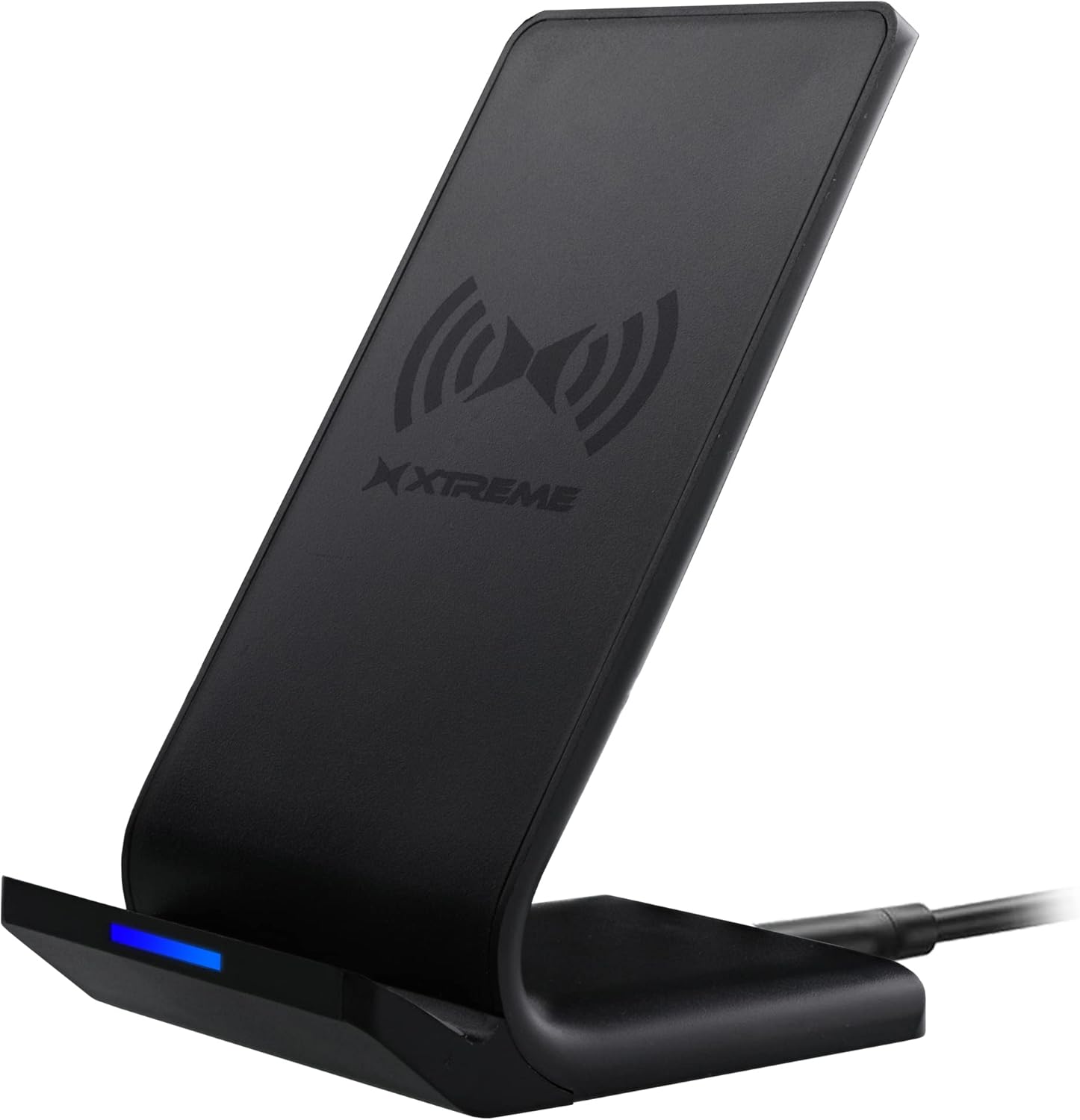
Image: The Xtreme wireless charging stand, showcasing its sleek black design and the USB cable connected to its base.
- Кубат булагы: Connect the larger end of the USB cable to a compatible USB power source. This can be a USB port on a desktop computer, laptop, or a wall adapter (not included) plugged into a power outlet.
- үчүн Үзгүлтүксүз заряддоо, any standard USB power source is sufficient.
- үчүн Тез заряддоо, you must use a Quick Charge 2.0 or 3.0 compatible wall adapter.
- Күйгүзүү: Once connected to a power source, the charger is ready for use. The LED indicator on the front of the charger will illuminate briefly to confirm power.
Иштөө нускамалары
1. Placing Your Device
Ensure your smartphone supports wireless charging (Qi-enabled). Place your device directly onto the charging stand. The charger supports both horizontal and vertical orientations.

Горизонталдуу заряддоо

Вертикалдуу заряддоо
The charger is designed to allow you to view videos, watch shows, or listen to music comfortably while your device is charging.
2. Заряддоо режимдери
The charger offers two charging modes:
- Кадимки заряддоо: Standard charging speed, compatible with any USB power source.
- Тез кубаттоо: Provides faster charging speeds. This mode requires a Quick Charge 2.0 or 3.0 compatible wall adapter (not included).

Image: Visual representation of the two charging types supported by the device, showing a phone in both horizontal and vertical orientations.
3. LED көрсөткүч
The LED indicator on the front of the charger provides status information:
- Көк жарык: Indicates that the device is actively charging.
- Жашыл жарык: Аппараттын толук заряддалганын көрсөтөт.
- Жаркылдаган көк/жашыл: May indicate a foreign object detection or improper placement.

Сүрөт: жакын план view of the charger's base, highlighting the LED indicator light.
The charger is designed to stop charging once your device reaches 100% to protect the battery.
Техникалык тейлөө
- To clean the charger, disconnect it from the power source and wipe it with a soft, dry cloth.
- Абразивдүү тазалагычтарды же эриткичтерди колдонбоңуз.
- Заряддоо түзүлүштү колдонбогондо салкын, кургак жерде сактаңыз.
Проблемаларды чечүү
| Көйгөй | Мүмкүн себеп | Чечим |
|---|---|---|
| Түзмөк заряддалбай жатат. |
|
|
| Жай кубаттоо. |
|
|
| LED indicator flashing. |
|
|
Техникалык шарттар
| Модель номери | XWC8-1023-BLK |
| Бренд | XTREME САНАРИПТИК ЖАШОО ТАРЗЫ АКСЕССУАРЛАРЫ |
| Байланыш технологиясы | Зымсыз |
| Туташтыргыч түрү | USB түрү C |
| Шайкеш түзмөктөр | Smartphones (Qi-enabled) |
| Шайкеш телефон моделдери | iPhone, Qi-enabled Android devices |
| Камтылган компоненттер | Charger and Wire |
| Өзгөчө өзгөчөлүк | Тез заряддоо |
| Түс | Кара |
| Киргизүү көлөмүtage | 5 вольт |
| Монтаж түрү | Столдун үстү |
| Пакеттин өлчөмдөрү | 6.2 x 4.7 x 1.3 дюйм |
| Элемент Салмагы | 8 унция |
Кепилдик жана колдоо
For warranty information or technical support, please refer to the contact information provided with your product packaging or visit the official Xtreme Digital Lifestyle Accessories webсайт. Сатып алганыңыздын далили катары сатып алуу дүмүрчөгүңүздү сактаңыз.
For additional support, you may visit the XTREME Store on Amazon: XTREME Digital Lifestyle Accessories Store


