1. Киришүү
Сатып алганыңыз үчүн рахматasing the Veho MZ-S Bluetooth Wireless Speaker. This manual provides important information regarding the setup, operation, and maintenance of your device. Please read it carefully before use and retain it for future reference.
2. Пакеттин мазмуну
- Veho MZ-S Bluetooth Wireless Speaker
- USB заряддоо кабели
- User Manual
3. Продукт бүтүп калдыview
The Veho MZ-S is a compact and powerful portable Bluetooth speaker designed for high-quality audio on the go. It features Bluetooth 5.0 connectivity, a 5-watt output, and up to 12 hours of playback time. The speaker also supports microSD card playback and twin pairing for an enhanced stereo experience.

Сүрөт: бурчтуу view of the Veho MZ-S Bluetooth Wireless Speaker, showcasing анын компакттуу дизайны жана динамиктердин торлору.
4. Башкаруу каражаттары жана порттор
Familiarize yourself with the speaker's controls and connection ports for optimal use.
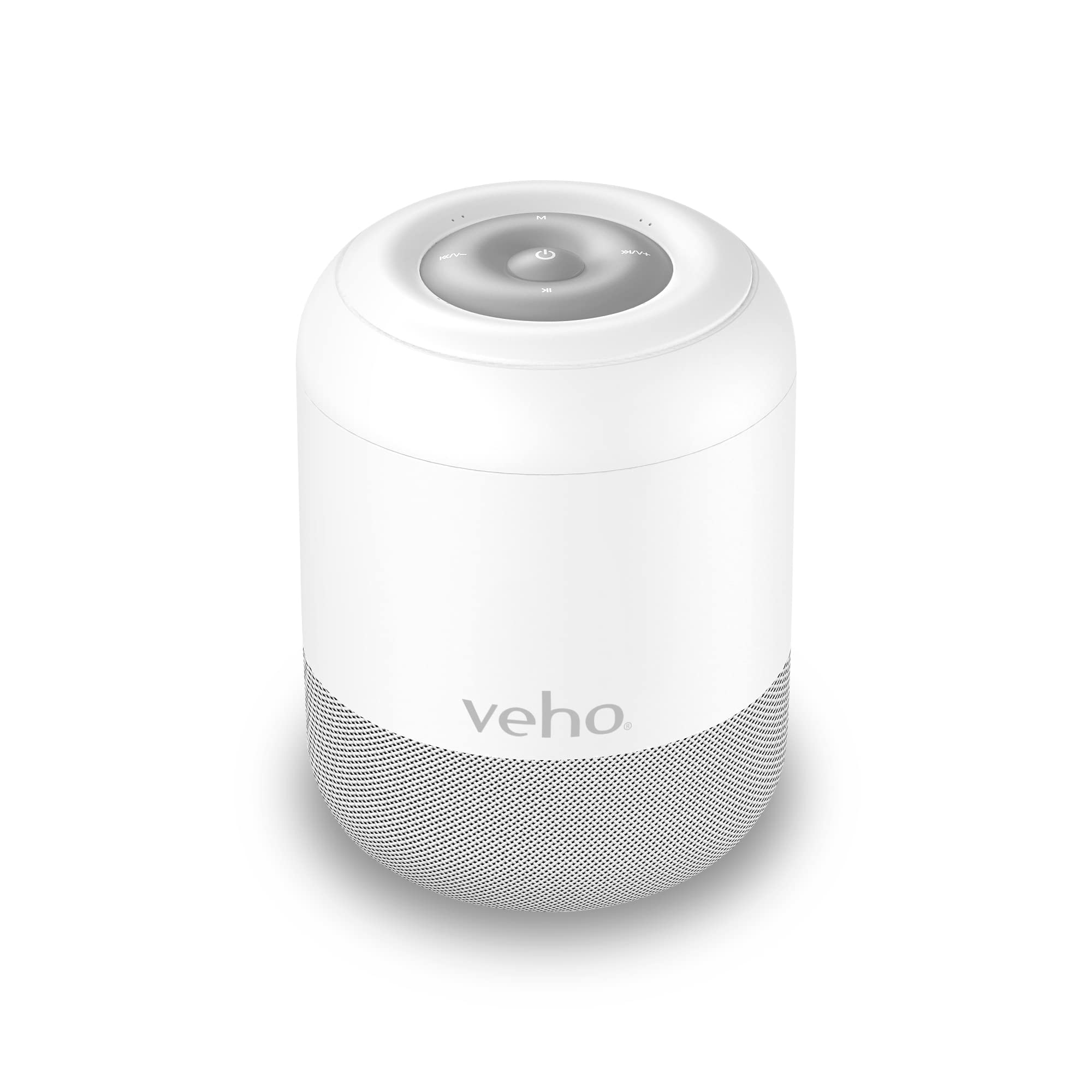
Сүрөт: Жогорку view of the Veho MZ-S speaker, highlighting the control buttons: Power, Mode, Volume Up/Next Track, Volume Down/Previous Track, and Play/Pause.
Жогорку панелдин башкаруу элементтери:
- Кубат баскычы (⏻): Press and hold to power on/off. Short press to Play/Pause.
- Режим баскычы (M): Short press to switch between Bluetooth and MicroSD modes.
- Volume Up / Next Track (⏭⏭/V+): Short press for next track. Press and hold to increase volume.
- Volume Down / Previous Track (⏮⏮/V-): Short press for previous track. Press and hold to decrease volume.

Сүрөт: Артка view of the Veho MZ-S speaker, showing the MicroSD card slot and the Micro USB charging port.
Арткы порттор:
- MicroSD карта слоту: Insert a MicroSD card for direct music playback.
- Micro USB кубаттоо порт: Connect the provided USB cable for charging.
5. Динамикти кубаттоо
Before first use, fully charge the Veho MZ-S speaker. A full charge provides up to 12 hours of playback time.
- Connect the supplied USB charging cable to the Micro USB port on the back of the speaker.
- USB кабелинин экинчи учун USB кубат адаптерине (кошумча эмес) же компьютердин USB портуна туташтырыңыз.
- Заряддоо индикатору кубаттоо учурунда күйөт жана толук заряддалгандан кийин өчөт.

Image: The Veho MZ-S speaker with an overlay indicating '12H', representing its 12-hour battery life.
6. Орнотуу
6.1 Bluetooth жупташтыруу
To connect your Veho MZ-S speaker to a Bluetooth-enabled device:
- Күйгүзүү баскычын басып, кармап туруу менен динамикти күйгүзүңүз. Динамик автоматтык түрдө Bluetooth жупташтыруу режимине өтөт, бул күйүп-өчүүчү LED жарыгы менен көрсөтүлөт.
- Смартфонуңузда, планшетиңизде же башка Bluetooth түзмөгүңүздө Bluetooth'ту иштетип, жеткиликтүү түзмөктөрдү издеңиз.
- Select 'Veho MZ-S' from the list of devices.
- Жупташтырылгандан кийин, LED индикатору жарк этүүнү токтотуп, туруктуу бойдон калат жана сиз ырастоо үнүн угасыз.
- The speaker has a wireless range of up to 10 meters (32 feet).
6.2 Twin Pairing (TWS)
For an enhanced stereo sound experience, you can pair two Veho MZ-S speakers together:
- Ensure both MZ-S speakers are powered off.
- Power on both speakers simultaneously. They will automatically attempt to connect to each other.
- Once successfully paired, one speaker will act as the master (left channel) and the other as the slave (right channel). A confirmation tone will sound.
- Now, connect your Bluetooth device to the master speaker as described in the 'Bluetooth Pairing' section.
7. Динамикти иштетүү
7.1 Bluetooth ойнотуу
After successful Bluetooth pairing, you can play audio from your connected device. Use the speaker's controls or your device's controls to manage playback:
- Ойнотуу/Тыныгуу: Short press the Power button.
- Кийинки трек: Short press the Volume Up / Next Track button.
- Мурунку трек: Short press the Volume Down / Previous Track button.
- Үндү көзөмөлдөө: Press and hold the Volume Up / Next Track button to increase volume, or the Volume Down / Previous Track button to decrease volume.
7.2 MicroSD картасын ойнотуу
The MZ-S speaker supports audio playback directly from a MicroSD card.
- MicroSD картасын салыңыз (колдоого алынган аудио менен) files) into the MicroSD card slot on the back of the speaker.
- If the speaker is in Bluetooth mode, short press the Mode (M) button to switch to MicroSD mode.
- Playback will begin automatically. Use the same controls as Bluetooth playback for managing tracks and volume.
8. Техникалык тейлөө
- Динамикти жумшак, кургак чүпүрөк менен тазалаңыз. Абразивдүү тазалагычтарды же эриткичтерди колдонбоңуз.
- Динамикти суудан, нымдан жана экстремалдык температурадан алыс кармаңыз.
- Динамикти узак убакытка колдонбогондо салкын, кургак жерде сактаңыз.
- Динамикти өз алдынча бөлүктөргө бөлүүгө же оңдоого аракет кылбаңыз. Бул кепилдикти жокко чыгарат.
9. Кыйынчылыктарды
- Динамик күйгүзбөйт:
- Ensure the speaker is fully charged. Connect it to a power source using the USB charging cable.
- Bluetooth түзмөгү менен жупташтыруу мүмкүн эмес:
- Ensure the speaker is in Bluetooth pairing mode (flashing LED). Make sure Bluetooth is enabled on your device and it is within 10 meters of the speaker. Try restarting both the speaker and your device.
- Үн жок:
- Check the volume levels on both the speaker and your connected device. Ensure the speaker is correctly paired and playing audio from the correct source (Bluetooth or MicroSD).
- Twin Pairing not working:
- Ensure both speakers are MZ-S models and are powered on simultaneously from an off state. Make sure they are close to each other during the pairing process.
10. Техникалык шарттар
| Модель аты | МЗ-С |
| Модель номери | VSS-703-MZS-W |
| Динамик түрү | Portable |
| Байланыш технологиясы | Bluetooth |
| Bluetooth версиясы | 5.0 |
| Зымсыз диапазон | 10 метрге чейин (32 фут) |
| Power Output | 5 Ватт |
| Батареянын иштөө мөөнөтү | 12 саатка чейин |
| Power Source | Батарея менен иштейт |
| Өзгөчөлүктөр | Twin Pairing, MicroSD Slot |
| Шайкеш түзмөктөр | Смартфон, Планшет |
| Камтылган компоненттер | USB заряддоо кабели |
| Продукциянын өлчөмдөрү | 7.5D x 7.5W x 7.5H Сантиметр |
| Салмагы | 380 г |
| Өндүрүүчү | Veho |
11. Коопсуздук маалыматы
- Динамикти өтө жогорку температурага, түз күн нуруна же ачык отко тийгизбеңиз.
- Спикерди түшүрүүдөн же катуу таасирлерге дуушар кылуудан качыңыз.
- Балдар жетпеген жерде сактаңыз.
- Динамикти жана анын батарейкасын жергиликтүү эрежелерге ылайык жоопкерчилик менен жок кылыңыз.
- Берилген заряддоо кабелин же тастыкталган эквивалентти гана колдонуңуз.
12. Кепилдик жана колдоо
The Veho MZ-S Bluetooth Wireless Speaker comes with a standard manufacturer's warranty. For detailed warranty information, technical support, or service inquiries, please visit the official Veho webсайтына кириңиз же алардын кардарларды колдоо кызматына кайрылыңыз. Кепилдик боюнча дооматтар үчүн сатып алганыңызды тастыктаган документти сактап коюңуз.
Veho Global Group
PO Box 436, Түштүкampтонна, SO30 9DH, Улуу Британия
Кошумча жардам алуу үчүн төмөнкү дарекке кайрылыңыз: www.veho-world.com


