Introduction
The TechniSat DIGITRADIO 371 IR is a comprehensive audio system designed for versatile listening experiences. It combines traditional radio reception (DAB+, FM) with modern internet radio capabilities, Bluetooth audio streaming, and USB playback. Additionally, it features a convenient wireless charging function for compatible smartphones and a clear color display. This manual provides essential information for setting up, operating, and maintaining your device to ensure optimal performance and enjoyment.
Негизги өзгөчөлүктөрү
- Санарип радио кабыл алуу: Enjoy clear, noise-free radio via DAB+ and traditional FM radio with RDS and PLL.
- Интернет радиосу: Access thousands of radio stations worldwide via integrated Wi-Fi connectivity.
- Bluetooth аудио агымы: Wirelessly stream music from your smartphone or tablet.
- Зымсыз кубаттоо: Conveniently charge compatible smartphones using the integrated wireless charging pad.
- USB Playback & Charging: MP3 ойнотуу files from a USB stick and charge external devices via the USB port.
- AUX кирүүсү: Connect external audio sources using the auxiliary input.
- Түстүү дисплей: A 2.4-inch TFT color display provides clear information and is adjustable for brightness.
- Стерео үн: Equipped with 2 x 5 Watt stereo speakers and an equalizer for fine-tuning audio.
- Башкаруу параметрлери: Operate the device using the on-unit buttons, rotary knobs, included remote control, or the UNDOK/OKTIV app.
- Ойготкуч сааттын функциялары: Features a comprehensive alarm clock with alarm, sleep timer, and snooze functions.
Жайгашуу
Таңгактан чыгаруу жана алгачкы текшерүү
Carefully remove all components from the packaging. Verify that all items listed in the 'Scope of Delivery' are present: the DIGITRADIO 371 IR unit, remote control, and user manual. Inspect the device for any signs of damage during transit. If any components are missing or damaged, contact your retailer.
Power Connection
Connect the provided power cable to the DC IN port on the rear of the radio and then to a suitable wall outlet. Ensure the power supply matches the voltage requirements specified on the device.
Антеннаны жайгаштыруу
Extend the telescopic antenna located at the rear of the unit for optimal DAB+ and FM radio reception. Adjust its position to achieve the best signal quality.
Биринчи жолу орнотуу чебери
Upon first power-on, the device will guide you through an initial setup wizard. Follow the on-screen prompts to:
- Каалаган тилиңизди тандаңыз.
- Configure Wi-Fi network settings to enable Internet radio and app control.
- Күн менен убакытты коюңуз.

Сүрөт: Арткы view of the DIGITRADIO 371 IR, highlighting the telescopic antenna, USB port, headphone jack, and AUX-in port for various connections.
Радиону иштетүү
Controls Overview
The DIGITRADIO 371 IR can be controlled via the buttons and rotary knobs on the front panel, the included remote control, or the UNDOK/OKTIV smartphone app.
- Кубат баскычы: Түзмөктү күйгүзөт/өчүрөт же күтүү режимине коет.
- Режим баскычы: Cycles through available audio sources (DAB+, FM, Internet Radio, Bluetooth, USB, AUX-in).
- Алдын ала коюлган баскычтар: Access stored favorite radio stations.
- Үн баскычтары: Аудио чыгаруу деңгээлин тууралаңыз.
- Tuning/Navigation Knobs: Navigate menus, tune radio stations, and confirm selections.
- Маалымат/Меню баскычы: Access system settings and display additional information.
- Scan/Play/Pause Button: Initiates station scans or controls media playback.
- Артка баскычы: Мурунку менюга же экранга кайтат.
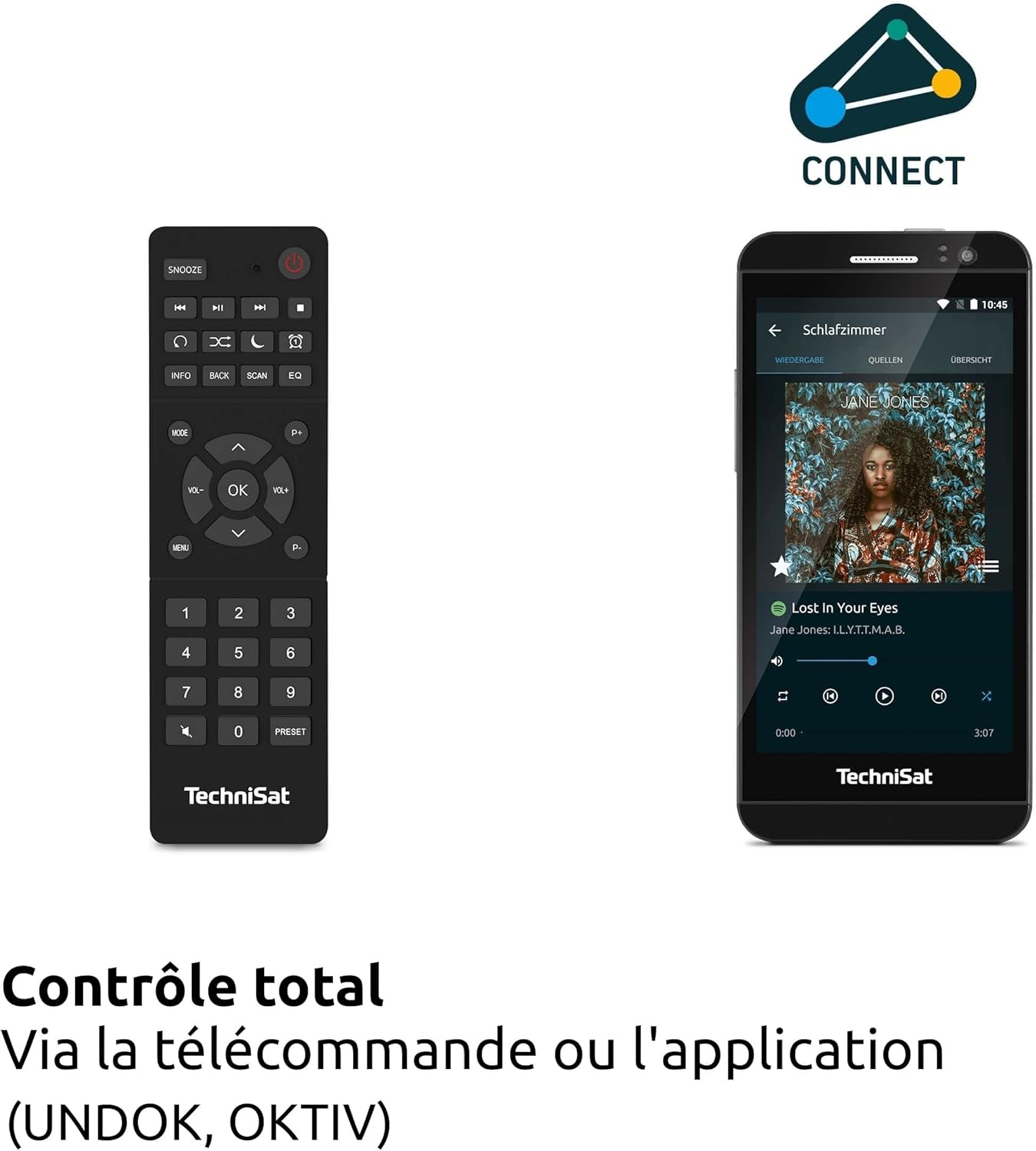
Сүрөт: The remote control and a smartphone showing the UNDOK app, illustrating the various control options for the radio.
Radio Modes (DAB+, FM, Internet Radio)
басыңыз Mode button to select your desired radio source. For DAB+ and FM, the radio will automatically scan for available stations. For Internet Radio, navigate through the menu to browse stations by genre, location, or search for specific stations.

Сүрөт: Visual representation of the radio's ability to receive DAB+, Internet Radio, and FM broadcasts, offering a wide range of listening options.
Bluetooth аудио агымы
Select Bluetooth mode. On your smartphone or tablet, enable Bluetooth and search for 'DIGITRADIO 371 IR'. Pair the devices. Once connected, you can stream audio from your device to the radio.

Сүрөт: A smartphone wirelessly connected to the DIGITRADIO 371 IR, demonstrating the Bluetooth audio streaming feature for playing music from personal devices.
USB ойнотуу жана кубаттоо
MP3 камтылган USB флешкасын салыңыз files into the USB port. Select USB mode to browse and play your music. The USB port also functions as a charging port for external devices like smartphones.
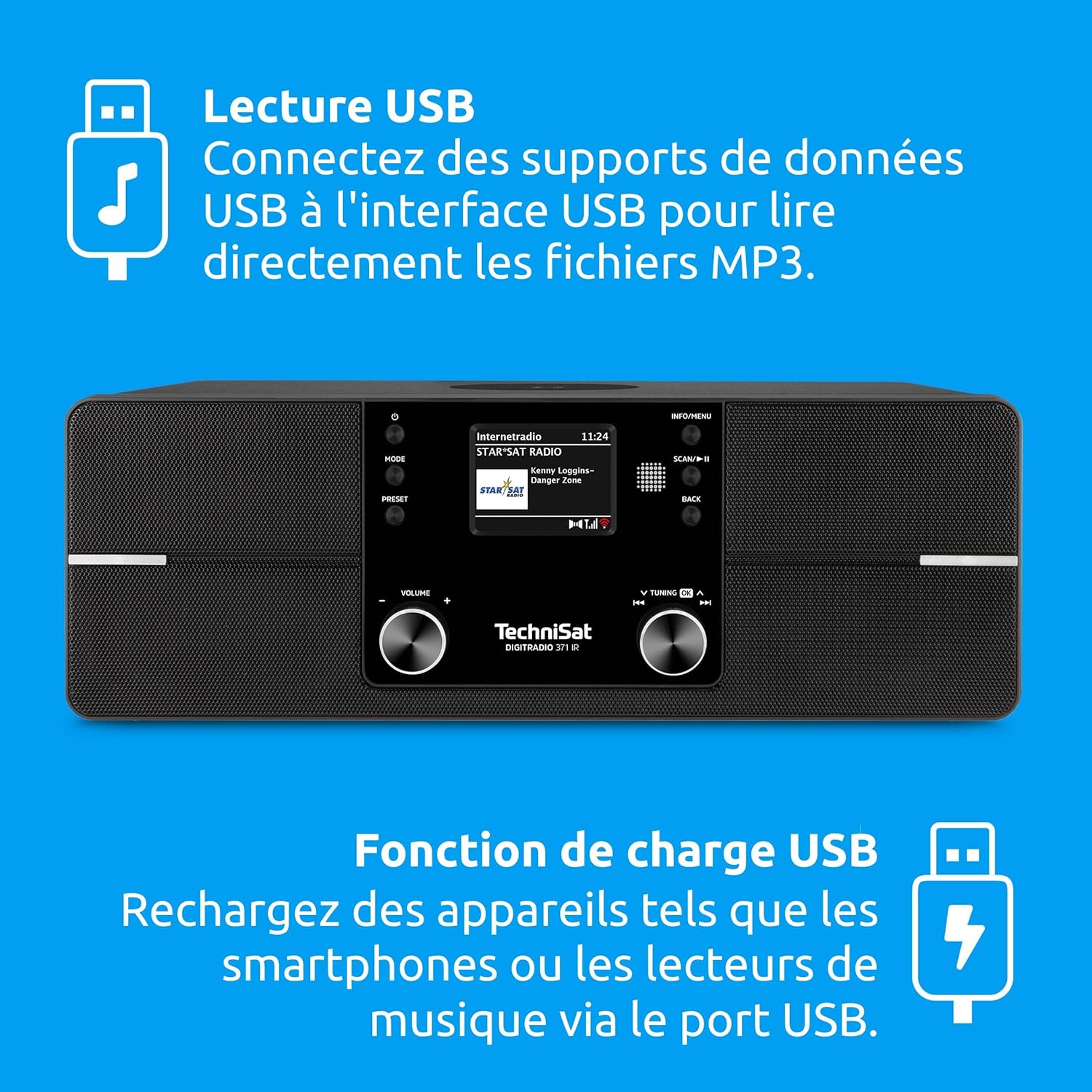
Сүрөт: Icons indicating USB playback and charging capabilities, showing how the radio supports playing MP3s from a USB drive and charging devices.
AUX-in Connection
Connect an external audio device (e.g., an MP3 player) to the AUX-in port on the rear of the radio using a 3.5mm audio cable. Select AUX-in mode to play audio from the connected device.
Зымсыз заряддоо функциясы
Place your Qi-compatible smartphone on the designated wireless charging area on top of the radio. Ensure the phone is centered for optimal charging. The radio will automatically begin charging the device.

Сүрөт: A hand placing a smartphone on the radio's top surface, demonstrating the wireless charging feature for compatible devices.
Ойготкуч саат жана уйку таймери
Access the alarm settings through the menu to set multiple alarms with customizable sources (e.g., buzzer, radio station). The sleep timer allows you to set a duration after which the radio will automatically turn off.
Техникалык тейлөө
Тазалоо
To clean the radio, gently wipe the surfaces with a soft, dry, or slightly damp cloth. Do not use abrasive cleaners, solvents, or chemical sprays, as these can damage the finish. Ensure the device is unplugged before cleaning.
Программалык камсыздоо жаңыртуулары
The DIGITRADIO 371 IR may receive software updates to improve performance or add new features. Check the system settings menu for available updates and follow the on-screen instructions to install them. Ensure a stable internet connection during the update process.
Проблемаларды чечүү
| Көйгөй | Мүмкүн себеп | Чечим |
|---|---|---|
| Күч жок | Электр кабели туташкан эмес; розетка туура эмес. | Электр кабелинин туташуусун текшерүү; башка розеткага аракет кылып көрүңүз. |
| DAB+/FM кабыл алуу начар | Антенна узартылган эмес же начар жайгашкан; сигнал аймагы начар. | Fully extend and adjust the telescopic antenna; try relocating the radio. |
| Wi-Fi'га туташпай жатат | Incorrect password; router too far; Wi-Fi network issues. | Verify Wi-Fi password; move radio closer to router; restart router. |
| Bluetooth жупташтыруу ишке ашпай калды | Bluetooth not enabled on device; radio not in pairing mode. | Ensure Bluetooth is active on your device; select Bluetooth mode on radio. |
| Зымсыз кубаттоо иштебейт | Phone not Qi-compatible; phone not centered; foreign objects on pad. | Check phone compatibility; reposition phone; remove any obstructions. |
| Үн жок | Volume too low; mute activated; incorrect source selected. | Increase volume; check mute status; ensure correct audio source is selected. |
Техникалык шарттар
| Өзгөчөлүк | Деталь |
|---|---|
| Бренд | TechniSat |
| Модель номери | 0000/2971 |
| Түс | Кара |
| Байланыш технологиясы | Көмөкчү, Bluetooth, USB, Wi-Fi |
| Өзгөчөлүктөр | DAB+ Digital Radio, FM Radio with RDS and PLL, Internet Radio, 2.4" TFT Color Display, 20 DAB+/20 FM Station Presets, USB Interface (charging & MP3 playback), Wireless Charging, Integrated Wi-Fi, Bluetooth Audio Streaming |
| Жалпы USB порттору | 1 |
| Шайкеш түзмөктөр | Кулакчындар, смартфон, планшет |
| Power Source | Электр зымдары |
| Колдоого алынган радио тилкелери | DAB+, FM, интернет радиосу |
| Тюнинг технологиясы | FM/DAB+/Internet |
| Продукциянын өлчөмдөрү (L x W x Y) | 35 x 21 x 12 сантиметр |
| Камтылган компоненттер | DIGITRADIO 371 IR unit, User Manual, Remote Control |
| Батареялар талап кылынат | 2 AAA (алыстан башкаруу үчүн) |
Кепилдик жана колдоо
The TechniSat DIGITRADIO 371 IR comes with a 2-year manufacturer's warranty (Gewährleistung). For warranty claims or technical support, please contact your retailer or visit the official TechniSat website for further assistance. Information regarding spare parts availability and guaranteed software updates is not explicitly provided.


