1. Киришүү
This manual provides detailed instructions for setting up, operating, maintaining, and troubleshooting your TRIGKEY Mini PC K-N95. Please read this manual thoroughly before using the device to ensure optimal performance and longevity.
The TRIGKEY Mini PC K-N95 is a compact desktop computer designed for home and office use, featuring an Intel N95 processor, 8GB DDR4 RAM, and a 256GB M.2 SSD. It supports dual 4K 60Hz display output and offers versatile connectivity options.
2. Пакеттин мазмуну
Төмөндө тизмеленген нерселердин баары пакетиңизге камтылганын текшериңиз. Эгерде кандайдыр бир нерселер жок болсо же бузулса, кардарларды колдоо менен байланышыңыз.
- TRIGKEY Mini PC K-N95 Unit
- AC Power Adapter/Cable
- HDMI Cable (1 meter)
- Колдонуучунун Колдонмосу (бул документ)
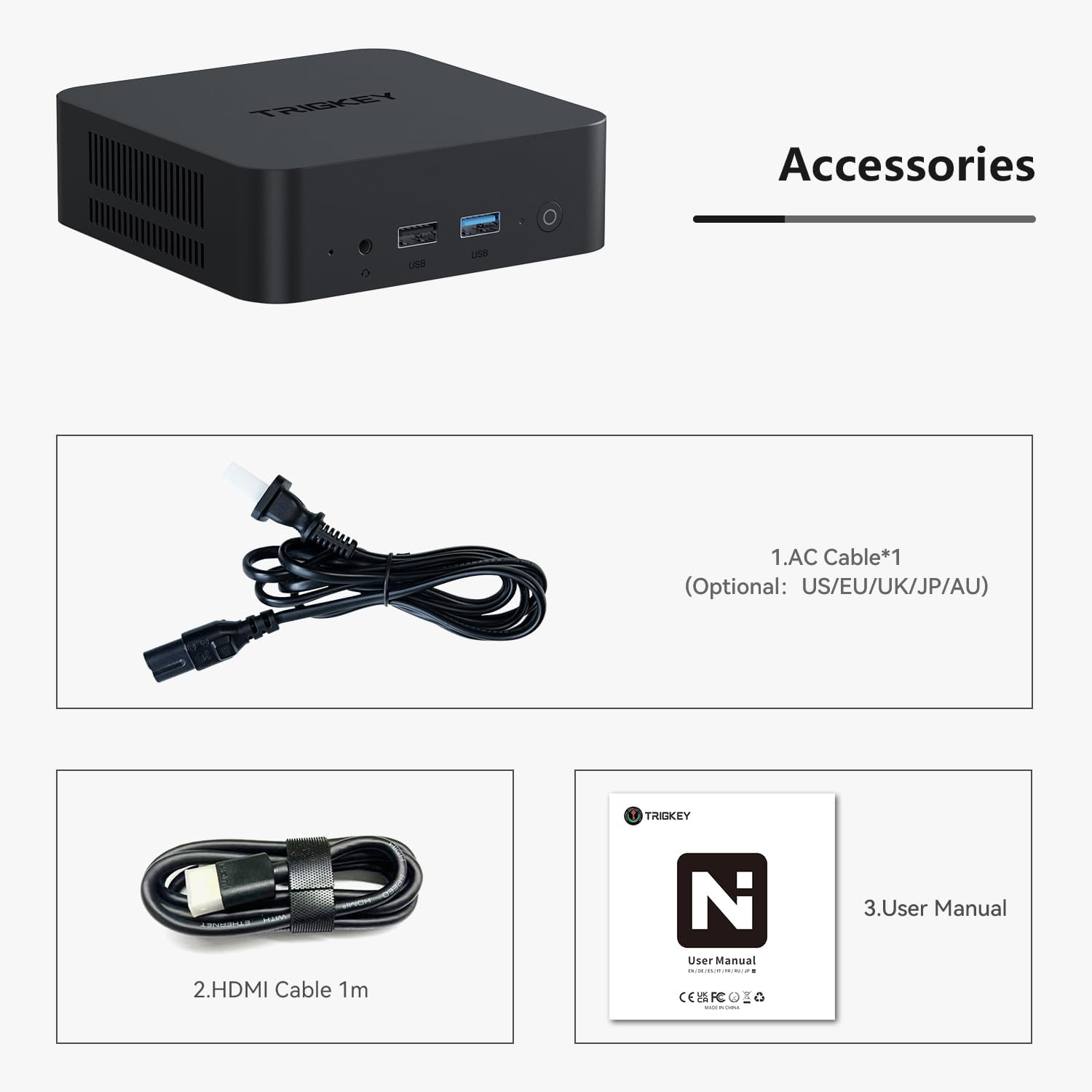
Image 2.1: Included accessories: AC power cable, HDMI cable, and user manual.
3. Продукт бүтүп калдыview
The TRIGKEY Mini PC K-N95 is designed for efficiency and compact integration into any workspace.

Сүрөт 3.1: алдыңкы жана каптал view of the TRIGKEY Mini PC K-N95.
3.1 алдыңкы панели

Image 3.2: Front panel ports and power button.
- Кубат баскычы: Түзмөктү күйгүзүү/өчүрүү үчүн басыңыз.
- USB 3.2 порттору: For connecting high-speed peripherals.
- 3.5 мм аудио уячасы: Наушник же тышкы динамиктер үчүн.
3.2 Арткы панель

Image 3.3: Rear panel ports.
- AC кубаттуулугун киргизүү: Бул жерде камтылган электр адаптерин туташтырыңыз.
- USB 2.0 порттору: Стандарттык перифериялык түзүлүштөрдү туташтыруу үчүн.
- LAN Ports (Ethernet): Зымдуу тармак туташуусу үчүн.
- HDMI порттору: Connect to displays for video and audio output. Supports dual 4K 60Hz displays.
4. Баштапкы орнотуу
Follow these steps to set up your TRIGKEY Mini PC K-N95 for the first time:
- Дисплейге туташуу: Connect one or two monitors to the HDMI ports on the rear panel using the provided HDMI cable(s).
- Перифериялык түзүлүштөрдү туташтыруу: Connect your USB keyboard and mouse to any available USB ports (USB 3.2 on the front, USB 2.0 on the rear).
- Туташуу кубаты: Plug the AC power adapter into the AC power input on the rear panel, then plug the adapter into a power outlet.
- Күйгүзүү: Press the power button on the front panel. The device will boot up, and you should see the operating system on your connected display.
- Баштапкы конфигурация: Follow the on-screen instructions to complete the operating system setup (e.g., language, network connection, user account).
5. Иштөө нускамалары
5.1 Электр энергиясын башкаруу
- Күйгүзүү: Кубат баскычын бир жолу басыңыз.
- Өчүрүү: Use the operating system's shutdown function. Alternatively, press and hold the power button for 5-7 seconds for a forced shutdown (not recommended for regular use).
- Кайра баштоо: Use the operating system's restart function.
5.2 Тармакка туташуу
- Зымдуу туташуу (Ethernet): Connect an Ethernet cable from your router or modem to one of the LAN ports on the rear panel.
- Зымсыз байланыш (Wi-Fi): The Mini PC supports Wi-Fi 5. Access your operating system's network settings to connect to an available wireless network.

Image 5.1: Built-in wireless module for Wi-Fi 5 and Bluetooth 5.0.
5.3 Bluetooth байланышы
The Mini PC features Bluetooth 5.0 for connecting wireless devices such as keyboards, mice, and headphones. Enable Bluetooth in your operating system settings and pair with your desired devices.
5.4 Кош дисплейди орнотуу
The device supports connecting two displays simultaneously via its two HDMI ports, allowing for an extended desktop experience at up to 4K 60Hz resolution per display. Configure display settings within your operating system.
5.5 Сактоо жана эс тутумду кеңейтүү
The TRIGKEY Mini PC K-N95 comes with 8GB DDR4 RAM and a 256GB M.2 2280 PCIe SSD. Both can be upgraded:
- RAM: The DDR4 RAM can be upgraded to a maximum of 16GB (3200MHz).
- SSD: The device supports dual M.2 2280 PCIe SSDs, allowing for storage expansion up to 4TB.
Caution: Opening the device for upgrades may void your warranty. Consult professional assistance if you are unsure about performing upgrades.
6. Техникалык шарттар
| Өзгөчөлүк | Спецификация |
|---|---|
| Процессор | Intel Alder Lake N95 (4 Cores, 4 Threads, up to 3.4GHz, 6MB Cache) |
| RAM | 8GB DDR4 3200MHz (Upgradable to 16GB) |
| Сактагыч | 256GB M.2 2280 PCIe SSD (Supports dual M.2 2280 PCIe SSDs up to 4TB) |
| Графика | Intel UHD Graphics (max 750MHz) |
| Display Output | 2 x HDMI (Supports dual 4K 60Hz displays) |
| Зымсыз байланыш | Wi-Fi 5 (802.11ax), Bluetooth 5.0 |
| Зымдуу туташуу | 1 x 1000Mbps LAN (Ethernet) |
| USB порттору | 3 x USB 3.2 (10Gbps), 3 x USB 2.0 (480Mbps) |
| Аудио порт | 1 x 3.5 мм аудио уячасы |
| Power Input | AC Jack (Built-in 45W PSU) |
| Операция системасы | Windows 11 Pro (Алдын ала орнотулган) |
| Өлчөмдөрү (LxWxH) | 4.53 x 4.02 x 1.61 дюйм |
| Салмагы | 1.45 фунт |

Image 6.1: Internal cooling system with a low-speed fan for efficient heat dissipation.

Image 6.2: Intel Alder Lake N95 processor details.
7. Техникалык тейлөө
Тийиштүү техникалык тейлөө сиздин мини-компьютериңиздин узак мөөнөттүү иштешин жана оптималдуу иштешин камсыз кылат.
- Тазалоо: Use a soft, dry cloth to wipe the exterior of the device. For dust accumulation in vents, use compressed air. Do not use liquid cleaners directly on the device.
- Вентиляция: Ensure the ventilation openings are not blocked to allow for proper airflow and cooling. Avoid placing the device in enclosed spaces.
- Температура: Operate the Mini PC in a well-ventilated area within recommended temperature ranges.
- Программалык камсыздоо жаңыртуулары: Коопсуздукту жана майнаптуулукту сактоо үчүн операциялык тутумуңузду жана драйверлериңизди дайыма жаңыртыңыз.
8. Кыйынчылыктарды
If you encounter issues with your TRIGKEY Mini PC K-N95, refer to the following common problems and solutions:
| Көйгөй | Мүмкүн чечим |
|---|---|
| Кубат жок/Түзмөк күйбөйт |
|
| Монитордо дисплей жок |
|
| No Wi-Fi or Bluetooth connection |
|
| Системанын тоңуп калышы же жай иштеши |
|
| Fan runs constantly/loudly |
|
9. Кепилдик жана Кардарларды колдоо
TRIGKEY provides a one-year warranty for this product under reasonable circumstances, covering exchange and warranty service. For any questions or issues regarding your Mini PC, please contact our professional after-sales team.
You can typically find contact information for TRIGKEY customer support through the retailer where you purchased the product or on the official TRIGKEY webсайт.

Image 9.1: TRIGKEY customer support team.


