1. Киришүү
The Temtop C10 Portable CO2 Monitor is an advanced 3-in-1 device designed to accurately measure carbon dioxide (CO2) concentration, temperature, and humidity in real-time. This compact and user-friendly monitor helps you maintain a healthier indoor environment by providing instant insights into your air quality. It is ideal for various settings including homes, offices, travel, and grow rooms.

Image: The Temtop C10 monitor showing its main display with CO2, temperature, and humidity readings.
Негизги өзгөчөлүктөрү:
- Accurate Air Monitoring: реалдуу убакытта CO2, температура жана нымдуулук аныктоо.
- Өркүндөтүлгөн сенсор технологиясы: Utilizes Sensirion CO2 and Temp & Humi sensors for precise detection.
- Smart Self-Calibration: Embedded algorithms ensure better performance and accuracy over time.
- Колдонуучуга ыңгайлуу дизайн: Single-button operation, switchable Celsius/Fahrenheit, and 3-color LED indicator.
- Узак мөөнөттүү батарея: Built-in 2200mAh rechargeable lithium battery provides up to 48 hours of usage.
2. Эмнелер камтылган
Upon unboxing your Temtop C10 CO2 Monitor, please ensure all the following items are present:
- Temtop C10 CO2 Monitor Unit
- User Manual
- USB заряддоо кабели
- Сактоочу куту
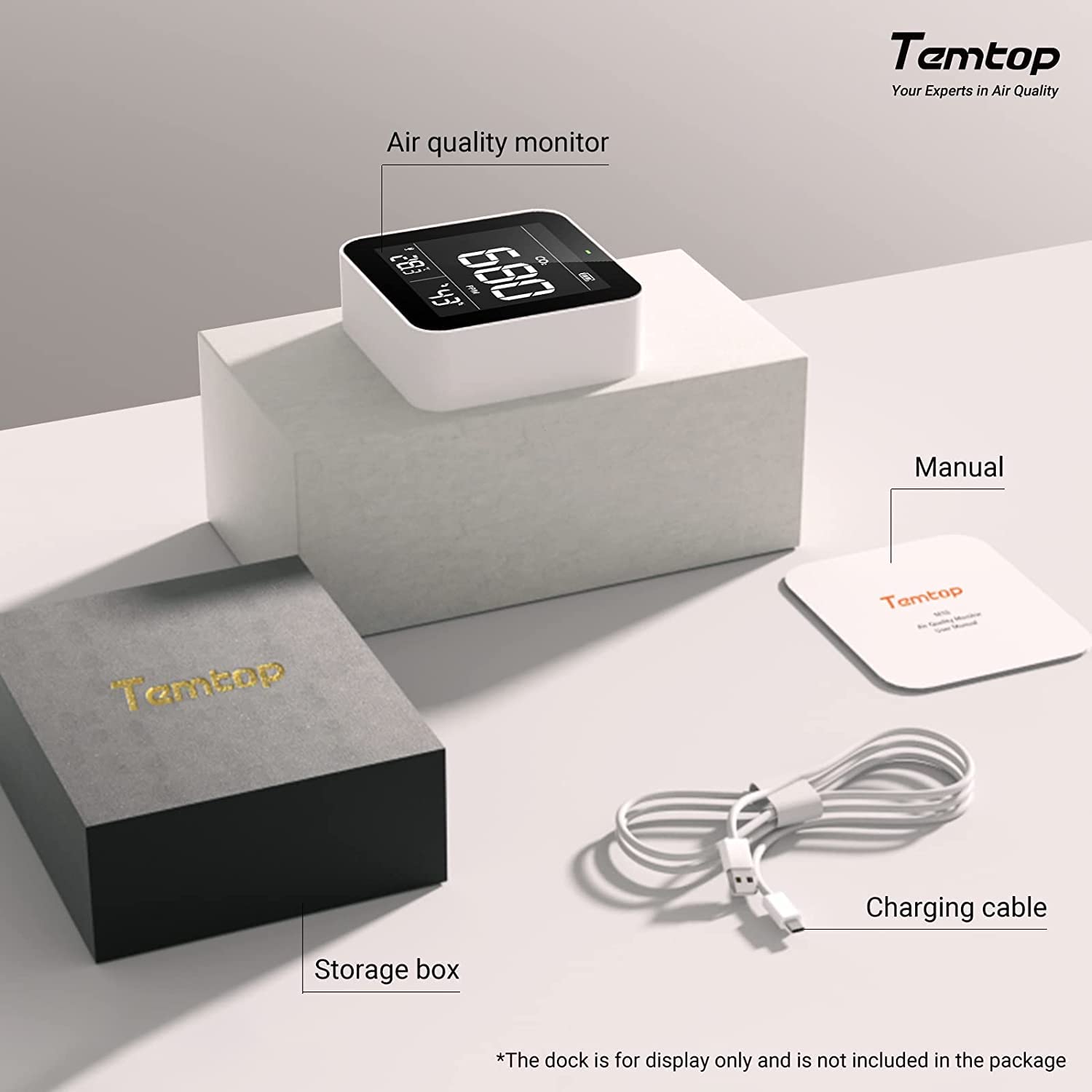
Image: The Temtop C10 monitor, user manual, charging cable, and storage box as included in the package.
3. Орнотуу жана биринчи колдонуу
- Аппаратты заряддоо: Before first use, fully charge the Temtop C10 monitor using the provided USB charging cable. Connect the cable to the micro USB charging port on the device and a standard USB power adapter (not included). The battery indicator on the display will show charging status.
- Күйгүзүү/өчүрүү: Press and hold the single button on the device to power it on or off.
- Баштапкы окуулар: Allow the device a few minutes after powering on to stabilize its readings. The monitor will immediately begin displaying current CO2, temperature, and humidity levels.
- Бирдикти алмаштыруу: Briefly press the single button to switch between Celsius (°C) and Fahrenheit (°F) for temperature display.
4. Мониторду иштетүү
Дисплейди түшүнүү:
The large digital display provides clear, real-time readings for all three parameters:
- CO2 концентрациясы: Displayed in Parts Per Million (PPM).
- Температура: Displayed in Celsius or Fahrenheit.
- Нымдуулук: Процент катары көрсөтүлөтtage (%).

Image: The Temtop C10 monitor showcasing its ability to measure CO2, temperature, and humidity.
CO2 Level Indicator:
The monitor features a 3-color LED indicator to provide quick visual feedback on CO2 levels:
- Жашыл: 0 – 700 PPM (Good air quality)
- Сары: 701 – 2500 PPM (Fair air quality, consider ventilation)
- Кызыл: ≥ 2501 PPM (Poor air quality, immediate ventilation recommended)

Image: Visual representation of CO2 concentration ranges and their potential health effects.
Smart Connectivity (if applicable):
Some Temtop models offer smart connectivity. If your C10 model supports it, you can connect it to a mobile application to track air quality data in real-time and monitor your family's respiratory health. Refer to the specific app instructions for pairing and usage.
Video: An official Temtop video demonstrating the application of their air quality monitors, including smart connectivity features and how they can be used to monitor indoor air quality.
5. Калибрлөө
The Temtop C10 offers two calibration modes to ensure accurate CO2 readings:
Automatic Calibration Mode (ABC OFFSET algorithm):
The device is equipped with an ABC OFFSET algorithm that regularly detects and corrects the surrounding CO2 value. This feature helps maintain accuracy over time by dynamically adjusting readings based on the lowest CO2 concentration detected over a period (typically 8 days), assuming that the lowest concentration represents fresh outdoor air (approximately 400 ppm CO2).
Кол менен калибрлөө режими:
For precise calibration, especially after prolonged use in a stable environment or if you suspect inaccurate readings, manual calibration is recommended. To perform manual calibration, expose the device to fresh outdoor air (approximately 400 ppm of CO2) at least 1 meter away from people for a specified period (refer to the device's on-screen instructions or full manual for exact duration and steps).
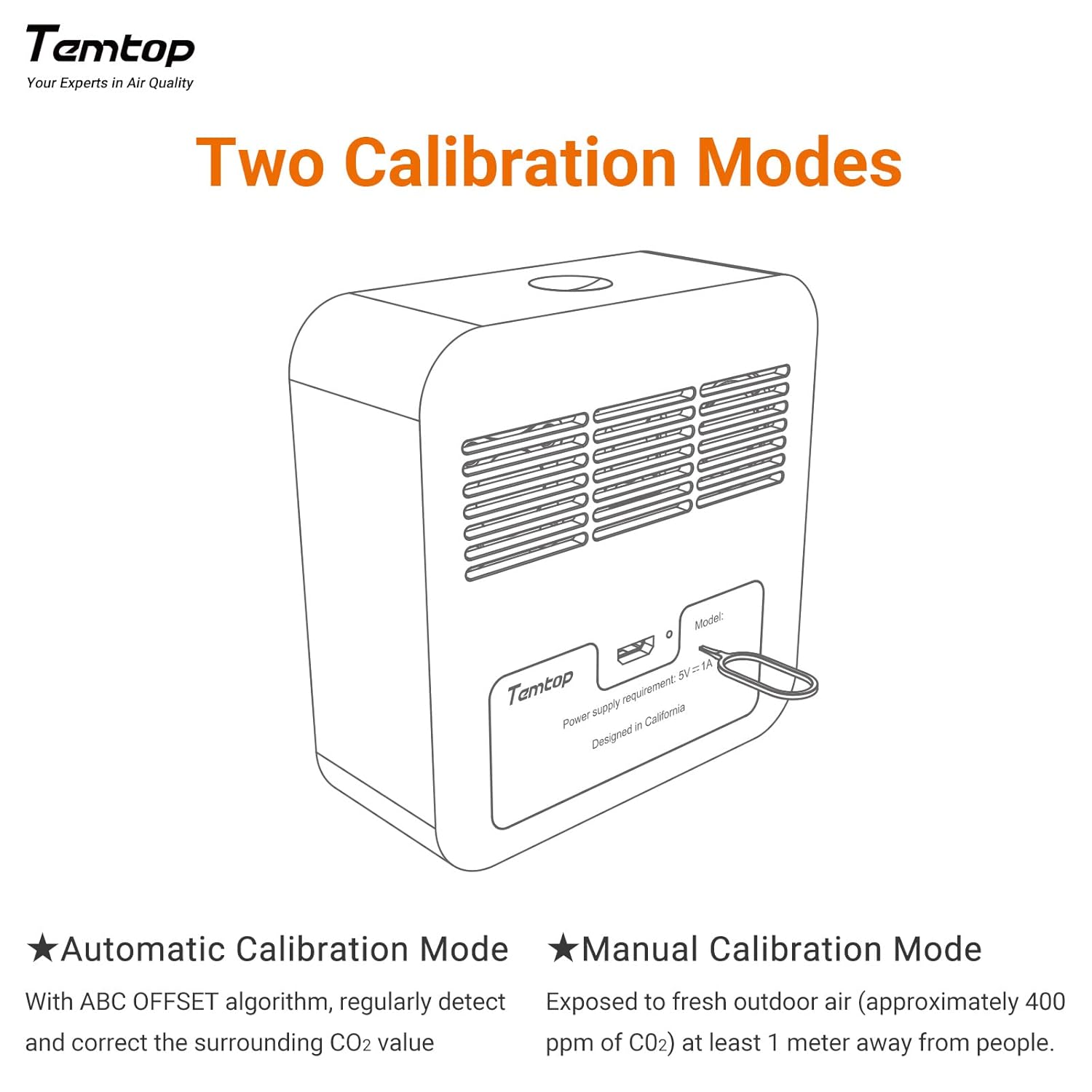
Image: A diagram detailing the two calibration modes for the Temtop C10 monitor.
6. Техникалык тейлөө
To ensure the longevity and optimal performance of your Temtop C10 monitor, follow these maintenance guidelines:
- Тазалоо: Use a soft, dry cloth to clean the device. Do not use abrasive cleaners, solvents, or harsh chemicals.
- Сактагыч: Store the monitor in a cool, dry place away from direct sunlight and extreme temperatures. Use the provided storage box when not in use for extended periods.
- Тоскоолдуктан качуу: Ensure the sensor vents (typically on the back or sides) are not blocked, as this can affect reading accuracy.
- Батареяга кам көрүү: Recharge the battery regularly, even if the device is not in constant use, to maintain battery health. Avoid completely draining the battery frequently.
7. Кыйынчылыктарды
If you encounter issues with your Temtop C10 monitor, try the following troubleshooting steps:
| Көйгөй | Мүмкүн себеп | Чечим |
|---|---|---|
| Display is garbled or unreadable. | Software glitch, low battery, or internal component issue. | 1. Fully charge the device. 2. Power off and restart the device. 3. If the issue persists, contact customer support. |
| Inaccurate CO2 readings. | Sensor obstruction, need for manual calibration, or environmental factors. | 1. Ensure sensor vents are clear. 2. Perform a manual calibration in fresh outdoor air. 3. Avoid placing the device near strong air currents or heat sources. |
| Батареянын иштөө мөөнөтү кыска. | Battery degradation over time, frequent use, or background processes. | 1. Ensure the device is fully charged before use. 2. Keep the device plugged in for continuous monitoring if possible. 3. Battery life is approximately 48 hours depending on usage. |
| Түзмөк күйбөйт. | Completely drained battery or power issue. | 1. Connect to charger and allow several minutes for charging before attempting to power on. 2. Try a different USB cable or power adapter. |
8. Техникалык шарттар
| Спецификация | Деталь |
|---|---|
| Продукциянын өлчөмдөрү | 3.3 x 1.3 x 3.3 дюйм |
| Элемент Салмагы | 0.35 килограмм (12.35 унция) |
| Элемент моделинин номери | C10 |
| Батареялар | 1 литий-иондук батарейка талап кылынат |
| Өндүрүүчү | Элитех |
| Power Source | Батарея менен иштейт |
| Түс | Ак |
| Иштөө нымдуулугу | 95 пайыз |
| Сенсор түрү | Фотоэлектр |
9. Кепилдик жана колдоо
Temtop products are designed for reliability and performance. For warranty information, technical support, or service inquiries, please refer to the contact details provided on the product packaging or visit the official Temtop webсайт. Сатып алуу квитанциясын кепилдик дооматтары үчүн сатып алуунун далили катары сактаңыз.


