1. Киришүү
This manual provides detailed instructions for the proper use and maintenance of your APEXEL 10-20X50 Zoom Monocular. Designed for outdoor enthusiasts, this monocular offers variable 10x to 20x magnification with a 50mm objective lens, providing clear and bright views for various activities such as bird watching, hunting, hiking, and general observation.
The monocular features fully multi-coated (FMC) lenses and a BAK4 prism for superior light transmission and image clarity. Its robust construction ensures durability, with waterproof and fog-proof capabilities suitable for diverse environmental conditions.

Image 1.1: APEXEL 10-20X50 Zoom Monocular
2. Продукт бүтүп калдыview
Familiarize yourself with the components of your APEXEL 10-20X50 Monocular before use.
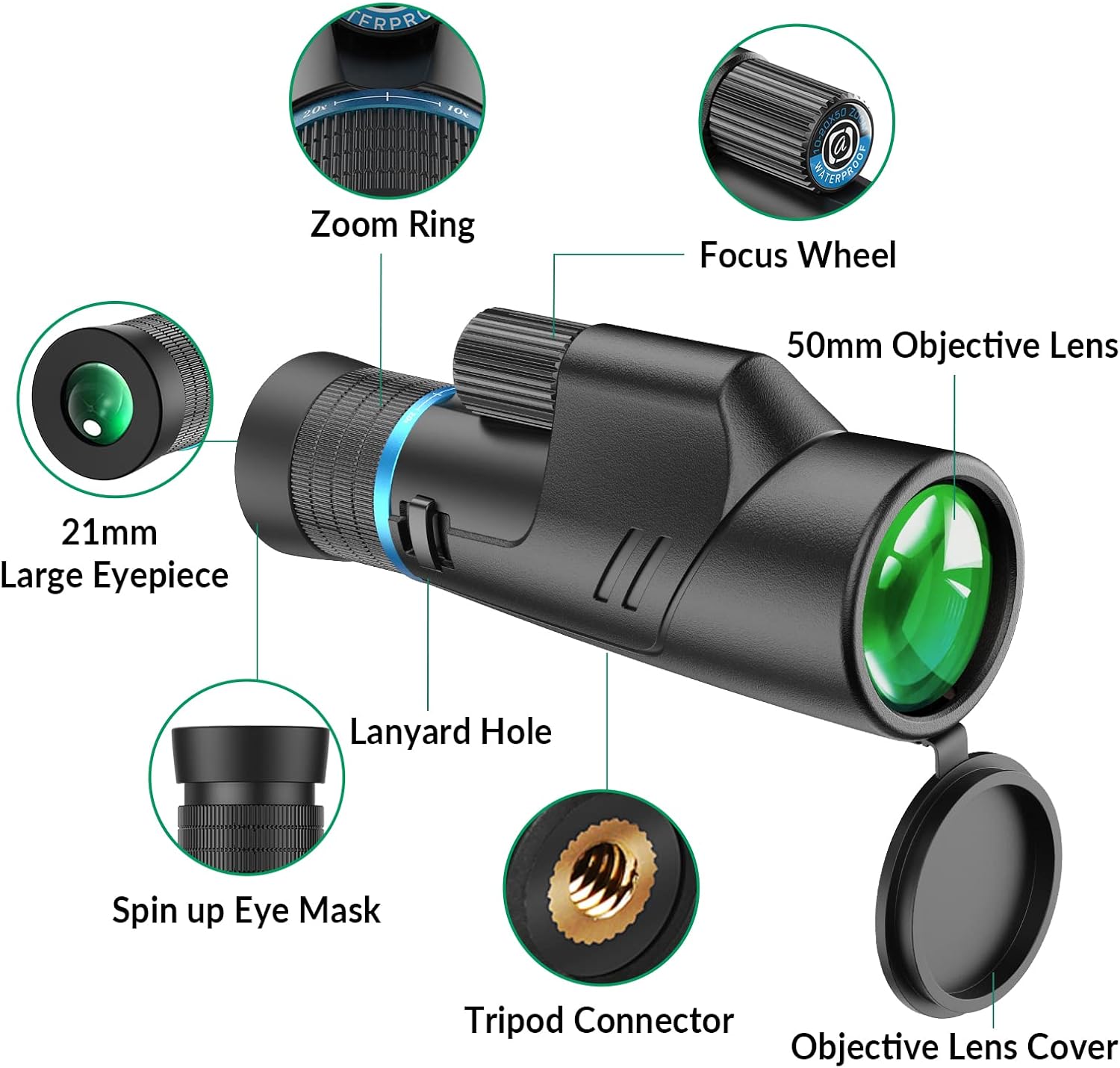
Image 2.1: Monocular Components
- Масштабдуу шакек: Adjusts the magnification from 10x to 20x.
- Фокус дөңгөлөк: Used to achieve a clear image.
- 50mm Objective Lens: Жарыкты чогултуучу алдыңкы линза.
- 21mm Large Eyepiece: The lens you look through.
- Spin-up Eye Mask: Adjustable for comfortable viewкөз айнек менен же көз айнексиз.
- Lanyard тешик: For attaching the included wrist strap.
- Tripod Connector: Standard 1/4-inch thread for mounting on a tripod.
- Objective Lens Cover: Protects the objective lens when not in use.
3. Орнотуу
- Кутудан чыгаруу: Carefully remove the monocular and all accessories from the packaging. Verify that all components are present: monocular, carrying pouch, wrist strap, lens cleaning cloth, and lens covers.
- Билек боону тагыңыз: Thread the wrist strap through the lanyard hole on the monocular. This helps prevent accidental drops.
- Линзанын капкагын алып салуу: Remove the objective lens cover and the eyepiece cover before use. Store them safely to protect the lenses when the monocular is not in use.
- Көздү тууралоо: Rotate or twist the spin-up eye mask to your preferred position. If you wear eyeglasses, you may prefer to keep the eyecup down. If you do not wear eyeglasses, extend the eyecup for optimal viewing comfort and to block stray light.
4. Иштөө нускамалары
Follow these steps to operate your monocular effectively:
- Монокулярды кармоо: Hold the monocular firmly with one hand. Bring the eyepiece close to your eye.
- Adjusting Magnification (Zoom): Rotate the Zoom Ring to select your desired magnification between 10x and 20x. Start with a lower magnification (10x) to locate your target, then increase the magnification for more detail.
- Фокустоо: While looking through the eyepiece, slowly rotate the Focus Wheel until the image becomes clear and sharp. Adjust as needed for different distances.
- Viewing Distant Objects: The monocular provides clear views up to 1100 yards (approximately 1000 meters) depending on conditions and magnification.
- Tripod Use: Кеңейтилген viewing or to minimize shake at higher magnifications, attach the monocular to a standard tripod using the integrated 1/4-inch tripod connector.
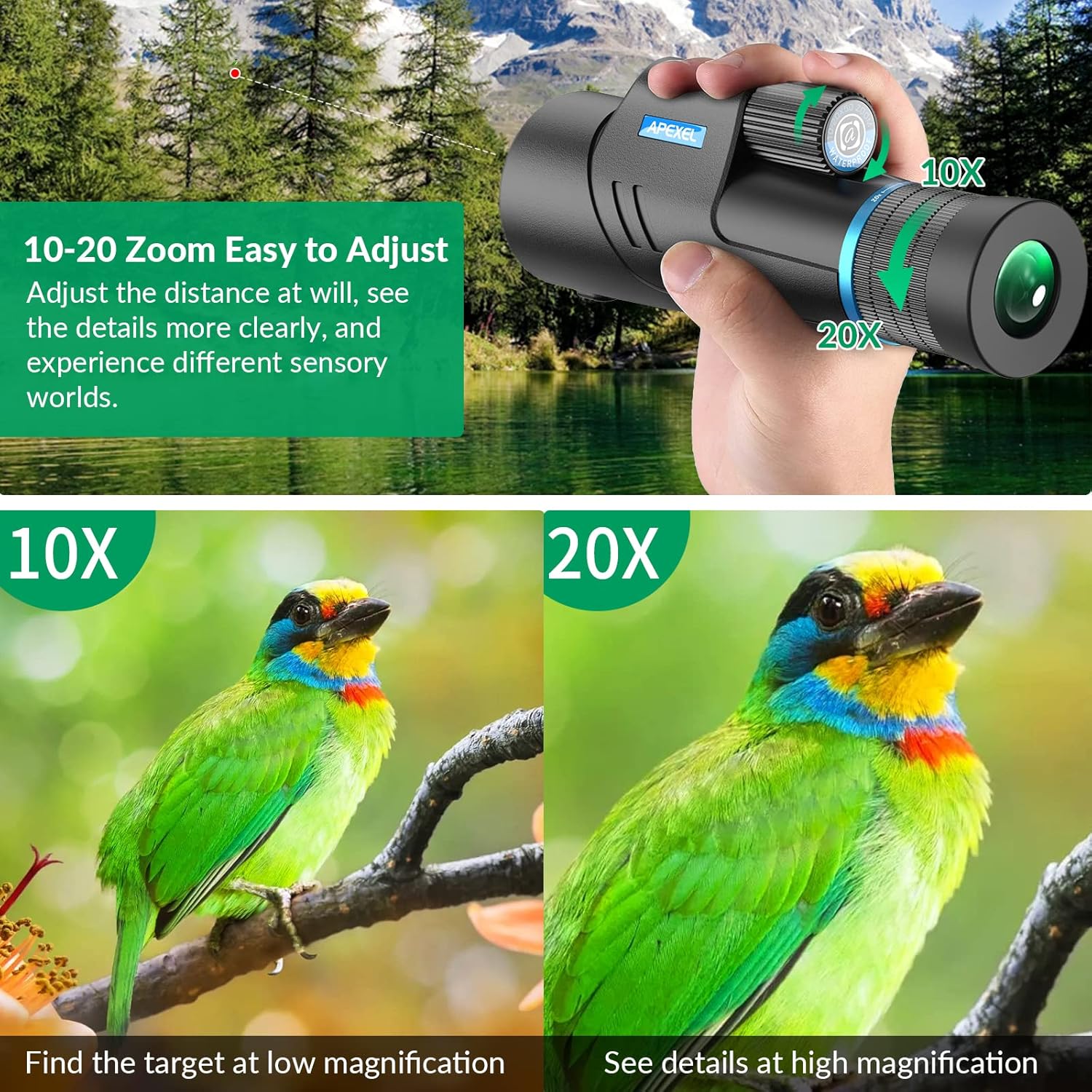
Image 4.1: Adjusting the Zoom Ring

Image 4.2: Long-Distance Observation
The monocular is suitable for a variety of outdoor activities:
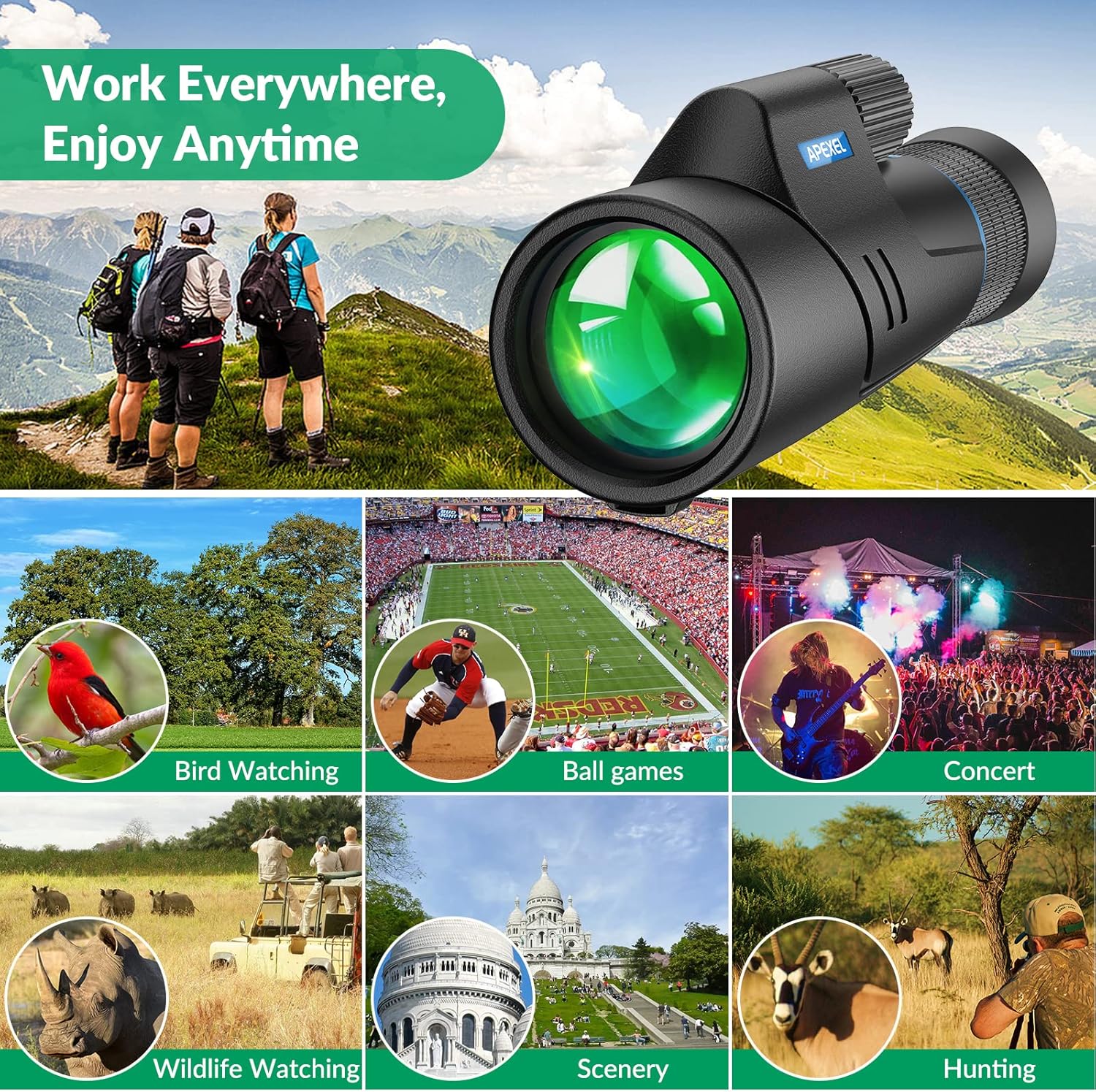
Image 4.3: Versatile Applications
5. Техникалык тейлөө
Proper care and maintenance will ensure the longevity and optimal performance of your monocular.
- Тазалоочу линзалар: Use the provided lens cleaning cloth or a soft, lint-free cloth to gently wipe the lenses. For stubborn smudges, use a small amount of optical lens cleaning fluid applied to the cloth, not directly to the lens. Avoid touching the lens surfaces with your fingers.
- Тазалоочу орган: Wipe the monocular body with a soft, damp кездеме. Абразивдүү тазалагычтарды же эриткичтерди колдонбоңуз.
- Сактагыч: Store the monocular in its carrying pouch in a cool, dry place when not in use. Ensure lens covers are in place to protect the lenses from dust and scratches.
- Waterproof and Fog-proof: The monocular is designed to be waterproof and fog-proof, making it suitable for use in various weather conditions. However, avoid submerging it in water for extended periods.

Image 5.1: Waterproof and Fog-proof Design
6. Кыйынчылыктарды
| Көйгөй | Мүмкүн себеп | Чечим |
|---|---|---|
| Сүрөт бүдөмүк же фокуста эмес. | Туура эмес фокусту жөндөө. | Rotate the Focus Wheel until the image is sharp. |
| Караңгы четтери же виньетка view. | Eyecup not adjusted correctly or eye not centered. | Adjust the spin-up eye mask and ensure your eye is centered with the eyepiece. |
| Сүрөт күңүрт. | Low light conditions or dirty lenses. | Ensure lenses are clean. Use in adequate lighting. |
| Сүрөт көрүнбөйт. | Lens covers still on. | Remove both objective lens and eyepiece covers. |
7. Техникалык шарттар
Key technical specifications for the APEXEL 10-20X50 Monocular:
| Өзгөчөлүк | Спецификация |
|---|---|
| Модел | 10-20X50 |
| Чоңойтуу | 10x-20x (Variable Zoom) |
| Объективдүү линзанын диаметри | 50 мм |
| Окулярдын диаметри | 21 мм |
| Призманын түрү | BAK4 |
| Линза каптоо | Толугу менен көп капталган (FMC) |
| талаасы View | 4.3°-3° (75-52m/1000m) |
| Суу өткөрбөйт | Ооба |
| Fog-proof | Yes (Nitrogen-filled) |
| Фокус тутуму | Manual Focus |
| Ыңгайлаштырылган штатив | Yes (1/4-inch thread) |
| Продукциянын өлчөмдөрү (L x W x Y) | 20.4 x 7.7 x 8.5 см |
| Продукт Салмагы | 518 грамм |

Image 7.1: Product Specifications and Included Items
8. Кепилдик жана колдоо
APEXEL is committed to providing quality products. While specific warranty details are not provided in this manual, for any issues or support inquiries, please contact APEXEL customer service via Amazon messaging. We aim to respond to all inquiries within 24 hours.


