Introduction
Thank you for choosing the HOMCOM 5-Tier Wall-Mounted Display Cabinet. This manual provides essential information for the safe assembly, installation, operation, and maintenance of your new display cabinet. Please read these instructions thoroughly before beginning assembly and retain them for future reference.

Image: The HOMCOM 5-Tier Wall-Mounted Display Cabinet, shown installed in a room, displaying various small items and collectibles.
Коопсуздук маалыматы
- Always assemble and mount the cabinet horizontally.
- Do not place heavy items on the middle partition.
- Ensure the cabinet is securely mounted to the wall to prevent it from falling.
- Чогуу учурунда муунуп калуу коркунучун болтурбоо үчүн кичинекей бөлүктөрүн балдардан алыс кармаңыз.
- Use appropriate tools and follow all steps carefully to avoid injury or damage to the product.
Пакеттин мазмуну
Монтаждоодон мурун, төмөндө келтирилген бардык компоненттер бар экенин жана бузулбаганын текшериңиз. Эгерде кандайдыр бир бөлүктөрү жок же бузулуп калса, кардарларды колдоо менен байланышыңыз.
- Cabinet Panels (Top, Bottom, Side, Back)
- Айнек жылма эшиктер
- Жөнгө салынуучу текчелер (4 даана)
- Shelf Pins/Supports
- Монтаждоо жабдуулары (буроо, дюбель ж.б.)
- Дубалга монтаждоочу аппаратура
Монтаждоо көрсөтмөлөрү
Follow these steps carefully for proper assembly. It is recommended to assemble the cabinet on a soft, clean surface to prevent scratches.
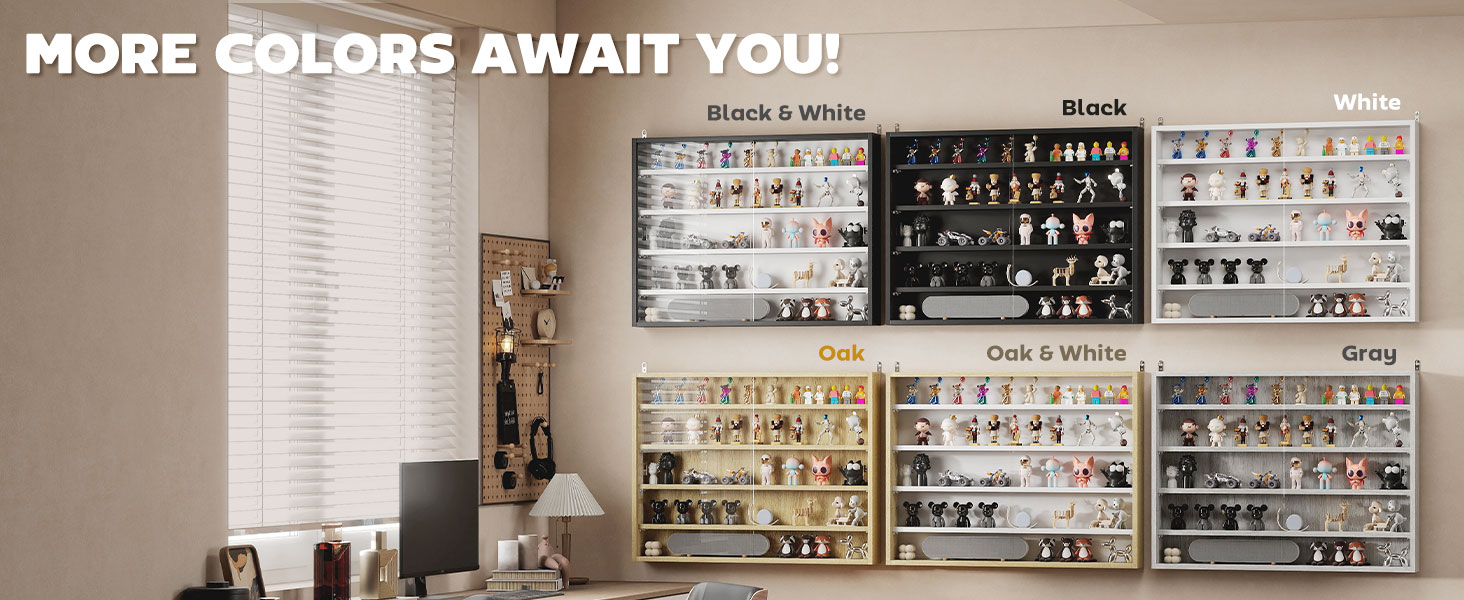
Image: Step-by-step assembly diagram for the display cabinet.
- 1-кадам: Сырткы панелдерди чогултуңуз
Connect the top, bottom, and left side boards using the provided hardware. Ensure all connections are secure. - 2-кадам: Айнек эшиктерди орнотуу
Carefully slide the glass panels into the front tracks of the assembled frame. Ensure they move smoothly. - 3-кадам: Оң панелди бекитүү
Secure the right side board in place, completing the main frame of the cabinet. - 4-кадам: Текчелерди киргизүү
Insert the shelf pins into the desired slots. There are seven different positions available for the four adjustable shelves. Place the shelves onto the pins. - Step 5: Fix to Wall
Secure the cabinet firmly to the wall using the provided wall mounting hardware. Ensure the cabinet is level and stable.
Орнотуу (дубалга орнотуу)
This display cabinet is designed for wall mounting. Proper installation is crucial for safety and stability.
- Identify a suitable wall location. Ensure the wall material can support the weight of the cabinet and its contents.
- Use a level to mark the desired mounting height and ensure the cabinet will be horizontal.
- Drill pilot holes according to the wall mounting hardware instructions.
- Attach the mounting brackets to the wall, then carefully lift and secure the cabinet onto the brackets.
- Double-check all connections and ensure the cabinet is firmly attached to the wall before placing items inside.

Image: Detail of the wall mounting mechanism.
Иштөө нускамалары
Текчелерди жөндөө
The cabinet features four adjustable shelves with seven possible positions, allowing you to customize the display space for various item sizes.
- Оңдогуңуз келген текчени бошотуңуз.
- Remove the shelf by lifting it off its pins.
- Relocate the shelf pins to the desired new slots.
- Текчени кайра төөнөгүчтөргө коюңуз, анын тегиз жана бекем экенин текшериңиз.

Image: Illustration of the flexible display options with adjustable shelves.
Using Glass Sliding Doors
The cabinet is equipped with full-size glass sliding doors to protect your displayed items from dust and allow clear viewing.
- To open or close the doors, gently slide them along the tracks using the integrated groove handles.
- Ensure the doors are properly aligned in their tracks for smooth operation.

Image: Detail of the glass sliding door with groove handle.
Техникалык тейлөө
- To clean the cabinet, wipe surfaces with a damp кездеме. Катуу химиялык заттардан же абразивдүү тазалагычтардан алыс болуңуз.
- Regularly check wall mounting hardware for tightness to ensure the cabinet remains secure.
- Inspect glass doors and tracks periodically for any debris that might hinder smooth operation.
Техникалык шарттар
| Бренд | HOMCOM |
| Модель аты | Дисплей кабинети |
| Элемент моделинин номери | 833-761GY |
| Түс | Боз |
| Продукциянын өлчөмдөрү | 31.5" W x 3.75" D x 23.5" H |
| Элемент Салмагы | 24 фунт |
| Материал | Инженердик жыгач, айнек |
| Текчелердин саны | 4 (жөндөлүүчү) |
| Деңгээлдердин саны | 5 |
| Салмак сыйымдуулугу (ар бир текче) | 4.4 фунт. |
| Монтаж түрү | Дубалга орнотуу |
| Өзгөчөлүктөр | Adjustable Shelf, Large Storage, Sliding Door |

Image: Detailed dimensions of the display cabinet.
Проблемаларды чечүү
If you encounter any issues with your display cabinet, please refer to the following common solutions:
- Айнек эшиктер жылмакай жылбайт: Ensure the cabinet is assembled squarely and is level on the wall. Check the tracks for any obstructions or debris.
- Cabinet feels unstable after mounting: Verify that all wall mounting hardware is securely fastened and that the wall material is appropriate for supporting the cabinet's weight. Re-tighten screws if necessary.
- Жетишпеген бөлүктөр: Double-check the package contents against the list. If parts are genuinely missing, contact customer support for assistance.
Кепилдик жана колдоо
For warranty information or technical support, please refer to the documentation included with your purchase or visit the official HOMCOM webсайт. Сатып алганыңыздын далили катары сатып алуу дүмүрчөгүңүздү сактаңыз.
Продукт видеосу бүттүview
Видео: Бүттүview of the HOMCOM 5-Tier Wall-Mounted Display Cabinet, demonstrating its features and potential uses.