Introduction
The Kensington H3000 Bluetooth Over-Ear Headset is designed for professional use in office and remote working environments. It features an ergonomic over-ear design for comfort, wireless connectivity, and advanced noise-canceling technology for clear communication. This manual provides detailed instructions for setting up, operating, maintaining, and troubleshooting your headset.

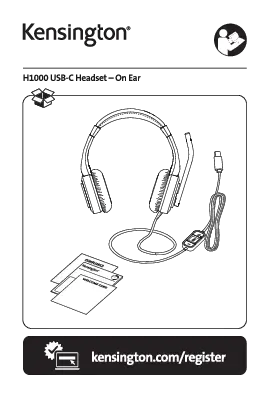
Image: The Kensington H3000 Bluetooth Over-Ear Headset in black, featuring over-ear cups and an adjustable boom microphone.
Жайгашуу
1. Гарнитураны заряддоо
Before initial use, fully charge your headset. Connect the provided USB-C charging cable to the headset's charging port and the other end to a power source. A 15-minute charge provides approximately 8 hours of use, and a full charge is achieved within 90 minutes.
2. Bluetooth Жупташтыруу
- Гарнитура өчүрүлгөнүн текшериңиз.
- LED индикатору жупташтыруу режимин көрсөтүүчү көк түстө күйгүчө кубат баскычын басып, кармап туруңуз.
- On your device (laptop, desktop, tablet, or cellphone), navigate to Bluetooth settings and select "Kensington H3000" from the list of available devices.
- Туташтырылгандан кийин, LED индикатору көк түстө күйөт.
The headset supports multi-point Bluetooth 5.2 technology, allowing it to pair with up to 8 devices and maintain two active connections simultaneously.
3. Гарнитураны тууралоо
The H3000 features an adjustable leatherette headband and swivel earcups (up to 90°) for a comfortable and secure fit. The microphone boom rotates up to 270°, allowing it to be worn on either the right or left side of your face.

Image: The Kensington H3000 Headset demonstrating the rotating microphone and adjustable earcups for ergonomic comfort.
Иштөө нускамалары
1. Earcup Controls
The right earcup features intuitive controls for media and call management:
- Үндү көзөмөлдөө: Use the '+' and '-' buttons to adjust audio volume.
- Ойнотуу/тындыруу: Press the central button to play or pause audio.
- Үнсүз: The microphone can be muted by flipping the boom arm upwards. Voice guidance confirms mute status.
- Busy Lights: Integrated LED busy lights on the earcups indicate when you are on a call, minimizing interruptions.

Image: Close-up of the right earcup showing the control buttons for volume, play/pause, and mute, along with the red LED busy light.
2. Noise Cancellation Features
- Пассивдүү ызы-чууну жокко чыгаруу (PNC): The over-ear design and memory foam earcups provide passive noise cancellation, blocking out ambient sounds.
- AI-Powered Environmental Noise-Canceling (ENC) Microphone: The integrated microphone uses AI technology to suppress up to 90% of distracting background noise, ensuring your voice is heard clearly.
- Сидетон: This feature allows you to hear your own voice through the headset, confirming that you are being heard clearly by others.
Видео: Бүттүview of the Kensington H3000 Bluetooth Over-Ear Headset, highlighting its features such as multi-device connectivity, long battery life, passive noise cancellation, AI-powered environmental noise-canceling microphone, and intuitive controls.
Техникалык тейлөө
1. Жалпы кам көрүү
To ensure the longevity of your headset, store it in its protective carrying case when not in use. Clean the earcups and headband with a soft, dry cloth. Avoid exposing the headset to extreme temperatures or moisture.
2. Replacing Earcups
The H3000 headset features replaceable earcups. If your earcups become worn or damaged, they can be easily replaced. Refer to the video below for detailed instructions on how to remove and install new earcups.
Video: Step-by-step guide on how to replace the earcups on Kensington H3000 and H2000 headsets.
Проблемаларды чечүү
- Headset not connecting: Ensure Bluetooth is enabled on your device and the headset is in pairing mode. Try restarting both the headset and your device.
- Microphone not working (Windows 10): Some users have reported connectivity issues with Windows 10. Ensure your Windows 10 system is fully updated and check audio input settings to confirm the H3000 microphone is selected. If issues persist, consider updating Bluetooth drivers.
- Тез-тез өчүрүүлөр: Ensure the headset is within the 30-meter Bluetooth range of your device and there are no significant obstructions. Reduce the number of active Bluetooth connections if possible.
- Аудио сапаты начар: Verify that the headset is connected in stereo mode for optimal audio. For calls, ensure the microphone boom is properly positioned.
- Батареянын иштөө мөөнөтү күтүлгөндөн кыска: Battery life can vary based on usage (music vs. calls) and busy light activation. Ensure the headset is fully charged before use.
Техникалык шарттар
| Өзгөчөлүк | Спецификация |
|---|---|
| Модель аты | H3000 BT Headset |
| Байланыш | Bluetooth 5.2 (Зымсыз) |
| Наушник формасы | Ашыкча кулак |
| Аудио драйверинин өлчөмү | 40 мм динамикалык драйвер |
| Noise Control | Passive Noise Cancellation (PNC), AI-Powered Environmental Noise-Canceling (ENC) Microphone |
| Микрофон | Rotating Boom Microphone (up to 270°) |
| Батареянын иштөө мөөнөтү | Up to 60 hours (music), Up to 40 hours (calls) |
| Заряддоо убактысы | 15 minutes for 8 hours use; Fully charged within 90 minutes |
| Bluetooth диапазону | 30 метрге чейин |
| Шайкеш түзмөктөр | Laptops, Desktops, Tablets, Cellphones, Microsoft Teams, Zoom |
| Материал | Жасалма булгаарыдан жасалган кулакчындар (кулакчындар) |
| Элемент Салмагы | 0.8 кг (1.76 фунт) |
| Суу каршылык | Сууга чыдамдуу |
Кепилдик жана колдоо
The Kensington H3000 Bluetooth Over-Ear Headset comes with a 2-year protection plan. For further support, warranty claims, or additional product information, please visit the official Kensington store or contact customer service.