1. Киришүү
This manual provides essential instructions for the safe and effective use of your JVC Gumy Mini True Wireless Earbuds (Model HAA6TW). Please read this manual thoroughly before using the product and retain it for future reference.
The JVC Gumy Mini True Wireless Earbuds are designed for comfortable listening with a compact and lightweight form factor. They feature Bluetooth 5.1 connectivity, up to 23 hours of total battery life with the charging case, and IPX4 water resistance, making them suitable for various daily activities.
2. Кутуда эмне бар
- JVC Gumy Mini True Wireless Earbuds (L/R)
- Зымсыз кубаттоо кутусу
- USB заряддоо кабели
- Multiple sizes of earpieces (S/M/L)

Image: Contents of the JVC Gumy Mini True Wireless Earbuds package.
3. Продукт бүтүп калдыview

Image: JVC Gumy Mini True Wireless Earbuds (HAA6TW) in white, alongside their retail packaging.
Негизги өзгөчөлүктөрү:
- Компакт жана жеңил дизайн: Designed for a comfortable and secure fit.
- Батареянын узак иштөө мөөнөтү: Заряддоо кутучасы менен жалпы ойнотуу 23 саатка чейин.
- IPX4 сууга туруктуулугу: Resistant to splashes and sweat, suitable for workouts and light rain.
- Сенсордук башкаруу элементтери: Intuitive control for music playback and calls.
- Автоматтык туташуу: Кулакчындар корпустан чыгарылганда автоматтык түрдө күйүп, түзмөгүңүзгө туташат.
- 3 Sound Modes: Choose between Normal, Bass, or Clear sound profiles.

Image: Illustration of the small and ultra-lightweight design of the earbuds.

Image: Earbuds demonstrating touch sensor and auto on/off functionality.

Image: Earbuds illustrating stable wireless connectivity with various devices.
4. Орнотуу жана жупташтыруу
Баштапкы жупташтыруу:
- Remove both earbuds from the charging case. The earbuds will automatically power on.
- The 'R' indicator on the right earbud will flash once every 5 seconds, and the 'L' indicator on the left earbud will flash repeatedly, indicating they are connected to each other and ready for pairing. A voice message will say "Pairing".
- Түзмөгүңүздө (смартфон, планшет ж.б.) Bluetooth иштетиңиз жана жеткиликтүү түзмөктөрдү издеңиз.
- Select "JVC HA-A6T" from the list of available devices.
- Once connected, the 'L' and 'R' LEDs will flash every 5 seconds. The earbuds are now ready for use.
Video: Instructions on how to connect and reconnect JVC Gumy Mini True Wireless Earbuds, and how to restore them to default settings.
5. Иштөө нускамалары
Сенсордук башкаруу каражаттары:
The earbuds feature touch-sensitive controls for various functions. Specific actions may vary slightly depending on your device and operating system.
- Ойнотуу/тындыруу: Кулакчындарды бир жолу таптаңыз.
- Кийинки трек: Оң кулакчынды эки жолу таптаңыз.
- Мурунку трек: Сол кулакчынды эки жолу таптаңыз.
- Чалууга жооп берүү/аяктоо: Кулакчындарды бир жолу таптаңыз.
- Чакырууну четке кагуу: Кулакчындардын бирин 2 секунд басып туруңуз.
- Үн Жардамчысын жандыруу: Кулакчындарды үч жолу таптаңыз.
Үн режимдери:
The earbuds offer three distinct sound modes to enhance your listening experience:
- Кадимки: Тең салмактуу үн проfile күнүмдүк угуу үчүн.
- Бас: Enhanced bass for a richer, more powerful sound.
- Тазалоо: Optimized for vocal clarity, ideal for podcasts or audiobooks.
To switch between sound modes, refer to your device's audio settings or the JVC app if available.

Image: Visual representation of the three available sound modes.
6. Заряддоо
Кулакчындарды заряддоо:
Place the earbuds into the charging case. The indicators on the earbuds will light up, confirming that charging has started. The earbuds will automatically power off when placed in the case.
Ишти заряддоо:
Connect the provided USB charging cable to the charging port on the case and to a USB power source. The LED indicators on the case will show the charging status. A full charge provides approximately 15.5 hours of additional battery life for the earbuds, totaling up to 23 hours of playback.
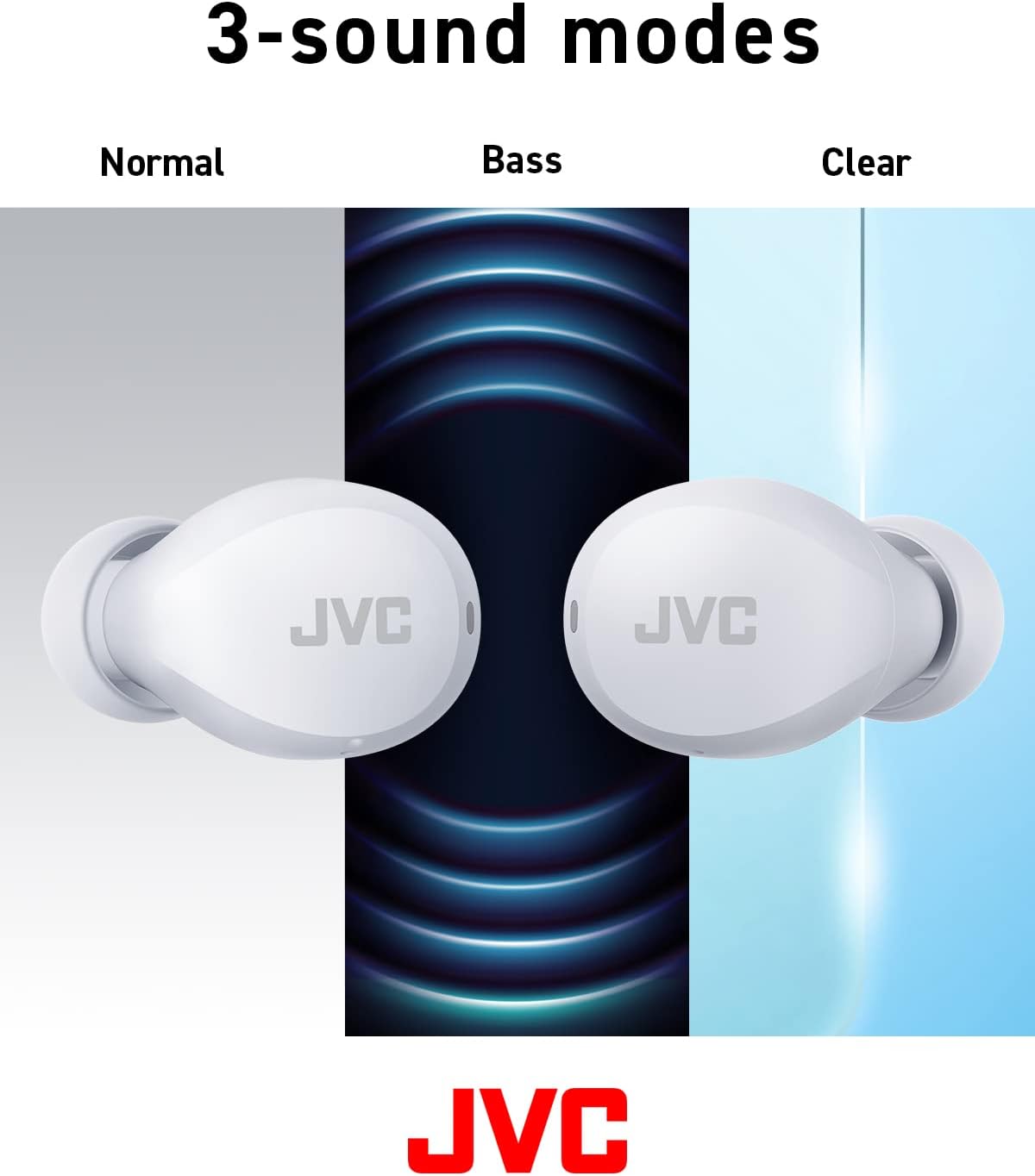
Image: Battery life breakdown for earbuds and charging case.
7. Техникалык тейлөө жана кам көрүү
Суу туруктуулугу (IPX4):
The JVC Gumy Mini earbuds are rated IPX4, meaning they are resistant to splashing water from any direction. This makes them suitable for use during workouts or in light rain. However, they are not designed for submersion in water. Do not expose them to strong jets of water or prolonged immersion.

Image: Earbuds demonstrating sweat and splash-proof capabilities.
Тазалоо:
- Кулакчындарды жана кубаттоочу кутуну жумшак, кургак чүпүрөк менен сүртүңүз.
- Абразивдүү тазалагычтарды, спиртти же химиялык эриткичтерди колдонбоңуз.
- Regularly clean the charging contacts on both the earbuds and the case to ensure proper charging.
8. Кыйынчылыктарды
Жалпы маселелер:
- Үн жок/Төмөн үнү: Check device volume, earbud placement, and ensure earbuds are charged.
- Кулакчындар жупташкан жок: Ensure Bluetooth is enabled on your device and the earbuds are in pairing mode. Try resetting the earbuds.
- Үзгүлтүксүз туташуу: Ensure no obstructions between earbuds and device. Move closer to your device.
Restoring to Default Settings:
If you experience persistent issues, restoring the earbuds to factory default settings may resolve them. Refer to the video below for detailed instructions.
Video: Detailed guide on how to connect, reconnect, and restore JVC Gumy Mini True Wireless Earbuds to their default settings.
9. Техникалык шарттар
| Өзгөчөлүк | Спецификация |
|---|---|
| Модель аты | GUMY Mini (HAA6TW) |
| Байланыш технологиясы | Bluetooth 5.1 |
| Кулак жайгаштыруу | Кулакта |
| Сууга туруктуулук деңгээли | IPX4 (Сууга туруктуу) |
| Батареянын иштөө мөөнөтү (наушник) | 7.5 саатка чейин |
| Батареянын иштөө мөөнөтү (корпусу менен) | 23 саатка чейин |
| Аудио драйвер түрү | Динамикалык драйвер |
| Frequency Response | 20000 Гц |
| Импеданс | 16 Ом |
| Башкаруу түрү | Voice Control, Touch Sensor |
| Элемент Салмагы | 3.36 унция |
| Камтылган компоненттер | Headphones, Wireless Charging Case, Cable |
10. Кепилдик жана колдоо
Кепилдик жөнүндө маалымат жана кардарларды колдоо үчүн, өнүмүңүз менен кошо берилген кепилдик картасын караңыз же расмий JVC дүкөнүнө баш багыңыз webсайт. Ар кандай кепилдик дооматтары үчүн сатып алганыңыздын далилин сактаңыз.


