Introduction
The Linsoul KZ ZS10 PRO X In-Ear Monitors (IEMs) are designed to deliver high-fidelity audio performance for audiophiles, musicians, and DJs. Featuring an upgraded 1DD+4BA hybrid driver system, an alloy faceplate, and a detachable silver-plated 2-pin cable, these earphones offer a balanced and detailed sound experience. This manual provides essential information for the proper setup, operation, and maintenance of your KZ ZS10 PRO X IEMs.
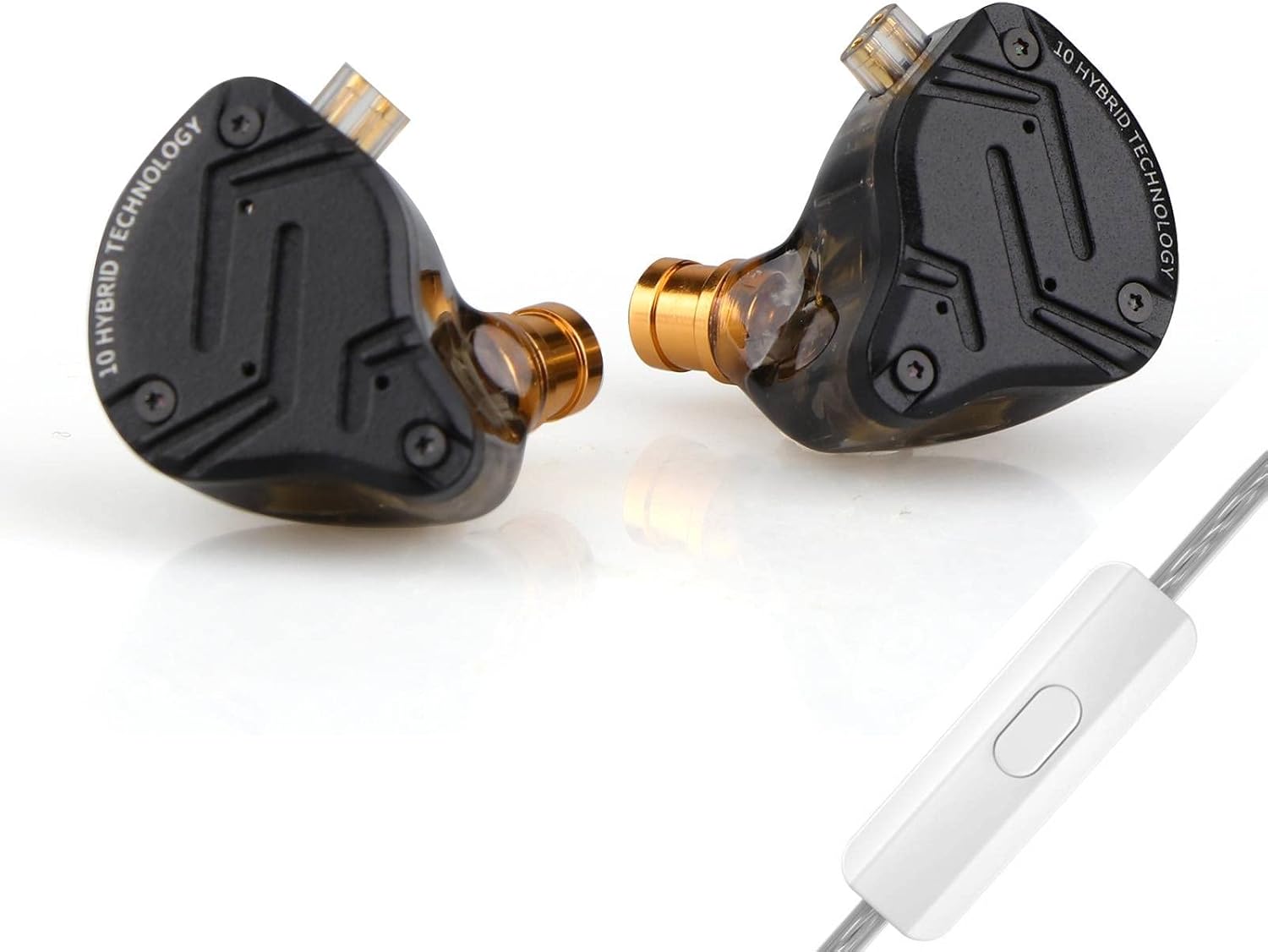
Image: Linsoul KZ ZS10 PRO X In-Ear Monitors with detachable cable.
Пакеттин мазмуну
Төмөндө тизмеленген нерселердин баары пакетиңизге камтылганын текшериңиз:
- KZ ZS10 PRO X In-Ear Monitors (Left and Right)
- Detachable Silver-Plated 2-Pin Cable (with microphone for 'With Mic' variant)
- Three (3) Pairs of Silicone Eartips (Sizes: Small, Medium, Large)
- Колдонуучунун колдонмосу (бул документ)
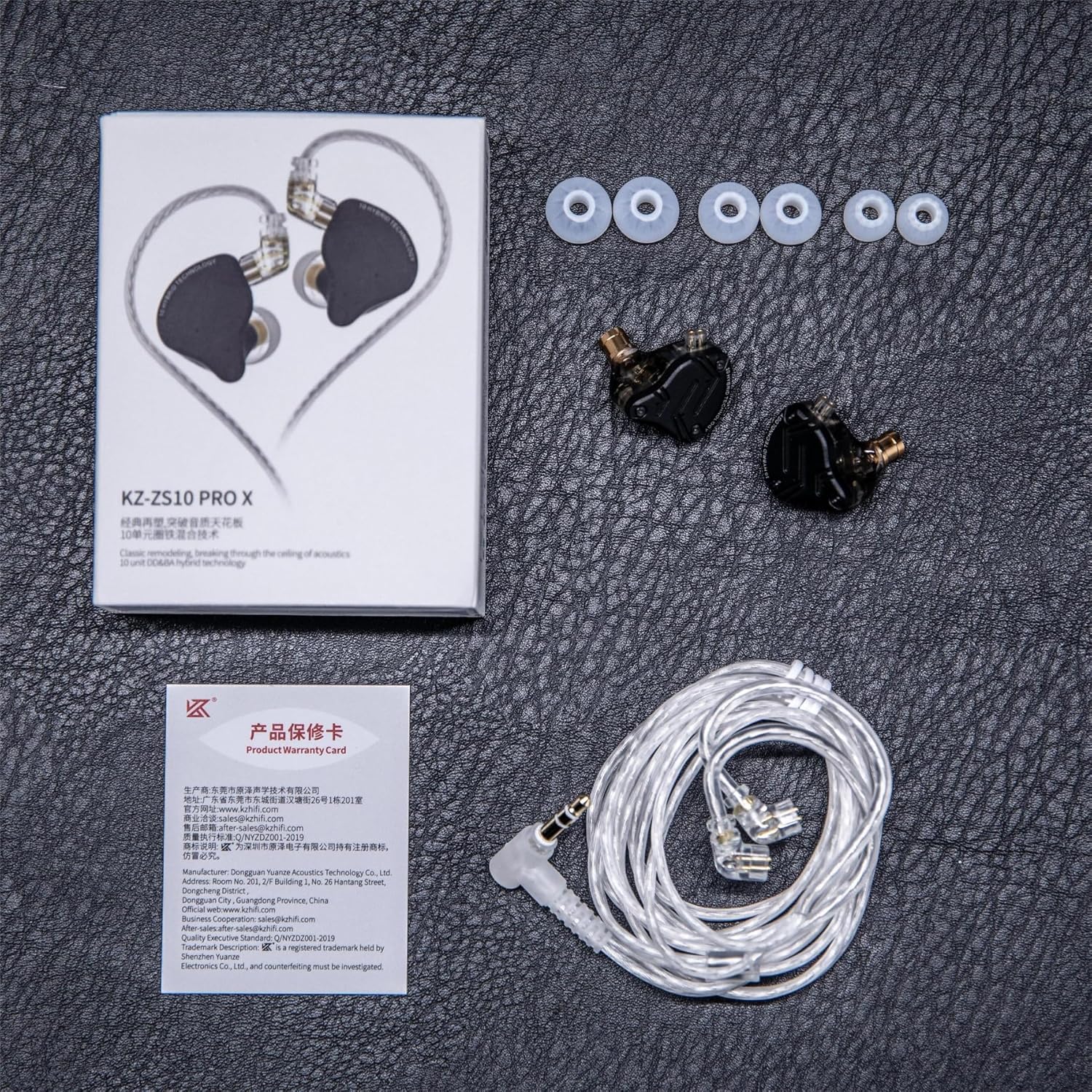
Image: Contents of the KZ ZS10 PRO X package, including earphones, cable, eartips, and user manual.
Жайгашуу
1. Кабелди туташтыруу
- Identify the left (L) and right (R) earpieces and the corresponding connectors on the cable. The cable connectors are typically marked with 'L' and 'R'.
- Align the 2-pin connector on the cable with the recessed socket on the earpiece. Ensure the pins are correctly oriented.
- Gently push the cable connector into the earpiece socket until it is firmly seated. Do not force the connection.
- Башка кулакчын үчүн кайталаңыз.

Image: Diagram showing the internal components and the 2-pin cable connection point on the KZ ZS10 PRO X.
2. Choosing and Attaching Eartips
Selecting the correct eartip size is crucial for optimal sound quality and comfort. Experiment with the included small, medium, and large silicone eartips.
- A good seal provides better bass response and passive noise isolation.
- Gently twist and pull to remove existing eartips.
- Push the desired eartip onto the nozzle of the earpiece until it is securely attached.
3. Наушник тагынуу
- Insert the earpieces into your ears, ensuring a comfortable and secure fit.
- Route the cable over your ears to minimize microphonics (cable noise) and provide a stable fit. The pre-formed ear hooks on the cable should rest comfortably over your outer ear.

Image: Illustration of the ergonomic design and proper wearing technique for the KZ ZS10 PRO X, showing the cable routed over the ear.
4. Түзмөккө туташуу
Plug the 3.5mm gold-plated jack of the cable into the headphone output of your audio source (e.g., smartphone, digital audio player, computer, audio interface).
Иштөө нускамалары
The KZ ZS10 PRO X (with mic variant) features an in-line remote for convenient control of music playback and calls.

Image: Diagram illustrating the functions of the single-button in-line remote control.
Музыка ойнотууну башкаруу
- Ойнотуу/тындыруу: Кнопканы бир жолу басыңыз.
- Кийинки ыр: баскычын эки жолу тез басыңыз.
- Мурунку ыр: баскычын үч жолу тез басыңыз.
Чалууларды башкаруу
- Чалууга жооп берүү/аяктоо: Кнопканы бир жолу басыңыз.
- Чалууну четке кагуу: баскычын басып, кармап туруңуз.
Техникалык тейлөө
Cleaning the Earphones
- Regularly remove the eartips and clean them with a soft, damp кездеме. Кайра жабыштыруудан мурун аларды толугу менен кургатууга уруксат бериңиз.
- Gently wipe the earpiece shells and cable with a dry, soft cloth.
- If earwax accumulates in the nozzle, carefully remove it using a small, soft brush or a specialized cleaning tool. Avoid using sharp objects that could damage the drivers.
Cable Care
- Кабельди кескин ийүүдөн же ашыкча тартуудан алыс болуңуз.
- When detaching the cable, grasp the connector firmly, not the cable itself, and pull straight out.
Сактагыч
When not in use, store your KZ ZS10 PRO X IEMs in a clean, dry place, preferably in a protective case, to prevent damage and tangling.
Проблемаларды чечүү
| Көйгөй | Мүмкүн себеп | Чечим |
|---|---|---|
| Үн жок же үзгүлтүксүз үн жок |
|
|
| Poor sound quality (e.g., weak bass, muffled sound) |
|
|
| Микрофон иштебей жатат |
|
|
Техникалык шарттар

Image: Visual representation of key specifications for the KZ ZS10 PRO X.
| Өзгөчөлүк | Деталь |
|---|---|
| Модель аты | KZ ZS10 PRO X |
| Драйвердин конфигурациясы | 1x 10mm Dynamic Driver + 4x Balanced Armature Drivers (2x 50024s, 2x 30019s) |
| Импеданс | 29 Ом |
| Сезимталдуулук | 112 дБ |
| Frequency Response | 20 Гц - 40 кГц |
| Туташтыргыч түрү | 0.75 мм 2-түйүндүү |
| Кабелдик сайгыч | 3.5 mm Jack (Gold-plated) |
| Кабель өзгөчөлүгү | Detachable, Silver-Plated |
| Кабелдин узундугу | 120 ± 5 см |
| Noise Control | Пассивдүү ызы-чууну жокко чыгаруу |
| Материал | Alloy Faceplate, Resin Shell |
| Элемент Салмагы | 2.11 унция |
| Продукциянын өлчөмдөрү | 3.74 x 2.76 x 1.18 дюйм |
Кепилдик жана колдоо
Linsoul products typically come with a standard manufacturer's warranty. Please refer to the warranty card included in your package or visit the official Linsoul webдеталдуу кепилдик шарттары жана шарттары үчүн сайт.
For technical support, troubleshooting assistance, or warranty claims, please contact Linsoul customer service through their official website or the retailer where you purchased the product. Provide your product model (KZ ZS10 PRO X) and proof of purchase for efficient service.
You can visit the Linsoul Store for more information: Amazon'догу Linsoul дүкөнү


