1. Киришүү
The TAKSTAR WPM-300 is a UHF wireless in-ear monitor receiver designed for professional audio monitoring applications. This device operates within the 520-600MHz frequency range, offering 10 selectable channels for stable signal reception. It is intended for use with a compatible TAKSTAR WPM-300 transmitter (sold separately) to provide clear, low-latency audio monitoring for performers, presenters, and audio engineers.
2. Пакеттин мазмуну
Сураныч, пакетте төмөнкү нерселерди текшериңиз:
- 1 x WPM-300 Bodypack Receiver
- 1 x Pair of In-Earphones
3. Продукт бүтүп калдыview
Familiarize yourself with the components and controls of the WPM-300 receiver.

3.1-сүрөт: Labeled diagram of the WPM-300 receiver components.
- LED көрсөткүчү: Кубаттуулукту жана туташуу абалын көрсөтөт.
- Гарнитура уячасы: 3.5mm output for connecting in-earphones.
- Тышкы антенна: For receiving UHF wireless signals.
- Кубат баскычы: Ресиверди күйгүзөт/өчүрөт.
- LED экраны: Displays current channel, battery level, and connection status.
- Switch Frequency Button (SET): Used to enter channel selection mode.
- Үндү башкаруу (+/-): Adjusts the audio output level to the earphones.

3.2-сүрөт: The HD LED screen provides clear status information.
4. Орнотуу
4.1 Батареяны орнотуу
The WPM-300 receiver operates on two AA batteries. To install:
- Locate the battery compartment cover on the back of the receiver.
- Капкакты жылдырыңыз.
- Бөлүмдүн ичинде көрсөтүлгөндөй туура полярдуулукту (+/-) камсыз кылып, эки АА батарейканы салыңыз.
- Батарея уясынын капкагын бекем жабыңыз.
4.2 Connecting Earphones
Connect the provided in-earphones to the 3.5mm headphone jack on the top of the receiver.
4.3 Баштапкы күйгүзүү жана жупташтыруу
To power on the receiver and establish a connection with a compatible WPM-300 transmitter:
- басып, кармап туруңуз Кубат баскычы on the side of the receiver until the LED screen illuminates.
- Ensure your WPM-300 transmitter is powered on and transmitting on a desired channel.
- Кабыл алгычтагы баскычын басыңыз SET button to enter channel selection mode. The channel number on the LED screen will flash.
- колдонуу + жана - buttons to select the same channel as your transmitter.
- Once the channels match, the receiver will automatically pair with the transmitter. The channel number on the LED screen will stop flashing, and the signal strength indicator will show activity.
- Үнүн колдонуп, үнүн жөндөңүз + жана - buttons on the receiver to a comfortable listening level.
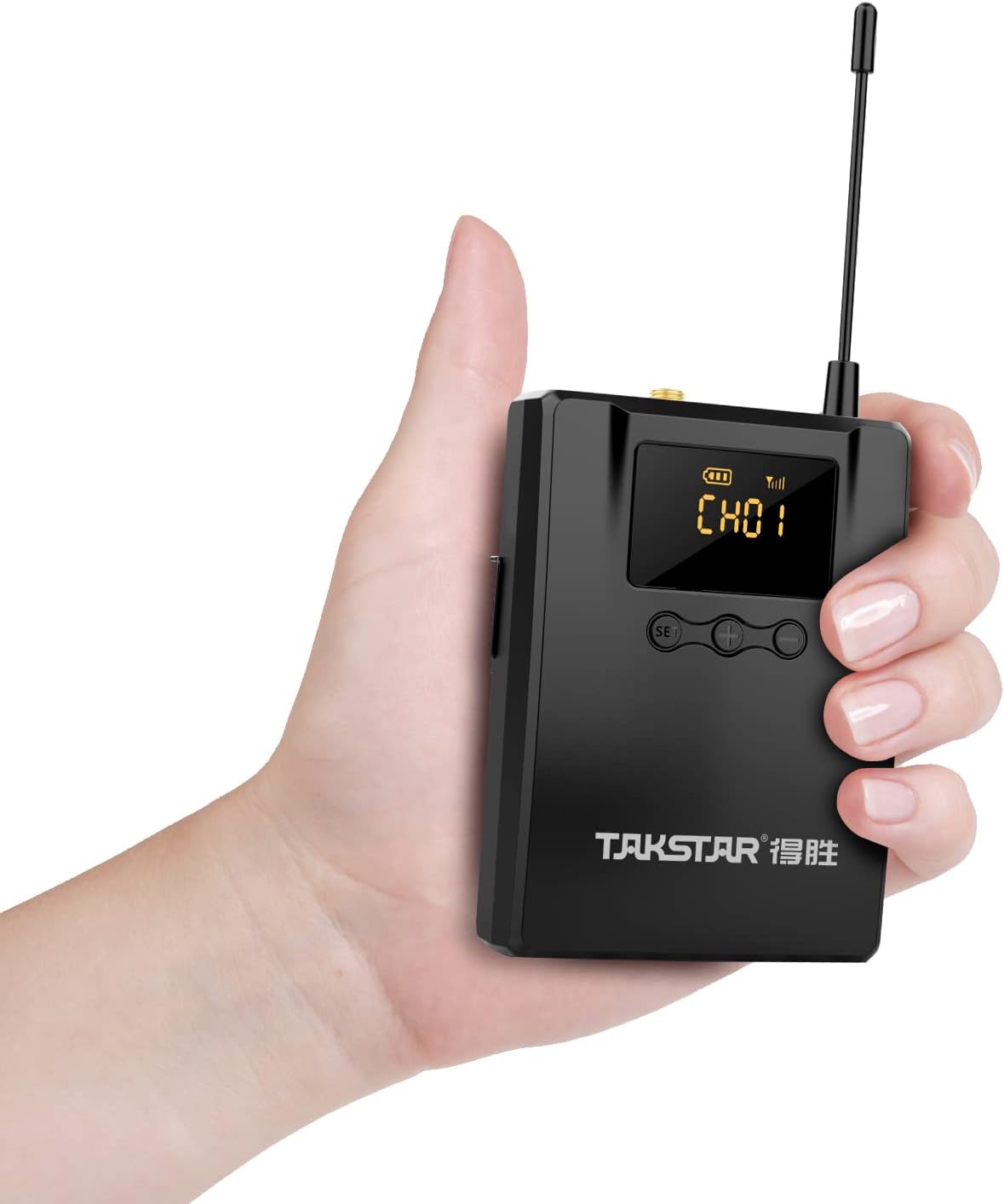
4.1-сүрөт: The lightweight bodypack receiver is designed for portability.
5. Иштөө нускамалары
5.1 Канал тандоо
To change the receiving channel:
- басыңыз SET button. The current channel number on the LED screen will begin to flash.
- колдонуу + or - buttons to cycle through the available channels (CH01-CH10).
- Once the desired channel is displayed, wait a few seconds. The channel number will stop flashing, indicating the new channel is set and the receiver is attempting to connect.
5.2 Үндү тууралоо
Adjust the monitoring volume using the + жана - buttons located next to the SET button. Press + көлөмүн көбөйтүү жана - үнүн азайтуу.
5.3 Кубат өчүрүү
To turn off the receiver, press and hold the Кубат баскычы until the LED screen turns off.
6. Техникалык тейлөө
Proper care ensures the longevity and optimal performance of your WPM-300 receiver.
- Тазалоо: Use a soft, dry cloth to clean the exterior of the receiver. Avoid using harsh chemicals or abrasive materials.
- Сактагыч: Кабыл алгычты салкын, кургак жерде, күндүн түз тийген нурларынан жана өтө жогорку температурадан алыс сактаңыз.
- Батареяга кам көрүү: Агып кетпеш үчүн аппарат узак убакыт бою колдонулбаса, батареяларды алып салыңыз.
- Антенна: Handle the external antenna with care to avoid bending or breaking.
7. Кыйынчылыктарды
If you encounter issues with your WPM-300 receiver, refer to the following common problems and solutions:
| Көйгөй | Мүмкүн себеп | Чечим |
|---|---|---|
| Наушниктен үн чыкпайт | Low battery; Incorrect channel; Earphones not connected; Transmitter off or out of range; Volume too low. | Replace batteries; Match receiver channel to transmitter; Ensure earphones are fully plugged in; Check transmitter status and range; Increase receiver volume. |
| Тоскоолдук же аудио сапатынын начардыгы | Other wireless devices on the same frequency; Receiver too far from transmitter; Obstructions between receiver and transmitter. | Change to a different channel on both receiver and transmitter; Move closer to the transmitter; Ensure a clear line of sight. |
| Ресивер күйбөйт | Өлүк же туура эмес салынган батарейкалар. | Replace batteries with fresh ones; Verify correct battery polarity. |
8. Техникалык шарттар
Detailed specifications for the WPM-300 receiver:
- Жыштык диапазону: 520-600 МГц
- Operating Voltage: DC 2.5V (2.2V-3.0V) / two AA batteries
- Иштөө агымы: 115mA (TYP)
- Жыштык жообу: 20Hz-15 kHz (-6dB intercept point)
- S/N катышы: > 60дБ
- Кабыл алуу сезгичтиги: Better than 8dBuV
- Стерео бөлүү: >45дБ
- Өлчөмдөрү: 169 мм × 64 мм × 30.95 мм
- Салмагы: Болжол менен 123.5г
- Батареянын иштөө мөөнөтү: 6 саатка чейин (AA батареялары менен)
- Байланыш технологиясы: Зымсыз (RF)
- Наушник уячасы: 3.5 мм Джек
- Башкаруу түрү: Volume Control, Channel Selection
9. Кепилдик жана колдоо
TAKSTAR provides a 12-month manufacturer assurance for this product. For technical support, warranty claims, or further assistance, please contact TAKSTAR customer service through their official channels or the retailer from whom the product was purchased.