1. Киришүү
This manual provides comprehensive instructions for the Panasonic Digital Cordless FAX KX-PD750DL-N. This advanced device integrates a digital cordless telephone with a fax machine, offering a range of features designed for convenience and security. Key functionalities include an integrated temperature and humidity alarm, robust nuisance call prevention and consultation features, and a "View Before Printing" function for faxes, which helps conserve paper and ink.
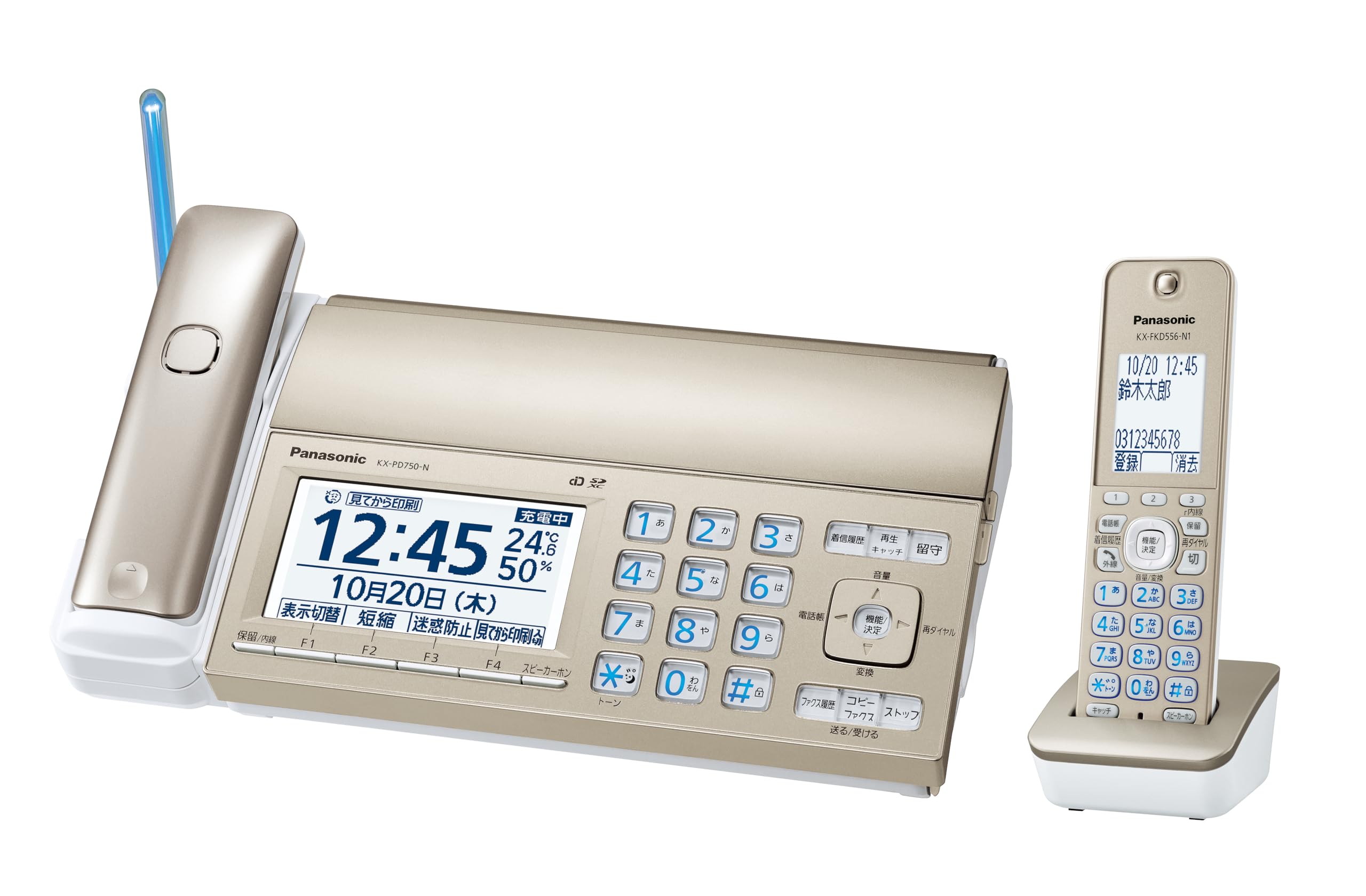
Main unit and cordless handset of the Panasonic KX-PD750DL-N Digital Cordless FAX.
2. Коопсуздук маалыматы
Сураныч, аппаратты колдонуудан мурун бардык коопсуздук нускамаларын кылдат окуп чыгыңыз. Бул колдонмону келечекте маалымат алуу үчүн сактаңыз.
- Агрегатты жамгырга же нымдуулукка дуушар кылбаңыз.
- Аппаратты жылуулук булактарынын жанына же тике күн нуруна коюудан алыс болуңуз.
- Use only the power adapter and batteries supplied with the unit.
- Агрегатты өз алдынча бөлүүгө же оңдоого аракет кылбаңыз. Квалификациялуу тейлөө кызматкерлерине кайрылыңыз.
- Агрегатты балдар жетпеген жерде сактаңыз.
- Агрегаттын айланасын туура желдетүүнү камсыз кылыңыз.
3. Орнотуу
3.1 Пакеттен чыгаруу
Carefully remove all components from the packaging. Ensure all items listed in the packing list are present. Retain the packaging for future transport or storage.
3.2 Негизги блокту туташтыруу
- Connect the power adapter to the main unit and then to a power outlet.
- Connect the telephone line cord to the main unit and then to your telephone wall jack.
3.3 Handset Setup
- Insert the supplied rechargeable battery into the cordless handset.
- Place the handset on the charging cradle. Allow it to charge for at least 7 hours before initial use.

The cordless handset and main unit, illustrating the cordless design for flexible placement.
3.4 Баштапкы орнотуулар
Follow the on-screen prompts on the main unit's LCD to set the date, time, and other basic preferences. Refer to the detailed comparison table for feature differences between models.

Comparison table highlighting features like LCD size, cordless handset, temperature/humidity alarm, view before printing, and nuisance call consultation across different models.
4. Иштөө нускамалары
4.1 Чалууларды кабыл алуу жана кабыл алуу
- Чалуу үчүн: Трубканы көтөрүңүз же динамик баскычын басыңыз, андан кийин номерди териңиз.
- Чалууну кабыл алуу үчүн: Телефон шыңгыраганда телефонду көтөрүңүз же динамик баскычын басыңыз.
- The main unit features an incoming call notification LED. During a call, it lights up blue. For warning information, it flashes red.

The main unit and handset displaying the LED notification feature, with blue light for calls and red for warnings.
4.2 Fax Functionality: View Басып чыгаруудан мурун
The KX-PD750DL-N allows you to receive faxes into memory and view them on the large 4.7-inch LCD screen before printing. This feature helps you decide which faxes are necessary to print, thereby saving paper and ink film.
- When a fax is received, it will be stored in the unit's memory.
- "" бөлүмүнө өтүңүзView Before Printing" option on the LCD screen.
- Review the fax content. You can zoom in or rotate the view.
- Select to print only the necessary pages or delete unwanted faxes.

The large LCD screen displaying a received fax, with options to view and select for printing, demonstrating the "View Before Printing" function.
4.3 Nuisance Call Prevention and Consultation
This unit is equipped with advanced features to combat nuisance calls:
- Nuisance Prevention Function: Before the phone rings, the unit plays a warning message to the caller. This function is active for calls from numbers not registered in the phonebook, provided Caller ID service is enabled.
- Nuisance Call Consultation Function: If you receive a suspicious call, you can record the conversation. During the call, you can play back the recorded conversation to a third party (e.g., family member or police) for immediate consultation. Note: This function is not available on the cordless handset. During playback, the other party's voice is audible, but your voice is not transmitted to them.

An illustration depicting the "Nuisance Prevention" function, aiming to deter fraudulent calls before they connect.

An illustration showing a user consulting with family or police about a suspicious call using the "Nuisance Call Consultation" feature.
Video: A security advisor discusses the importance of proactive crime prevention and the rising trend of special fraud, emphasizing the need for protective measures like the Panasonic KX-PD750DL-N's features.
4.4 Температура жана нымдуулук сигнализациясы
The main unit is equipped with a sensor that detects ambient temperature and humidity. It can alert you to conditions that may lead to heatstroke or excessive dryness. This feature is intended as a daily life guide and is not for medical, nursing, childcare, or professional use. It cannot prevent heatstroke or dryness.
- When temperature or humidity exceeds preset thresholds, the unit will provide voice alerts, display warnings on the LCD, and flash the incoming call notification LED in red.
- You can configure the unit to automatically call a pre-registered family member's mobile phone when heatstroke warning conditions are detected.
- This function needs to be activated and configured after purchase.

An illustration showing the main unit displaying temperature and humidity warnings, with accompanying voice alerts for heatstroke and dryness.
An illustration demonstrating how the unit can automatically notify a family member's mobile phone when heatstroke warning conditions are detected.
4.5 Башка өзгөчөлүктөр
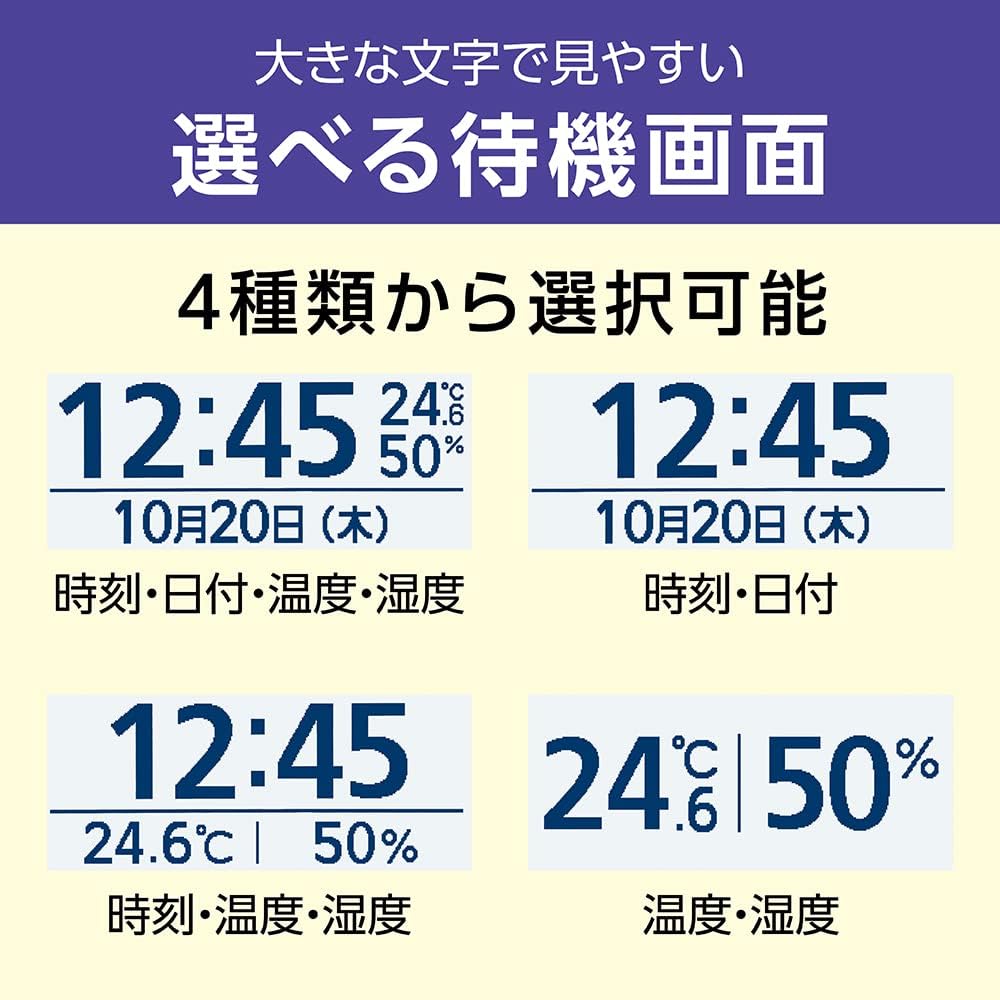
- Selectable Standby Screen: Choose from four types of standby screen displays, including time, date, temperature, and humidity.
- Simple Power Outage Call: Куч болгон учурда уtage, the main unit can still make and receive calls for a limited time, provided a compatible battery pack (sold separately, KX-FAN57) is installed. This function is not available if using optical lines or communication devices that do not operate during power outages.
- Колдонуучуга ыңгайлуу баскычтоп: The keypad is designed for ease of use, featuring clearly labeled buttons for various functions.

Төрт мурункуamples of selectable standby screen displays on the main unit, showing various combinations of time, date, temperature, and humidity.

Жакын план view of the main unit's keypad, highlighting its user-friendly design and clearly labeled buttons.

A list detailing the basic functions available on the Panasonic KX-PD750DL-N, including call recording, call rejection, voice change, and phonebook features.
5. Техникалык тейлөө
5.1 Агрегатты тазалоо
To maintain optimal performance and appearance, regularly clean your unit.
- Wipe the exterior of the main unit and handset with a soft, dry cloth.
- өжөр кир үчүн, бир аз гampкездемени суу жана жумшак самын менен сүртүп, андан кийин дароо кургатыңыз.
- Do not use abrasive cleaners, benzene, thinner, or any other chemical solvents, as they may damage the surface.
- LCD экранын жумшак, мамыксыз чүпүрөк менен тазалаңыз.
5.2 Керектелүүчү материалдарды алмаштыруу
Refer to the specific instructions in the full product manual for details on replacing fax paper and ink film. Use only genuine Panasonic replacement parts to ensure proper operation and avoid damage.
6. Кыйынчылыктарды
If you experience issues with your Panasonic KX-PD750DL-N, please refer to the following common troubleshooting steps before contacting support.
| Көйгөй | Мүмкүн себеп | Чечим |
|---|---|---|
| Терүү үнү жок | Telephone line not connected properly. | Check the telephone line connection to the unit and wall jack. |
| Телефон заряддалбай жатат | Handset not placed correctly on the cradle; battery depleted or faulty. | Ensure the handset is seated correctly. Check battery condition and replace if necessary. |
| Cannot send/receive faxes | No fax paper/ink film; telephone line issue; incorrect settings. | Check paper and ink film. Verify telephone line connection. Review fax settings. |
| Temperature/Humidity alarm not working | Feature not activated or incorrectly configured. | Access the unit's menu to activate and configure the alarm settings. |
7. Техникалык шарттар
| Өзгөчөлүк | Деталь |
|---|---|
| Модель номери | KX-PD750DL-N |
| Бренд аты | Panasonic |
| Түс | Champagne Gold |
| Продукциянын өлчөмдөрү | 21.3 x 31.8 x 8.8 см |
| Элемент Салмагы | 3.55 кг |
| Батареялар камтылган | Ооба |
| Батареялар талап кылынат | Ооба |
| Шайкеш түзмөктөр | Mobile phone (for notification features) |
| Биринчи жеткиликтүү күн | 2022/09/14 |
8. Кепилдик жана колдоо
8.1 Кепилдик маалыматы
This Panasonic product is covered by a manufacturer's warranty. Please refer to the warranty card included in your product packaging for specific terms, conditions, and duration. Keep your proof of purchase for warranty claims.
8.2 Кардарларды колдоо
For technical assistance, service, or further inquiries, please contact Panasonic customer support. Contact details can be found on the official Panasonic webсайтында же продукт документациясында.
Online resources, including FAQs and additional manuals, may also be available on the Panasonic support webсайт.


