Introduction
This manual provides detailed instructions for the installation, operation, and maintenance of your INKBIRD IVC-001W 15CM Inline Duct Fan with Smart Controller. This system is designed to provide efficient ventilation, deodorization, dehumidification, and temperature regulation for various indoor environments.
Коопсуз жана оптималдуу иштешин камсыз кылуу үчүн продуктуну колдонуудан мурун бул колдонмону кылдат окуп чыгыңыз.
Коопсуздук маалыматы
Жарааттарды же аппаратты бузууну болтурбоо үчүн төмөнкү коопсуздук чараларын сактаңыз:
- Электр коопсуздугу: Ensure the power supply matches the fan's requirements. Do not operate with damaged cords or plugs.
- Орнотуу: Install the fan in a stable location, ensuring proper duct connections to prevent air leaks.
- Тейлөө: Тазалоодон же тейлөөдөн мурун электр энергиясын өчүрүңүз.
- Балдар жана үй жаныбарлары: Аппаратты балдар жана үй жаныбарлары жетпеген жерде сактаңыз.
- Курчап турган чөйрө: Do not expose the fan or controller to water or extreme temperatures.
Продукт компоненттери
The INKBIRD IVC-001W package includes the following:
- 1 x INKBIRD IVC-001W Inline Duct Fan (15CM / 6-inch)
- 1 x Wi-Fi Enabled Smart Controller
- 1 x Temperature and Humidity Probe
- 1 х Кубат кабели
- Mounting Hardware (e.g., straps, screws)
- Колдонуучунун Колдонмосу (бул документ)
Орнотуу жана орнотуу
Follow these steps to properly install your INKBIRD Inline Duct Fan:
- Пакеттен чыгаруу: Бардык компоненттерди таңгактан кылдаттык менен алып салыңыз. Кандайдыр бир зыянды текшериңиз.
- Желдеткичти орнотуу: Secure the inline duct fan in your desired location (e.g., within a grow tent, basement, or kitchen ductwork). Use the provided mounting hardware to ensure it is stable and vibration-free.
- Connecting Ducting: Connect appropriate ducting to both ends of the fan. Ensure all connections are sealed to prevent air leakage and maximize efficiency.
- Контроллерди орнотуу: Choose a convenient location for the smart controller. It can be wall-mounted or placed on a flat surface.
- Контроллерди туташтыруу: Connect the fan to the smart controller using the provided cable. Then, connect the temperature and humidity probe to the controller.
- Кубат туташуу: Plug the power cord into a standard electrical outlet. The controller screen should illuminate.
- Wi-Fi орнотуу: Download the INKBIRD app on your smartphone. Follow the in-app instructions to connect the smart controller to your Wi-Fi network. This enables remote control and monitoring.

Image: The INKBIRD IVC-001W Inline Duct Fan connected to flexible ducting, shown in an indoor growing environment.

Сүрөт: деталдуу view of the duct fan illustrating the direction of air flow (inlet and outlet) and its connection to ductwork.
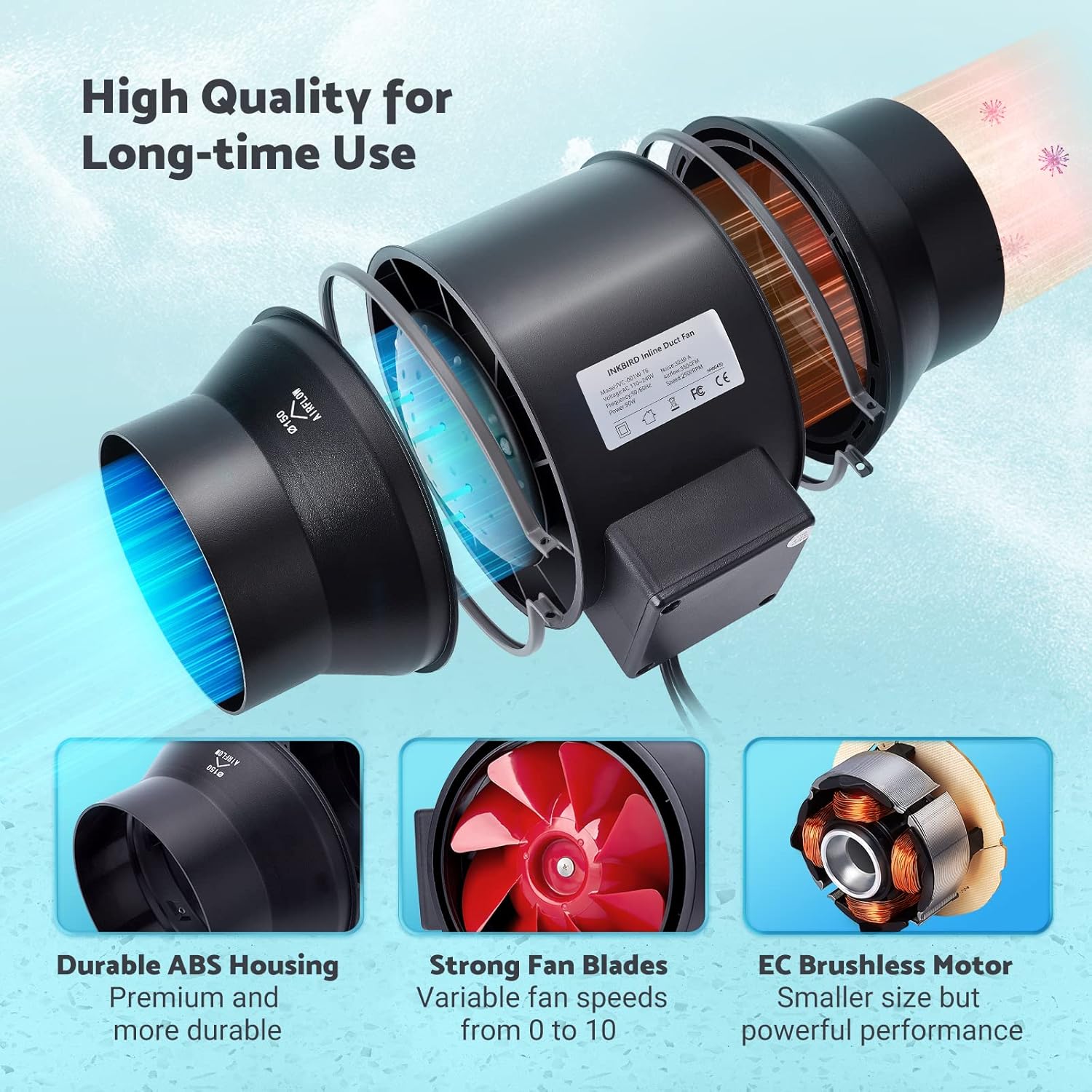
Image: The Wi-Fi enabled smart controller displaying temperature and humidity readings, with its probe connected.
Иштөө нускамалары
The INKBIRD IVC-001W offers multiple operating modes for flexible environmental control.
Controller Interface
The smart controller features a high-definition VA screen displaying current temperature, humidity, fan status, and settings. Buttons on the controller allow for direct interaction.

Сүрөт: деталдуу view of the smart controller's screen, showing temperature, humidity, and fan speed settings, along with its physical buttons.
Иштөө режимдери
You can select from Automatic, Manual, or Timer modes:
- Автоматтык режим:
- Set desired temperature and humidity ranges.
- The fan will automatically adjust its speed (0-10) to maintain these preset conditions.
- Ideal for maintaining a consistent environment without constant manual adjustment.
- Кол режими:
- Manually set the fan speed from 0 (off) to 10 (maximum).
- The fan will operate at the selected speed until manually changed or turned off.
- Таймер режими:
- Program up to 6 individual operating times per day.
- For each time slot, you can customize the start time, running length, and fan speed.
- This mode allows for precise scheduling of ventilation cycles.

Image: Screenshot of the INKBIRD smartphone app demonstrating the Automatic Mode interface, where users can set temperature and humidity thresholds.

Image: Screenshot of the INKBIRD smartphone app demonstrating the Manual Mode interface, allowing users to set a specific fan speed.

Image: Screenshot of the INKBIRD smartphone app demonstrating the Timer Mode interface, where users can schedule multiple fan operations throughout the day.
Smart App Features
The INKBIRD app provides enhanced control and monitoring capabilities:
- Алыстан башкаруу: Adjust settings and change modes from anywhere.
- Мониторинг: View реалдуу убакыт температура жана нымдуулук маалыматтар.
- Тарых: Access historical temperature and humidity data.
- Ойготкучтар: Receive notification messages on your phone if detected temperature/humidity reaches preset alarm values.
- Балдар кулпусу: Enable the child lock function via the app or by pressing the '+' and '-' buttons simultaneously on the controller for 2 seconds to prevent unintended changes.
- ЭКО режими: The controller supports ECO mode for power saving.
Негизги өзгөчөлүктөрү
- Efficient Air Movement: Provides 350 CFM air volume and 2500 RPM fan speed for effective ventilation, deodorization, dehumidification, and temperature regulation.
- Тынч иштөө: Features an energy-efficient EC motor, producing only 32 dB of noise during operation (measured at 3 meters from the fan connected to a 1-meter duct).
- Өзгөрмө желдеткич ылдамдыгы: Fan speed is adjustable from 0 to 10, allowing precise control over airflow.
- Туруктуу курулуш: Built with a durable ABS housing and strong fan blades for long-term use.
- Multi-Fan Control: The smart controller can connect and control two INKBIRD fans simultaneously.
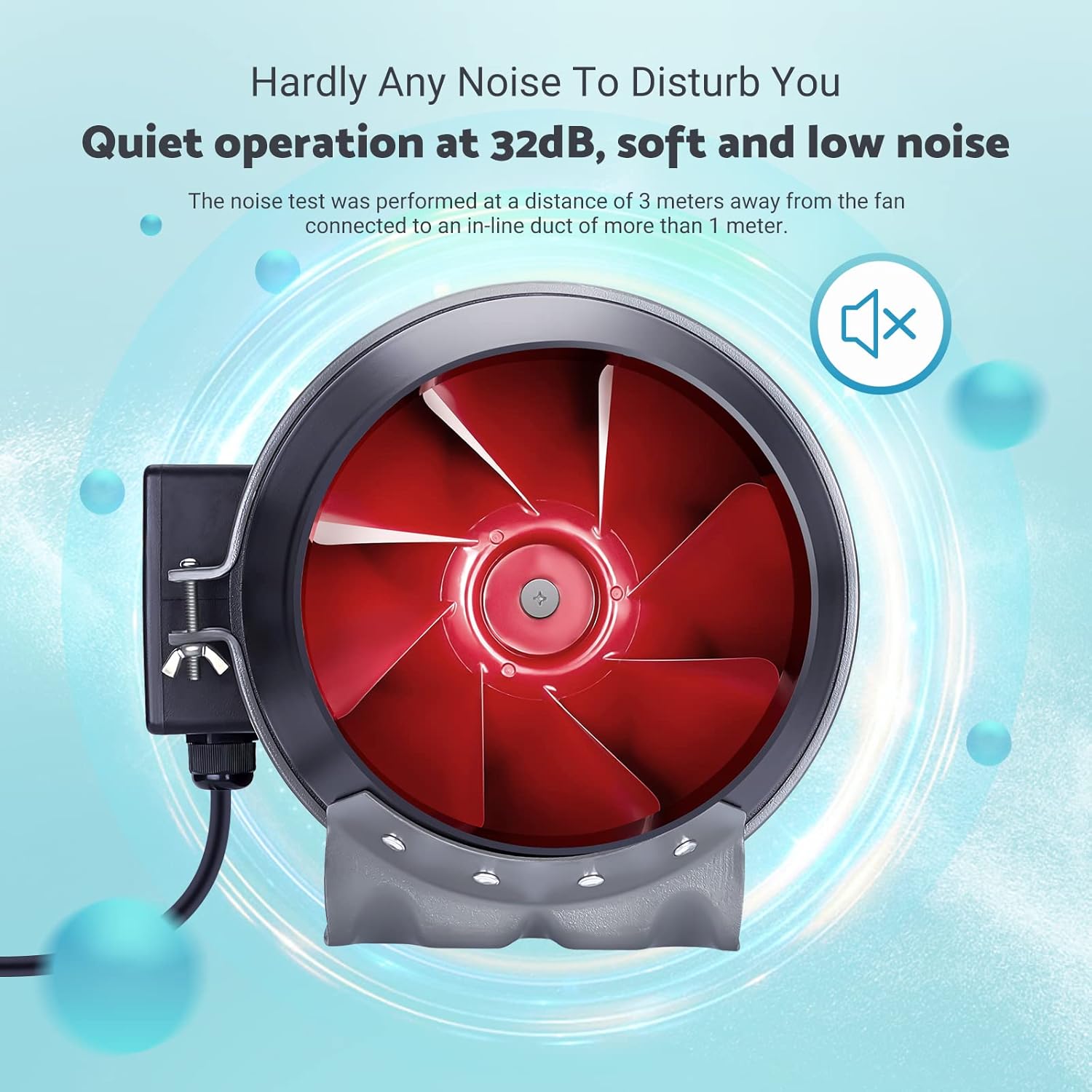
Image: The inline duct fan highlighting its multifunctional capabilities: ventilation, deodorization, humidity regulation, and temperature regulation.

Сүрөт: ички view of the fan, emphasizing its quiet operation at 32 dB, with the red fan blades visible.
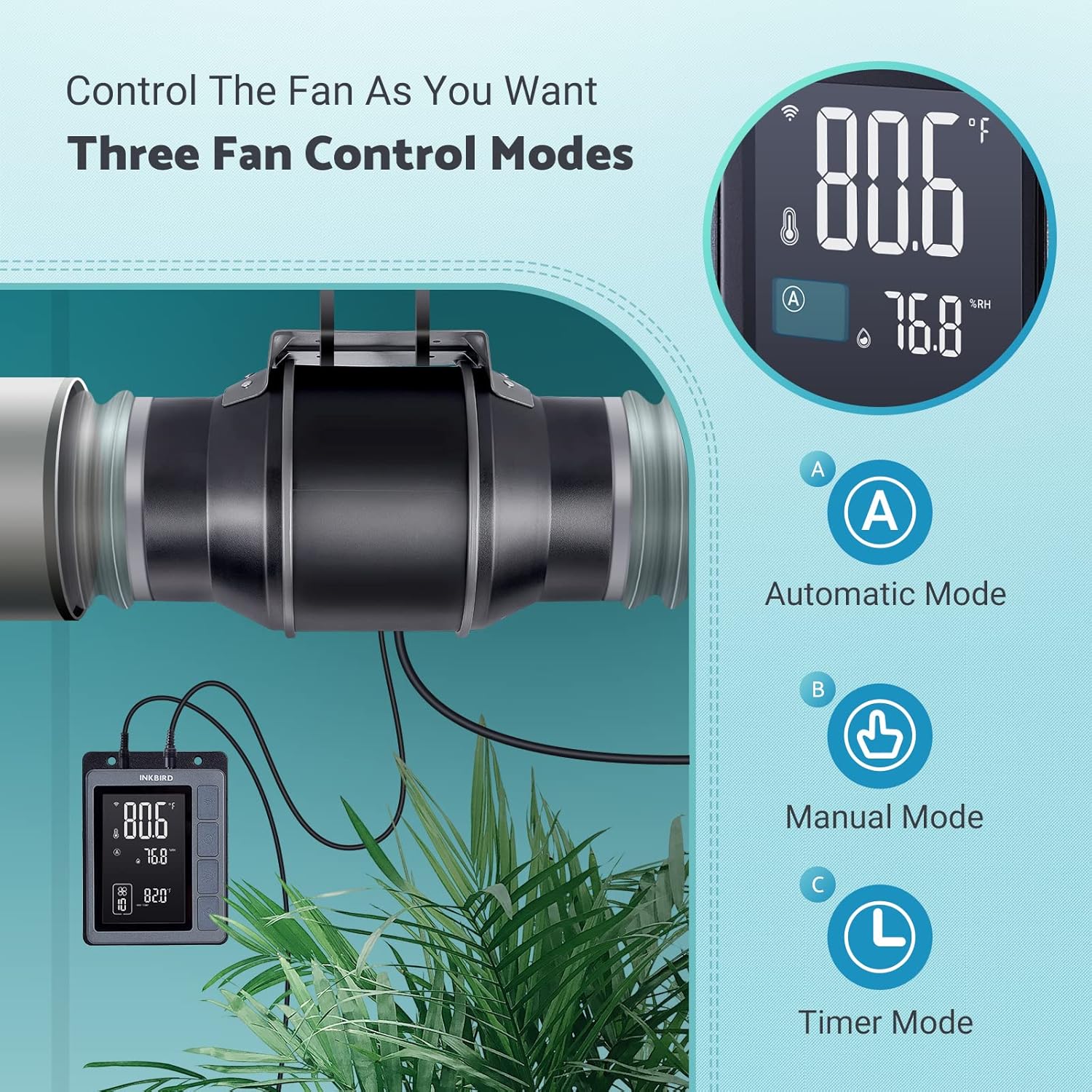
Image: An exploded diagram of the fan, highlighting its durable ABS housing, robust fan blades, and the efficient EC brushless motor.
Техникалык тейлөө
Regular maintenance ensures the longevity and efficiency of your INKBIRD Inline Duct Fan.
- Электр энергиясын өчүрүү: Always unplug the fan from the power source before performing any cleaning or maintenance.
- Тышкы тазалоо: Wipe the exterior of the fan and controller with a soft, damp кездеме. Абразивдүү тазалагычтарды же эриткичтерди колдонбоңуз.
- Желдетүүчү бычакты тазалоо: Periodically inspect the fan blades for dust and debris accumulation. If necessary, carefully remove the fan from the ducting and gently clean the blades with a soft brush or cloth. Ensure no moisture enters the motor housing.
- Зонд тазалоо: Так көрсөткүчтөрдү камсыз кылуу үчүн температура жана нымдуулук датчигин таза жана тоскоолдуктардан алыс кармаңыз.
- Түтүктөрдү текшерүү: Regularly check the ducting for any blockages, tears, or loose connections that could impede airflow.
Проблемаларды чечүү
If you encounter issues with your INKBIRD Inline Duct Fan, refer to the following common problems and solutions:
| Көйгөй | Мүмкүн себеп | Чечим |
|---|---|---|
| Желдеткич күйбөйт. | No power supply; loose connection; child lock enabled. | Check power cord connection and outlet. Ensure fan cable is securely connected to the controller. Disable child lock via app or controller buttons. |
| Вентилятор иштейт, бирок аба агымы начар. | Ducting blockage; fan speed set too low; air leaks in ducting. | Inspect ducting for obstructions. Increase fan speed setting. Check duct connections for leaks and seal if necessary. |
| Температура/нымдуулуктун көрсөткүчтөрү так эмес. | Probe is dirty or obstructed; probe is placed in an unsuitable location. | Clean the probe. Relocate the probe to an area that accurately represents the environment you wish to monitor. |
| Wi-Fi туташуу маселелери. | Туура эмес Wi-Fi сырсөзү; роутер өтө алыс; тармак кийлигишүүсү. | Verify Wi-Fi password. Move controller closer to the router. Restart router and controller. Ensure 2.4GHz Wi-Fi network is used. |
| Желдетүүчү ызы-чуу. | High fan speed; loose mounting; debris in fan blades. | Reduce fan speed. Ensure the fan is securely mounted. Disconnect power and inspect/clean fan blades. |
Техникалык шарттар
| Өзгөчөлүк | Деталь |
|---|---|
| Бренд | Inkbird |
| Модел | IVC-001W |
| желдеткич диаметри | 15CM (6-inch) |
| Аба көлөмү | 350 CFM |
| Fan Speed | 2500 RPM (макс.) |
| Ызы-чуу деңгээли | 32 dB (at 3 meters) |
| Тtage | 24V |
| Ватtage | 50 Вт |
| Power Source | Электр зымдары |
| Материал | Пластик (ABS корпусу) |
| Монтаж түрү | Дубалга орнотуу |
| Өзгөчөлүктөр | Timer, Wi-Fi Smart Controller, Temperature & Humidity Control, Child Lock, ECO Mode |
| Электр шнурунун узундугу | 150 см (59 дюйм) |
| Желдетүүчүдөн контроллерге шнурдун узундугу | 240 см (94.5 дюйм) |
| Зонд узундугу | 250 см (98.43 дюйм) |
| Продукциянын өлчөмдөрү | 35D x 26.7W x 28H сантиметр |

Image: A technical diagram illustrating the dimensions of the inline duct fan, smart controller, and the temperature/humidity probe, including cable lengths.
Кепилдик жана колдоо
The INKBIRD IVC-001W Inline Duct Fan comes with a 2 жылдык кепилдик сатып алынган күндөн тартып.
For technical support, warranty claims, or further assistance, please contact INKBIRD customer service through their official webсайты же продуктунун таңгагында берилген байланыш маалыматы.
Сиз да зыярат кылсаңыз болот Inkbird Store on Amazon көбүрөөк продукт маалымат жана колдоо ресурстар үчүн.


